
Through the Map, you can check information about each region of the Shiltz Continent and move to your desired location.
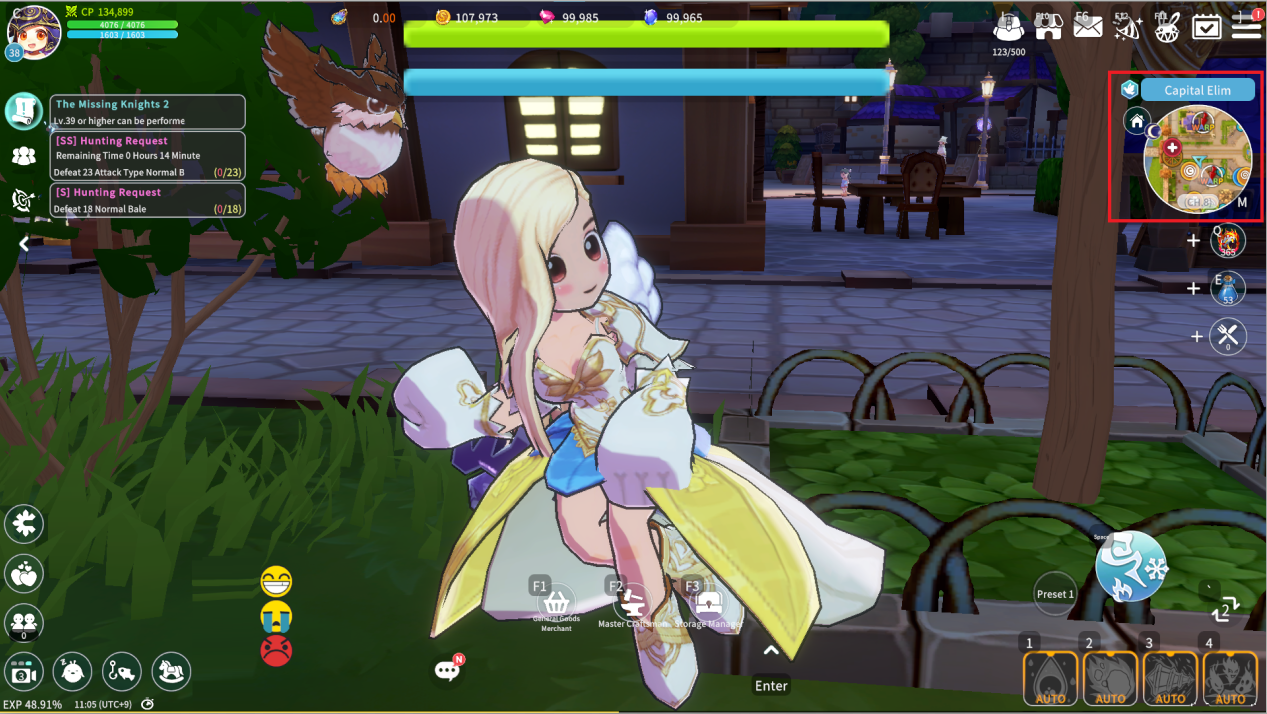
The Map can be opened by tapping the Mini-map on the right side of the screen.
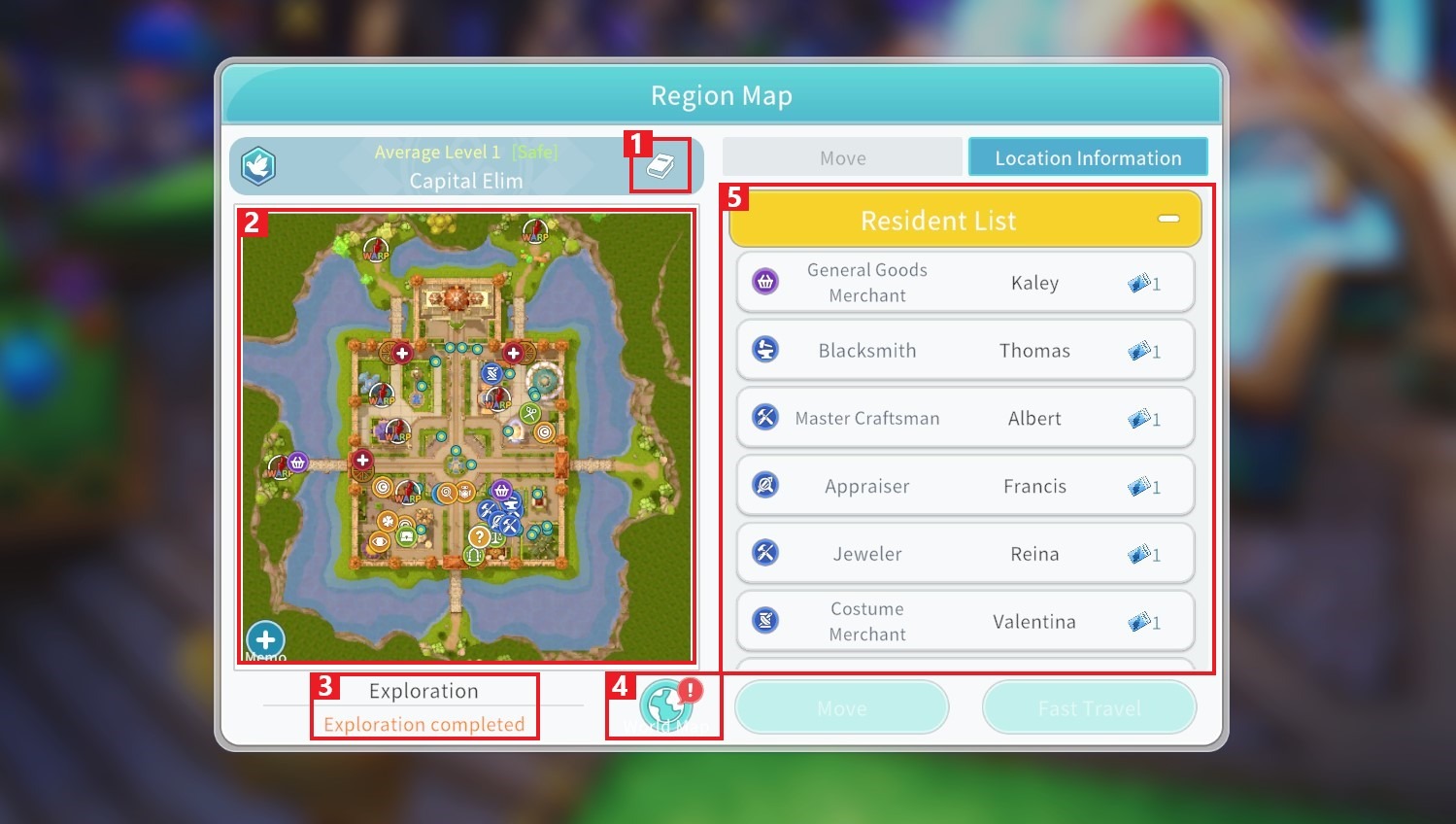
① You can check information about the region where your character is currently located.
② You can register markers on the Map. By tapping a registered marker, you can move to it immediately. You can also add a memo to the marker or share it in the Chat window.
③ You can check the exploration progress of the region. To reveal hidden areas on the Mini-map, you must increase your exploration progress.
④ You can open the World Map to view all regions of the Shiltz Continent.
⑤ You can check the list of NPCs in the region. Tapping an NPC will automatically move your character to that NPC’s location.
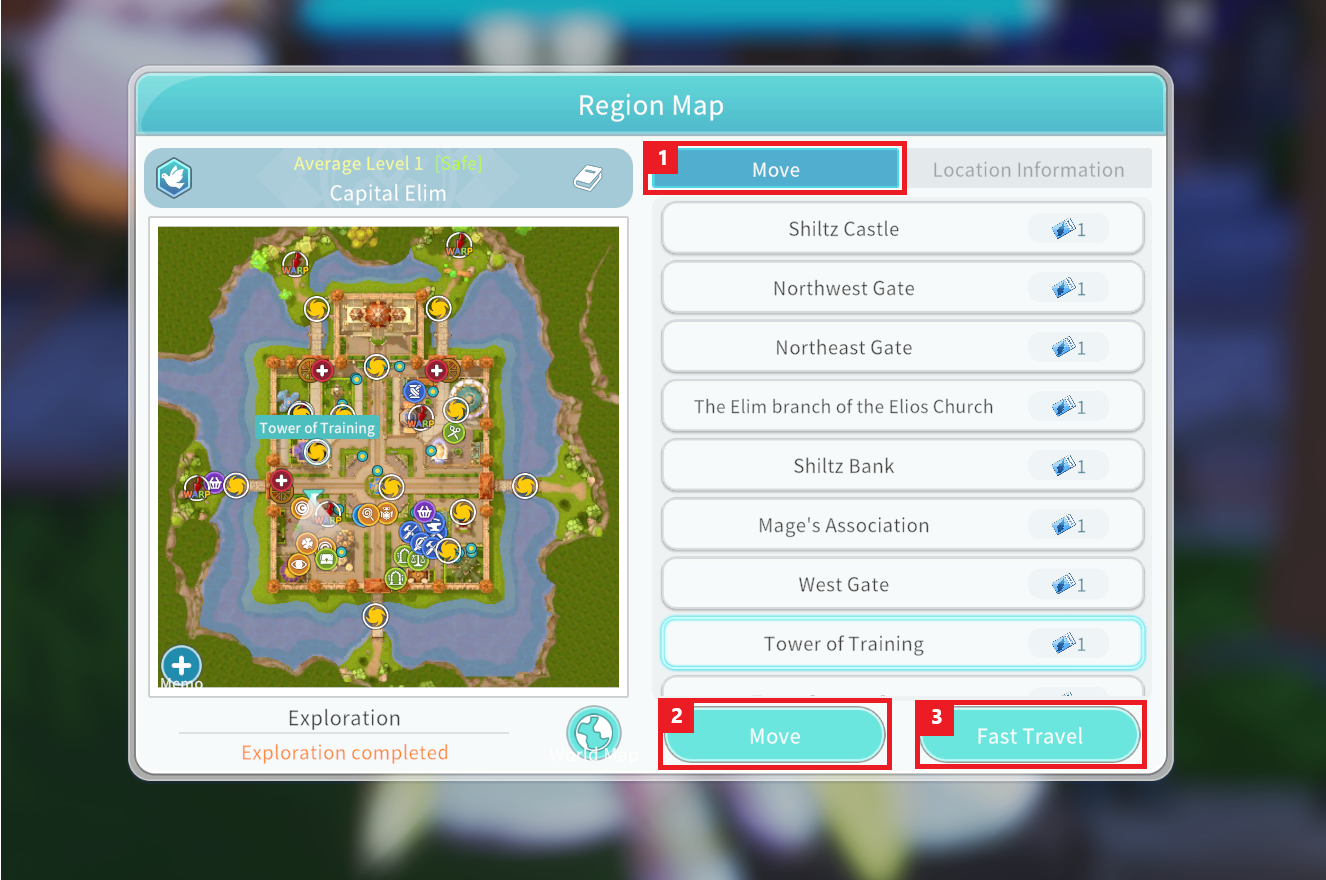
① Tap the “Move” tab to display the Portal locations in the region. By tapping a Portal on the Map or selecting it from the Portal list, your character will automatically move to that Portal.
② Tap the “Move” button to move your character directly to the selected Portal.
③ Tap the “Fast Travel” button to consume a Fast Travel Ticket and instantly travel to the selected Portal.
Fast Travel Tickets can be exchanged with the Request Board Exchanger “Iriel” in Elim using Candy Jelly Seals, or obtained through various content activities.
