Friends

You can register other adventurers as Friends to check their online status, invite them to a Party, or send a Whisper.
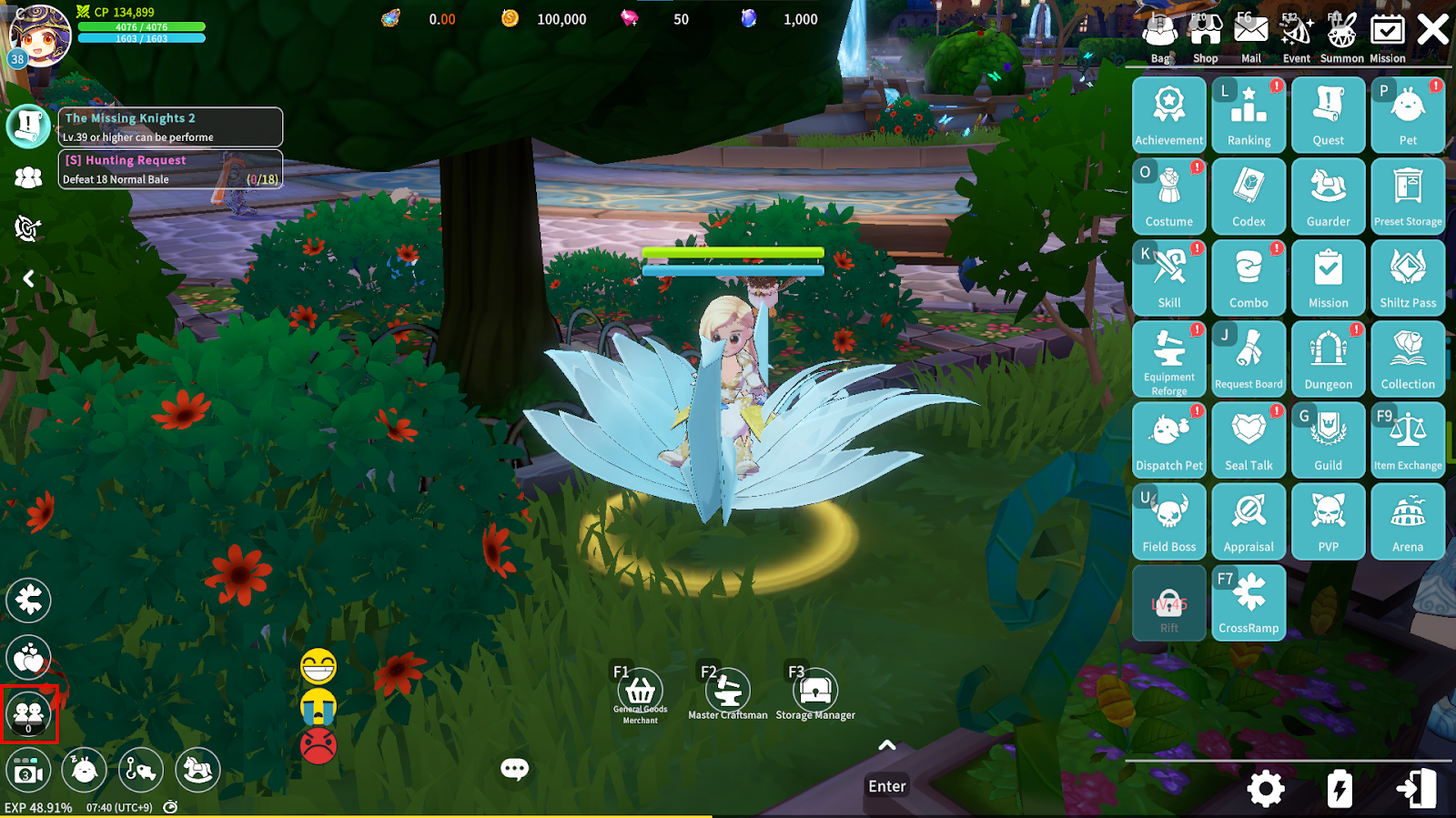
You can manage your Friend list via: Game Screen > Bottom Left > Friend Icon
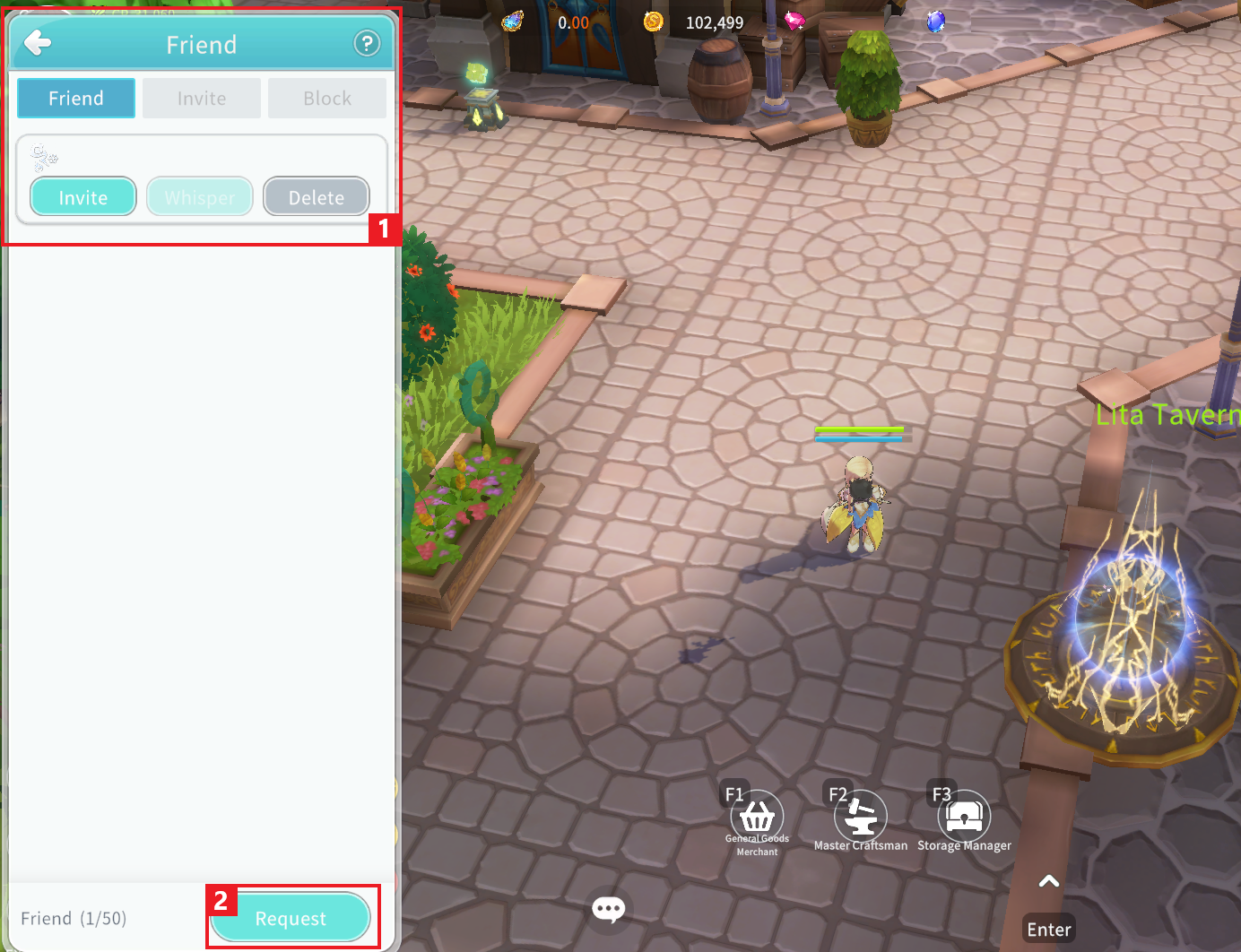
① Friend UI
- Friend: In the Friend list, you can check your friends’ online status. By selecting a friend’s character name, you can invite them to a Party, send a Whisper, or delete them from your Friend list.
- Invite: You can view sent and received Friend requests.
- Block: You can view characters you have blocked. When you block a character, you cannot see their chat messages, and neither party can send Friend requests to each other.
② Sending a Friend Request: Tap the “Friend Request” button and enter the character name to send a Friend request.
