Preset Storage

The Preset Storage system allows you to save desired Costume and Pet configurations into presets.
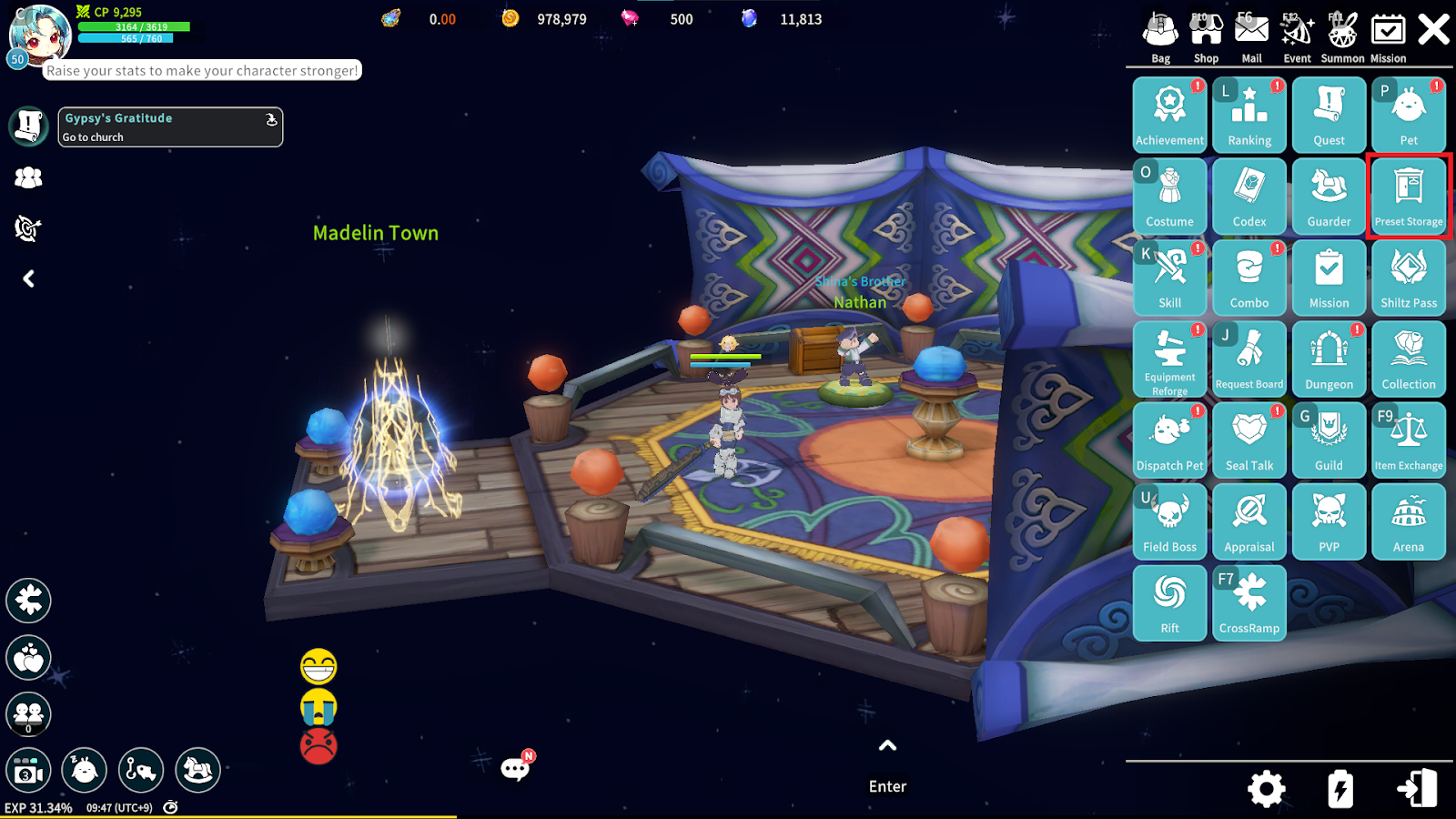
Saved presets can be shared across all characters on the same server, enabling faster and more convenient equipment switching.
1. Storage UI
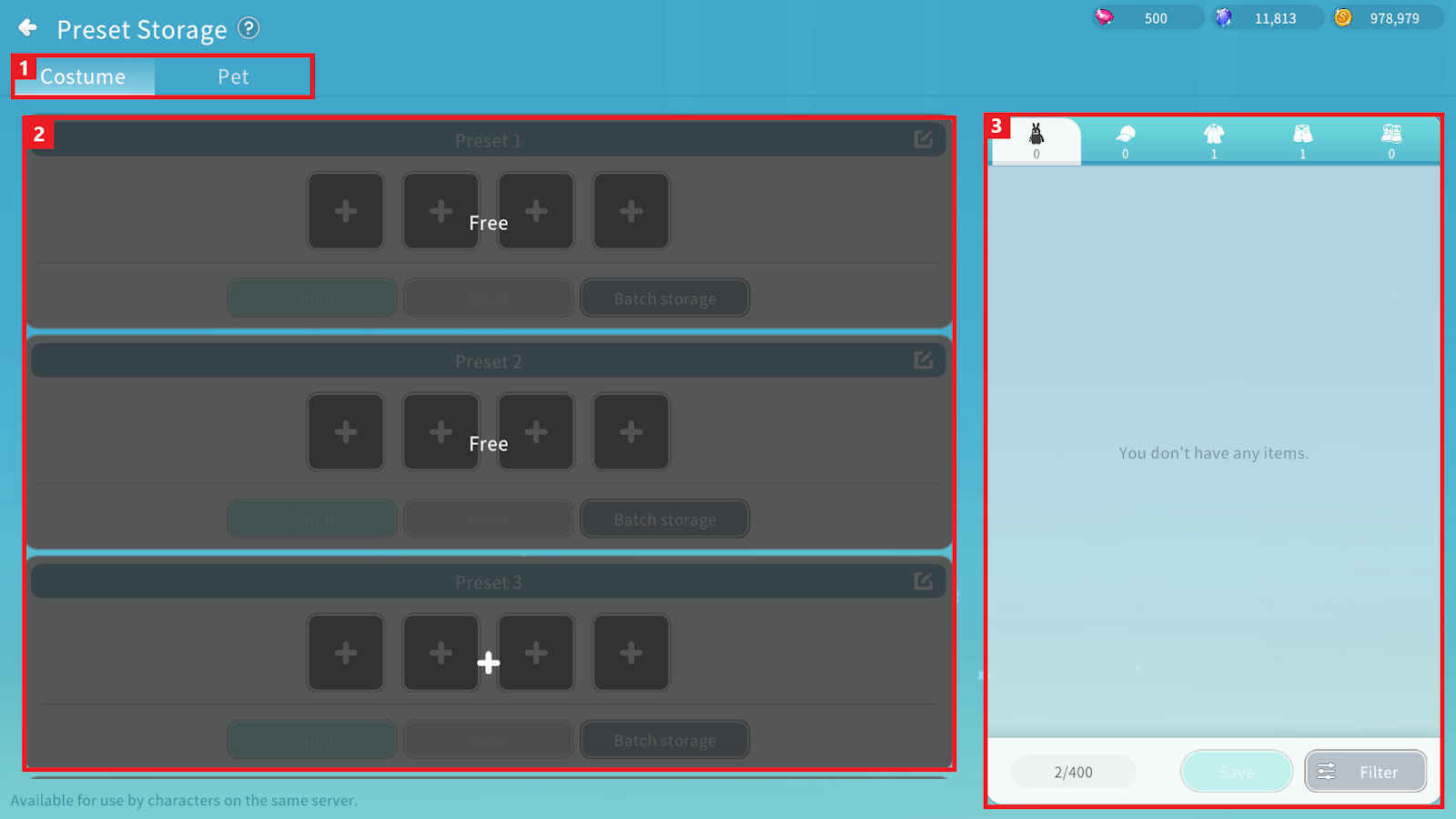
① You can select between the Costume Preset and Pet Preset menus.
② You can check preset slots and the Costumes or Pets saved within them.
- Two basic slots are provided for both Costumes and Pets and additional preset slots can be unlocked using currency.
③ You can check owned Costumes and Pets, sort them using filter and register selected items into a preset via the Save function.
2. Preset Registration
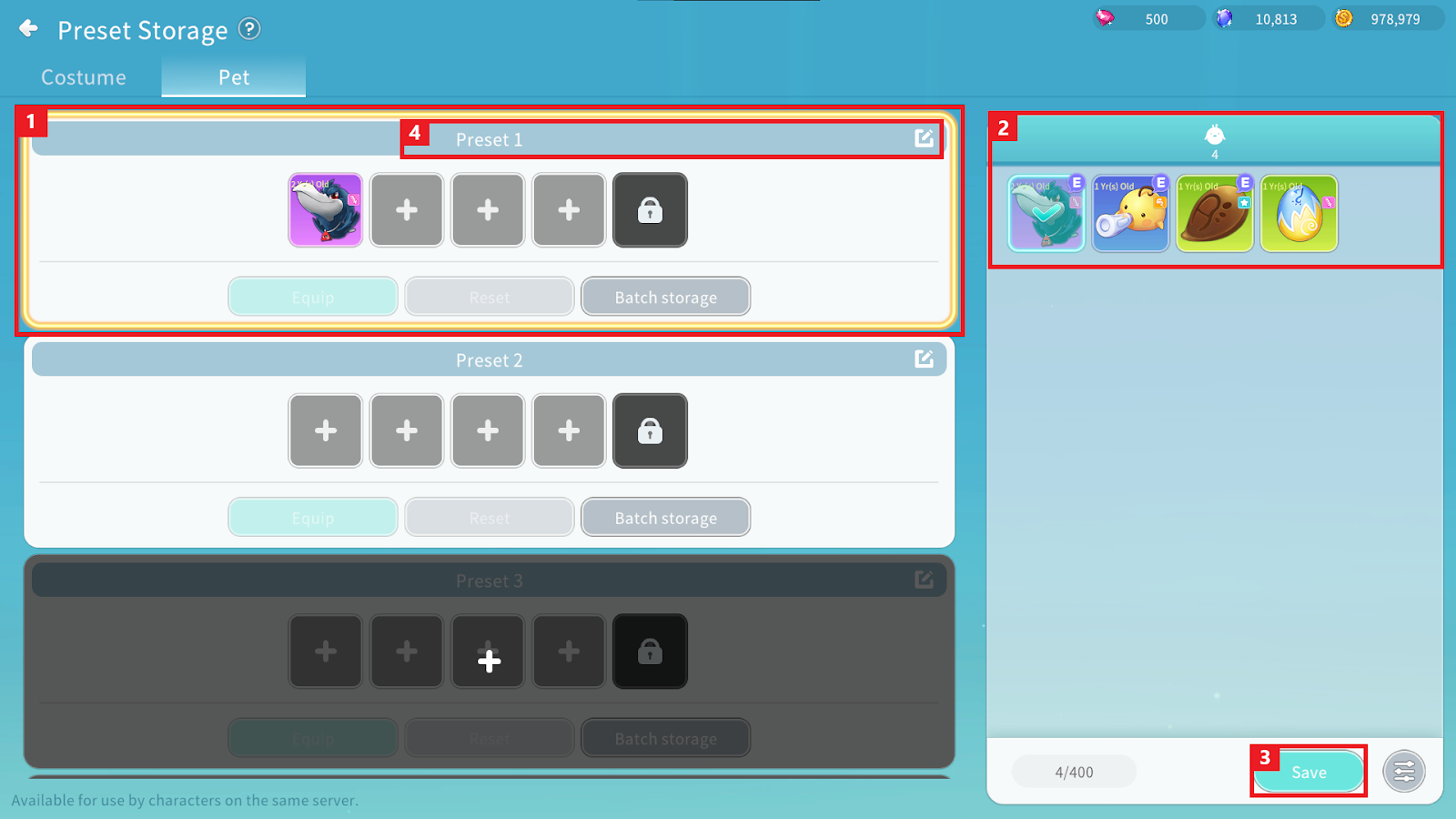
① Select the preset slot where you wish to register a Costume/Pet.
The selected preset will be highlighted with a yellow border.
② Select the Costume/Pet you wish to register. Once selected, it will be registered in the preset slot.
- Costumes can be registered separately as Full-Set or Separate-Type. Full-Set and Separate-Type cannot be mixed in the same preset.
- Separate-Type Costumes can be registered one per part, and the same part cannot be registered more than once.
- Pets of the same lineage cannot be registered more than once.
- Up to 5 Pets can be saved, but you can only register as many Pets as the character’s available Pet slots allow.
③ Save the Costumes and Pets registered in the preset.
④ You can change the name of the preset.
3. Preset Equip
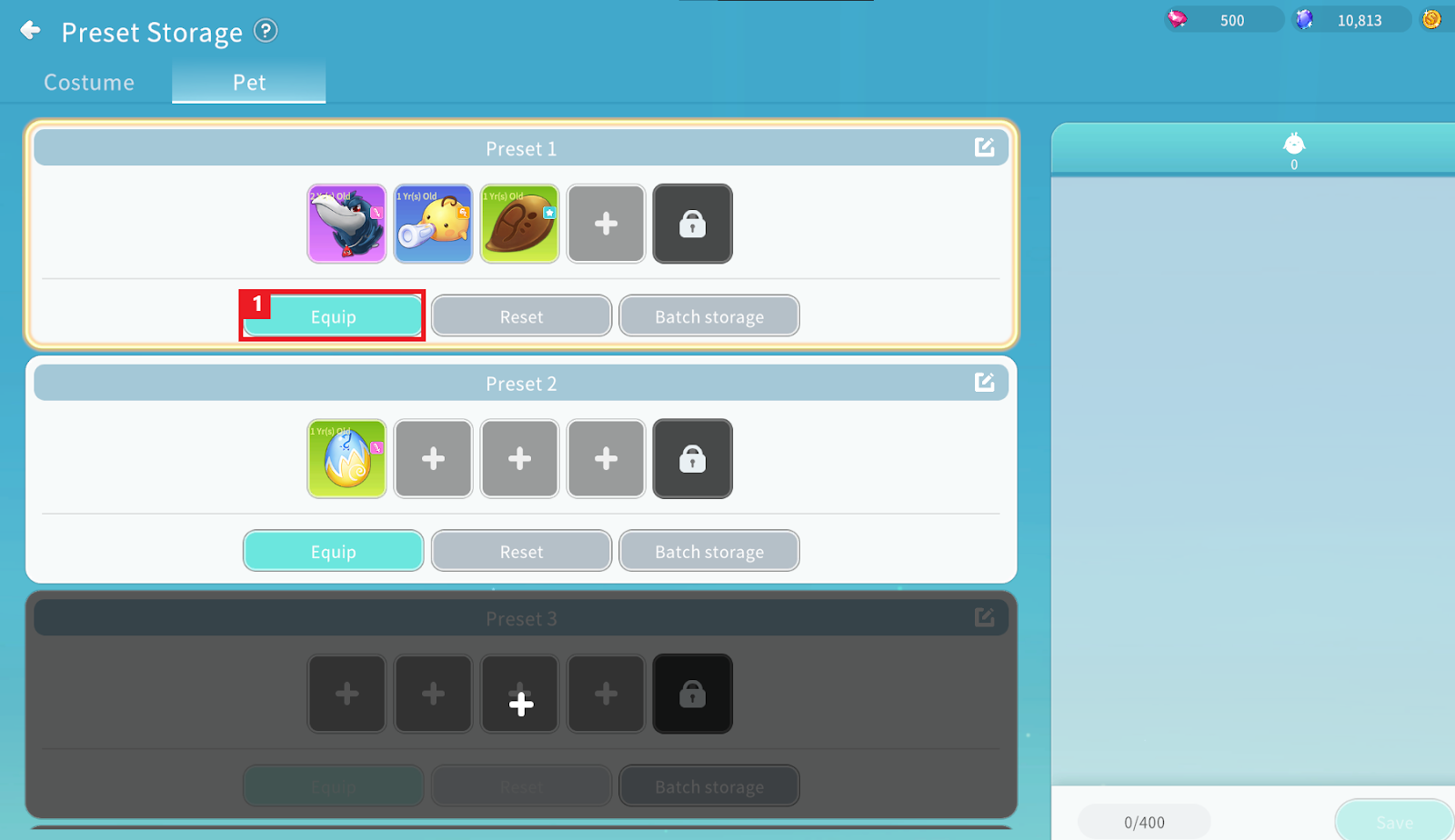
① By equipping the preset, the Costumes or Pets saved in that preset will be equipped.
- For Costumes, you can choose to equip them in either the Stat Equip slot or the Appearance Equip slot.
- If the character’s unlocked Pet slots are fewer than the number of Pet slots saved in the preset, the preset cannot be equipped.
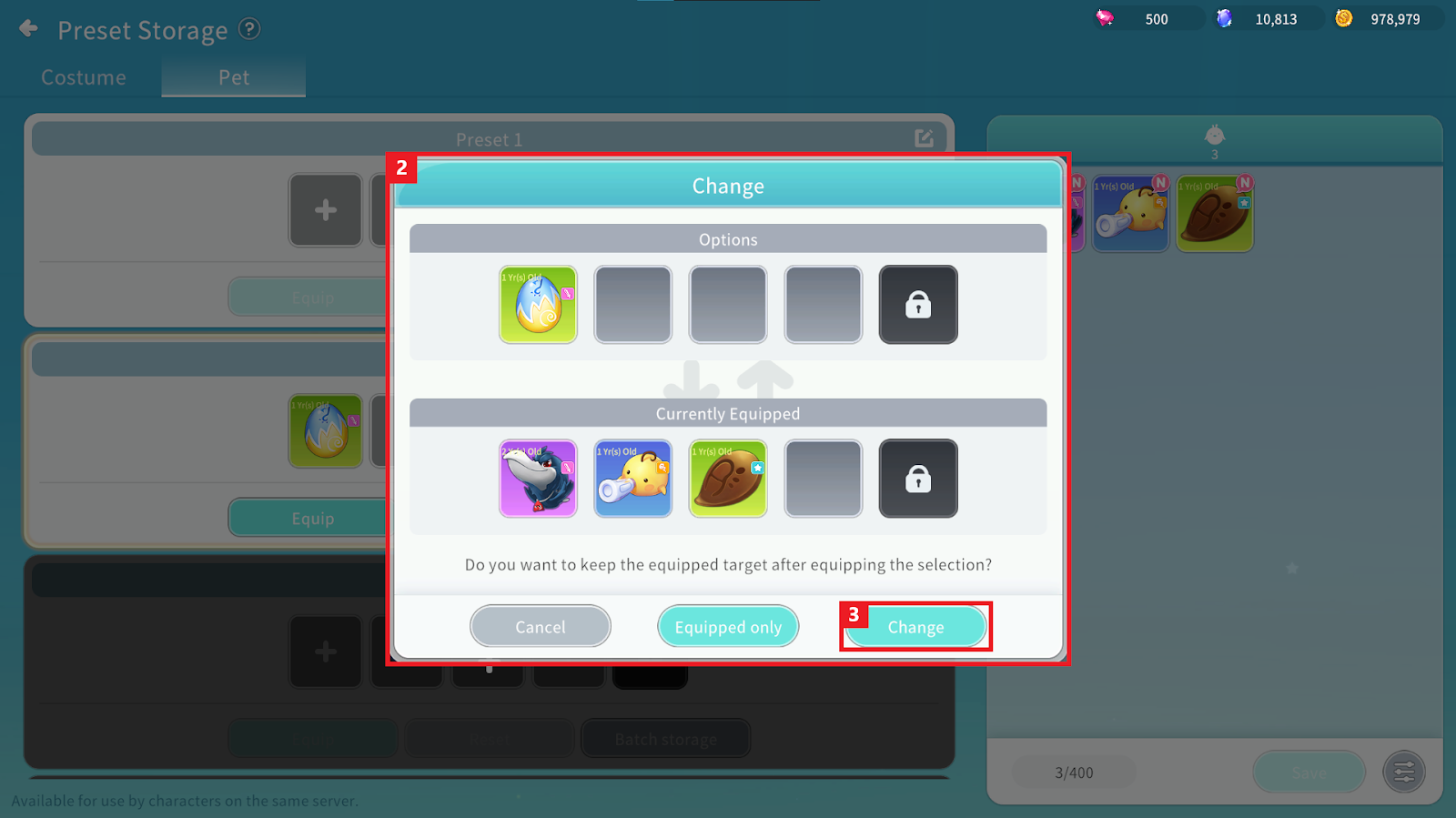
② If a Costume or Pet is already equipped before applying the preset, a replacement confirmation popup will appear.
③ When equipping the selected preset, previously equipped Costumes or Pets will not be saved to the preset.
