
By using Combos, you can gain useful effects during combat and accumulate the Fever Gauge to activate Fever.
1. Combo Level
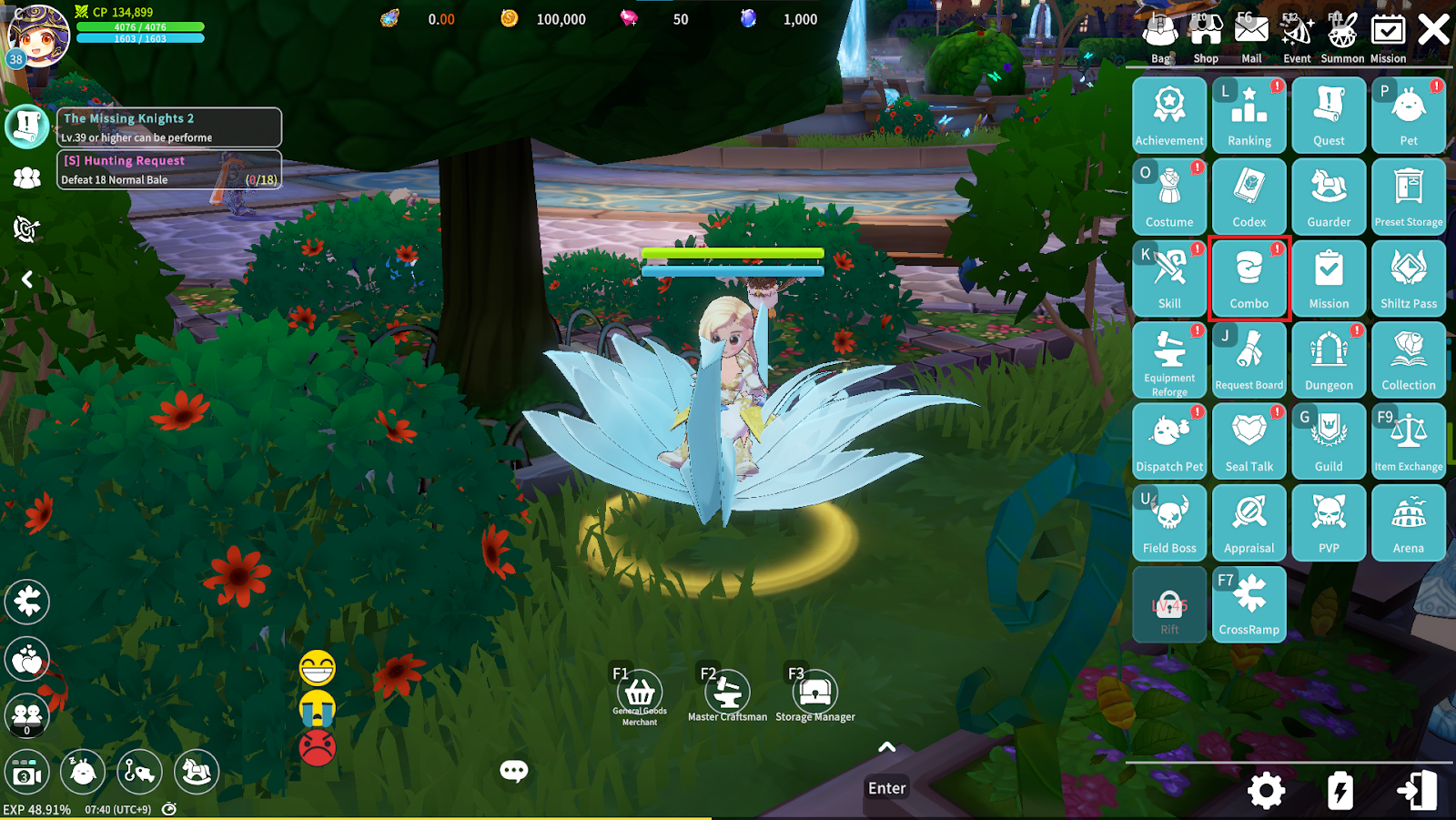
You can check Combo information and increase your Combo Level through Menu – Combo.
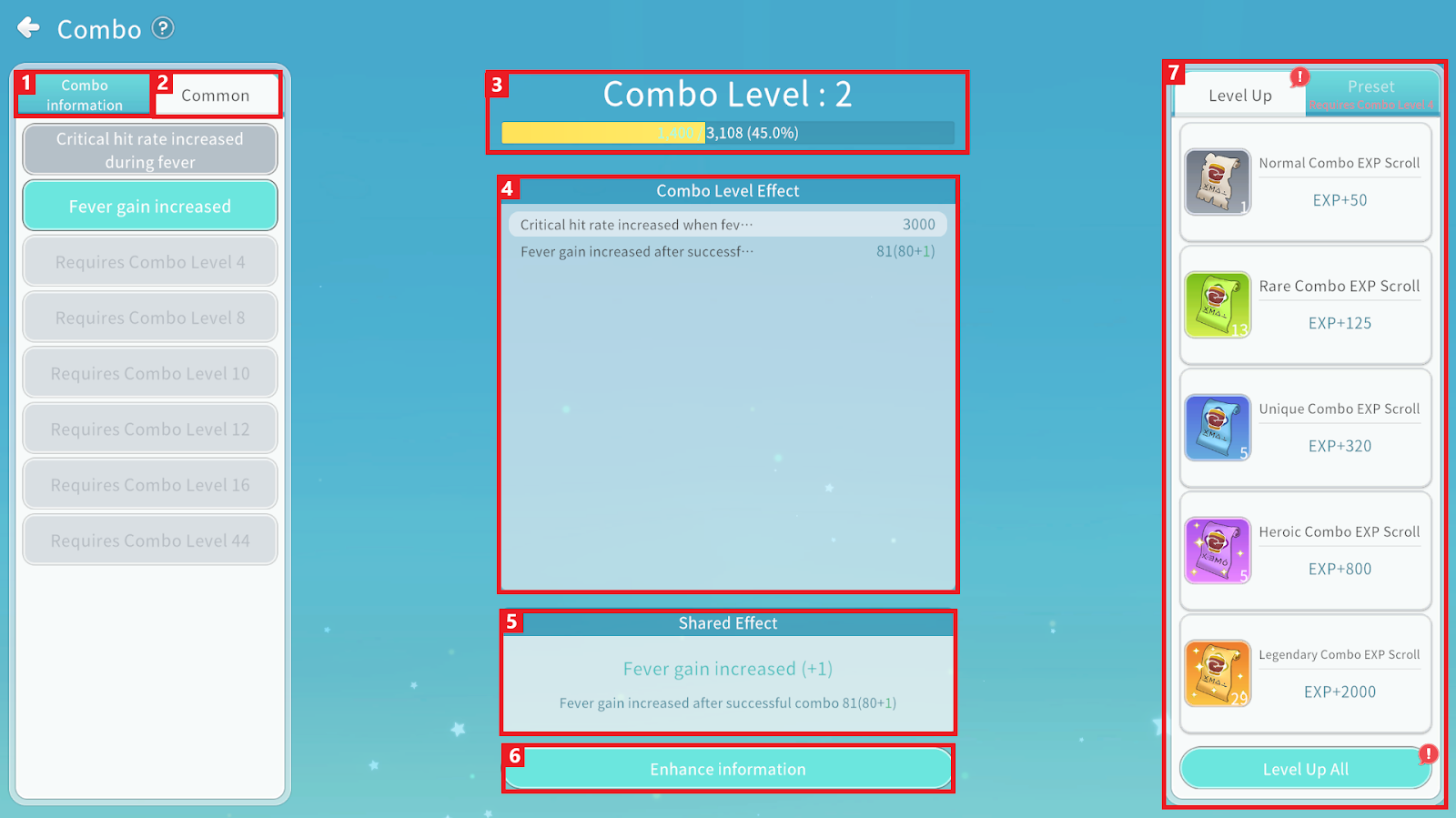
① You can check the Combo list.
② You can check Common Effects.
③ You can check your current Combo Level and Experience.
④ You can check Combo Level effects.
⑤ You can check Combo Success effects.
⑥ You can check the Enhancement information
⑦ You can use Combo Experience Scrolls or configure Presets.
2. Using Combos
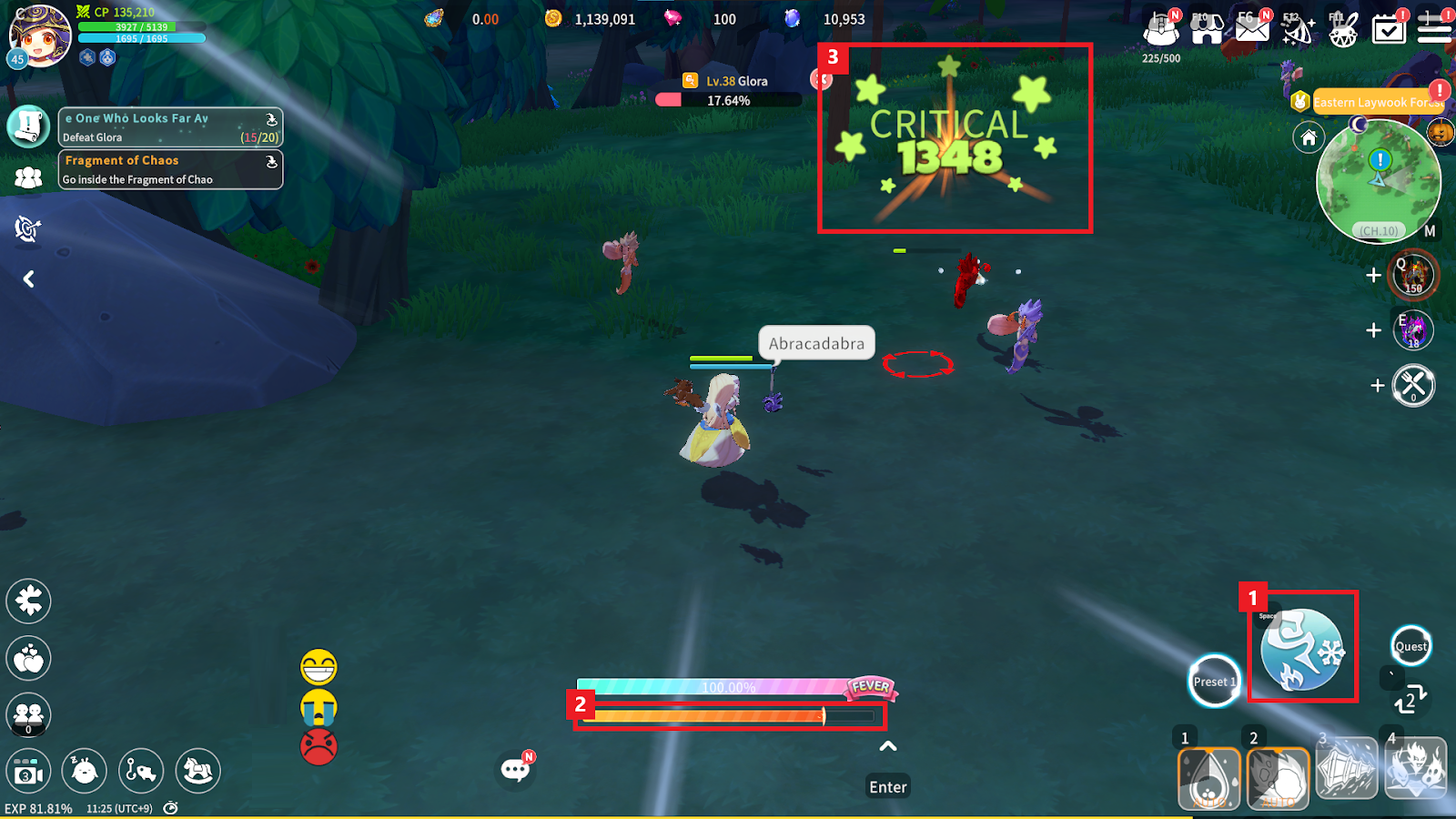
① During battle with a Bale, press the Attack button to use a Combo.
② Continuously tap the Attack button until the Combo Gauge disappears to activate a Combo.
③ The Combo effect is determined by the number of Critical Hits before the Combo Gauge disappears. Combos not yet acquired will not activate.
Example: 5 Critical Hits trigger a 5-stage Combo, 7 Critical Hits trigger a 7-stage Combo.
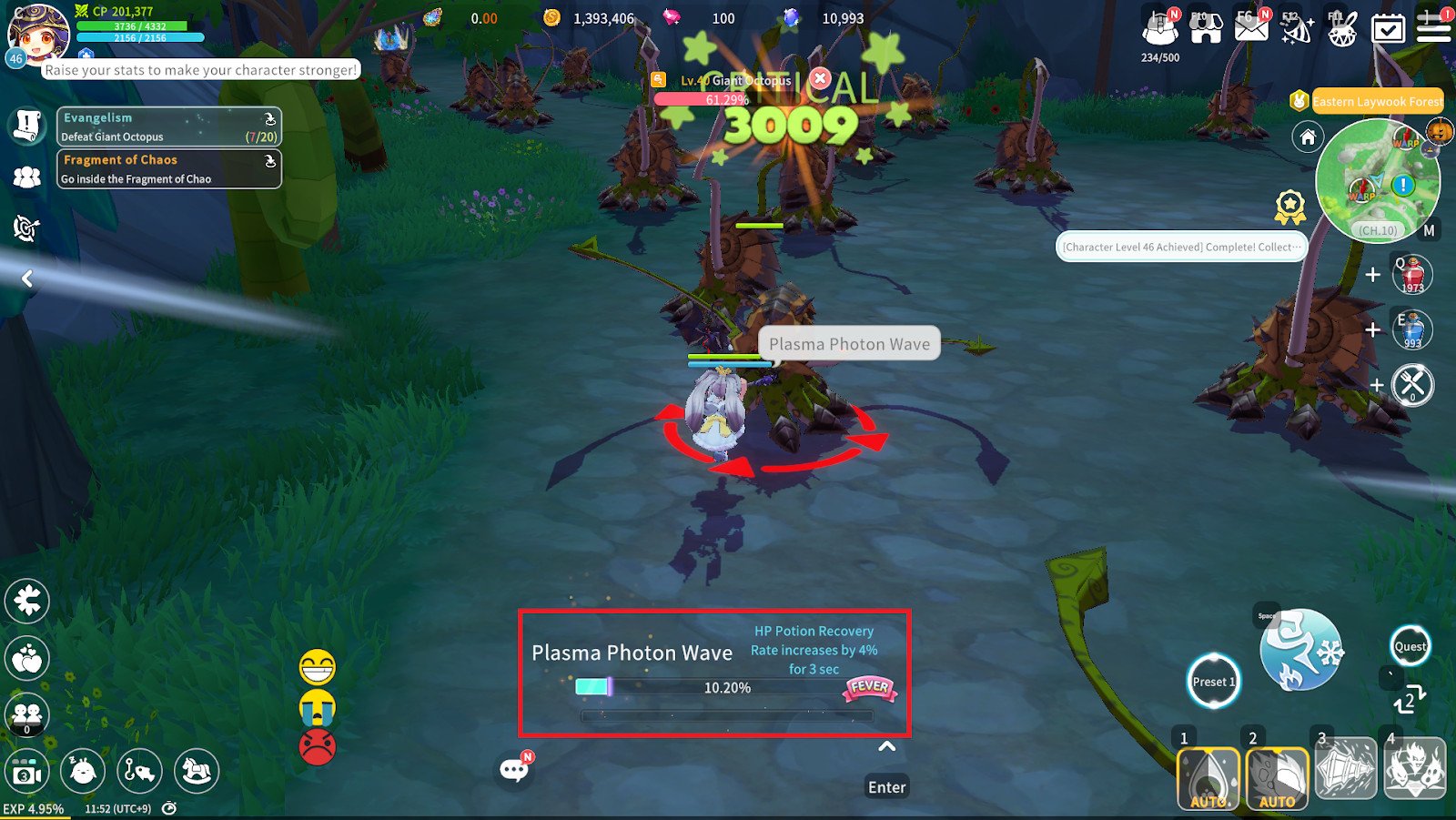
Slide the Attack button upward to instantly activate the Combo corresponding to the current Hit count.
When a Combo is activated, you can check its name and effect, and the Fever Gauge increases.
3. Combo Preset
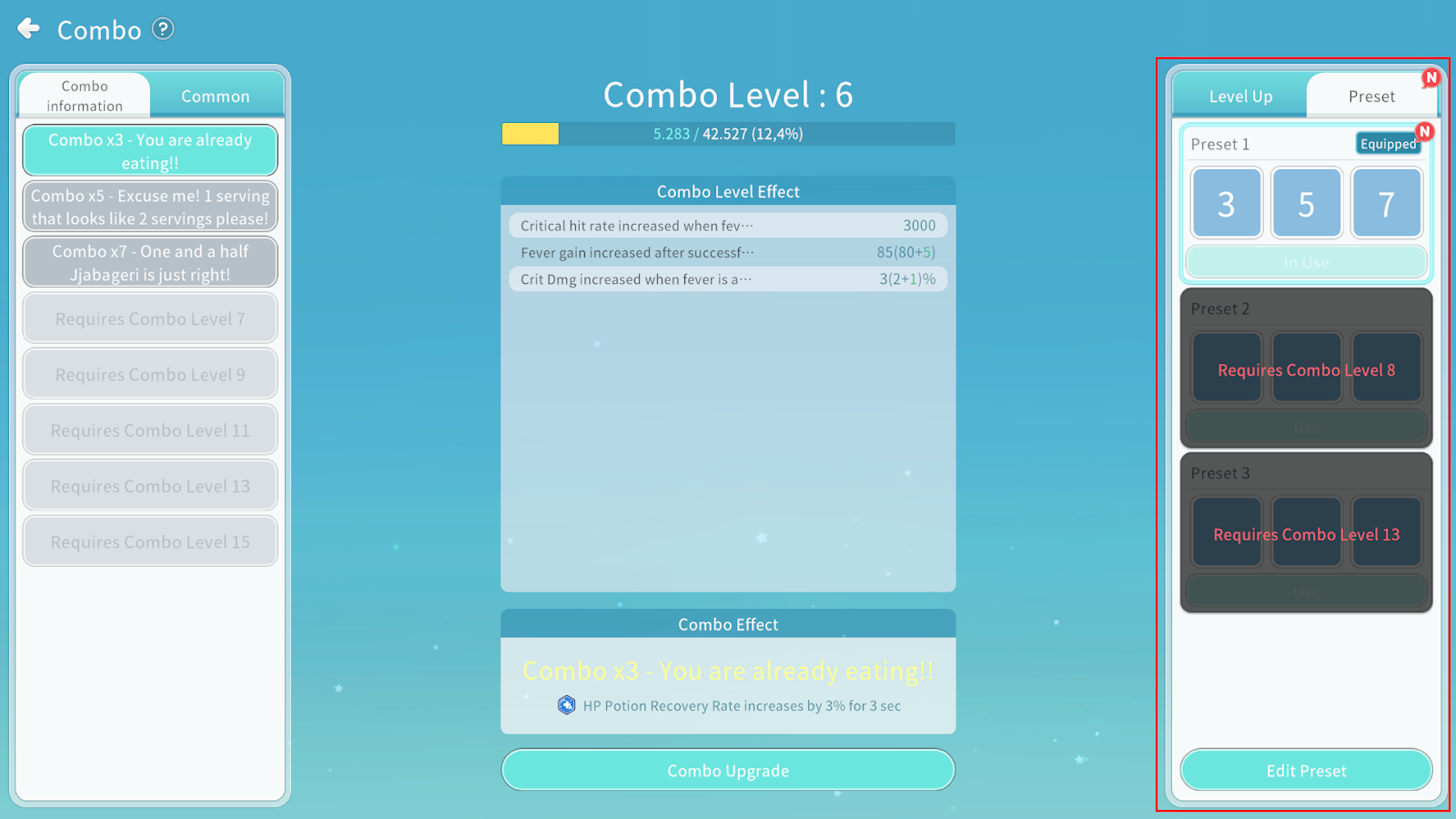
You can configure the combination of Combos to be activated in the Preset menu.
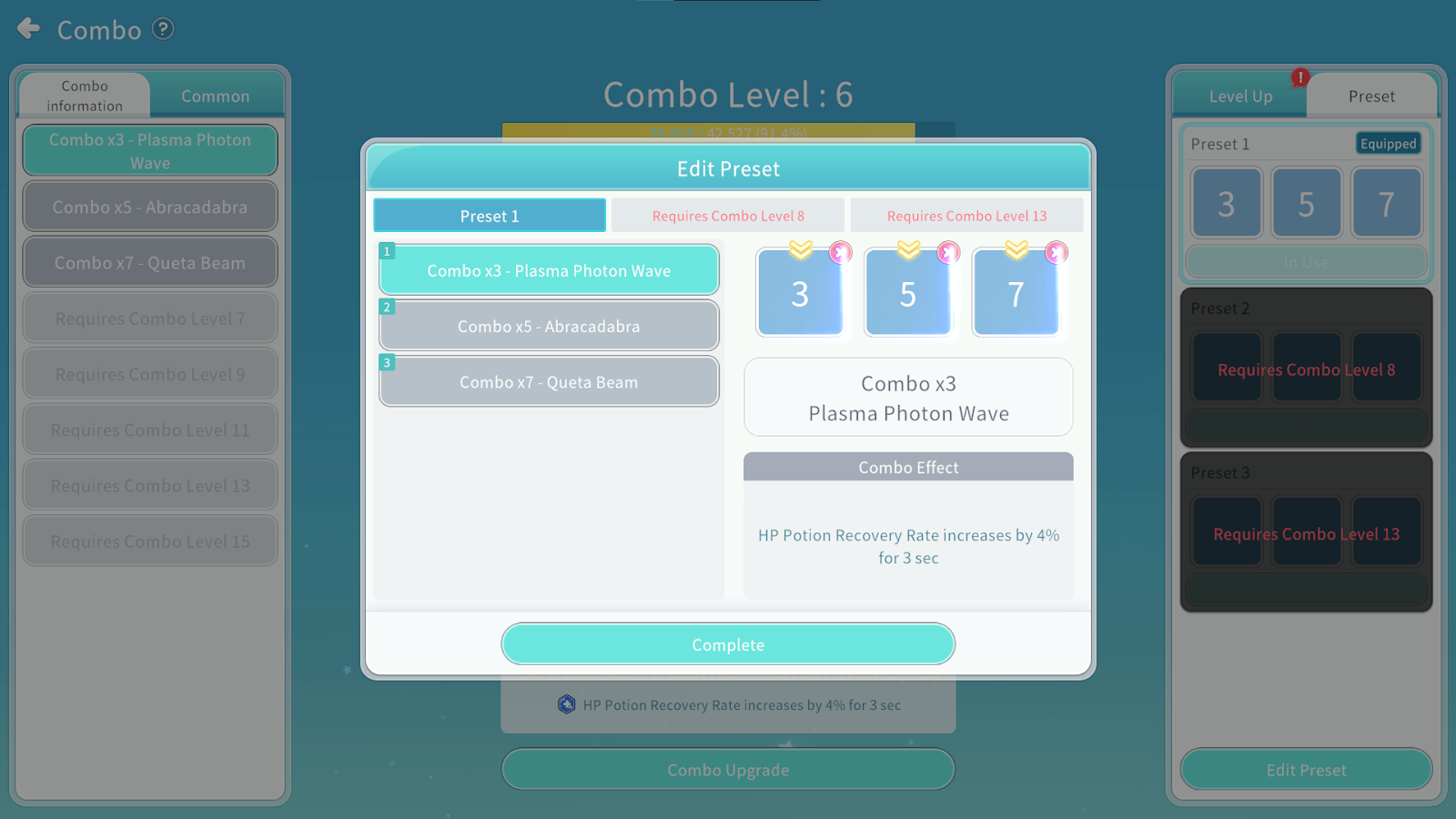
You can use up to 3 Presets, which unlock at Combo Levels 4, 8, and 13.
When you equip desired Combos in the slots, those Combos will activate repeatedly.
Combos activate in order from the left slot, and it is not required to fill all three slots.
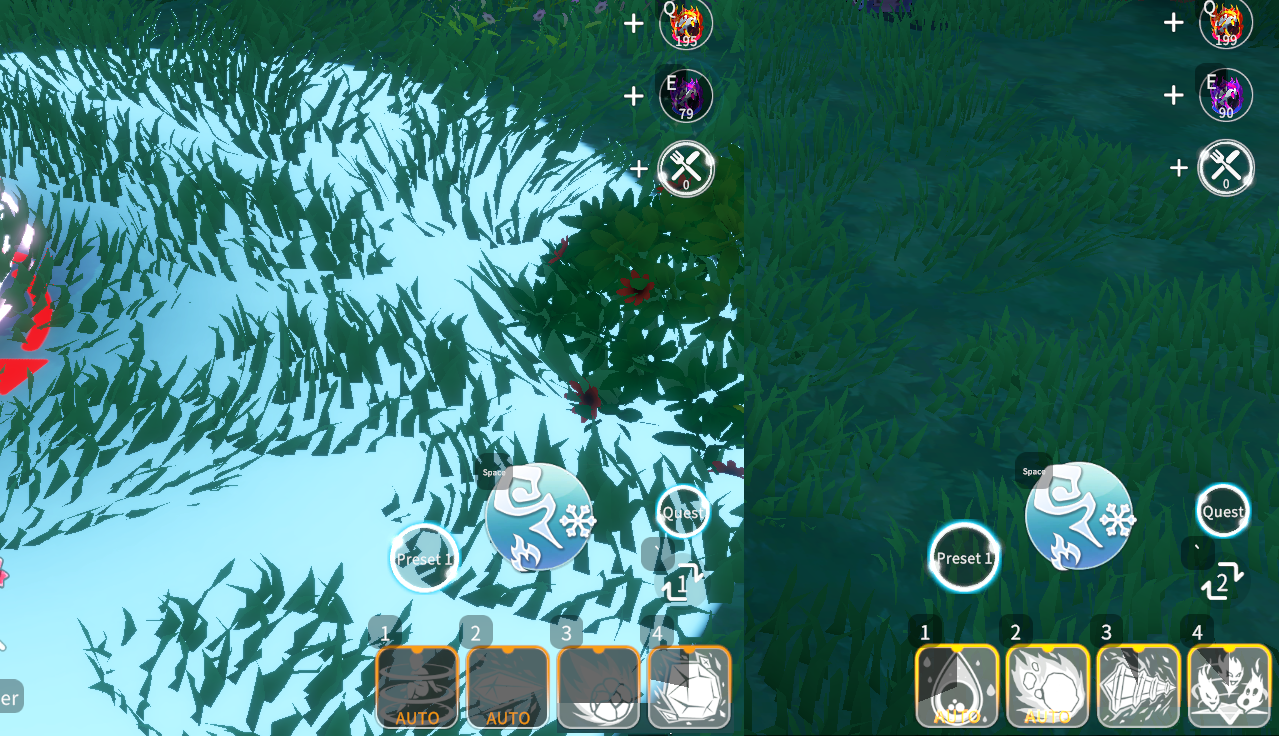
You can quickly switch between Manual/Repeat Mode using the button located to the left of the Attack button.
Manual Mode: Activate Combos manually.
Repeat Mode: The last successfully activated Combo repeats automatically.
4. Fever
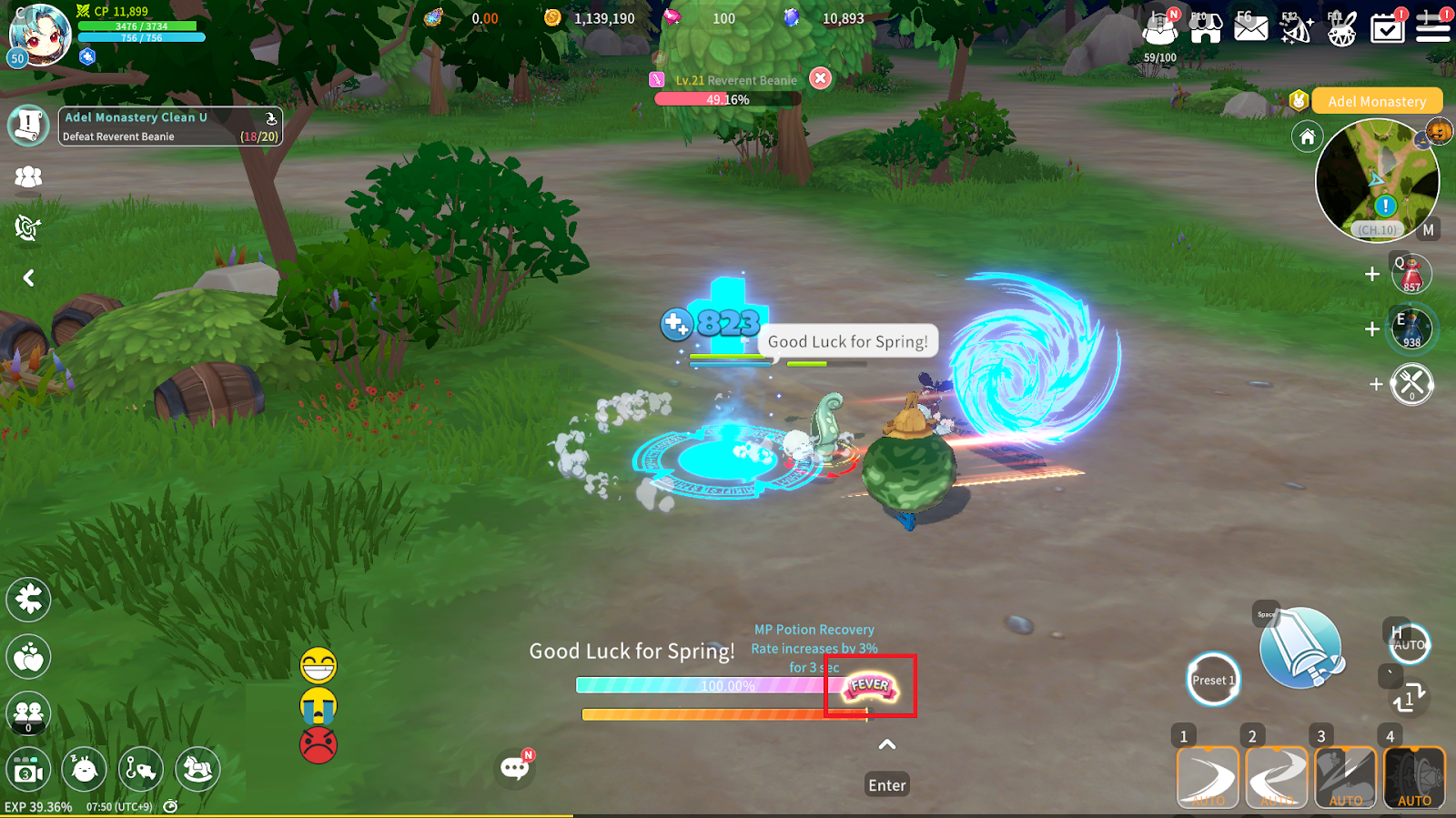
When the Fever Gauge is full, the Fever button becomes active.

When Fever is activated, you gain buffs that assist in combat for a certain period of time.
5. Combo Enhancement
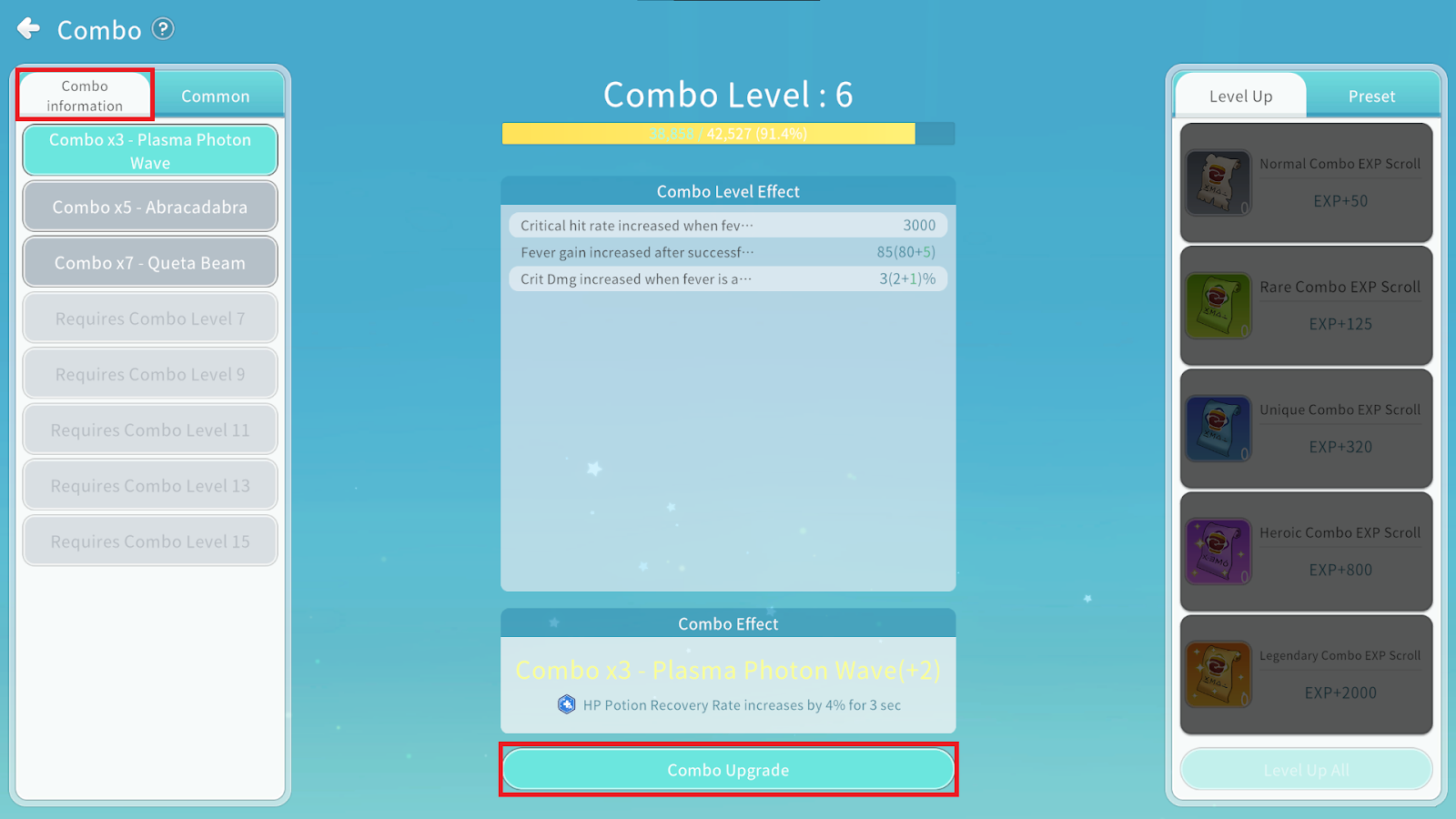
You can Upgrade Combos through Combo information > Combo Upgrade.
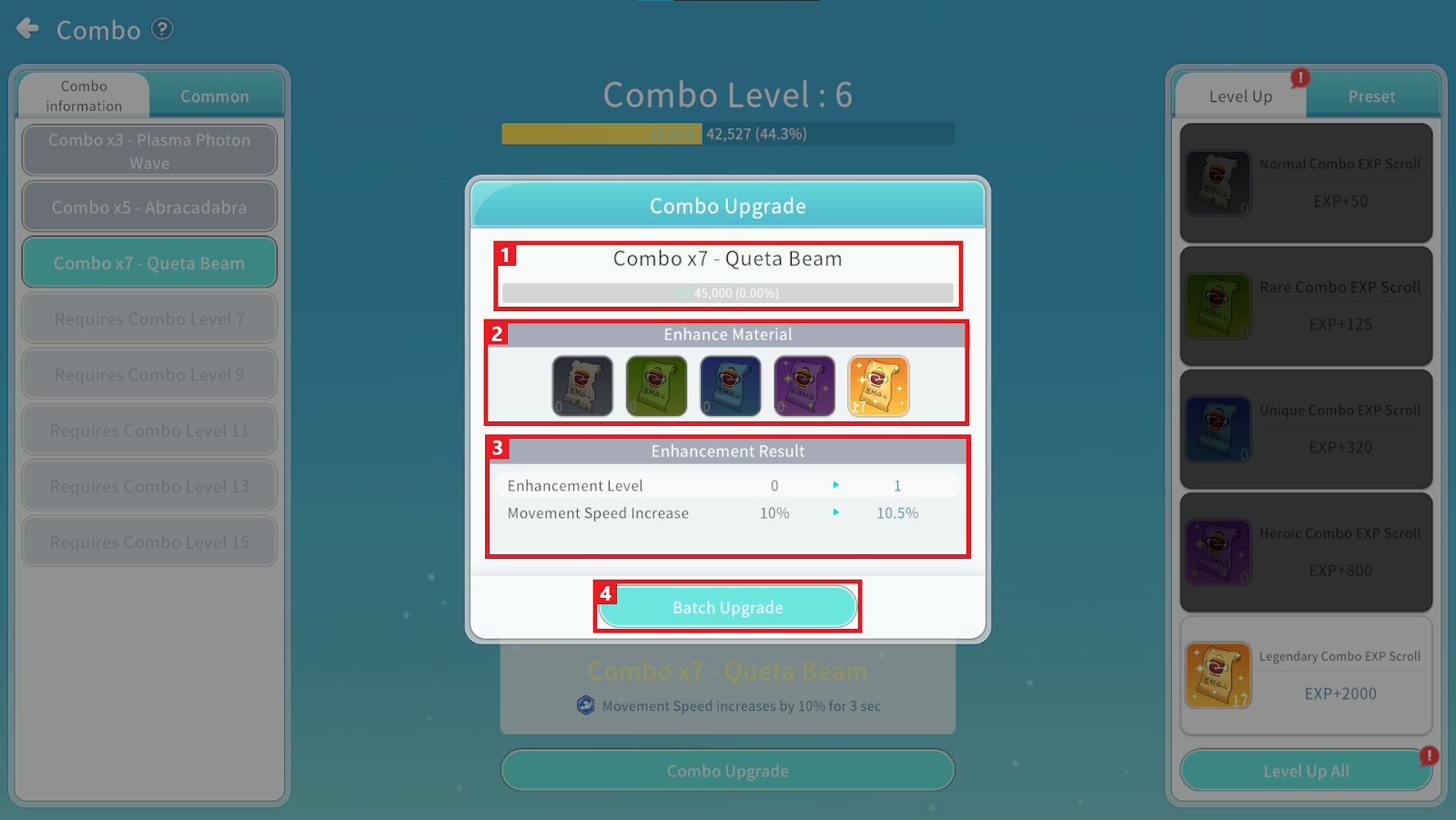
① You can check the Combo name and the required Combo Experience for upgrade.
② Tap Enhance Materials to gain Combo Experience.
③ You can check the Enhancement Result.
④ You can perform Batch Upgrade by consuming the required materials.
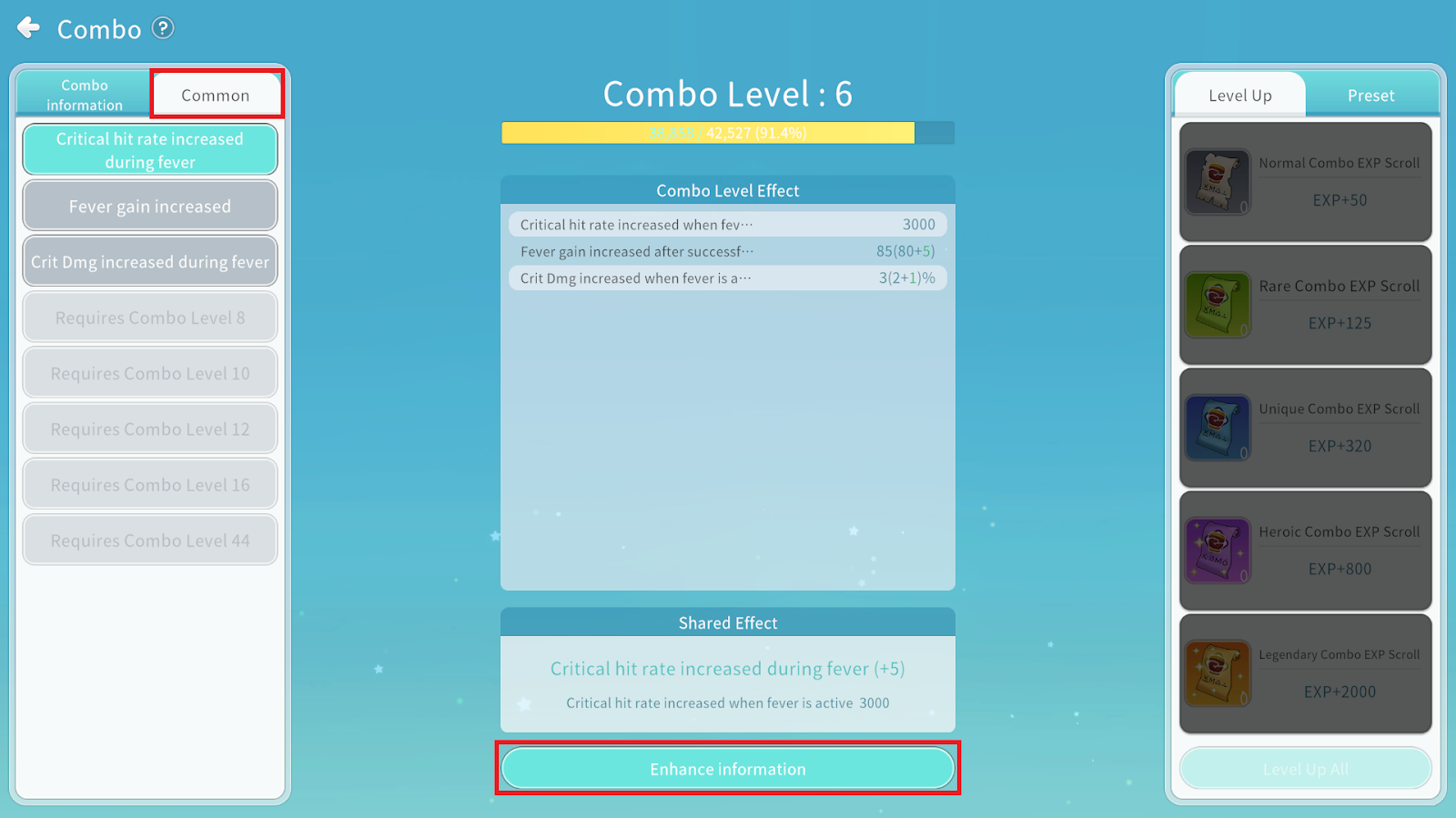
You can check Enhance information under Common > Enhance information.
Common Effects are applied universally based on your Combo Level.
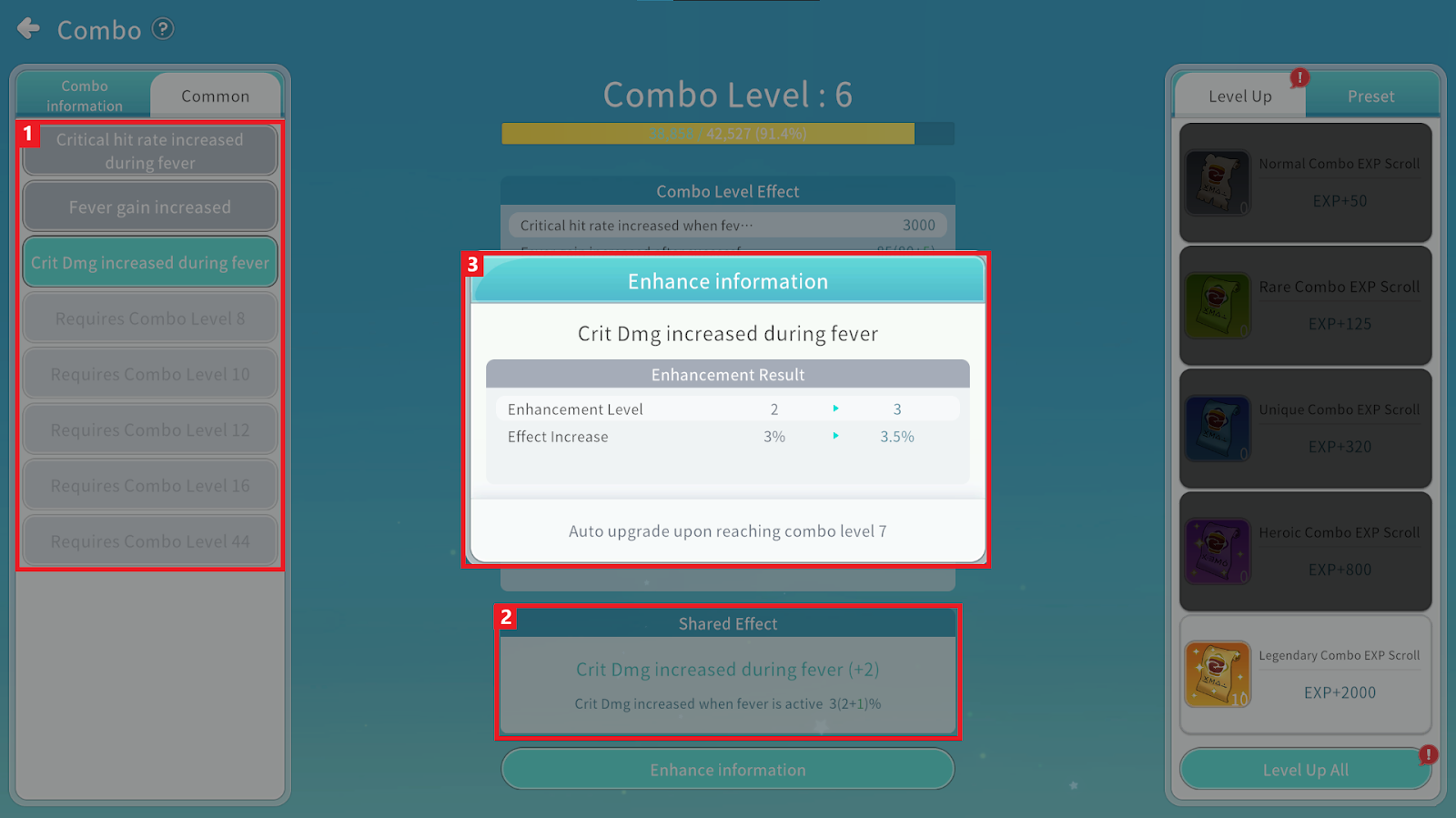
① You can check the list of Common Effects and the required level to unlock them.
② You can check the currently applied Combo Level effects.
③ You can check detailed information about the selected Common Effect.
