Skill

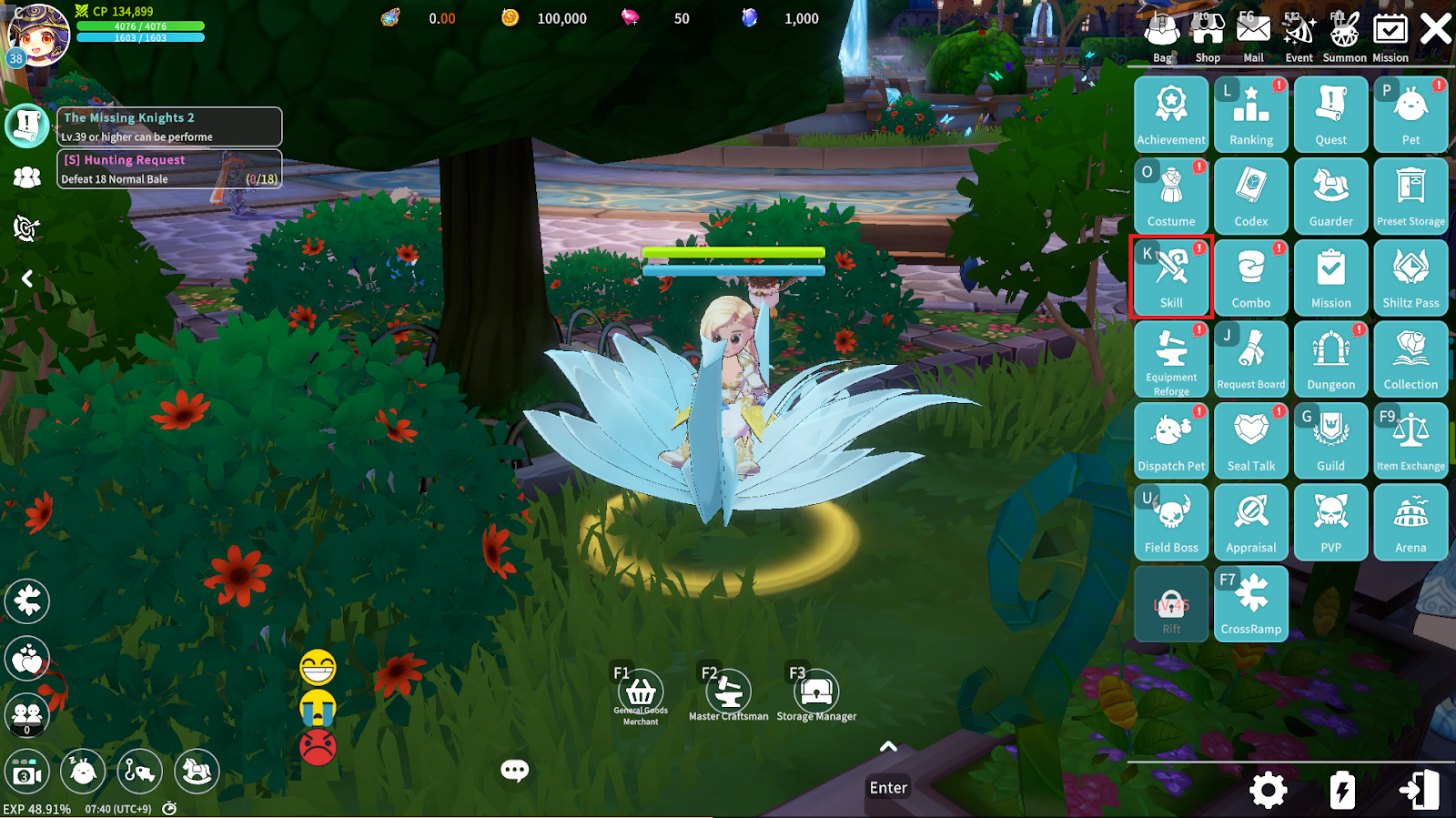
In the game, you can craft, enhance, and equip Skills and Skill Options through [Menu] – [Skills].
1. Skill Crafting
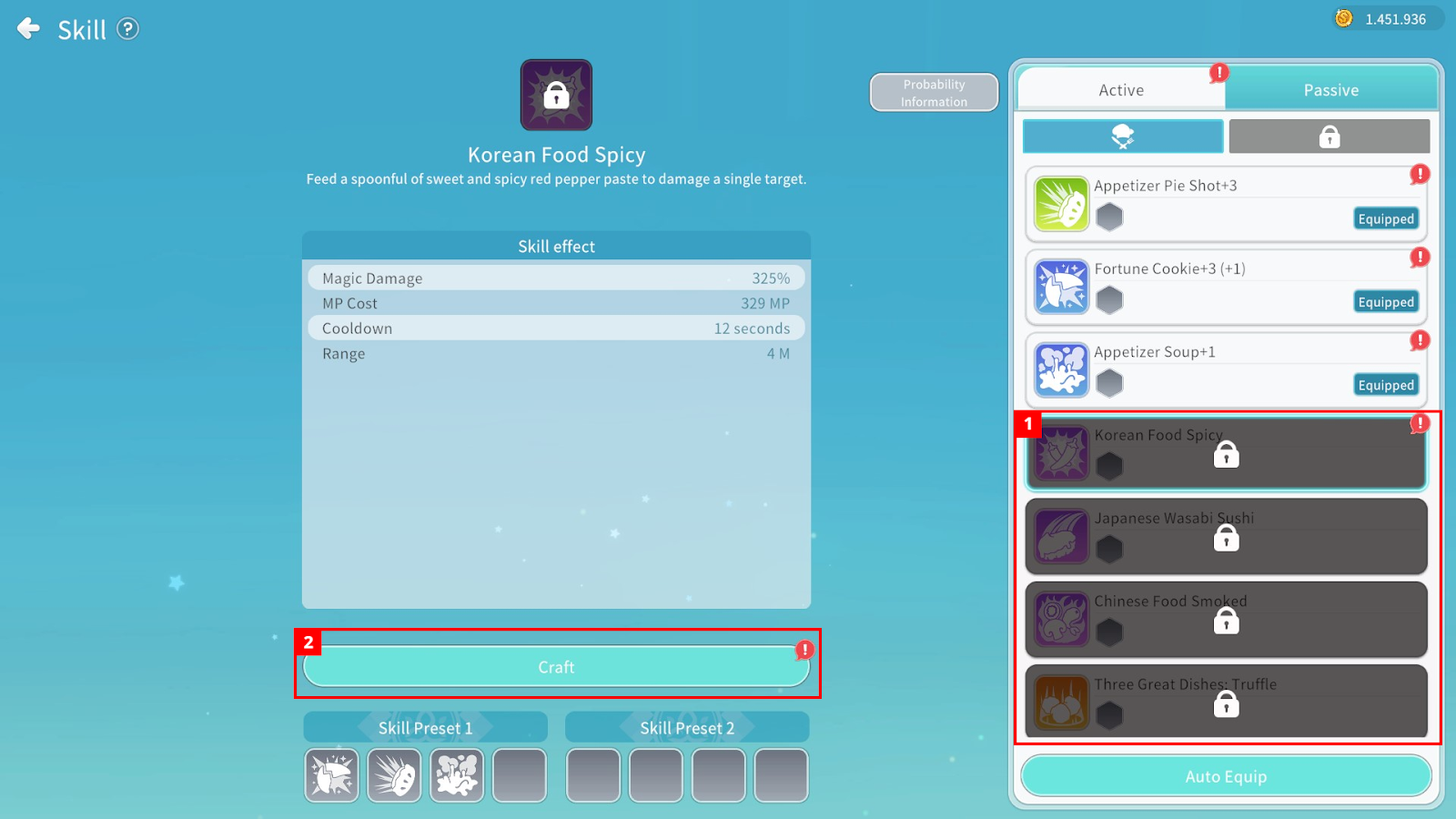
① Skills that have not been crafted are locked, and craftable Skills are marked with an exclamation point.
② Press the “Craft” button to craft a Skill.
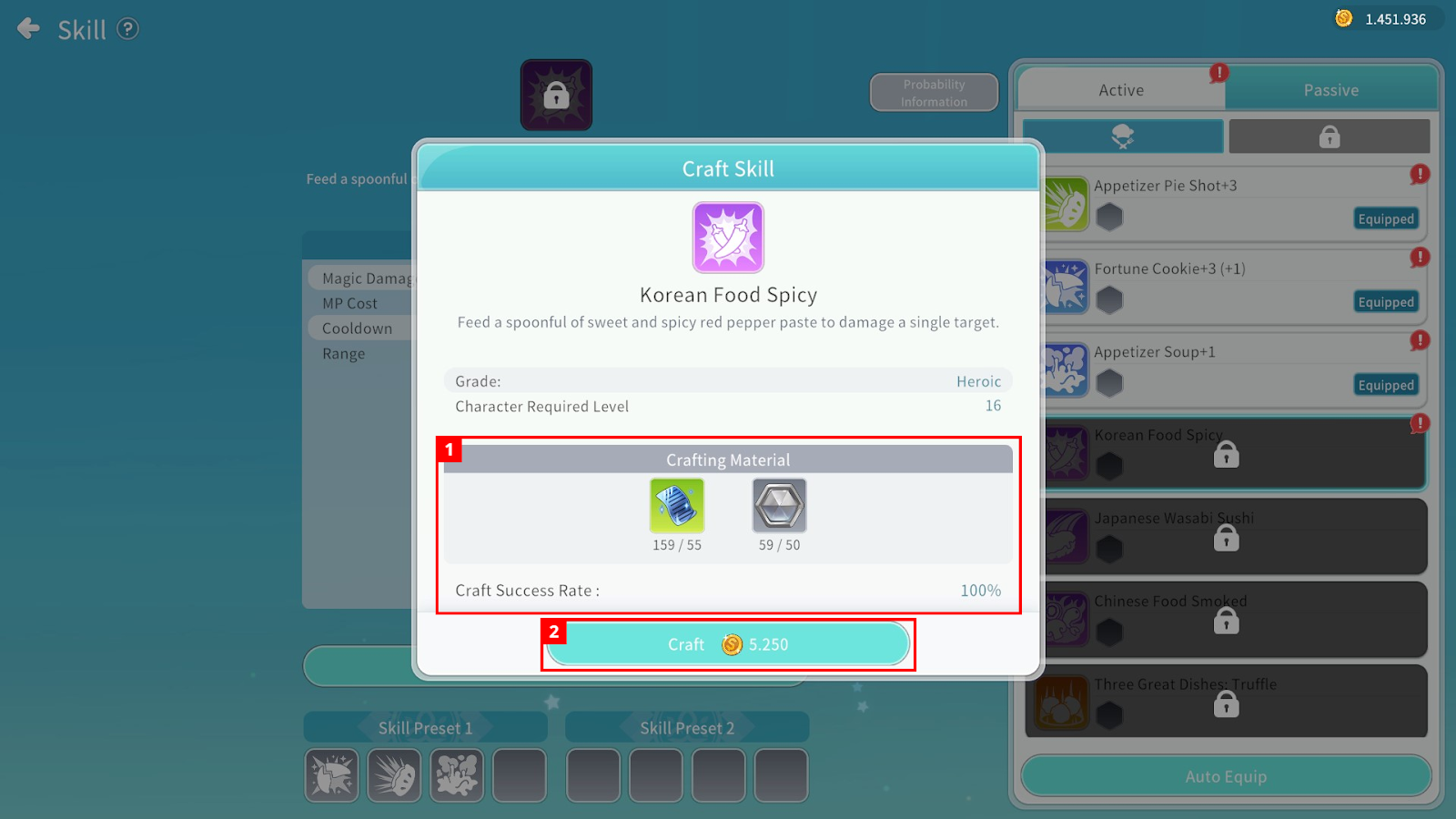
① You can check the required materials and success rate for Skill Crafting.
② Spend Cegel to craft the Skill.
2. Skill Options and Enhancement
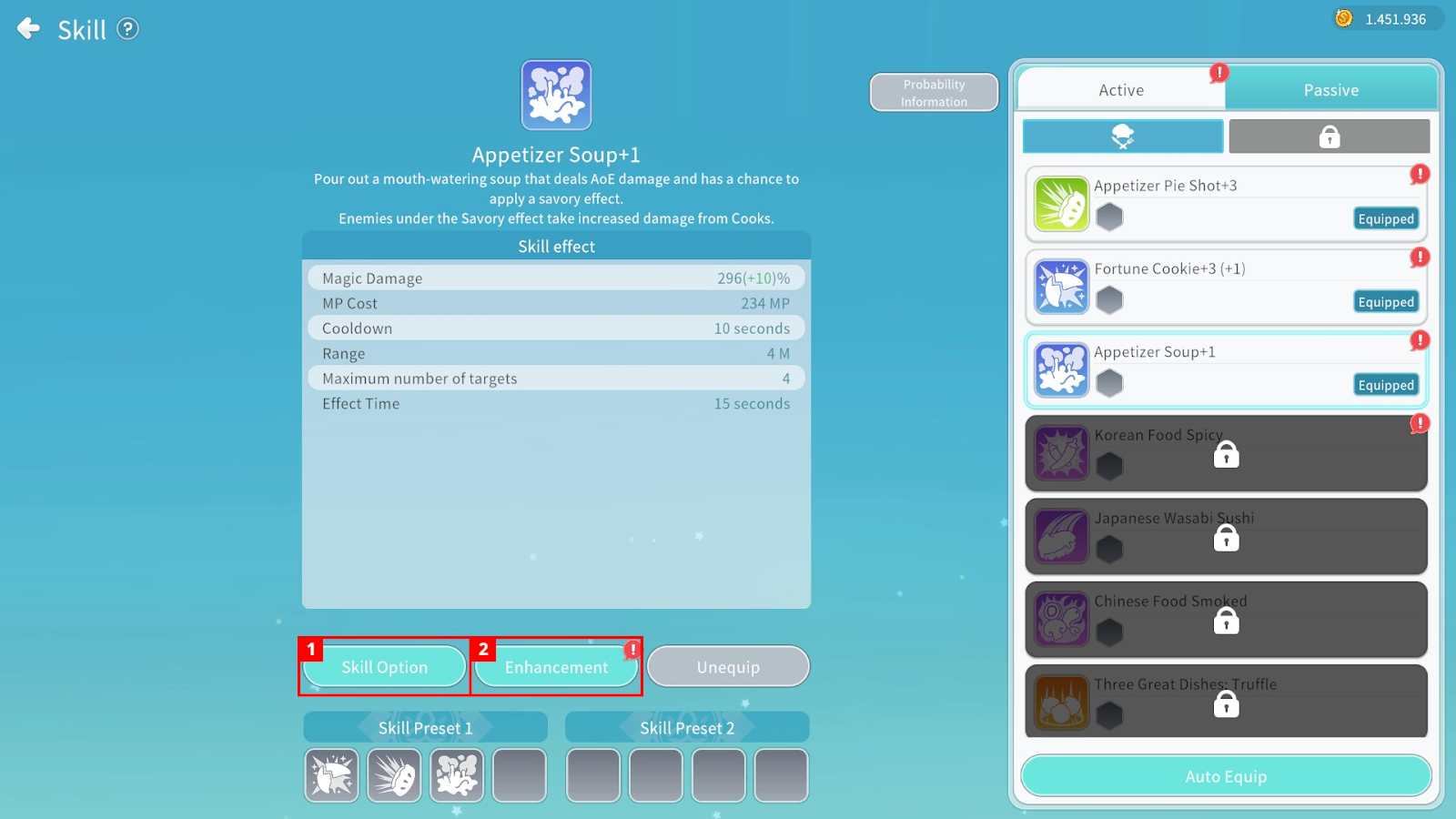
① You can craft a Skill Option to grant additional effects to a Skill.
② You can enhance a Skill to make its effects stronger.
Only one Skill Option can be equipped per Skill.
Crafting a Skill Option requires material items and Cegel.
Enhancing a Skill requires material items and Cegel, and enhancement may succeed or fail based on a set probability.
3. Equipping and Using Skills
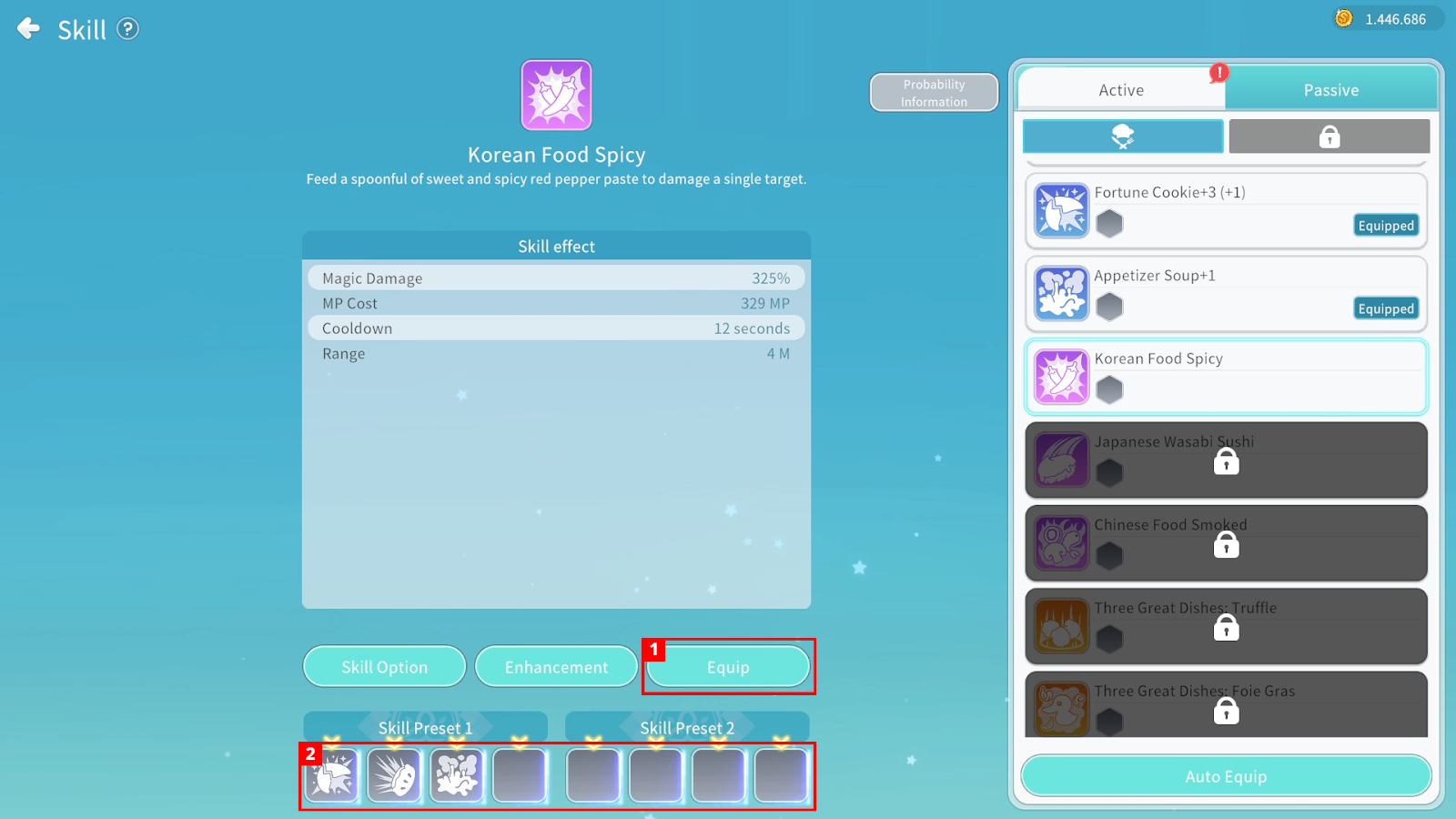
① To equip a Skill, press the “Equip” button and then select the desired slot to assign the Skill to that slot.
② Tap the Skill assigned to a slot to use it.
When using Auto Battle, Skills will be used automatically during combat.
You can drag the Skill icon up or down to set whether it is used automatically.
In Settings – Combat Settings, you can change how to cancel a Skill that is currently being cast.
Direct Links to Detailed Skill Information by Class
Explore Skills by Class! – Knight / Defender
Explore Skills by Class! – Mage / Ice Wizard
Explore Skills by Class! – Priest / Judge
Explore Skills by Class! – Jester / Assassin
Explore Skills by Class! – Warrior / Berserker
Explore Skills by Class! – Cook / Chef
Explore Skills by Class! – Hunter / Archer
