Market
Market
A system that allows players to trade and exchange items and resources between players.
- Sell
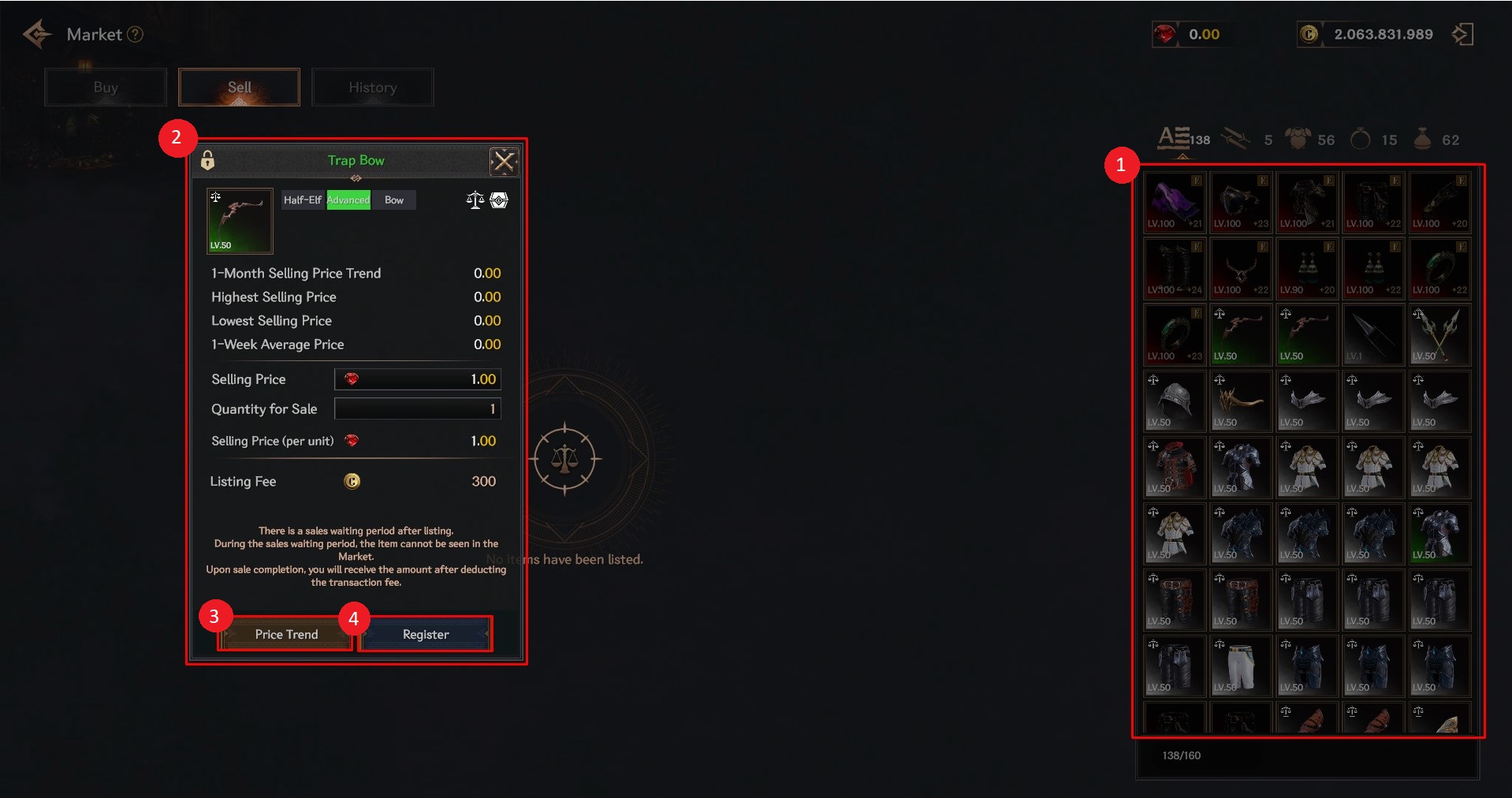
① You can select the item you wish to sell from among the items you own.
② When the sales window is displayed, you can set the sales information for the item and find out the commission.
③ When you select an item, you can see the current price of that item.
④ You can register the item you have set on the exchange by selecting the <Register> button.
❈ Sale registration is only available while the subscription service is active.
- Buy
When you purchase an item, it will immediately go to your inventory.
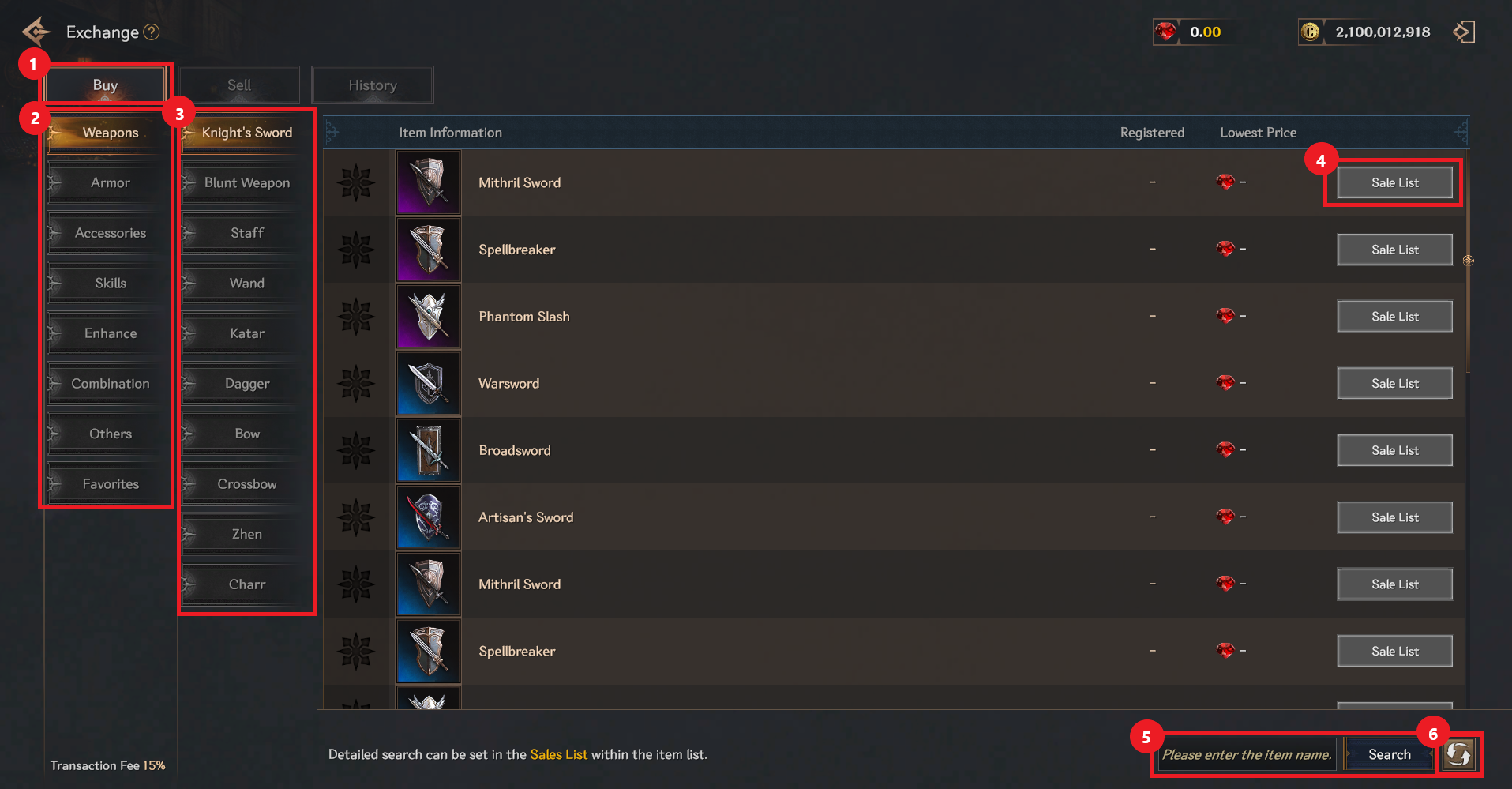
① Select <Buy>.
② You can check and select the type of item you want to purchase.
③ You can check and select the weapon type.
④ You can check by selecting the sales list of the item you wish to purchase.
⑤ Enter the desired item name at the bottom right and select Search on the right to display a list related to that item.
⑥ You can select the refresh button to check the items available for purchase in real time.
❈ Purchases can be made without level restrictions while the subscription service is active.
If the subscription service is not active, purchases are available from level 50.