Hunting Assistant
Hunting Assistant
This feature allows you to continue hunting monsters even when the game is closed.
▶ How to use
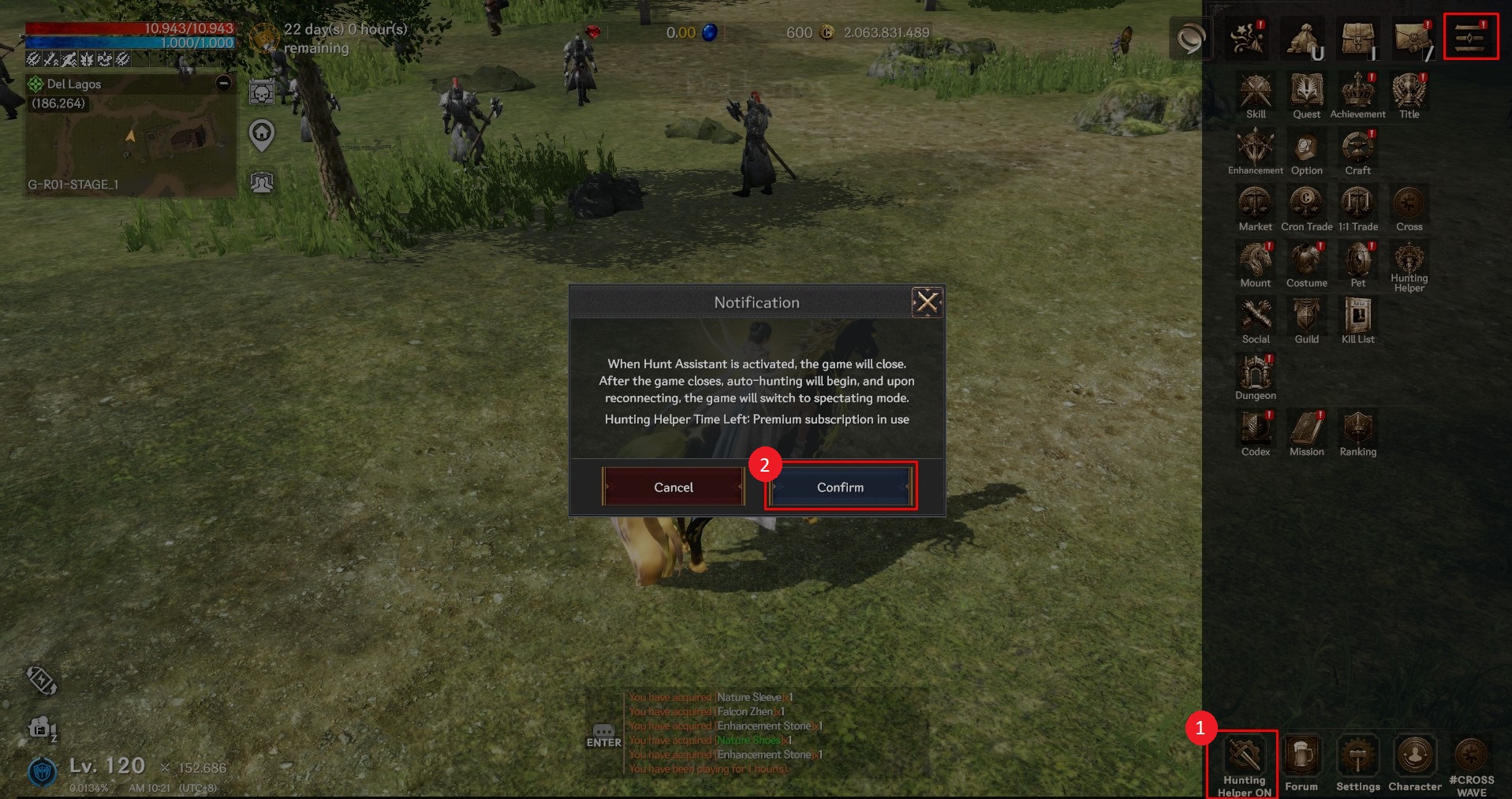
① When you select the icon at the bottom left of options menu, the activation window will open.
② When you select the confirmation button to activate, the game will end and automatic hunting will begin.
The duration may vary depending on the case.
▶ Settings
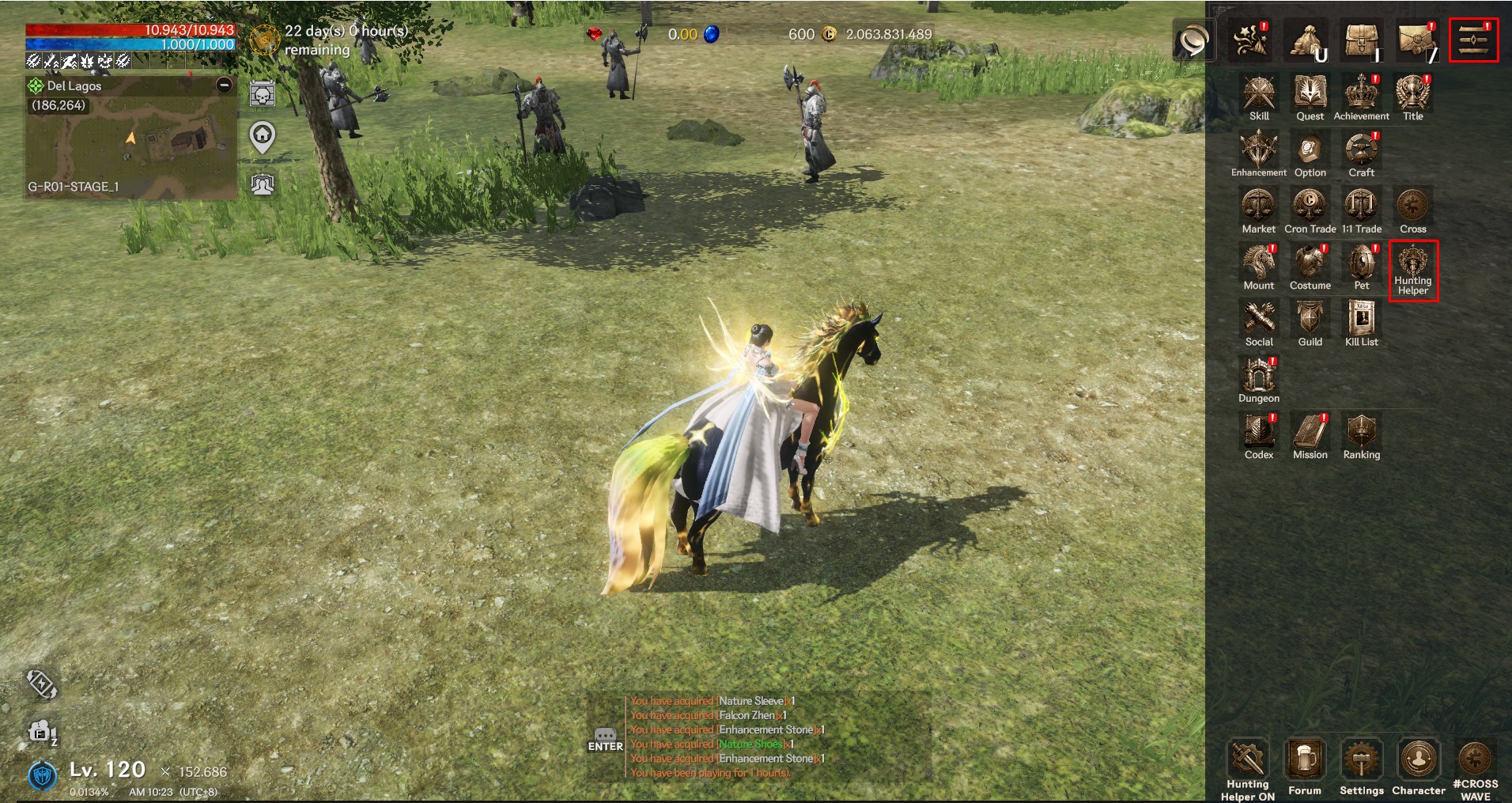
Clicking the Hunting Assistant icon in the upper right menu will open the Hunting Assistant settings window.
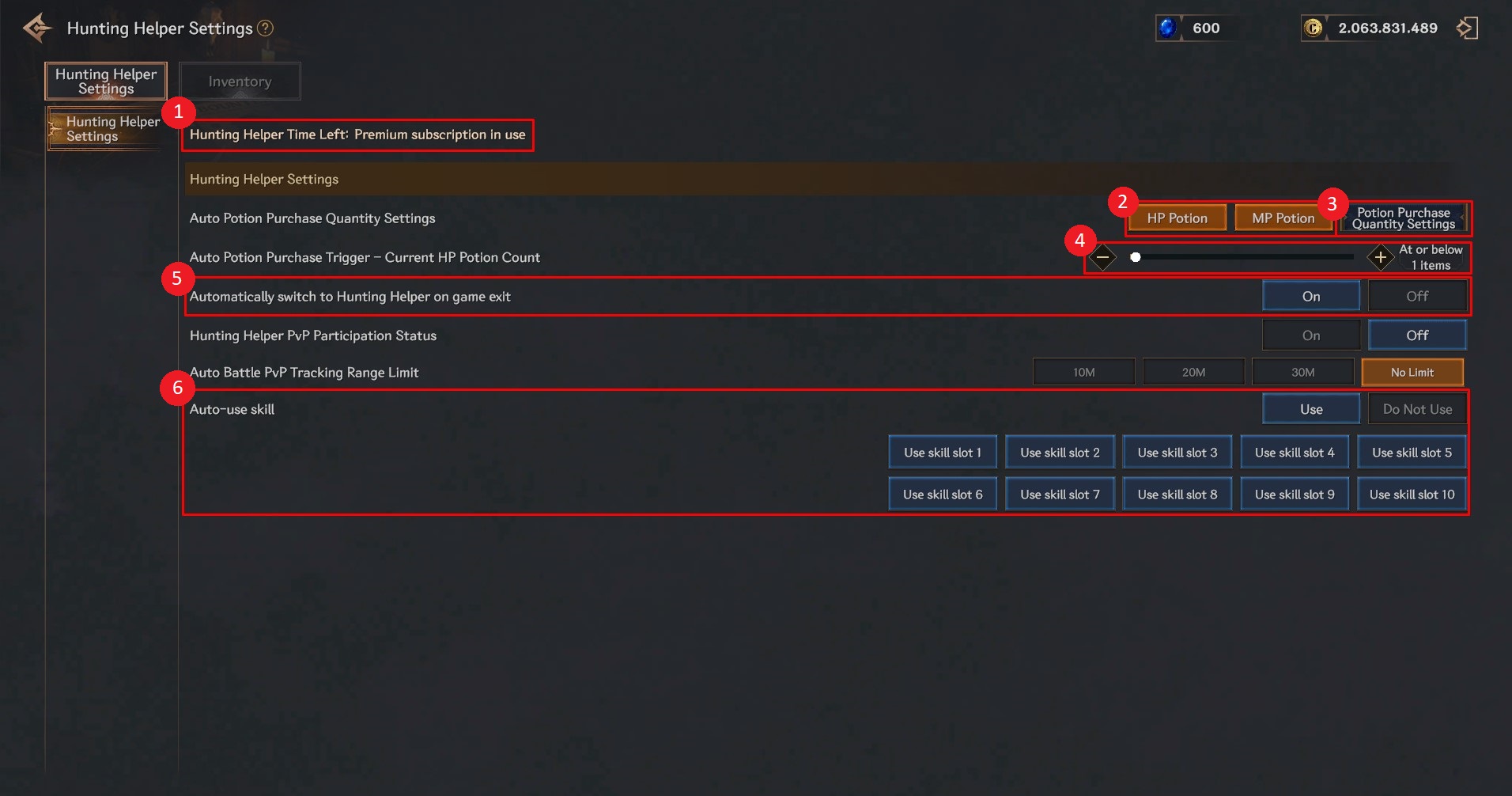
① You can check the remaining hunting assistant time.
② You can prevent automatic purchase by disabling the ‘HP, MP potion purchase box’.
③ You can set the type of potion you want and the number of potions to purchase at one time through ‘Set number of potions to purchase’.
④ The time of purchasing a potion can be set based on the number of HP potions currently remaining.
⑤ You can set the hunting assistant to run automatically when the game ends.
⑥ You can choose whether to use skills automatically and which skill slots to use.
▶ Inventory
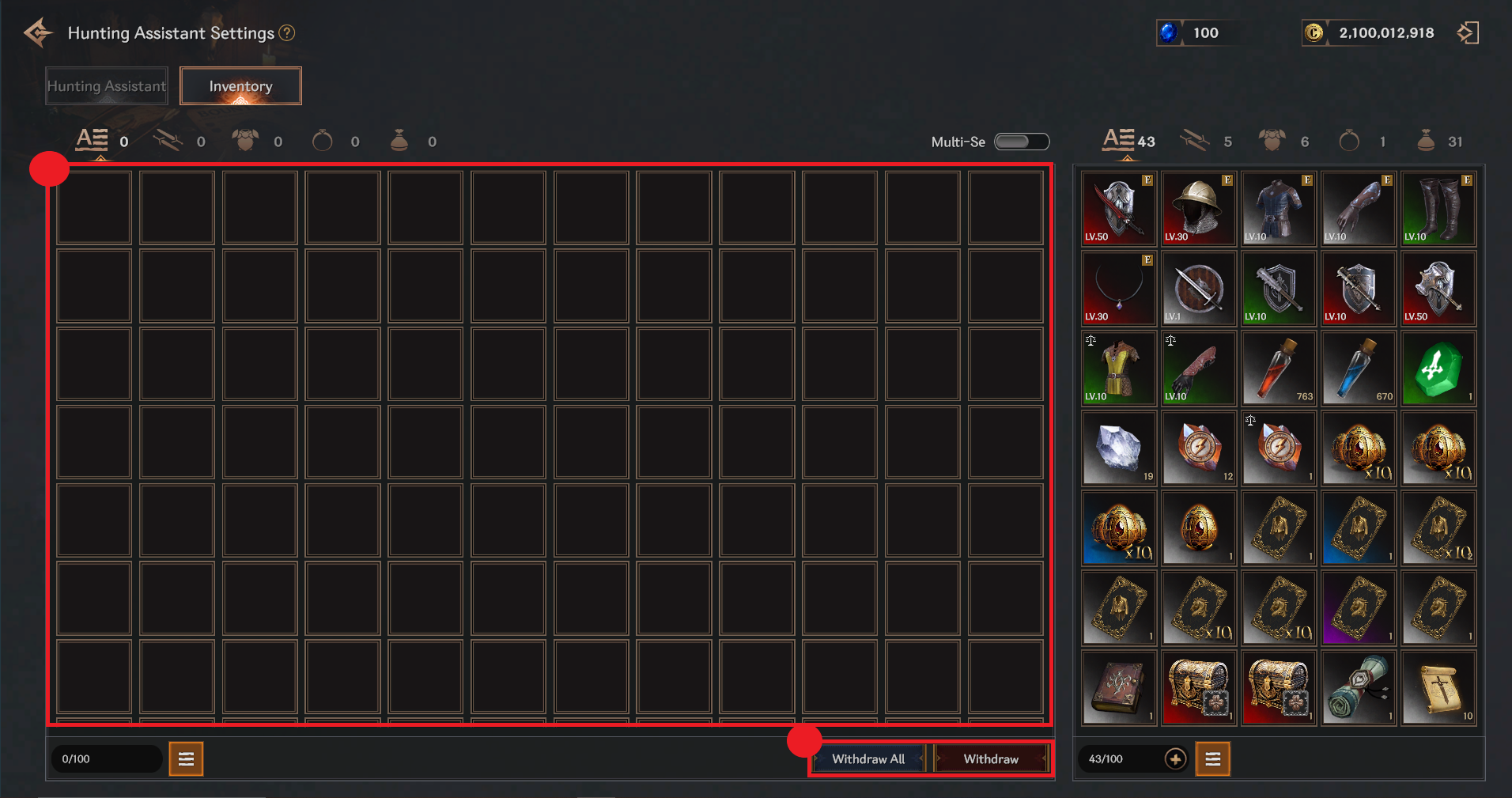
① Items obtained through the hunting assistant are stored in the ‘Hunting Assistant Inventory’.
② You can move them to the character’s inventory using the Take Out/Take Out All function.