Costume & Customization
In this guide, we will walk you through Costume & Customization,
where you can customize your character’s style.
Please read on for more details.
* ARES: THE IRON VANGUARD is available on both mobile devices and PC.
Please note that this guide is based on the PC version.
* This guide was created in a test environment, and some content may be subject to change.
◈ Costume & Customization: How to Access
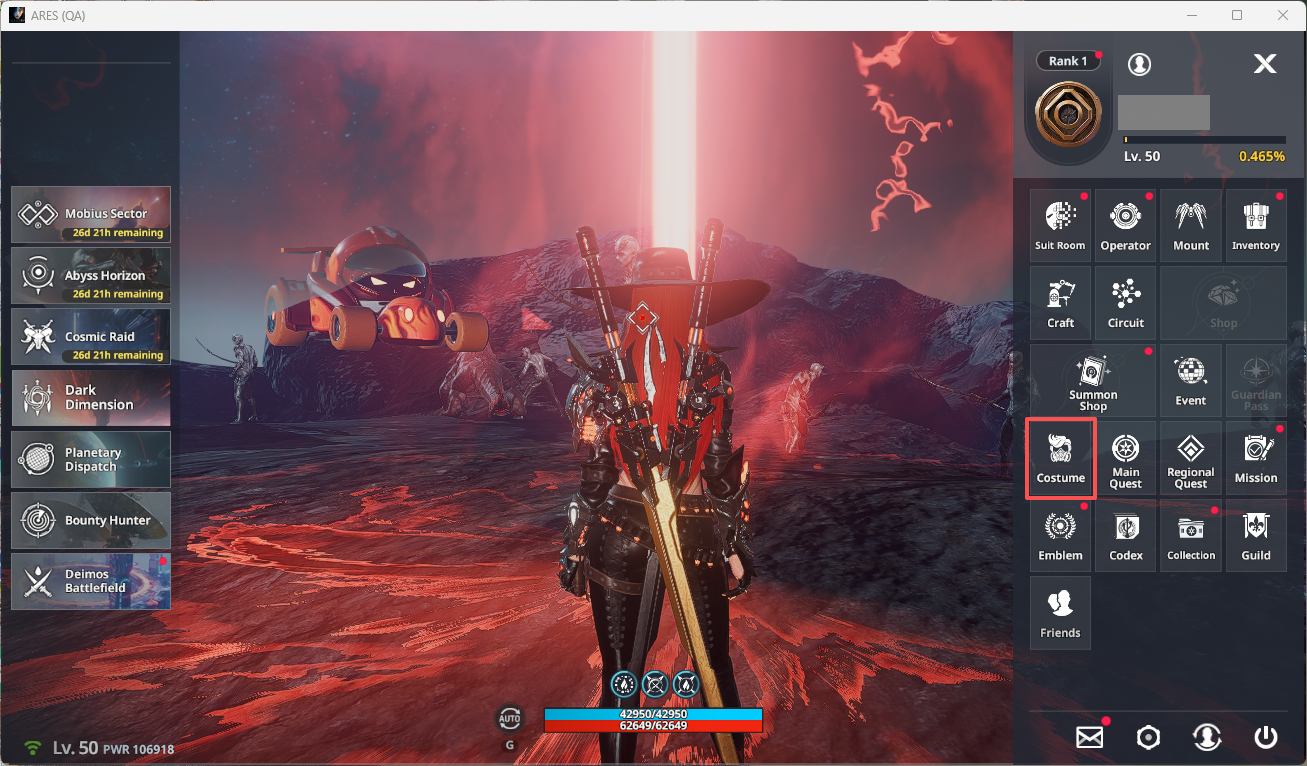
- You can access Costume via Menu ▶ Costume.
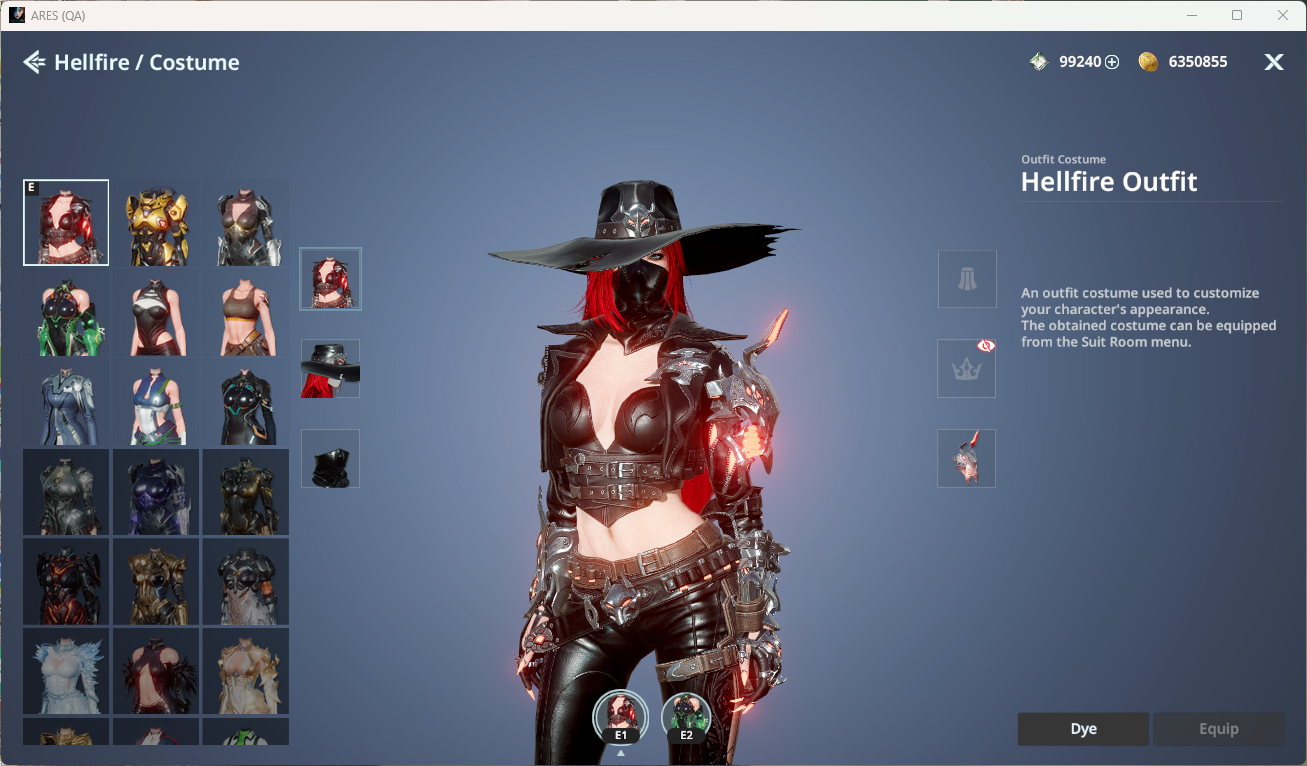
- Costumes are divided into Normal and Special categories and include Outfit, Back Ornament, Helmet Ornament, Head Ornament, Face Ornament, and Body Ornament.
ⓘ In Normal, you can view the list of owned Suits.
◈ Costume & Customization: Dye
- You can freely change Suit colors by section using Regular or Neon Dye.
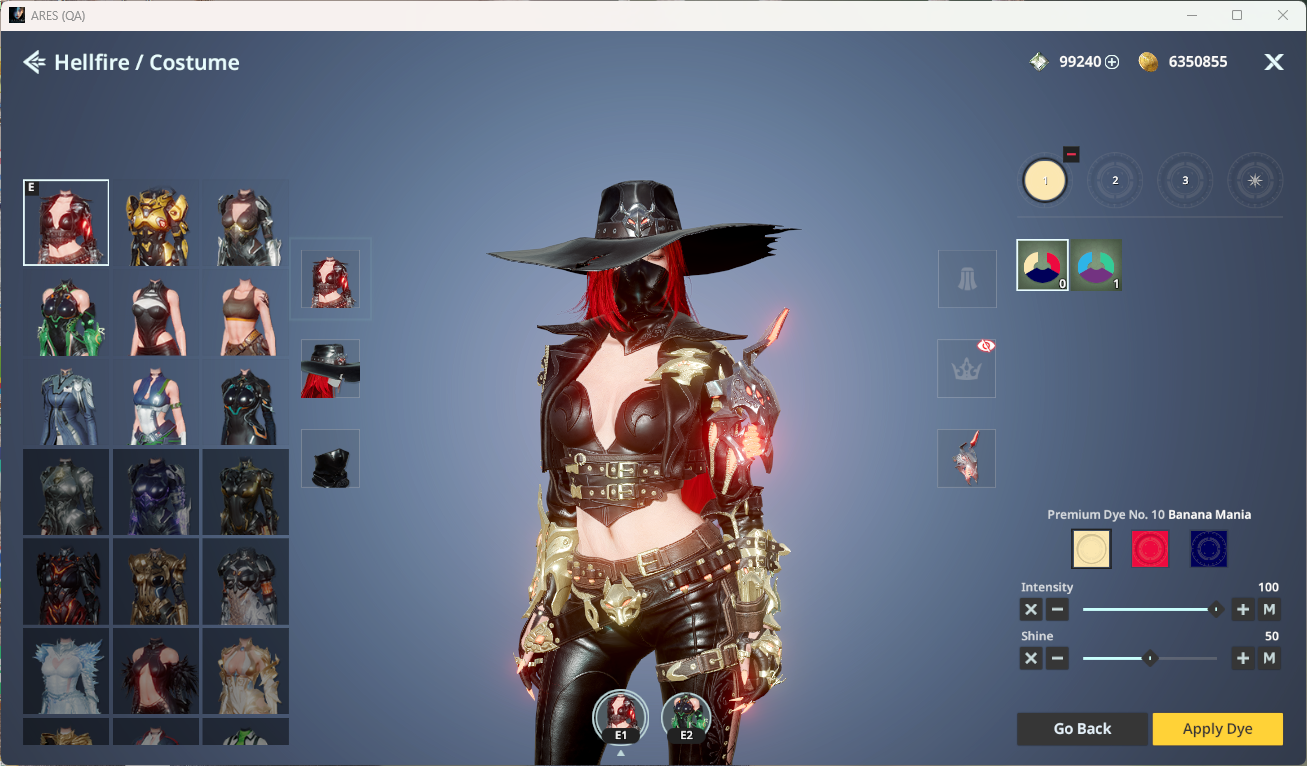
ⓘ Dyes and Customization Tickets can be purchased from Dye Merchant Jabir in Guardian Tower.
◈ Costume & Customization: Change Appearance
- You can change your appearance via Menu ▶ Inventory ▶ Consumables ▶ Use Customization Ticket.
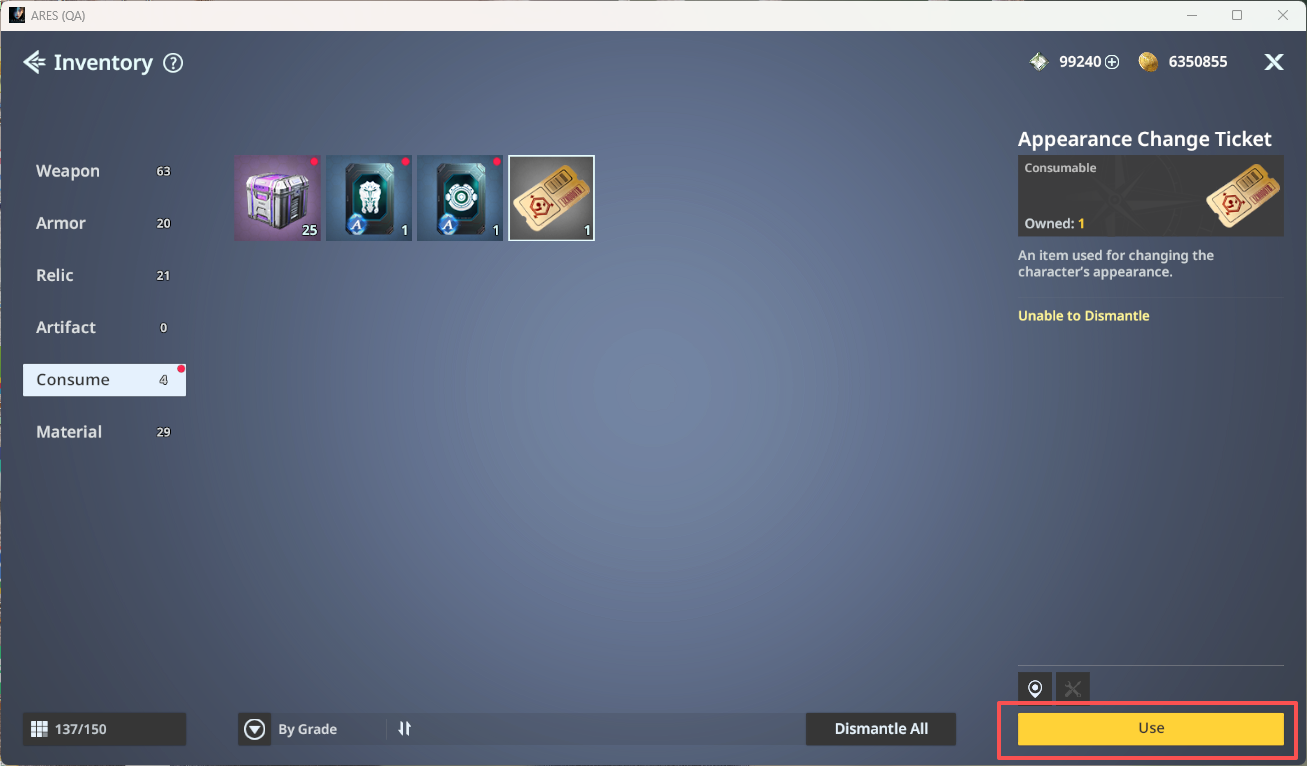
- You can freely customize Head and Body type based on your preference.