[Account] How to Change Nickname
- 1. Click Options from the game screen.
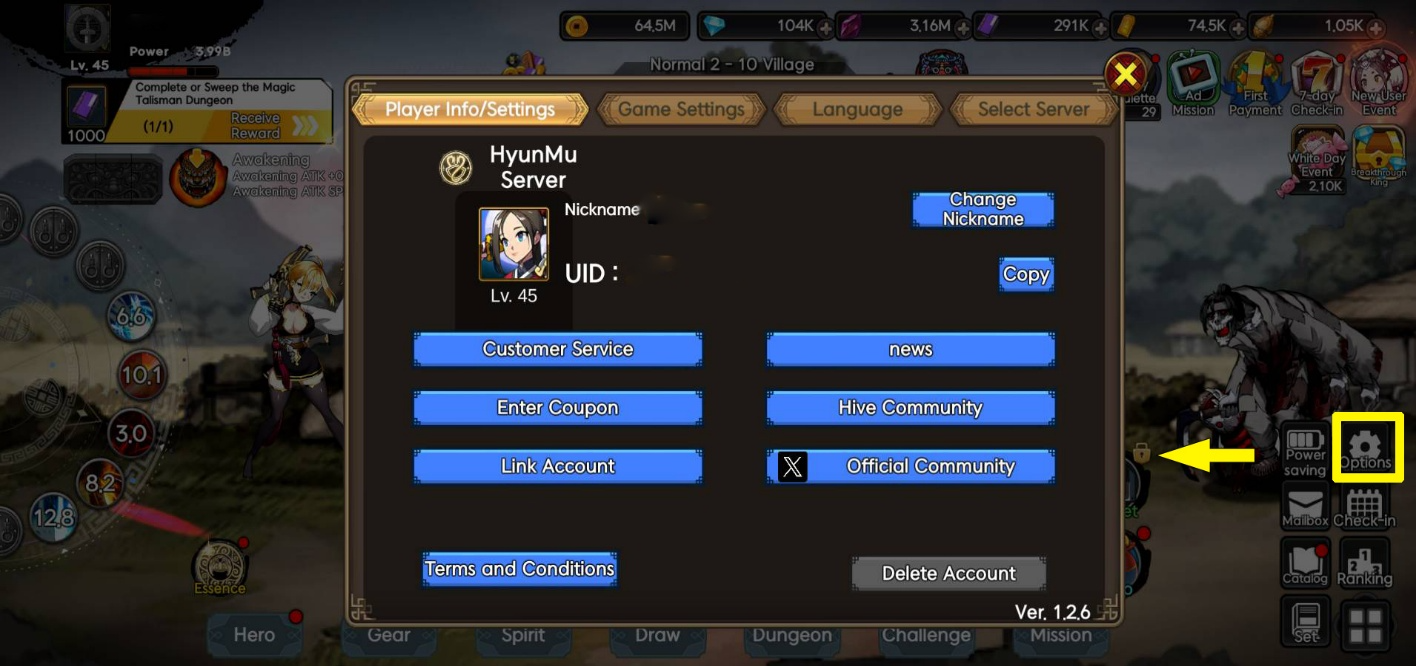
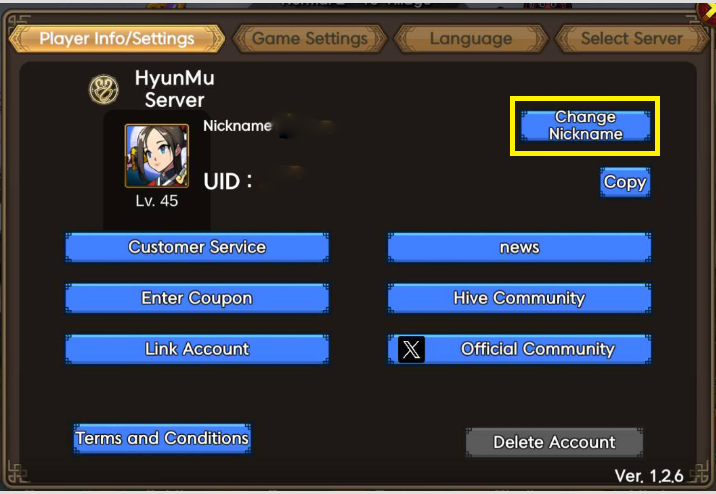
2. Under Player Info/Settings, click on Change Nickname.
3. In the Change Nickname window, type the username you want to use, then click Change.
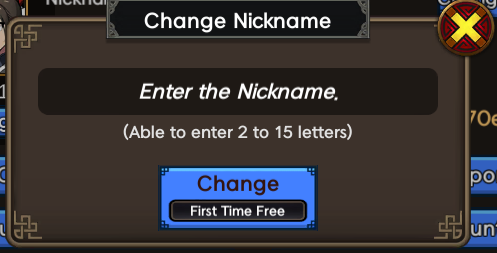
Note: Nicknames must be 2-15 characters long. Changing your nickname for the first time is free; subsequent changes will cost 10,000 diamonds.
Comment 0
0/3000