[Account] How to link account
• By linking your account, you can secure your progress and avoid data loss.
• When you first launch the game, you will begin with a guest account. You can link this account to your platform account at any time.
◇ To link your account, simply follow these steps:
- 1. Click Options from the game screen.
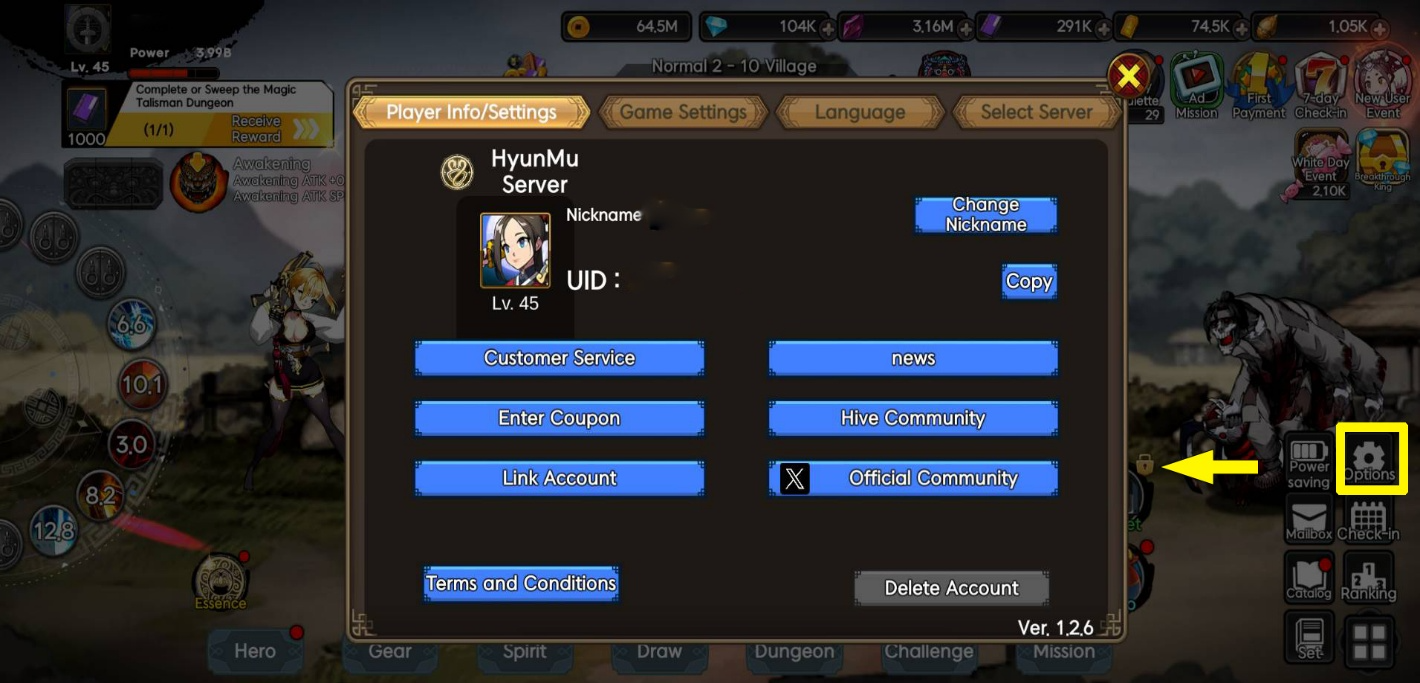
2. Under Player Info/Settings, click on Link Account.
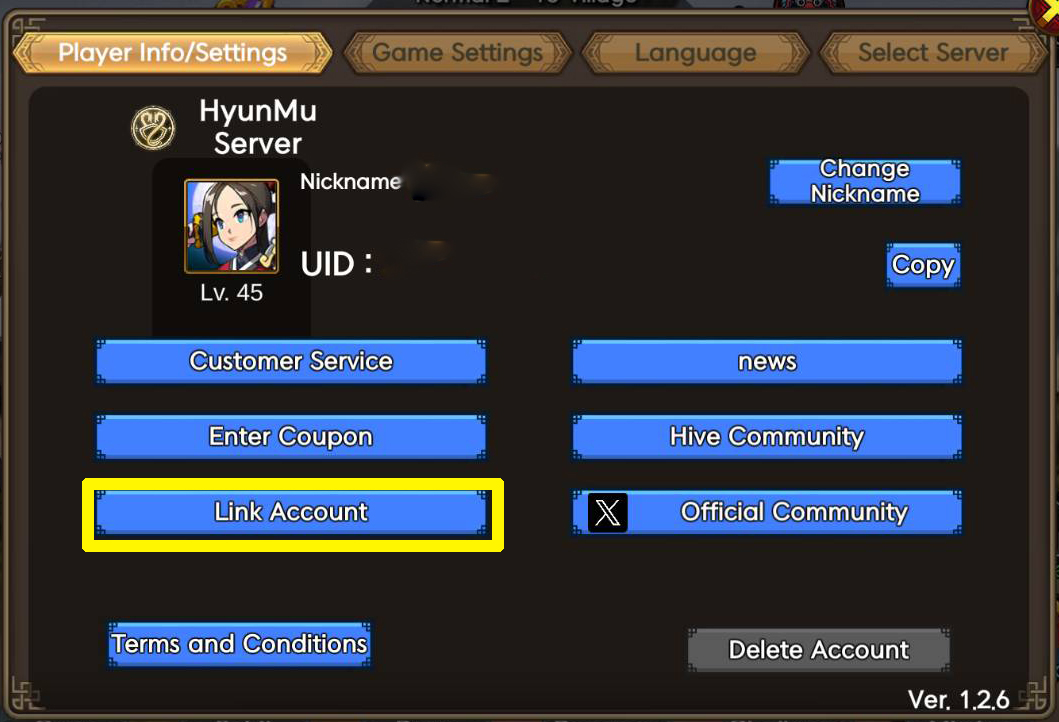
3. Select the platform you want to link your account to.
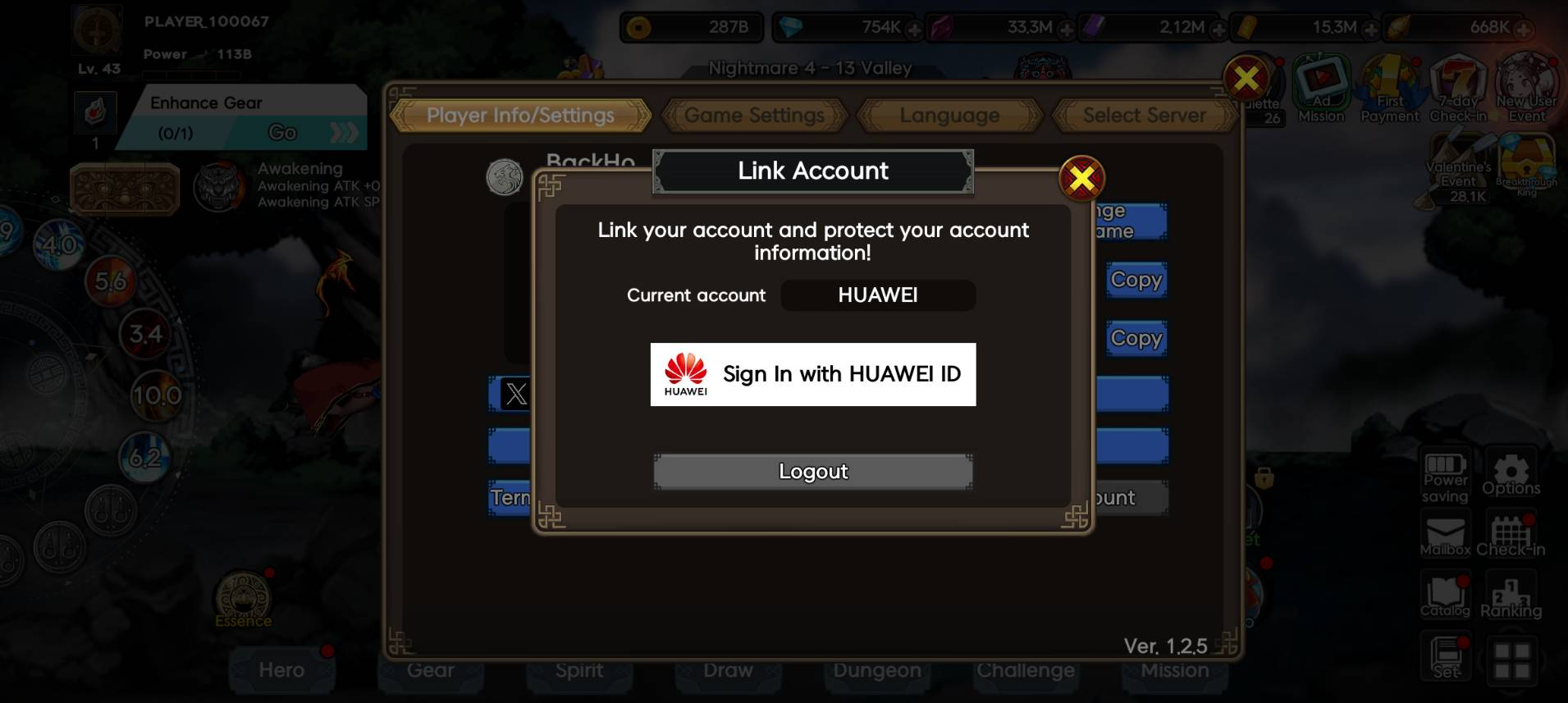
4. Follow the prompts to complete the account linking process.
Note: If you lose your data while playing on a guest account, recovery is not possible. To prevent this, make sure to link your account before continuing gameplay.
0/3000