[Setting] Power-saving mode
- • The Power Saving Mode feature automatically activates when the game is idle, with no manual actions performed.
- • By default, the game will enter Power Saving Mode after 10 minutes of inactivity,
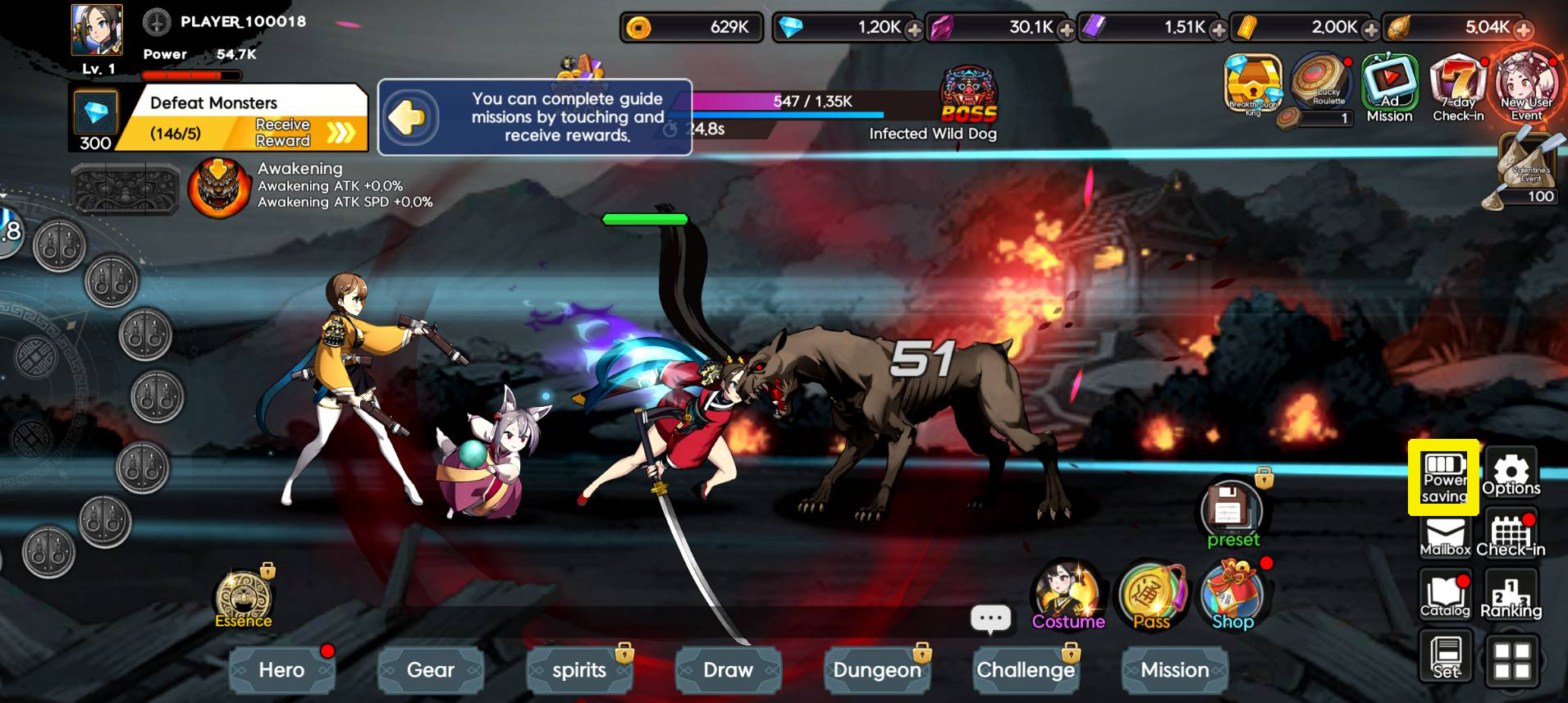
※ To manually activate Power Saving Mode, click "Power Saving" on the right side of the game screen.
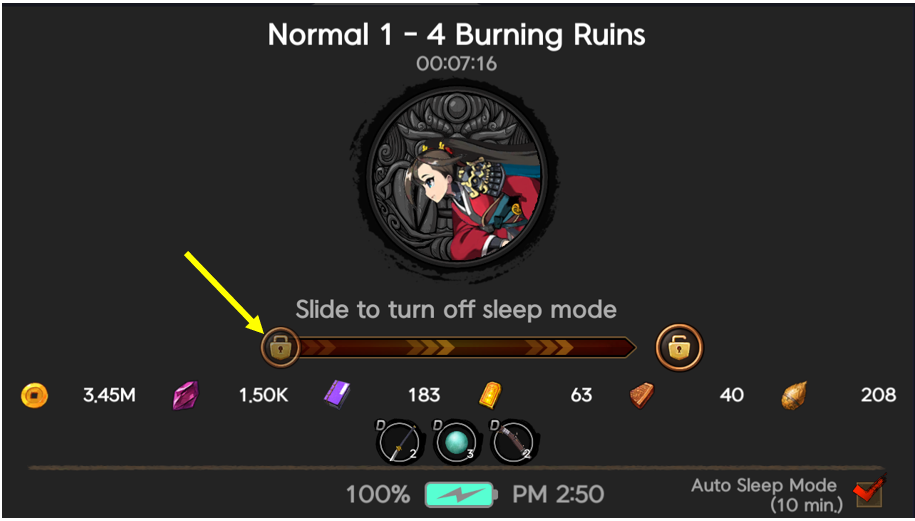
※ To deactivate Power Saving Mode, slide the locked key icon to the right along the bar labeled "Slide to turn off sleep mode".
Notes:
- • When [Auto Sleep Mode] is checked at the bottom right, power saving mode is activated.
- • Even if you turn off automatic power saving mode in [Options] > [Game Settings], when you check Auto Sleep Mode, it will be turned on in [Game Settings].
Comment 0
0/3000