Item Exchange

1. How to Use the Item Exchange
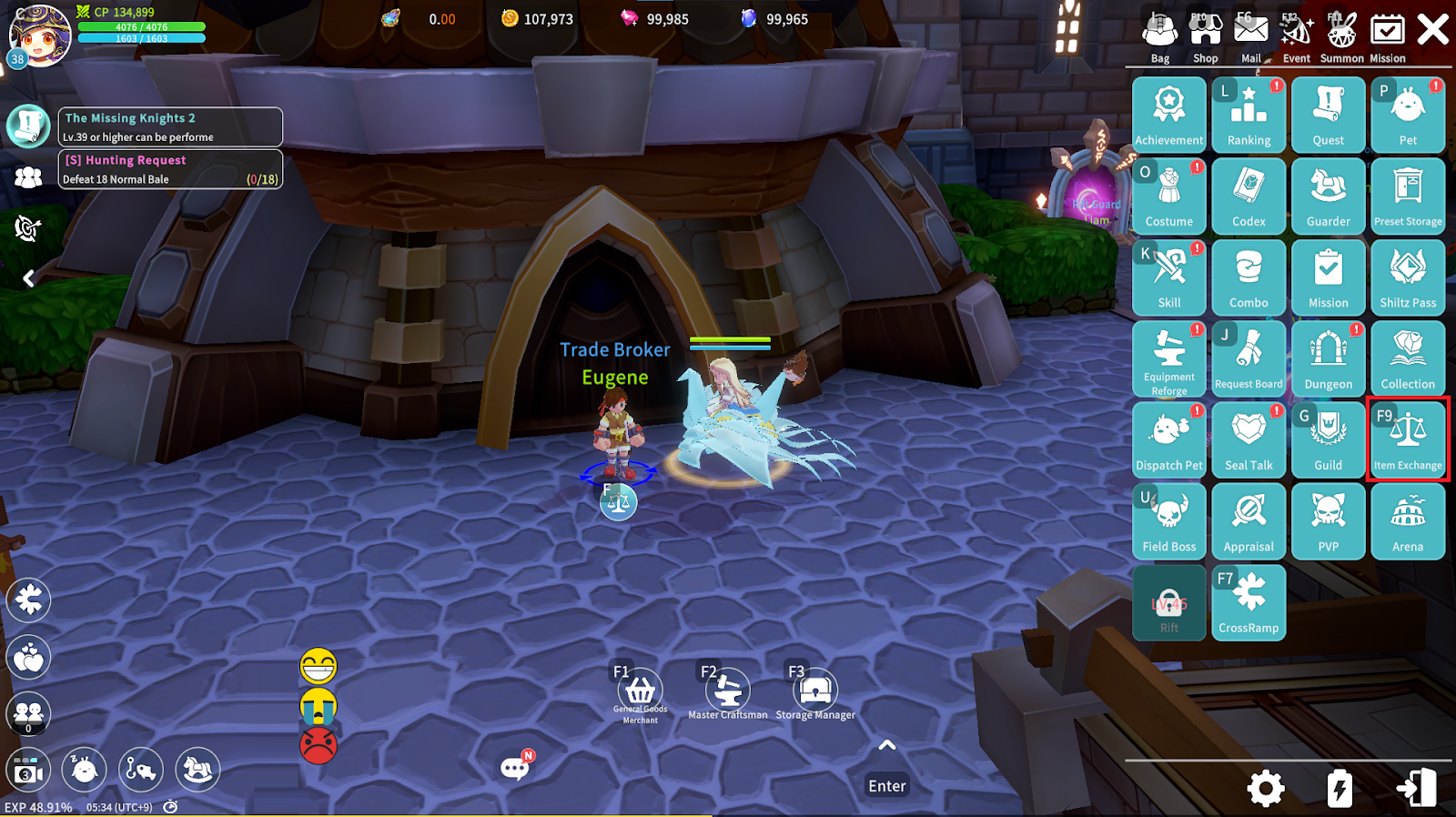
The Item Exchange can be accessed by interacting with the “Trade Broker” in each Town, or directly through the game Menu.
2. Selling Items
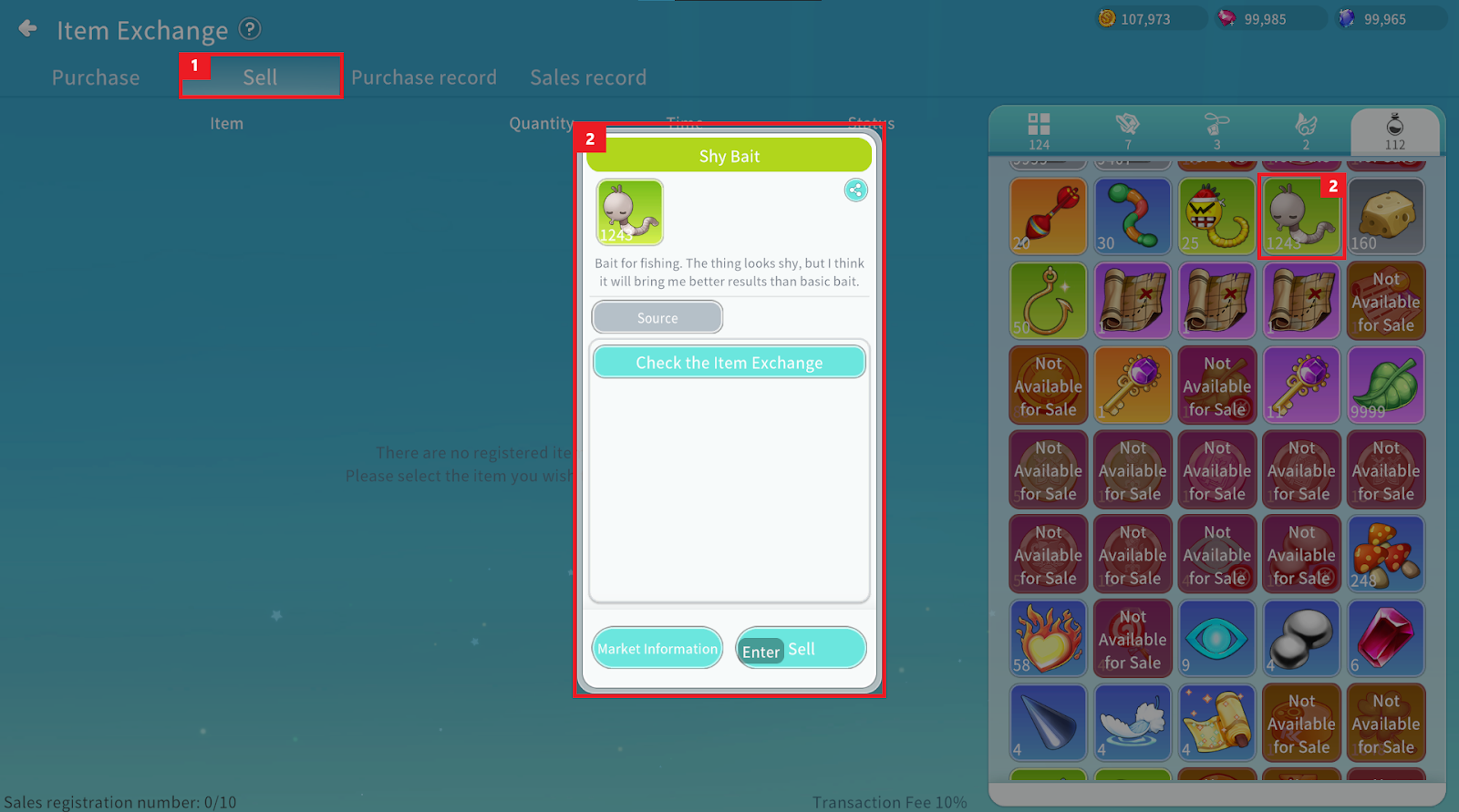
① Items can be registered for sale in the “Sell” tab.
② Select the item you wish to sell from your Inventory to register it for sale.
Equipped Equipment or items marked as non-tradable cannot be sold.
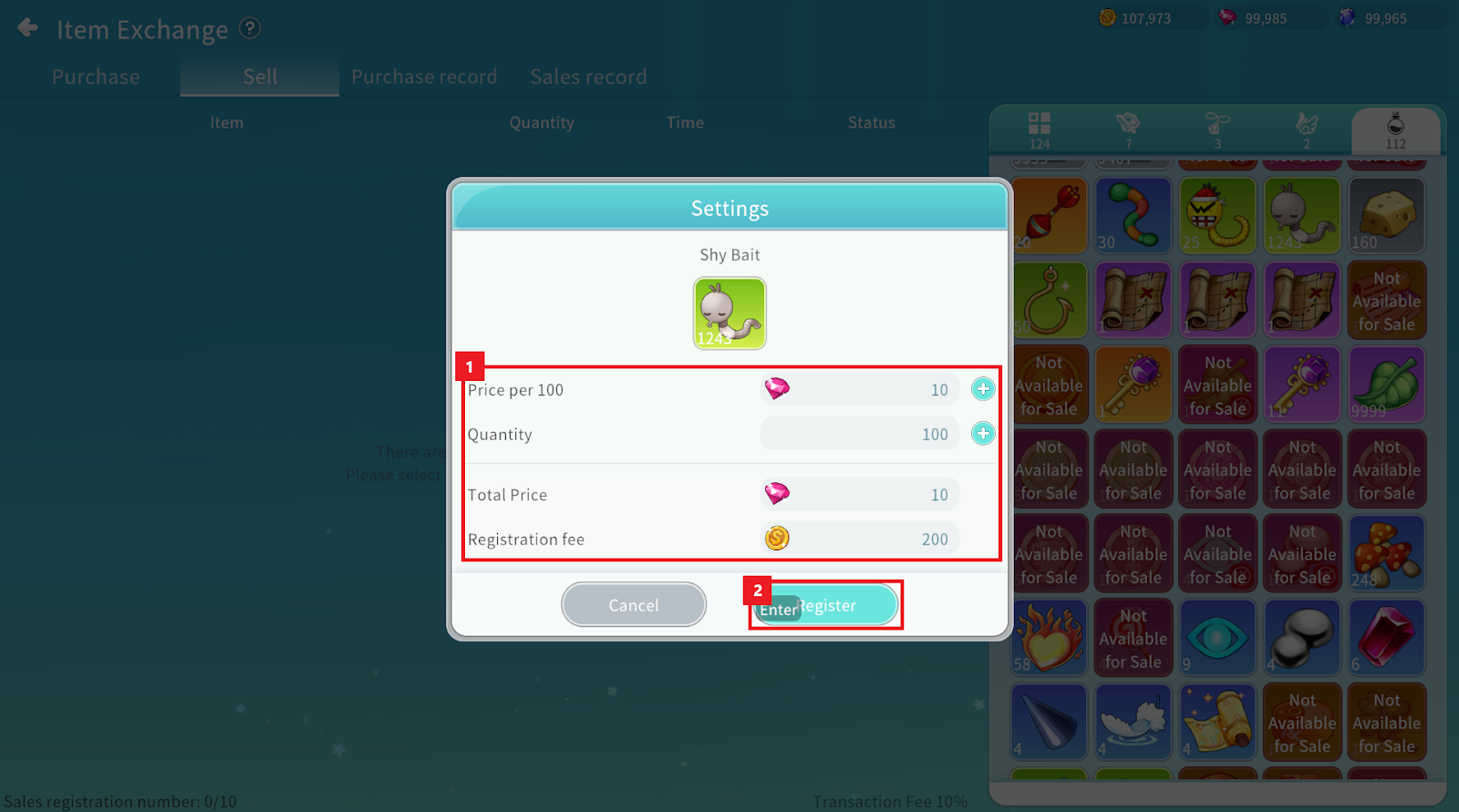
① After setting the sale price per item and the desired quantity, you can check the total sale amount and registration fee.
② Press the “Register” button to complete the sale registration.
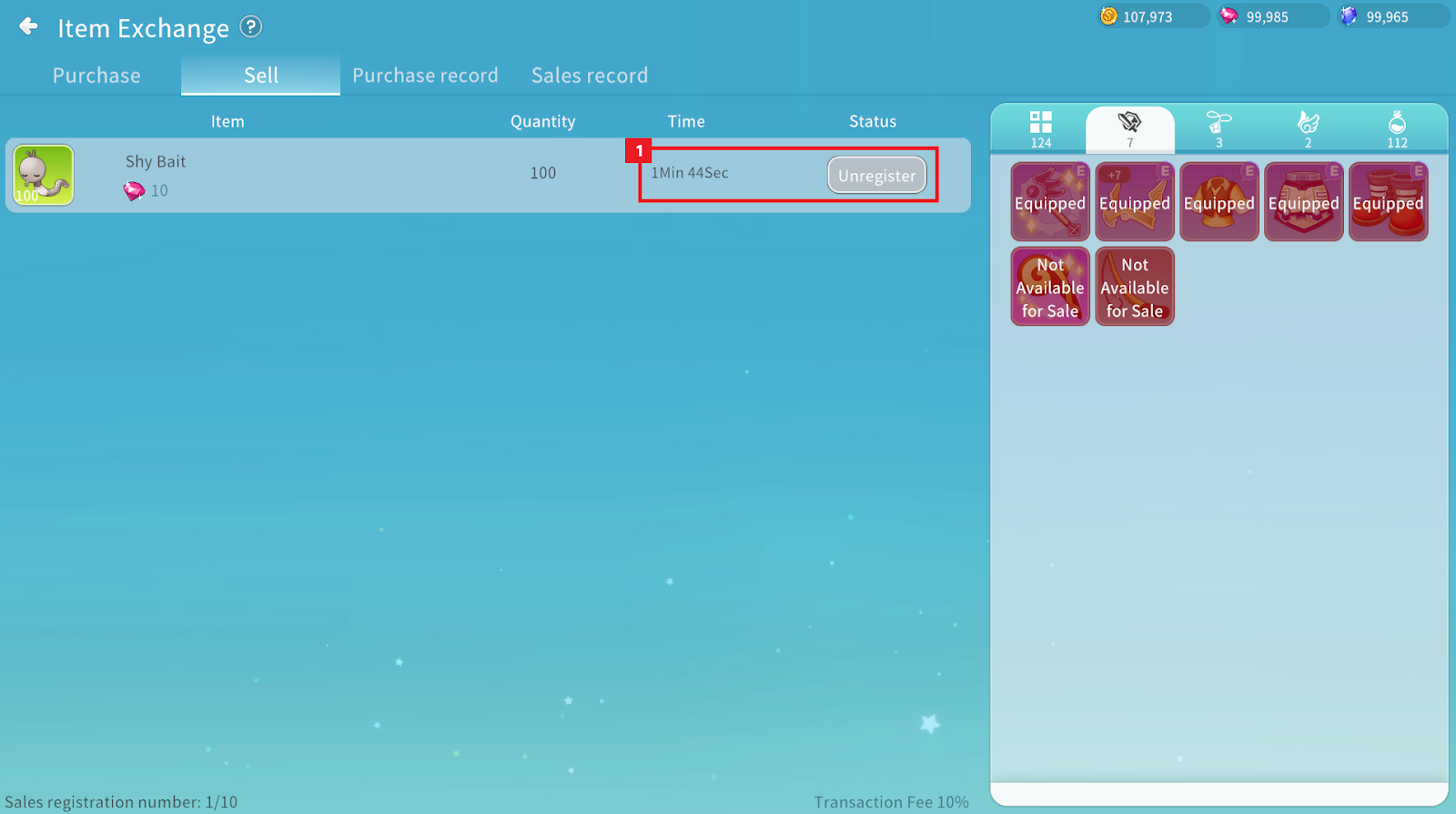
① Registered items will appear in the Exchange after a waiting period.
Items listed in the Exchange can be withdrawn, but the registration fee will not be refunded.
3. Purchasing Items
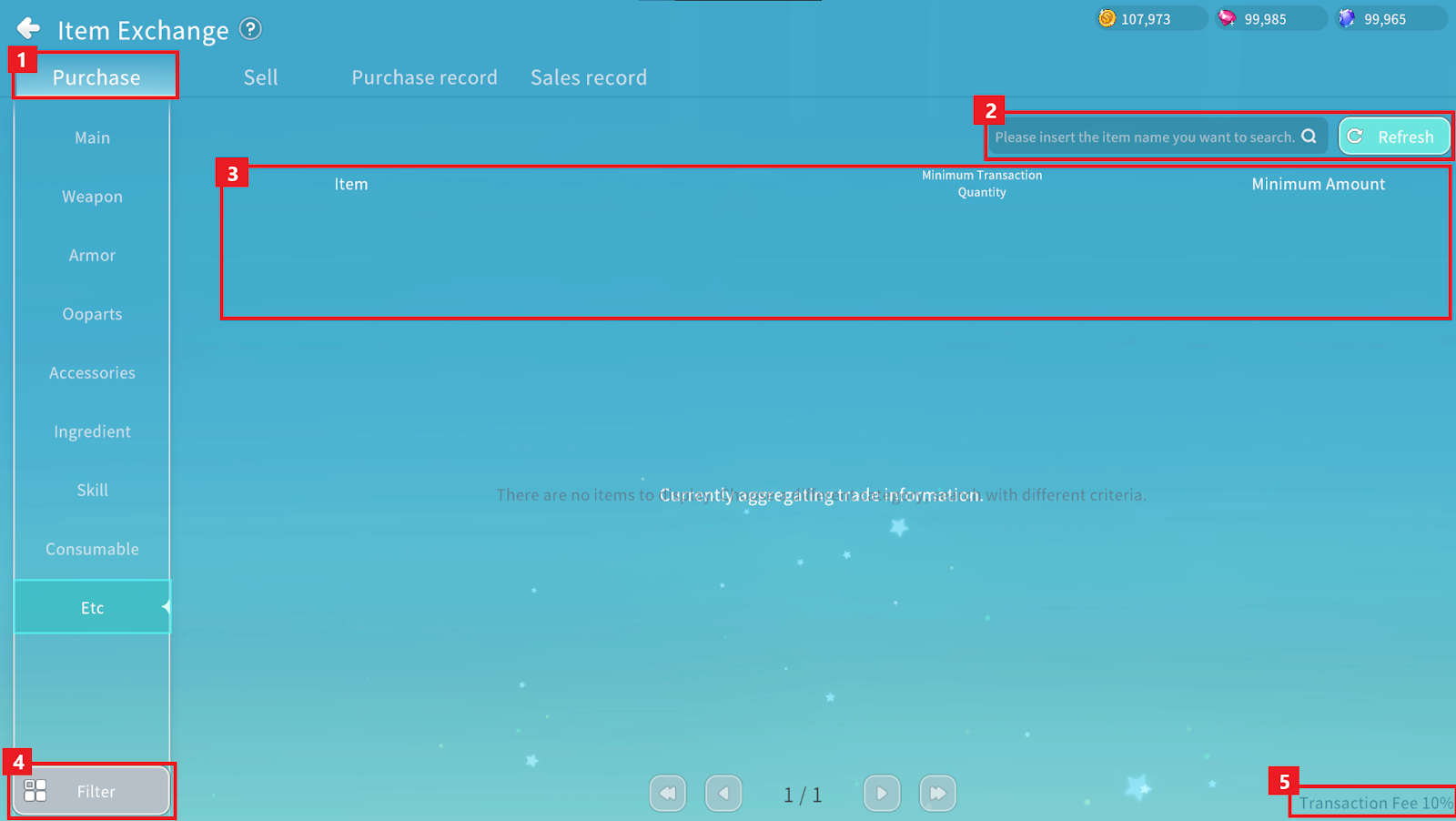
① Items can be purchased in the “Purchase” tab. Select the desired category to view items currently for sale.
② You can search for items or refresh the Exchange.
③ You can check item details and sale prices.
④ You can use filters to search for items that meet specific conditions.
⑤ You can check the transaction fee set for the current server.
Consumable items are purchased starting from the lowest listed price.
If the quantity changes during purchase, only the amount corresponding to the available quantity will be bought.
If the actual purchase amount is lower than the amount paid due to a quantity change, the difference will be refunded.
4. Settlement
Purchased items can be received in your Inventory by pressing the “Claim” button in the “Purchase record” tab.
Completed sales can be settled by pressing the “Claim” button in the “Sales record” tab.
The settlement amount is paid in Ruby, and if a transaction fee applies, the amount will be paid after deducting the fee.
