Seal Talk

Seal Talk is a social feature in Seal M that allows you to find like-minded adventurers through matching, and build close relationships by exchanging Likes, conversations, and gifts.
Unlocked at Level 19.
1. Getting Started with Seal Talk
Tap Menu > Seal Talk in-game to begin.
Before using Seal Talk, you must complete your profile.
Your profile is the only way to introduce yourself in Seal Talk, so please write it honestly.
*Profiles that violate operational policies may be subject to sanctions.
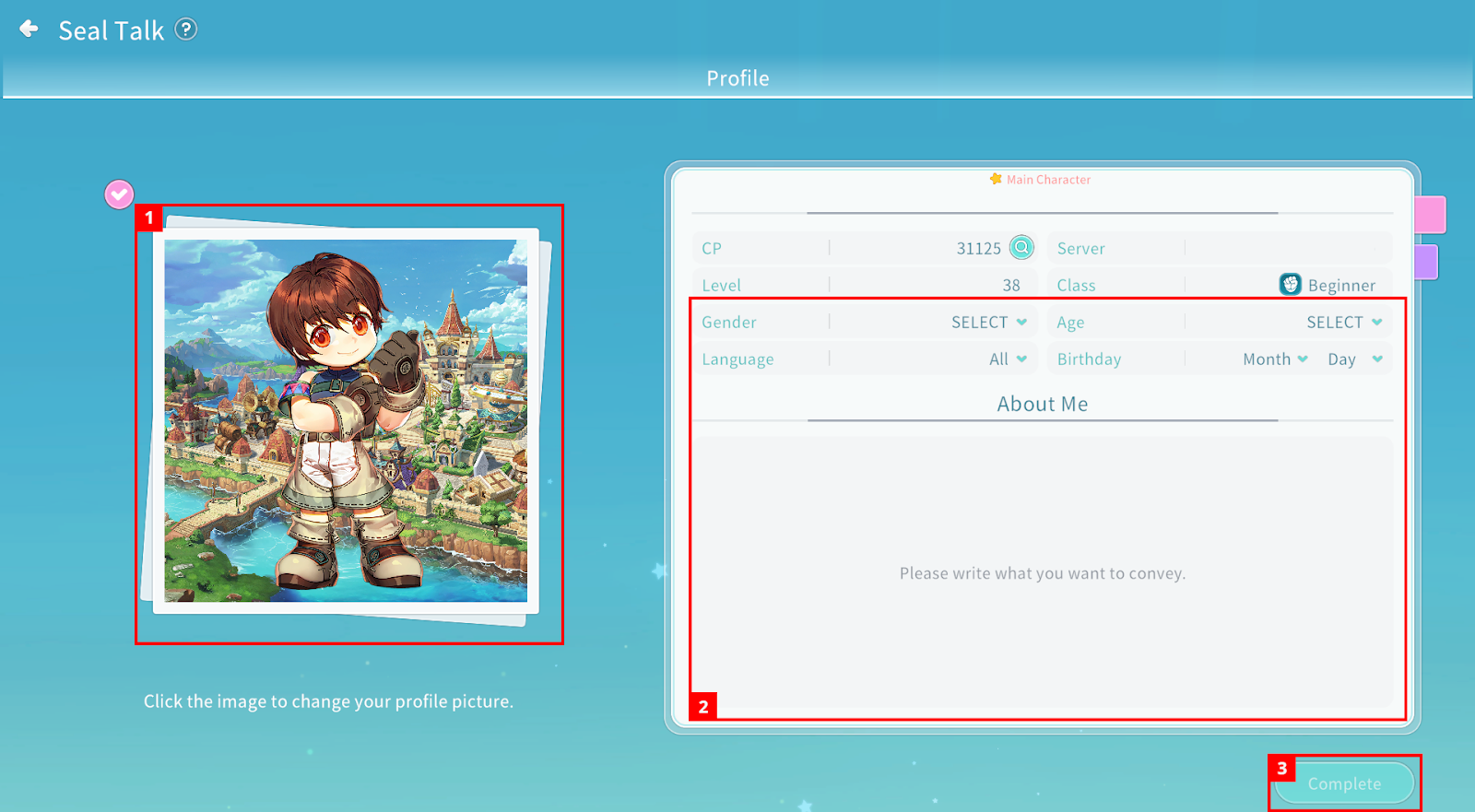
① Click the image to change your profile picture.
② Enter your gender, language, age, birthday, and self-introduction. Combat Power, Server, Level, and Class information are automatically filled in based on your representative character.
③ Once completed, tap Complete button.
2. Seal Talk Premium
Seal Talk Premium is a paid item that allows unrestricted use of Seal Talk features.
Purchase Premium Seal Talk Subscription (30 Days) from the Shop → Collect from Mail → Use the subscription item from your Bag to activate Premium time.
Benefits: Unlimited Next Match and Like features, “Hot Heart” gift limit increased to up to 10 per day.
The remaining Premium period can be checked at the bottom-right of your Seal Talk profile photo.
3. Matching
Through Matching, you can view other adventurers’ profiles.
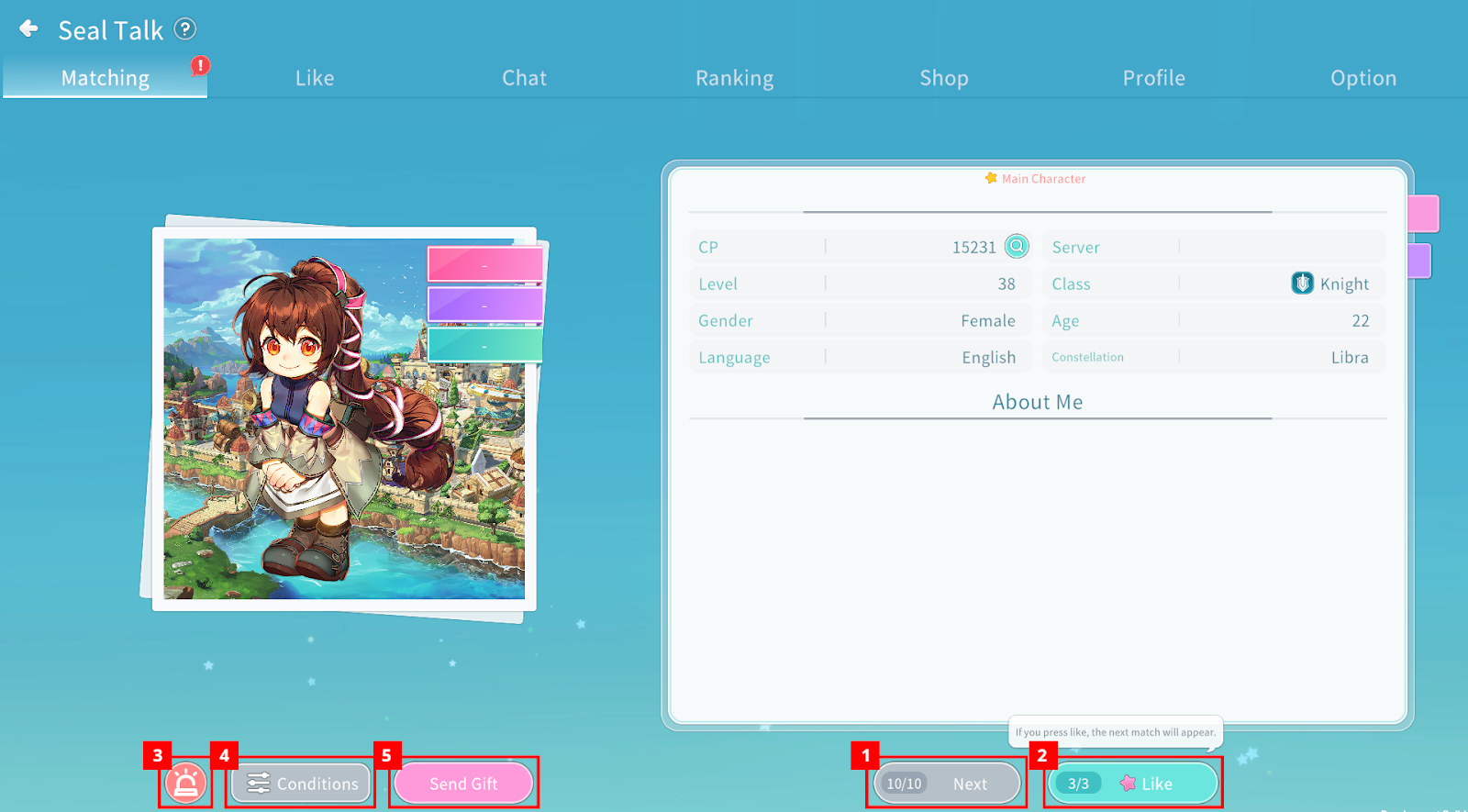
① If you are not interested, tap Next to view another profile. (Unlimited with Premium.)
② You can send a Like to the matched adventurer. (Unlimited with Premium.)
③ You can report the matched adventurer’s profile.
④ You can change matching conditions (Class, Language, Gender, Zodiac Sign).
⑤ You can send a gift to the matched adventurer.
4. Likes
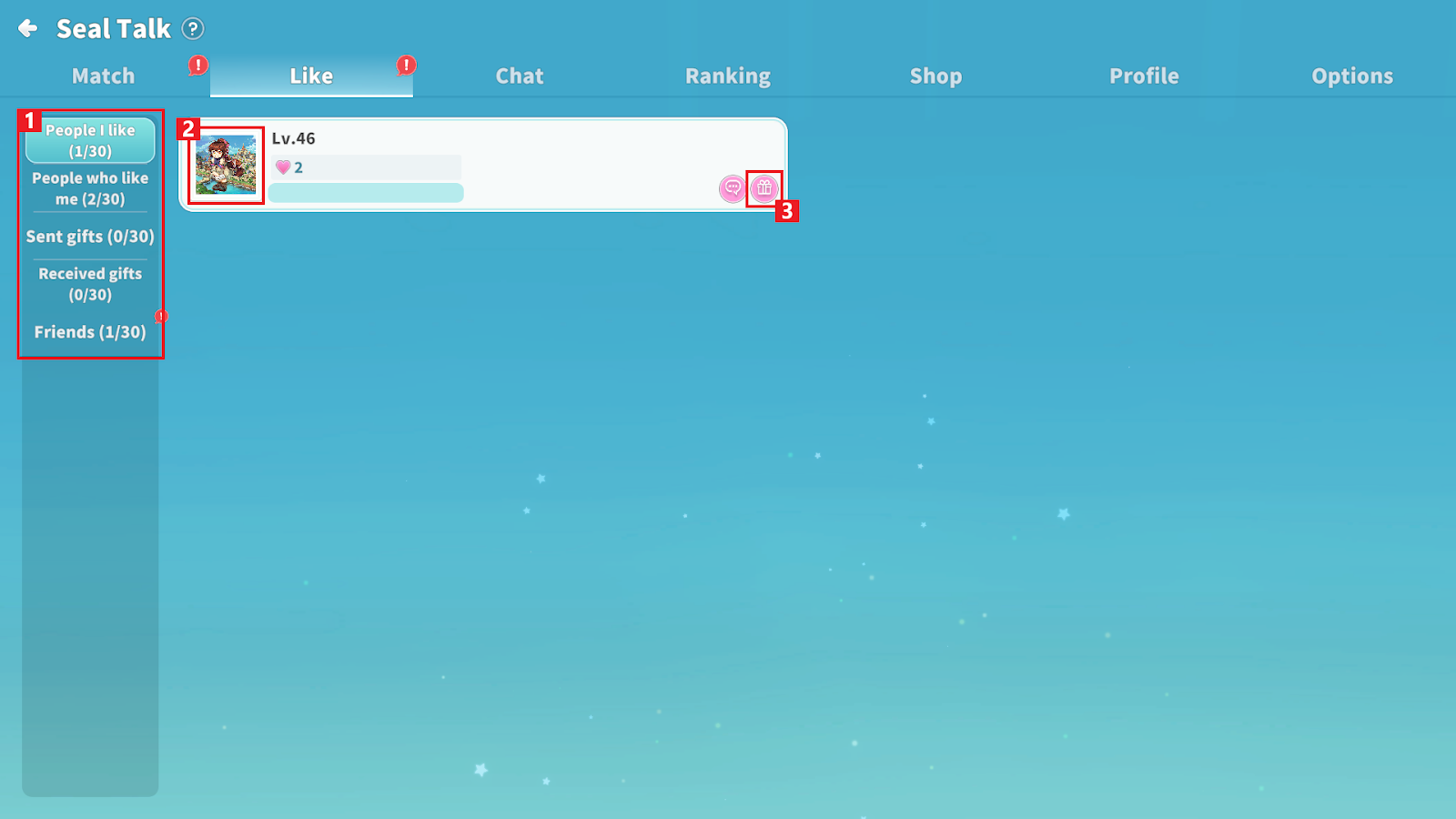
① You can check adventurers you liked, those who liked you, and exchanged gifts.
② Tap a profile photo to view that adventurer’s profile.
③ You can send gifts.
5. Chat
You can chat with adventurers who have mutually exchanged Likes.
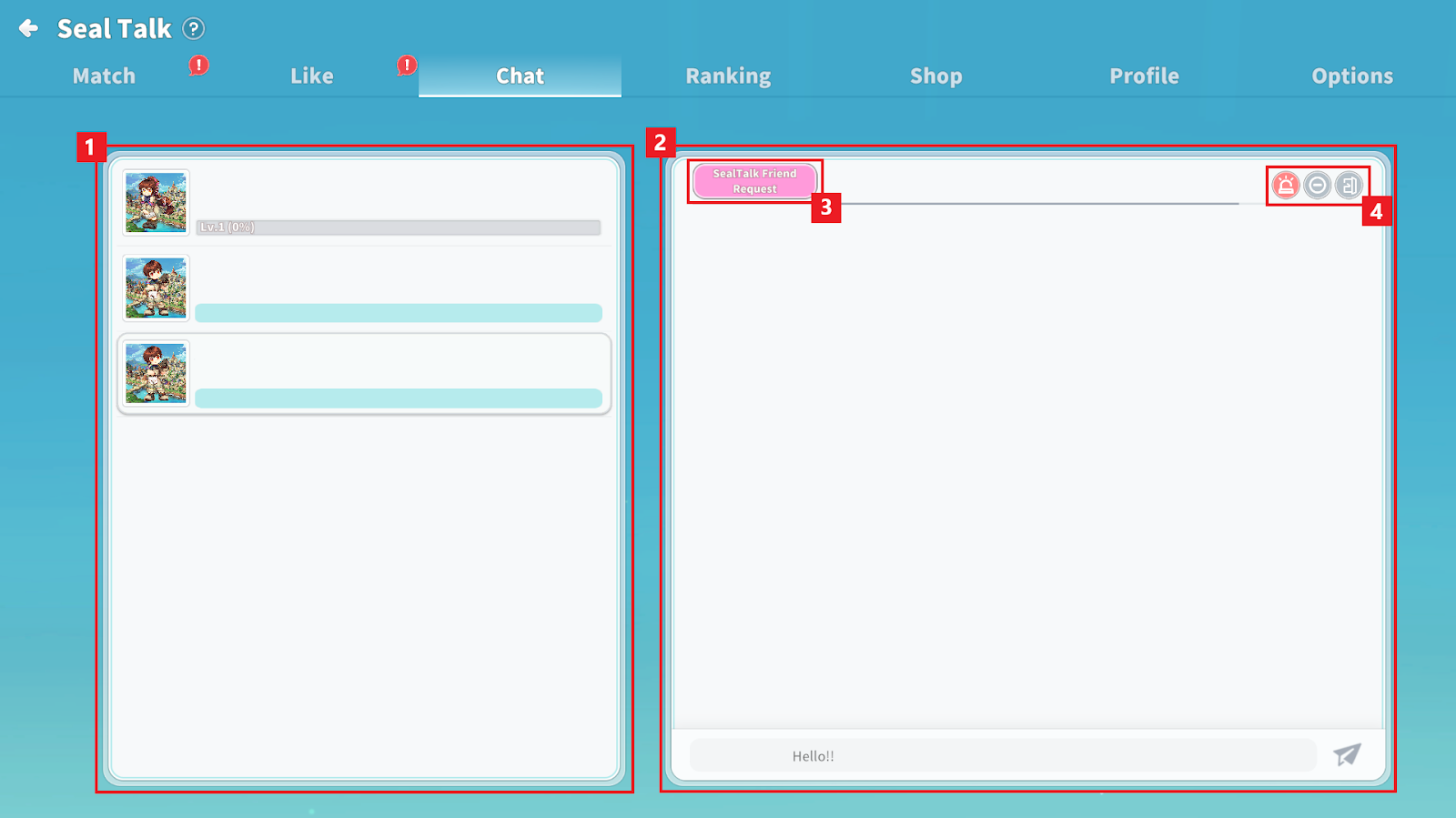
① View the chat list.
② Check messages and send new messages.
③ You can send a Seal Talk friend request.
④ You can report, block, or leave the chat.
6. Seal Talk Friends
If a friend request is accepted, you become Seal Talk Friends.
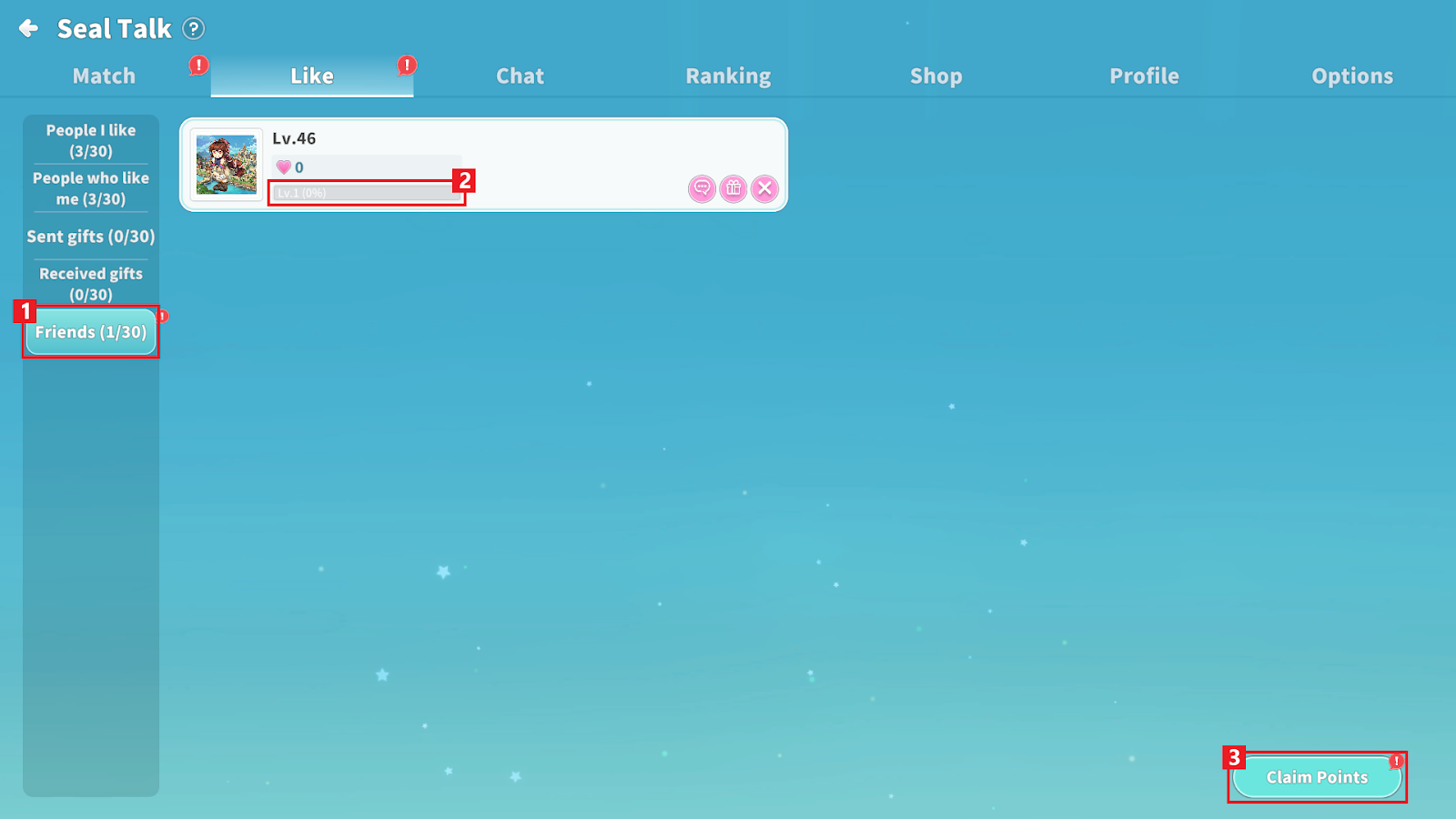
① View your Seal Talk Friends list in the Friends tab.
② Earn Heart Points through chatting and gifting.
- Accumulating Heart Points increases your Bond Level.
- The gift recipient does not receive Heart Points.
③ You can earn Seal Talk Points the next day based on the number of requests your friend completes.
- Higher Bond Levels grant more Seal Talk Points.
7. Ranking
①
- Popular Star: Ranking of adventurers who received the most Likes
- Most Loved: Ranking of adventurers who received the most gifts
- Diehard Fan: Ranking of adventurers who sent the most gifts
② View overall rankings on the leaderboard.
③ You can send Likes, gifts, or view profiles.
8. Shop
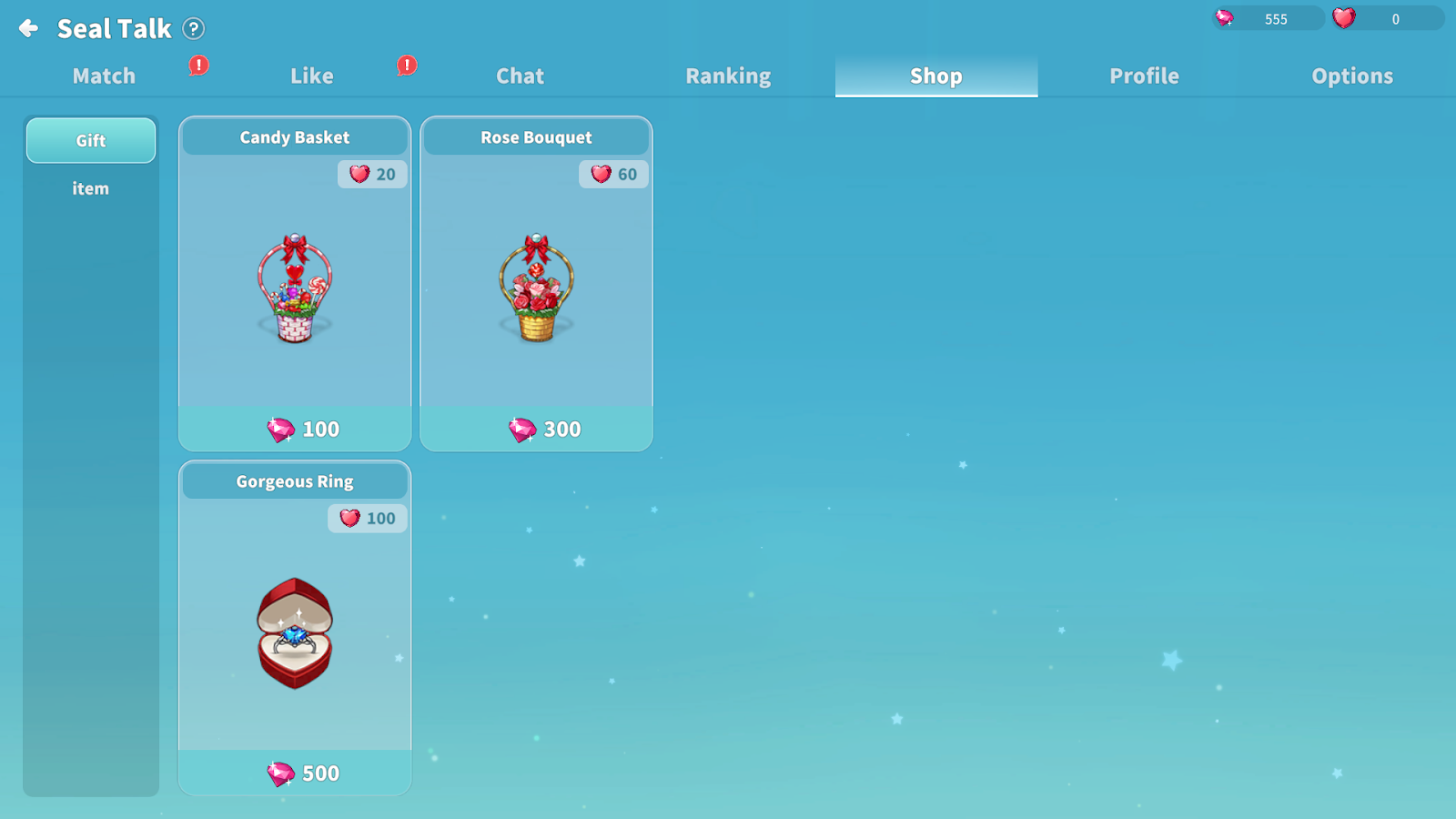
In the Seal Talk Shop, you can purchase gifts to send to adventurers.
The “Fancy Ring” gift allows you to include a message.
When sending a gift, both the sender and recipient receive the same amount of Seal Talk Points.
Collected Seal Talk Points can be used to purchase various items.
9. Profile
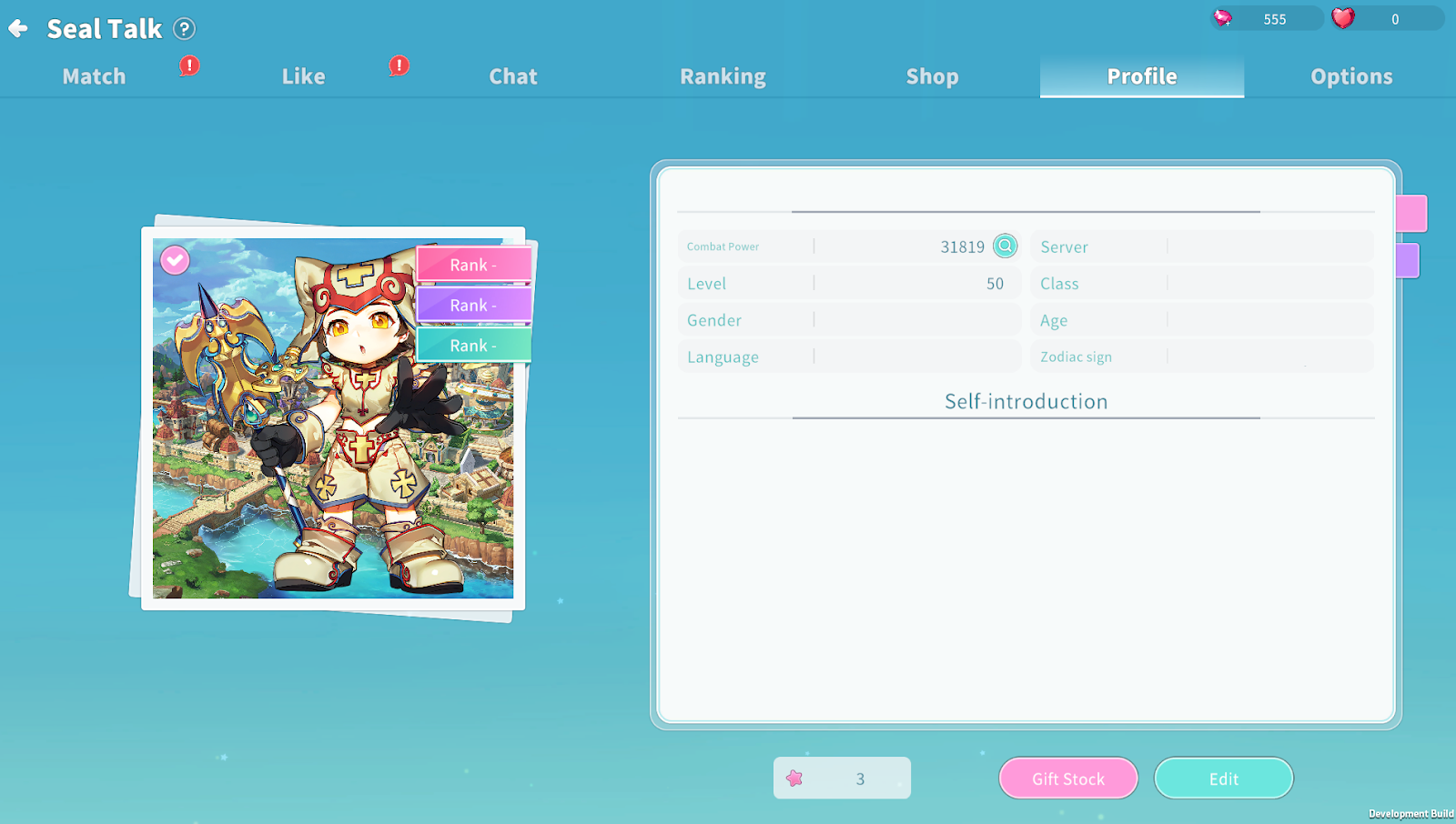
You can check currently owned gifts and edit your profile.
10. Options
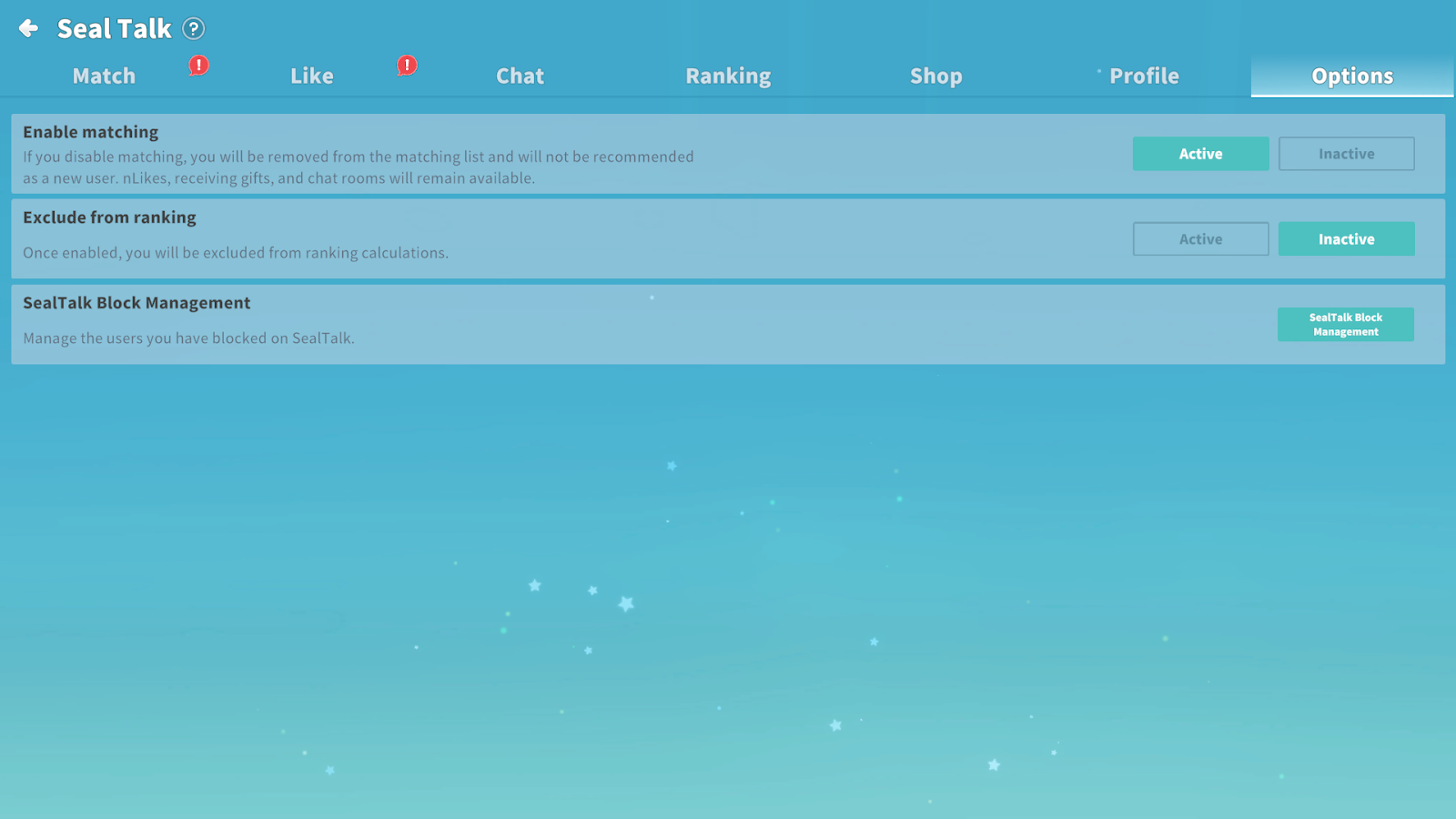
You can adjust various Seal Talk-related settings.
