
Obtained items can be checked in the Bag. By opening the Bag, you can equip Equipment or use items.
Tap the Bag icon at the top right of the screen to open it.
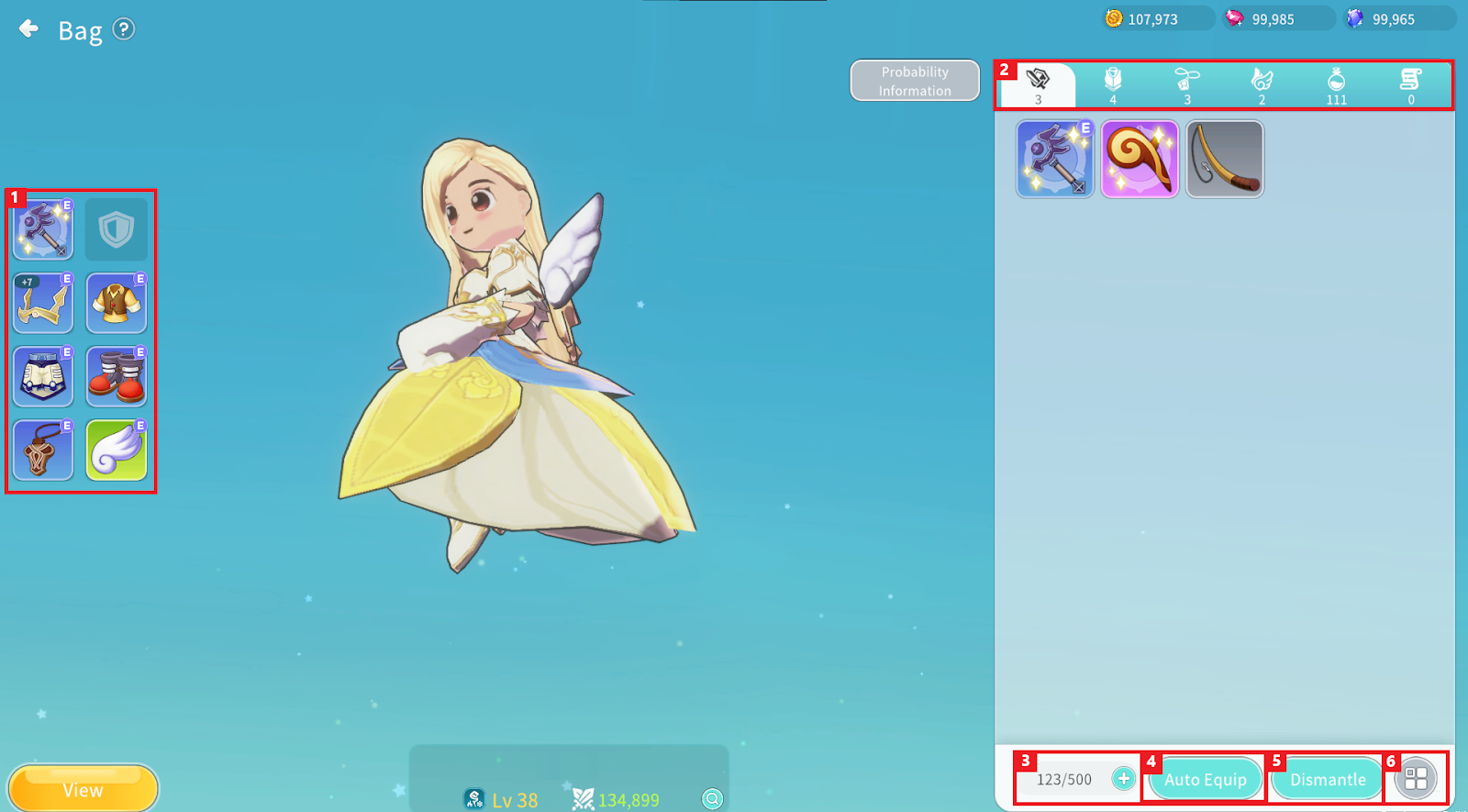
① You can check the Equipment currently equipped.
② You can check items stored under the Weapon / Armor / Accessory / Ooparts / Consumable / Quest Item tabs.
③ You can check the current capacity and maximum capacity of your Bag. Tap the [+] button to expand the Bag.
④ Tap “Auto Equip” to automatically equip Equipment.
⑤ You can dismantle Equipment.
⑥ You can sort items.
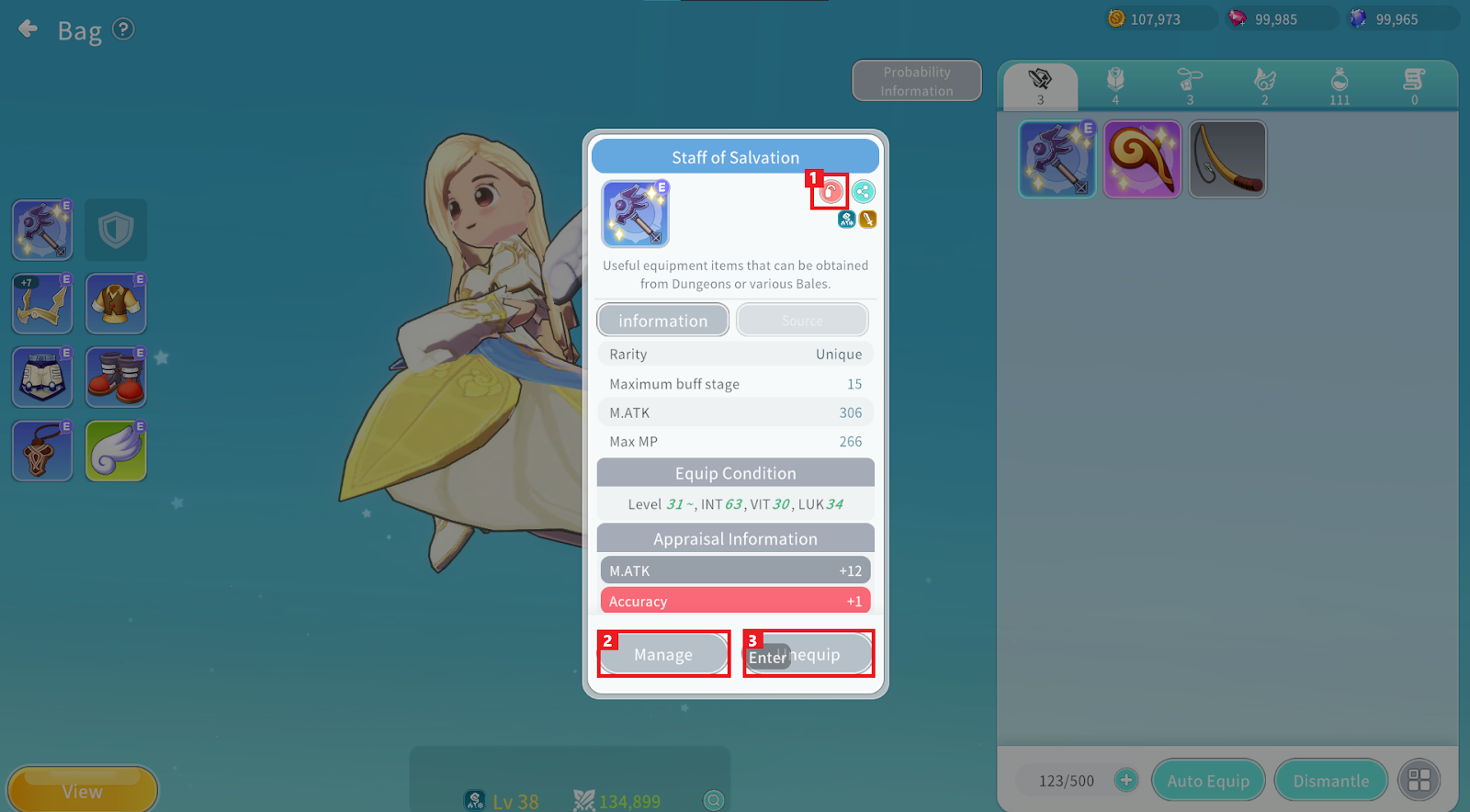
① Tap the Lock button to set Equipment to locked status. Locked Equipment cannot be enhanced or combined.
Tap the Share button to share the item’s information in the Chat window.
Tap the Details button to check detailed information such as equip restrictions and trade availability.
② Tap the “Manage” button to enhance, combine, dismantle, or appraise Equipment.
③ For currently equipped Equipment, tap the “Unequip” button to remove it. For equippable items, the “Equip” button appears instead of “Unequip.”
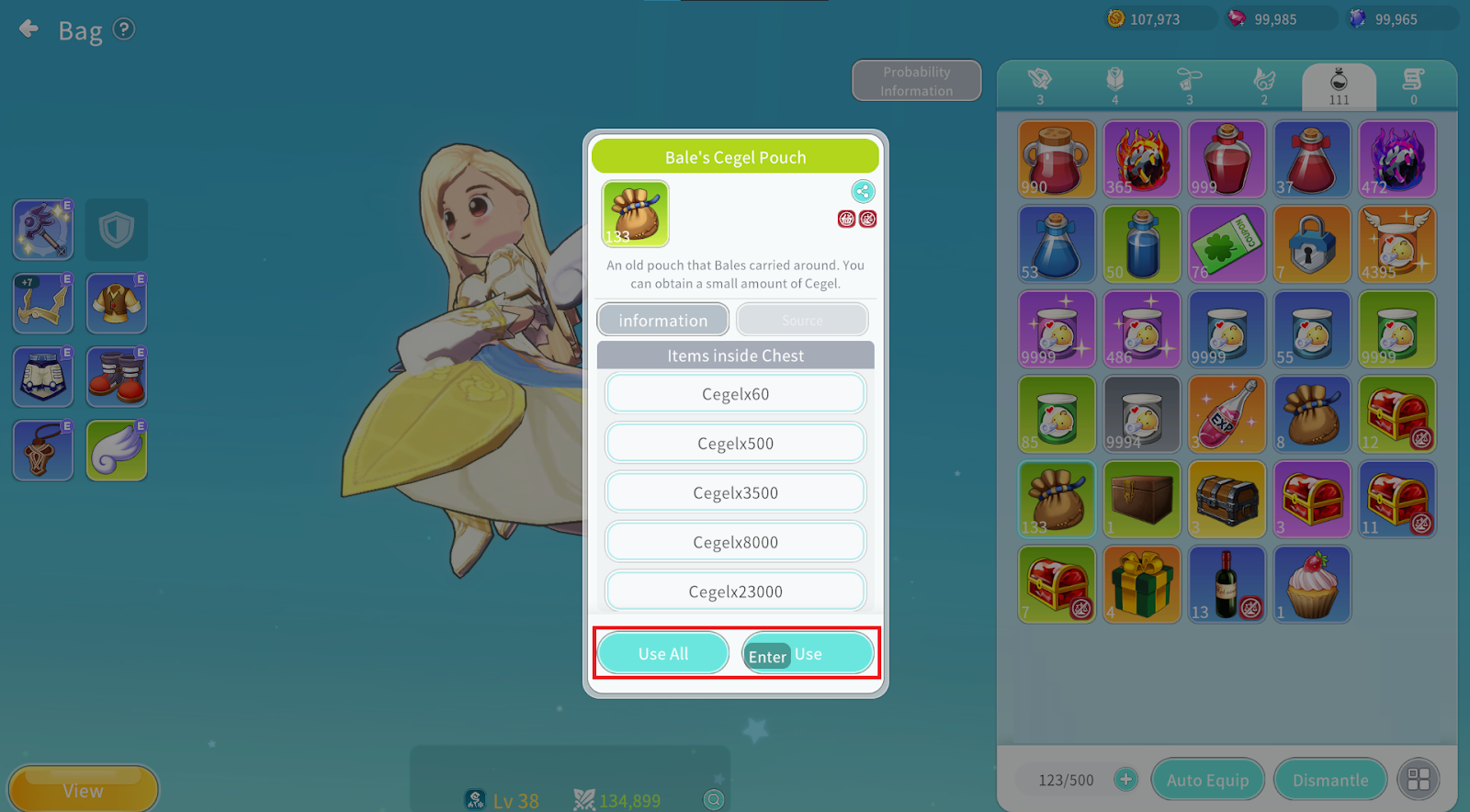
Consumable items can be used by tapping the “Use” button.
For multiple items, you can tap “Use All” to use them at once.