
Some content rewards and items purchased from the Shop are sent to your Mailbox.
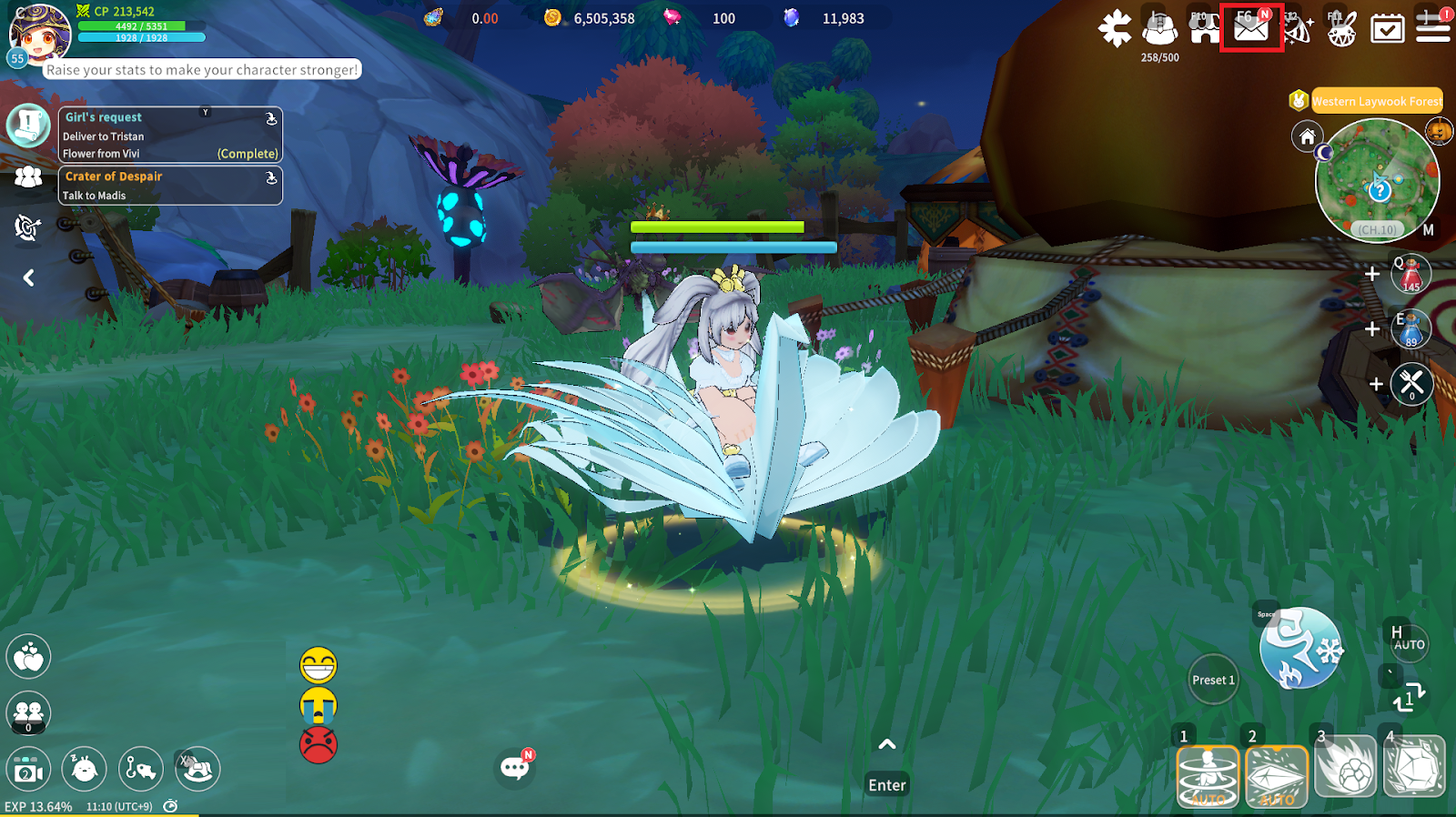
Tap the Mail icon at the top right of the screen to open the Mailbox.
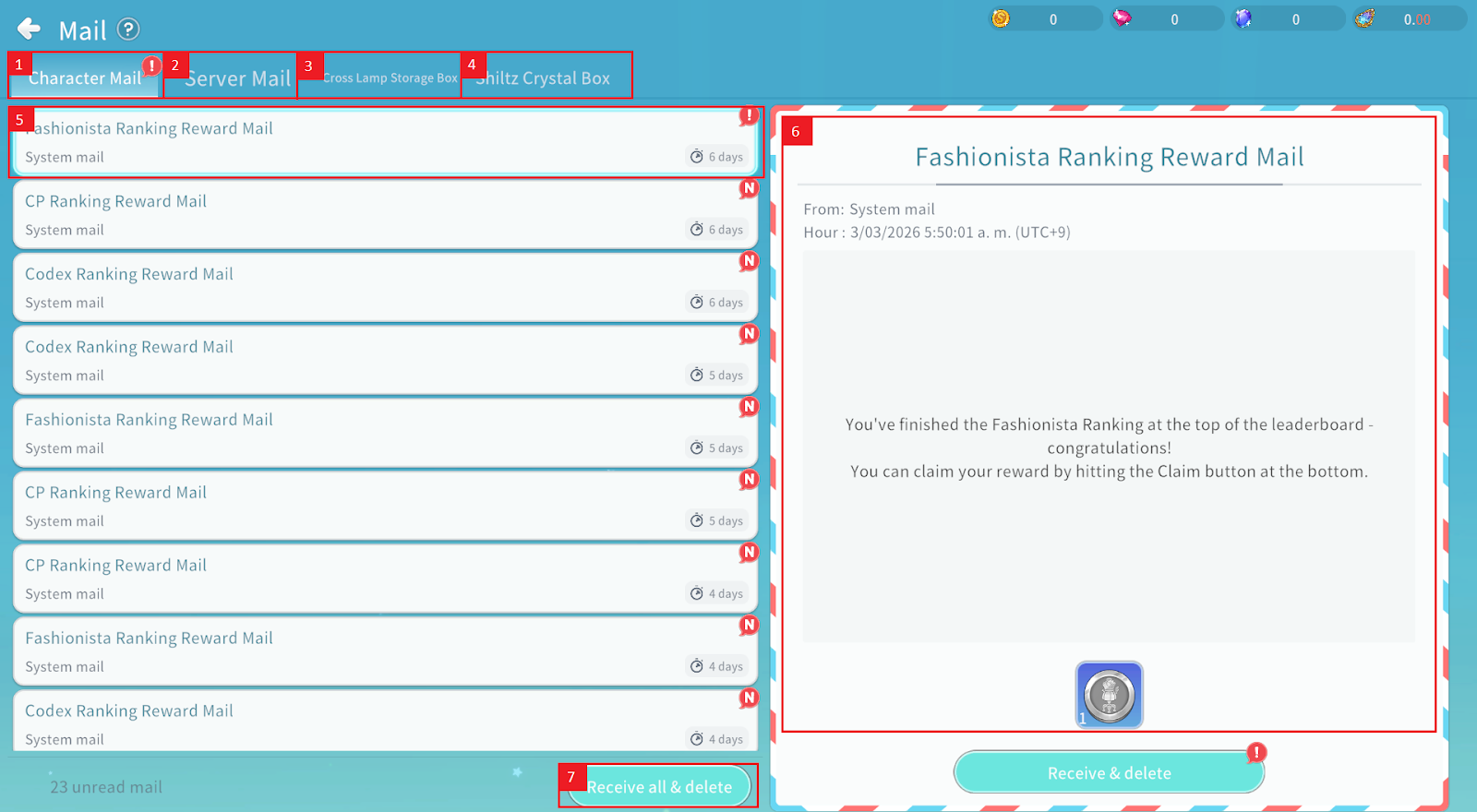
① You can check mail sent to the currently logged-in character.
② You can check mail sent on a server-wide basis.
③ You can check mail sent to your Cross Ramp Storage.
④ You can check mail sent to your Shiltz Crystal Box.
⑤ You can check the mail subject and storage period.
⑥ You can check the mail contents and any attached items.
⑦ Tap the “Receive all & delete” button to collect all mail in the Mailbox and then delete it.
