
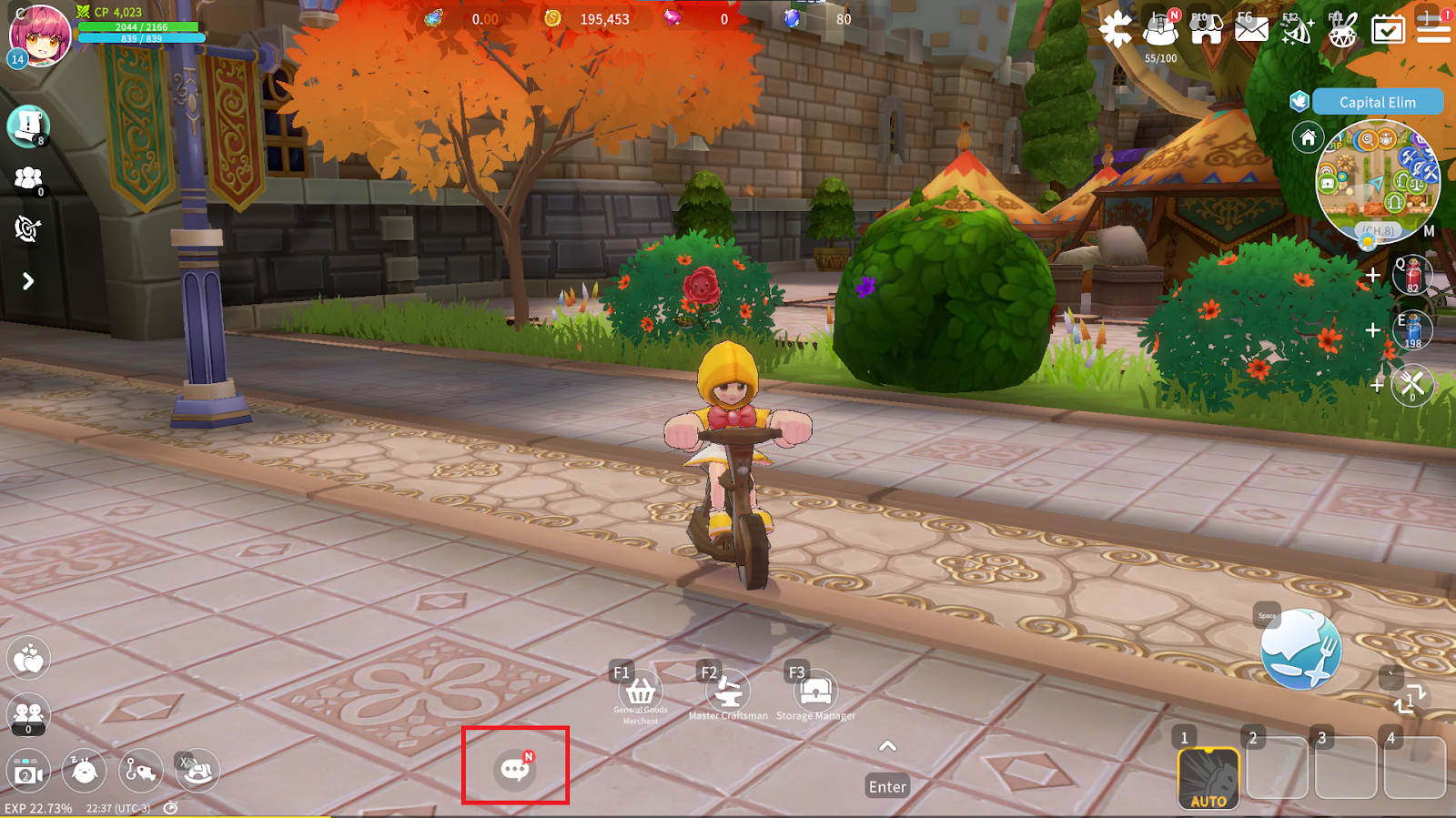
You can start a conversation with other adventurers by tapping the speech bubble icon at the bottom of the screen or the chat window.
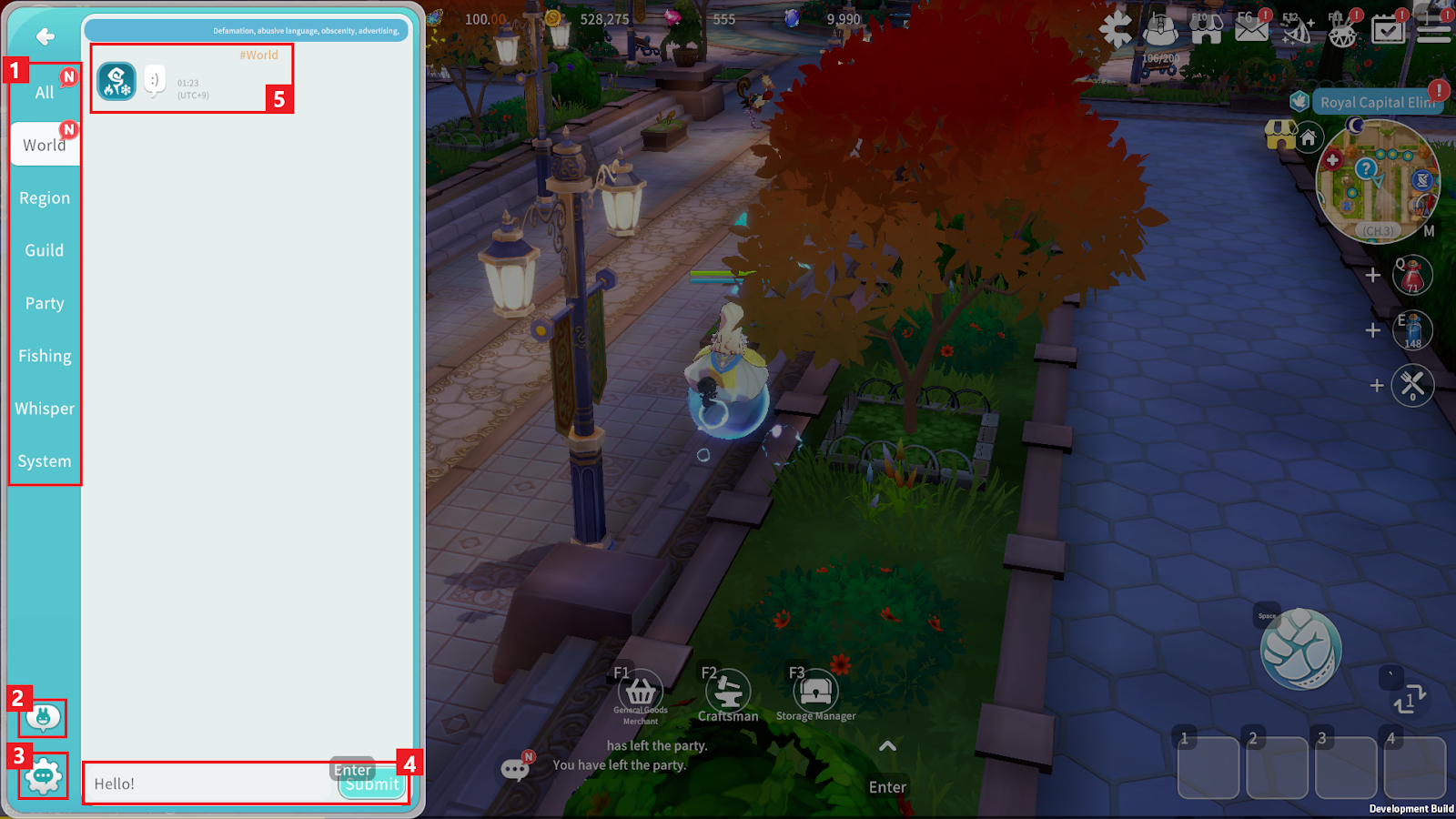
① Select a Chat Tab to talk with the desired group.
- All: View all chat messages and notifications at once. (Messages cannot be sent in this tab.)
- World: Send messages to all players on the same server.
- Area: Send messages to all players on the same map.
- Guild: Send messages to members of your Guild.
- Party: Send messages to members of your Party.
- Fishing: Send fishing-related chat messages.
- Whisper: Send 1:1 messages to friends. (Whispering is only available between friends.)
- System: View in-game notices, item acquisition messages, and combat logs.
② You can register and use Chat Macros.
③ You can configure Chat Options.
④ After entering text, tap the button to send the message.
⑤ By selecting a character name in the chat window, you can view basic information and interact with that character.
Whisper Tab
In the Whisper Tab, you can have 1:1 conversations with friends.
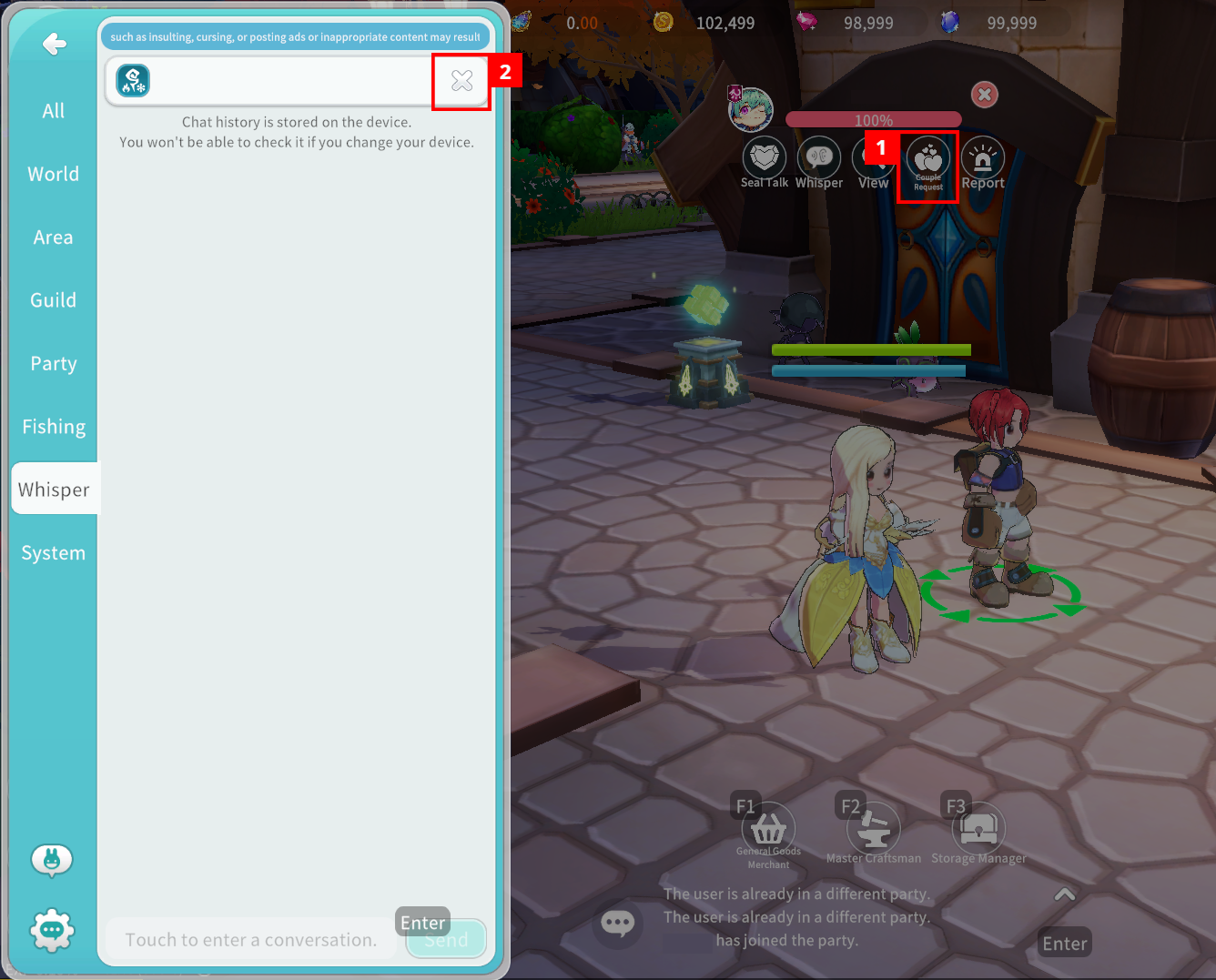
① Tap a character to open their chat window. (Whisper chat history is stored locally on the device. If you change devices, previous messages cannot be viewed.)
② Tap the button to delete all messages in that conversation. (Deleted messages cannot be recovered.)
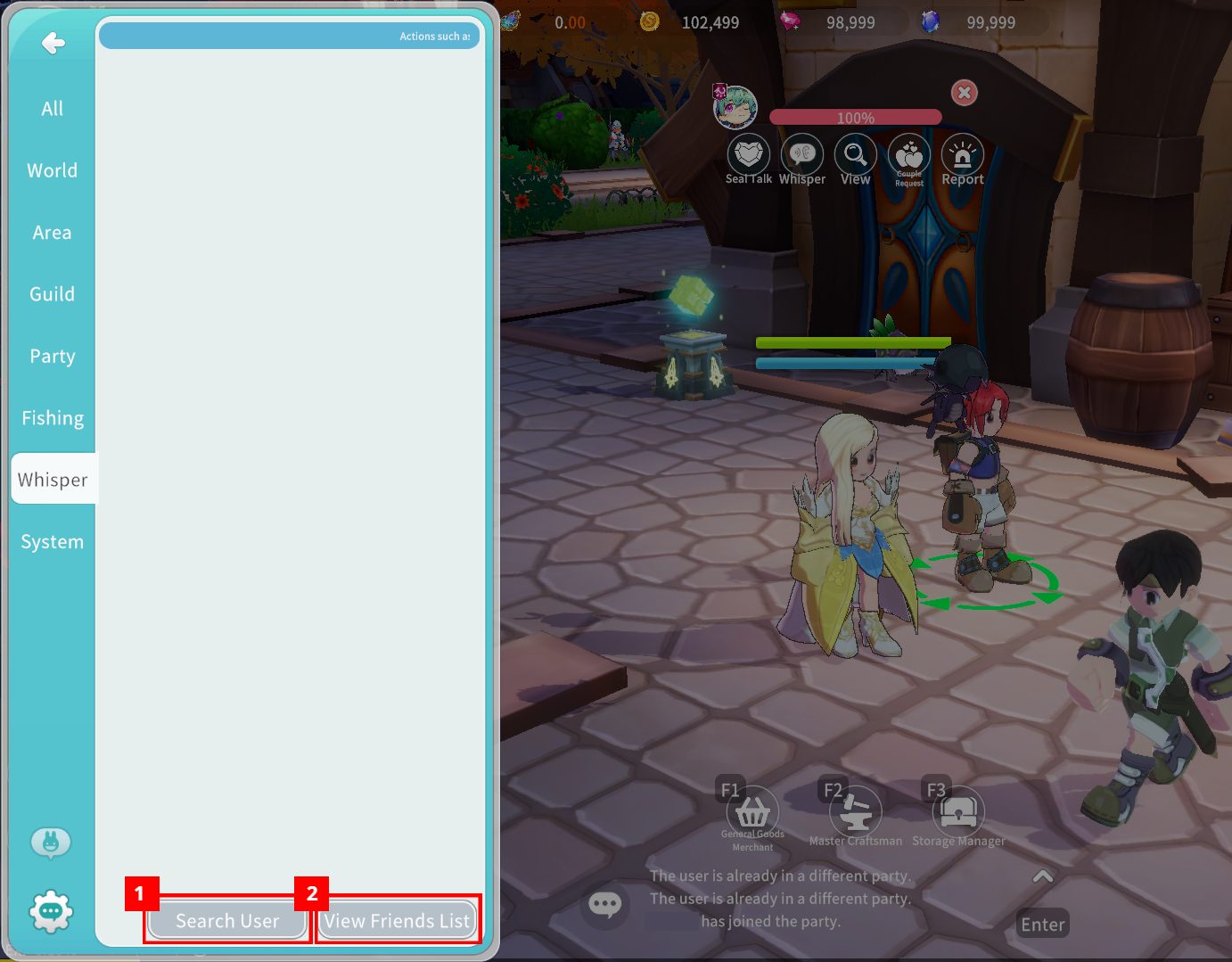
③ You can search for a friend to start a whisper conversation.
④ You can view your friend list.
