Character Information

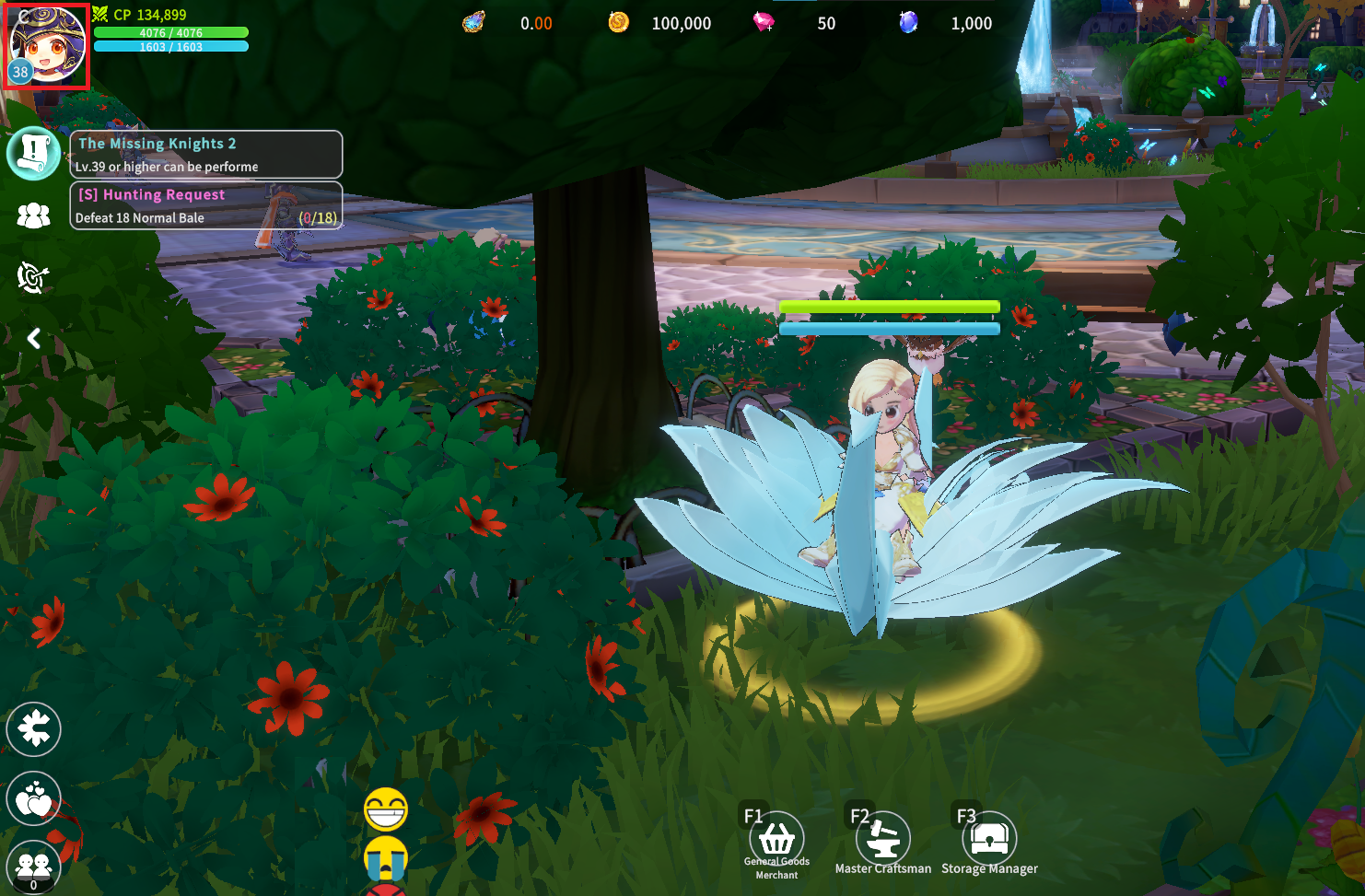
Tap the portrait at the top left of the game screen to view Character Information.
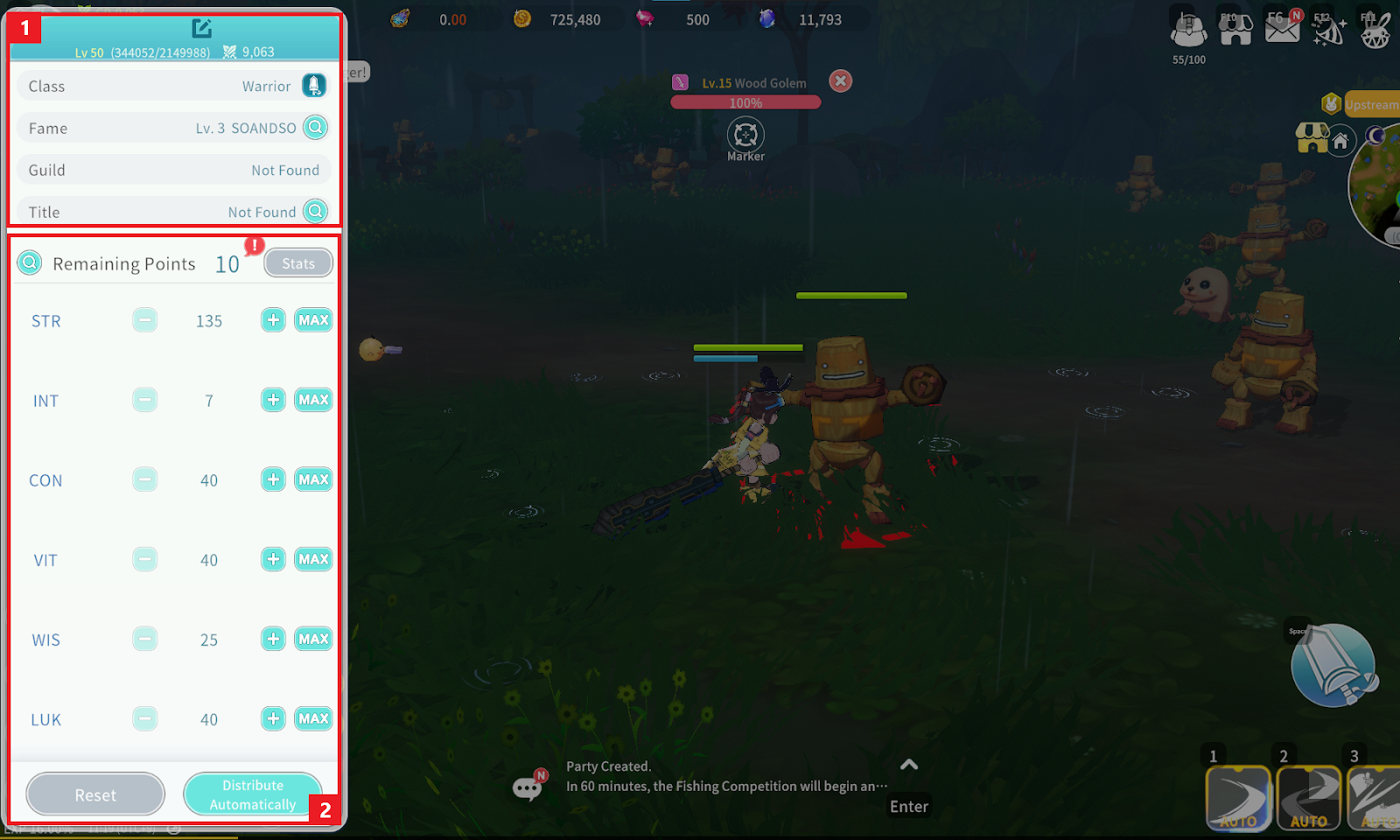
① You can check various information such as Character Name, current Level, and Combat Power. Press the “Magnifying Glass” button next to Fame to check the currently applied Fame Level and detailed information for each level.
② You can check your character’s current Stats.
- You can allocate points obtained from leveling up to your desired Stats.
- Press the “Magnifying Glass” button to view Stat descriptions.
- Press the “Stats” button to check detailed character attributes.
- Press the “Reset” button to consume 1 Raziel’s Tear and reset allocated Stats.
- Press “Distribute Automatically” to automatically distribute Stats appropriate for the current Class.
