Character Selection

1. Selecting a Character
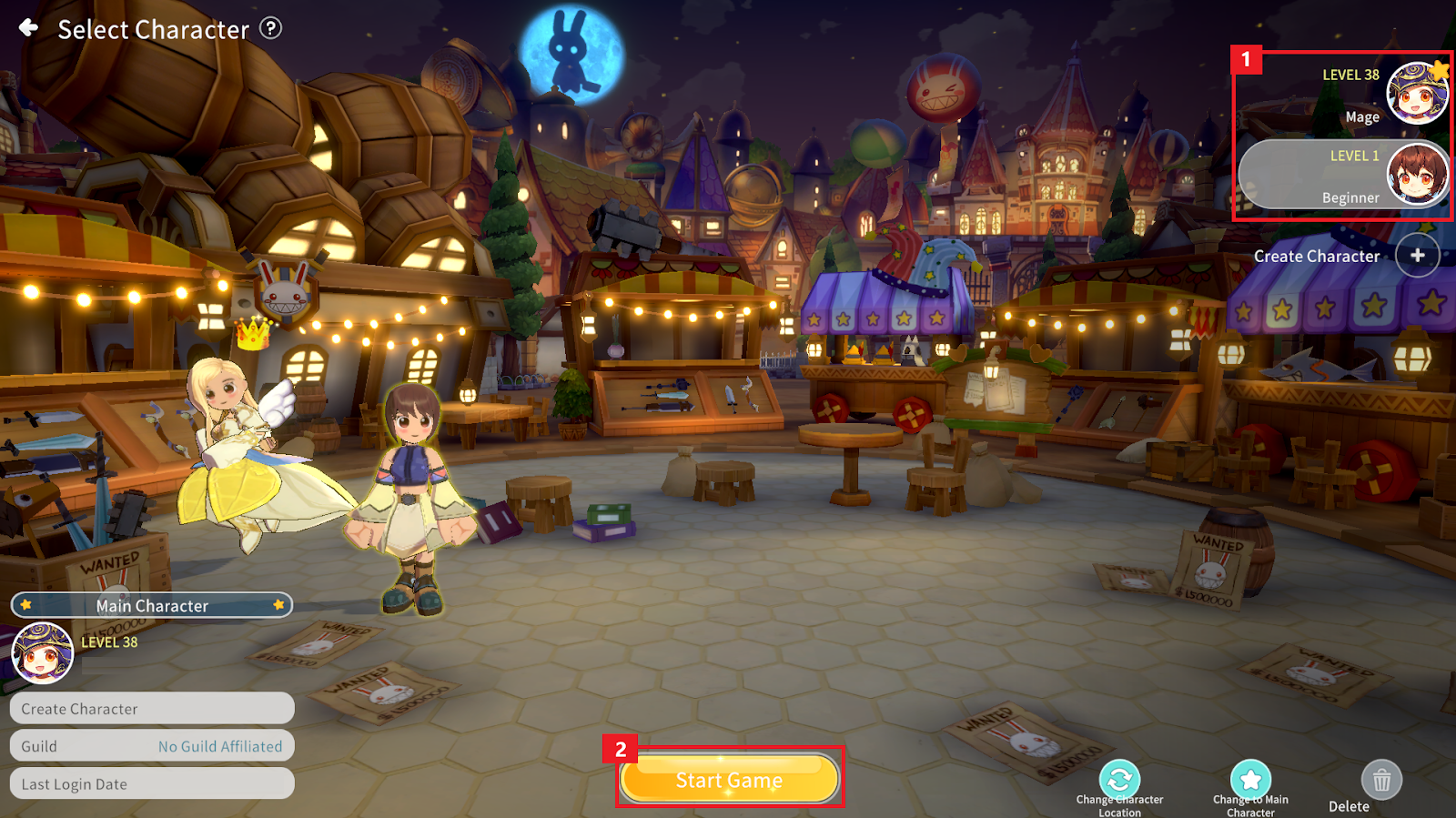
① Select the desired character from the character list on the right.
② Tap the “Start Game” button to enter the game.
2. Setting a Main Character
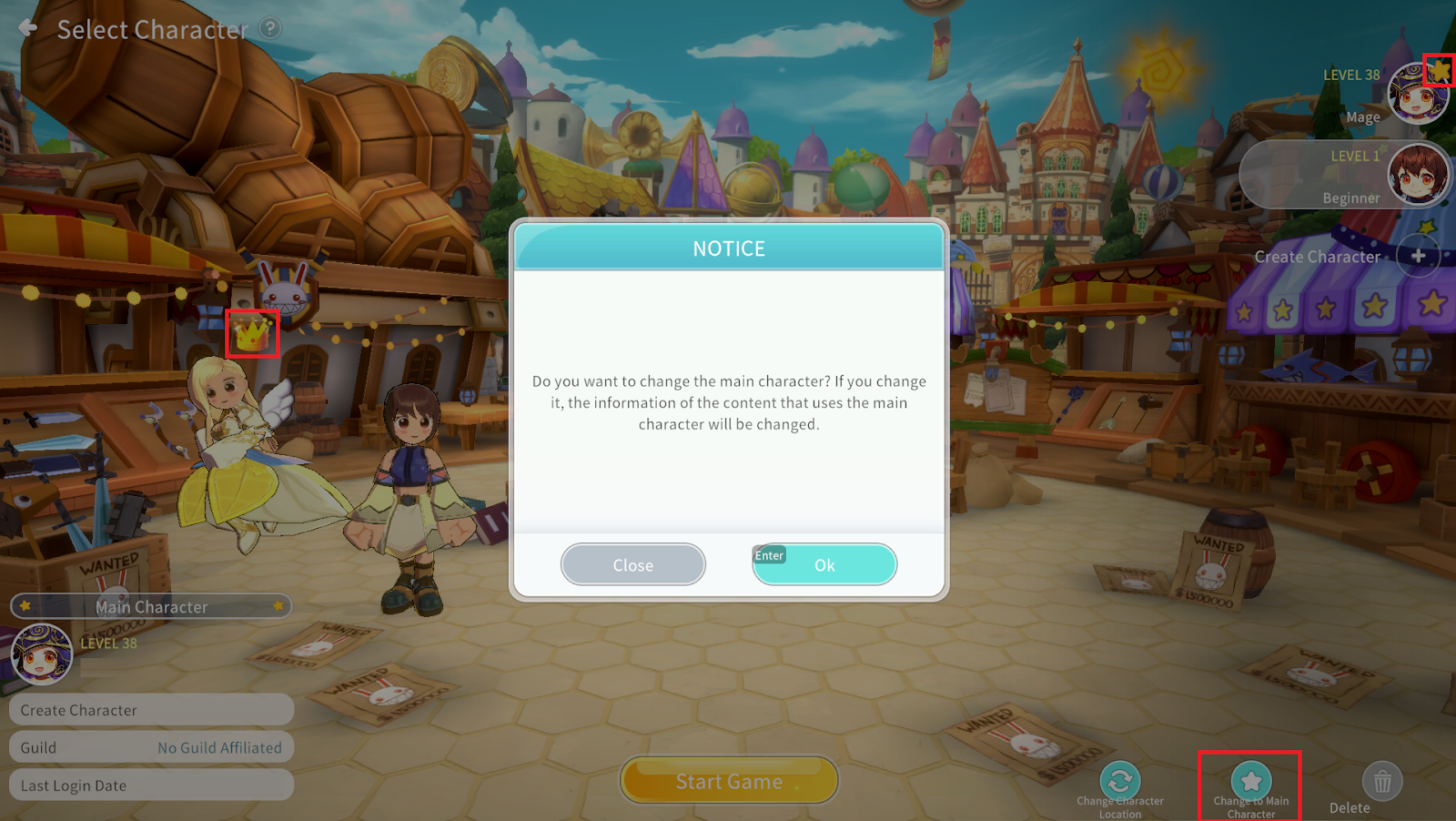
You can designate one character on the Server as your Main Character.
The Main Character represents you in various areas of the game.
A crown icon will appear above the Main Character’s head, and a (★) mark will be displayed in the character list.
To change the Main Character, tap the “Change to Main Character” button.
3. Deleting a Character
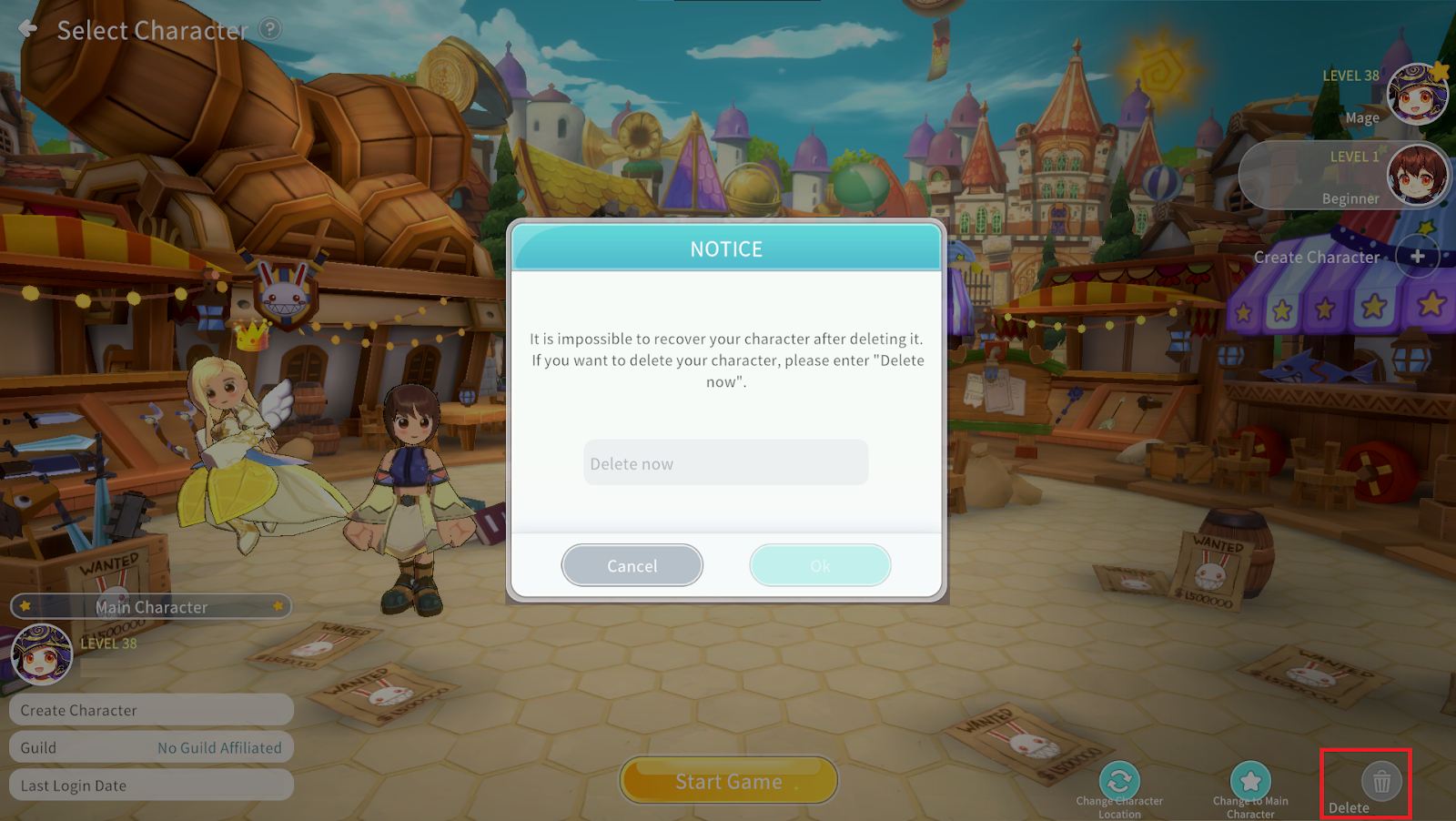
To delete a character, tap the “Delete” button at the bottom right of the screen.
* The Main Character cannot be deleted.
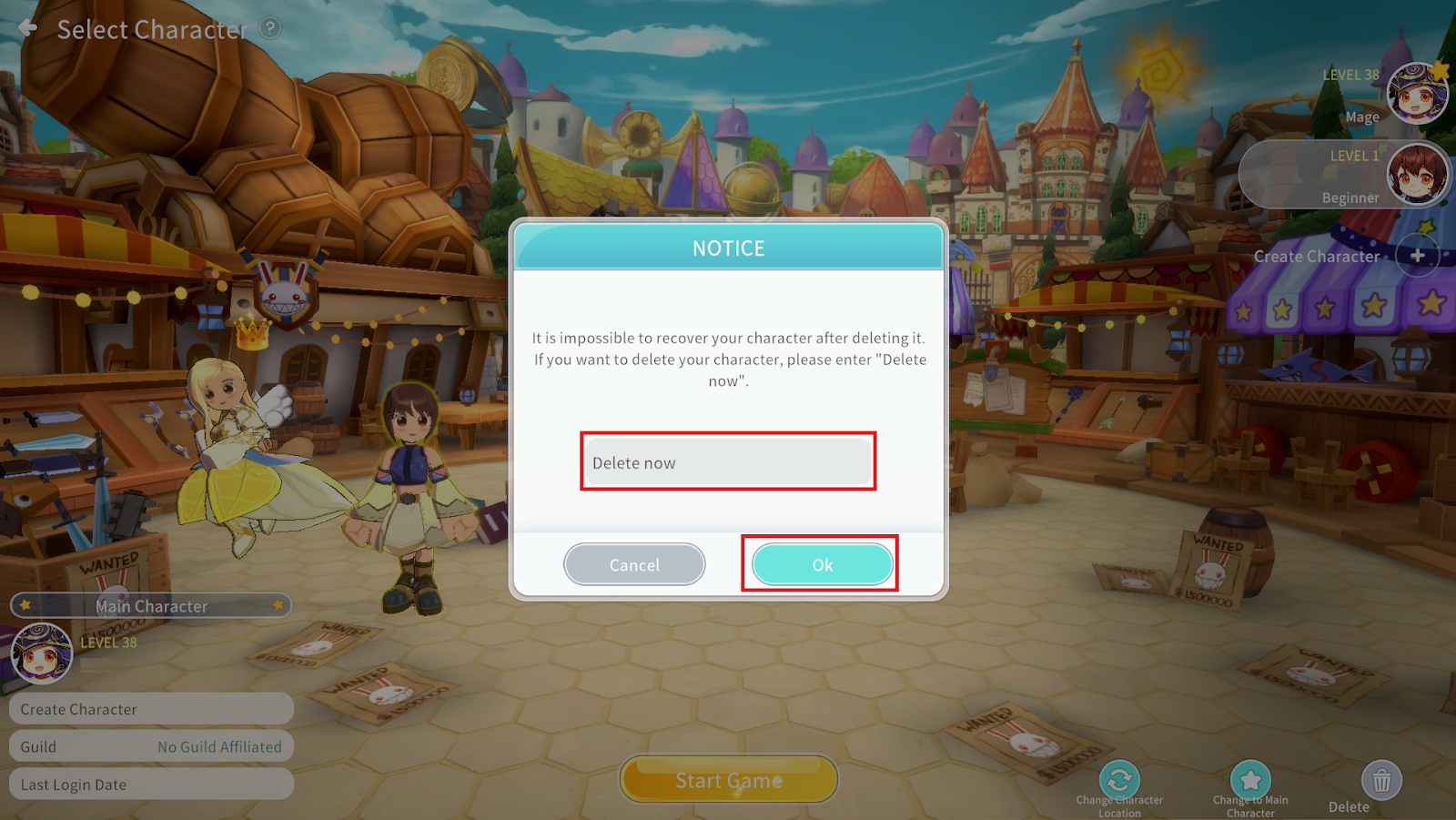
Enter “Delete Now” exactly as shown, then tap the confirm button to delete the character.
There is a grace period after deletion, during which you can cancel the character deletion.
