
Mission
You can see the mission icon in the upper right menu window.
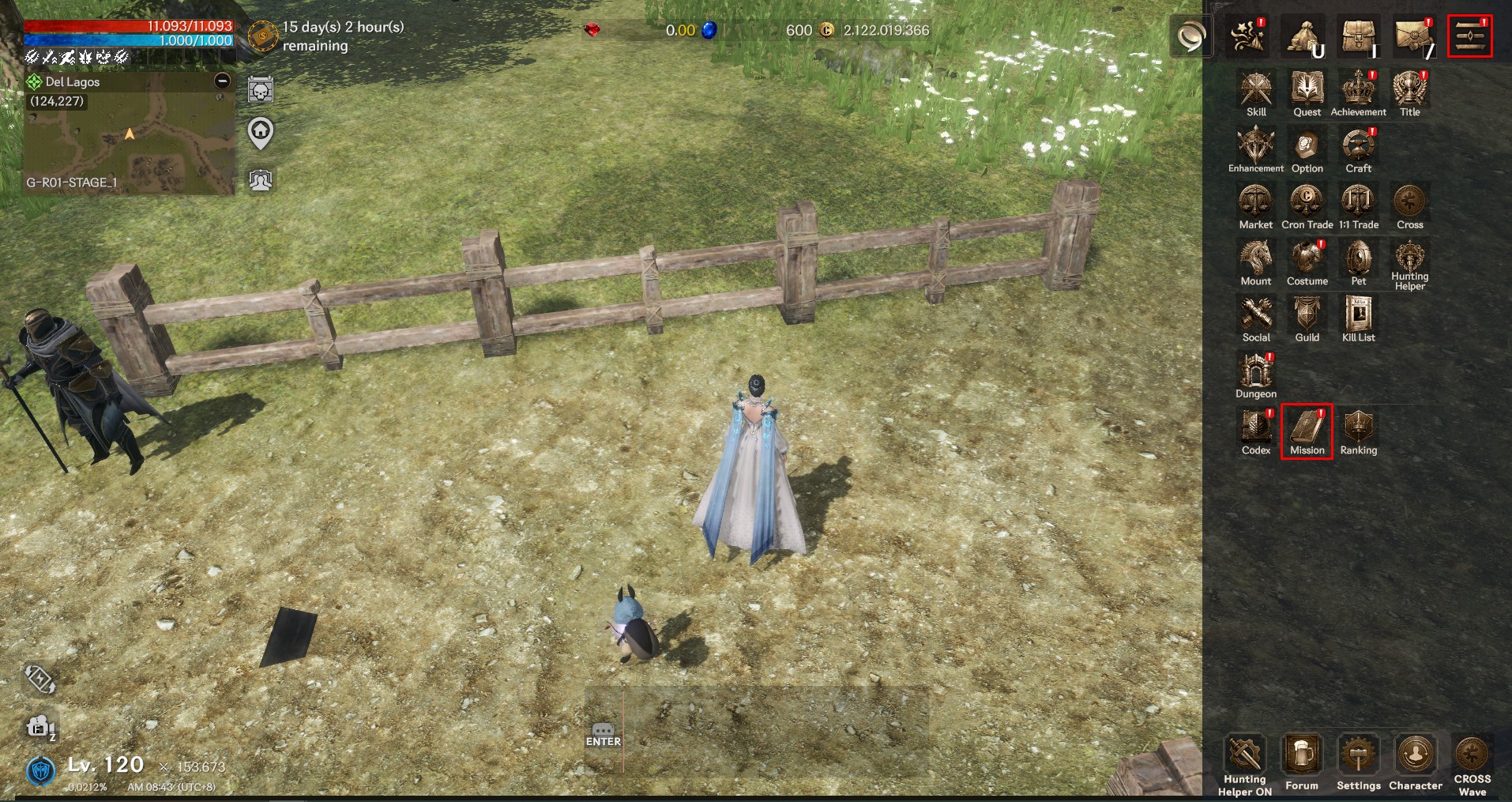
▶ Mission Types
- Daily Missions
New missions are available every day and reset at 05:00 every day.
- Weekly Missions
New missions are available each week and reset on Monday at 05:00.
- Monthly Mission
New missions are provided every month and reset at 05:00 on the 1st of every month.
▶ Common Details
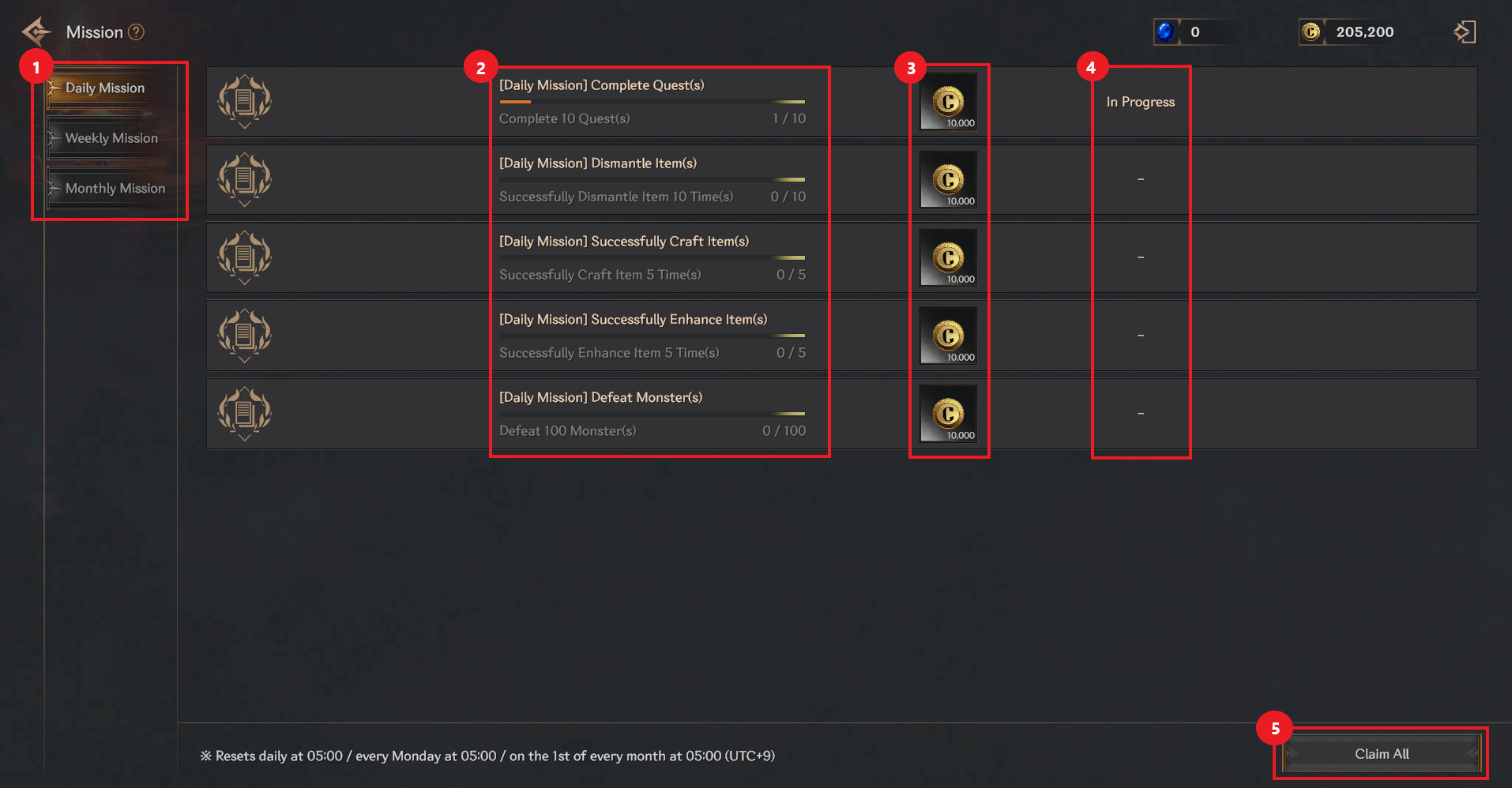
① When you select each icon, the daily mission, weekly mission, and monthly mission screens are displayed.
② You can check the mission and progress.
③ You can check the mission rewards.
④ You can check the progress of the mission.
⑤ If you select <Claim All> at the bottom right, you can receive the rewards for the completed missions all at once.