Enhancement

Enhancement
Enhancement is a feature that can improve the performance of equipment and includes enhancing / enchanting / combining / changing accessory options /upgrading / inheriting.
You can grow your equipment by clicking/touching the [Enhancement] icon in the menu.
✦ Enhance
▹ Enhance is an enhancement feature that increases the base attributes of equipment.
- When it is successful, the enhancement level increases, and the basic options of the equipment increase.
- If it fails, the enhancement level will decrease by 1 or 2 levels depending on the probability.
- Maximum enhancement level by equipment grade
Normal | Advanced | Rare | Ancient | Legendary |
5 | 10 | 15 | 20 | 25 |
▹ Enhancement stone
- Enhancement requires a material item called ‘Enhancement Stone’.
- Enhancement stones can be obtained through monster drops, crafting, or quest rewards.
- Depending on the level limit of the equipment being enhanced, they are divided into Normal / Superior / Special Enhancement Stones.
- Depending on whether or not the Enhancement level drops when Enhancement fails, it is divided into Shining / Normal Enhancement Stones.
Category | Enhancement Equipment Level Limit | ||
Under level 70 | Level 70 ~ 110 | Level 120 or higher | |
When enhancement fails, downgrade protection is OFF |
|
|
|
Enhancement stone | Superior Enhancement Stone | Unique Enhancement Stone | |
When enhancement fails, downgrade protection is ON |
|
|
|
Brilliant Enhancement Stone | Brilliant Superior Enhancement Stone | Brilliant Unique Enhancement Stone | |
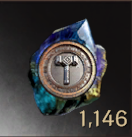
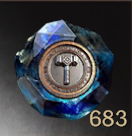
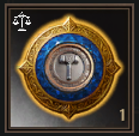
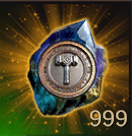

- Enhancement stone/combination stone production method
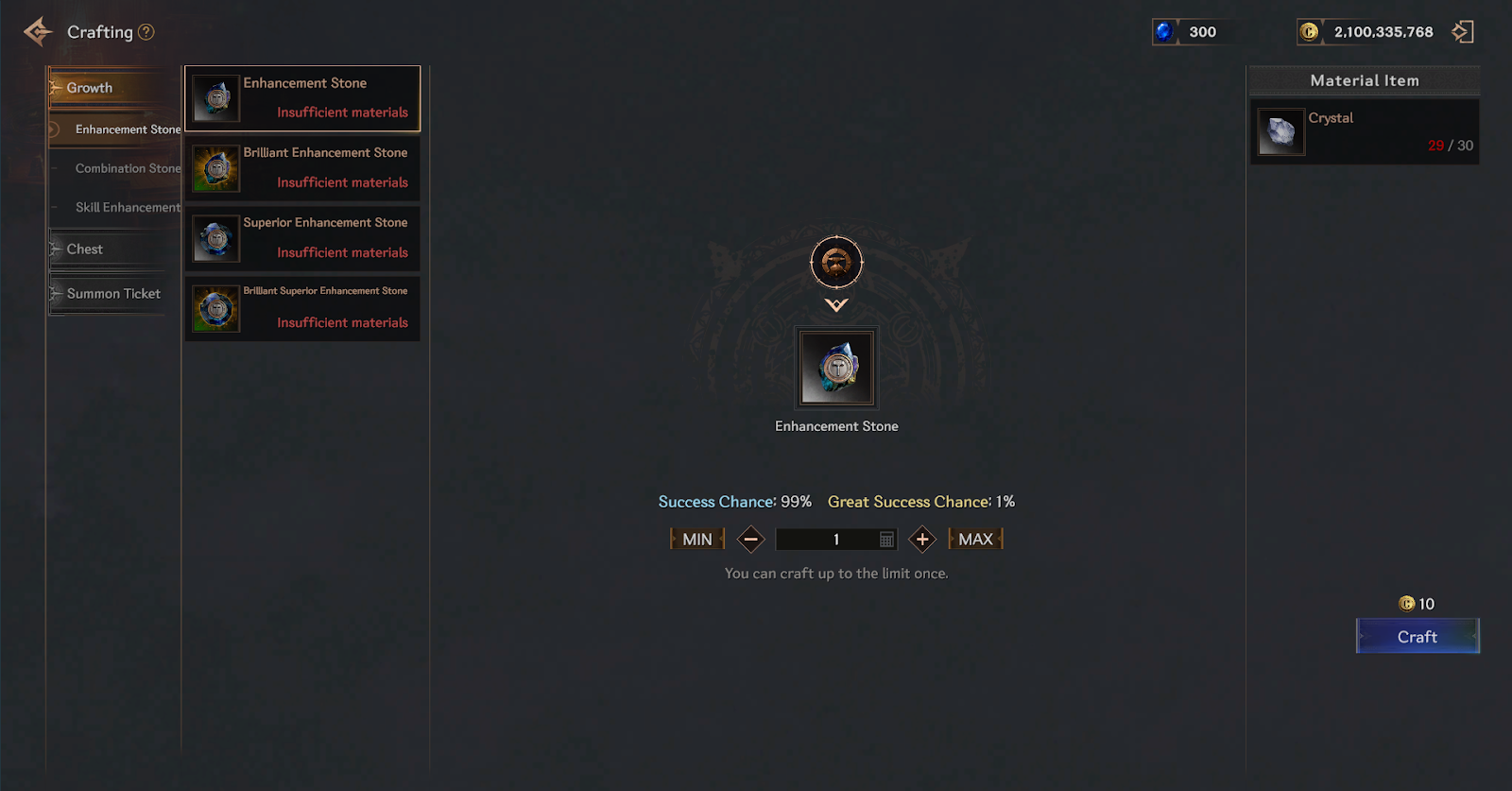
Crafting Items | Material Item | Production cost | Great success Chance | Success Chance | Failure Chance | |
Item name | Quantity | |||||
Enhancement stone | Crystal | 30 | 10 cron | 1% | 99% | 0% |
Brilliant Enhancement Stone | Enhancement stone | 100 | 10 cron | 0% | 10% | 90% |
Superior Enhancement Stone | Brilliant Crystal | 6 | 10 cron | 1% | 99% | 0% |
Brilliant Superior Enhancement Stone | Superior Enhancement Stone | 100 | 10 cron | 0% | 10% | 90% |
Combination stone | Crystal | 50 | 10 cron | 1% | 99% | 0% |
Brilliant Combination Stone | Combination stone | 100 | 10 cron | 0% | 10% | 90% |
Superior Combination Stone | Brilliant Crystal | 10 | 10 cron | 1% | 99% | 0% |
Brilliant Superior Combination Stone | Superior Combination Stone | 100 | 10 cron | 0% | 10% | 90% |
❈ When you successfully combine the types of Enhancement stones, you will obtain a shining Enhancement stone type item.
▹ Enhancement progress
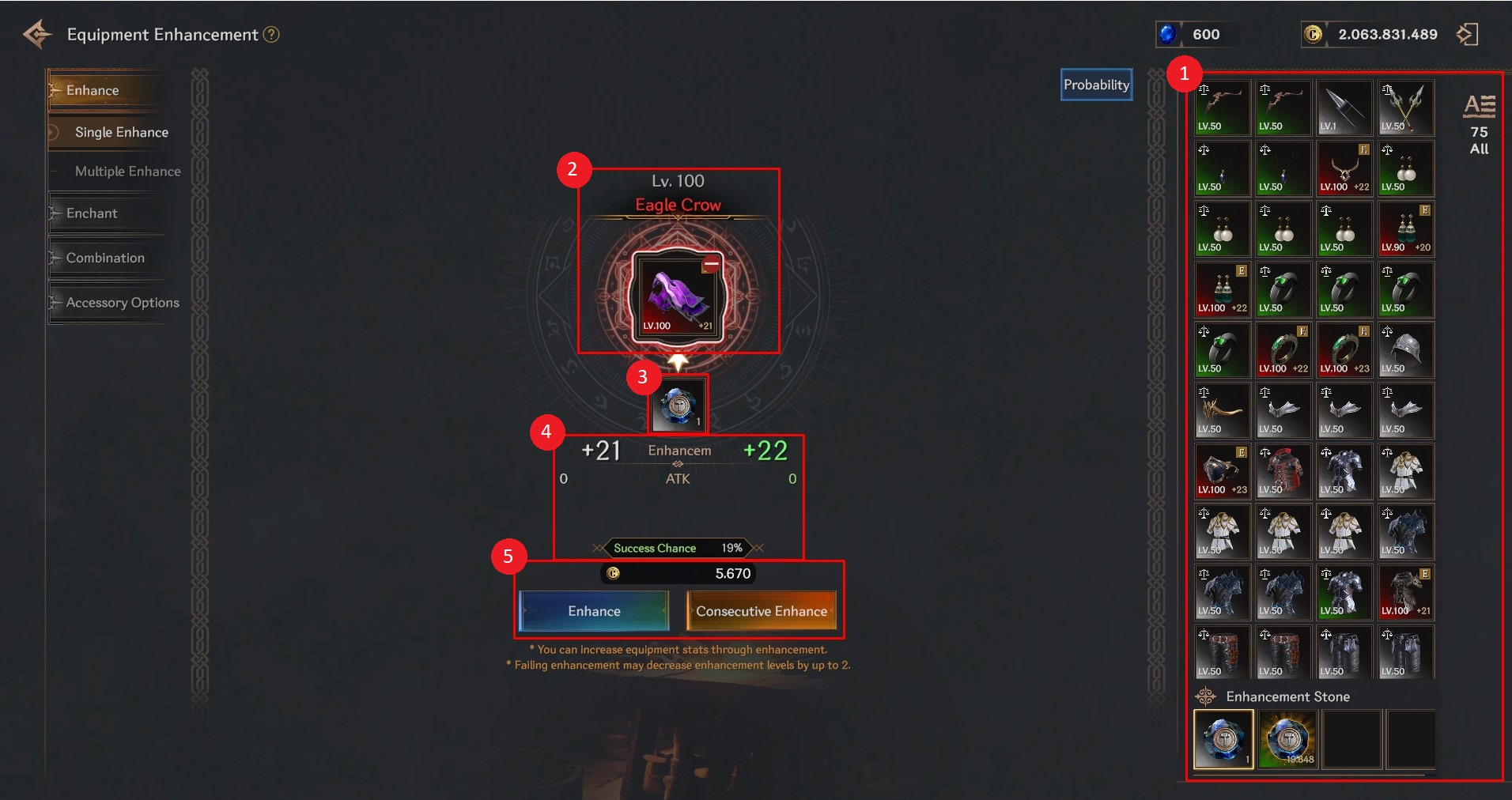
① You can check the items to be registered.
② You can register the device to check the information or cancel the registration status.
③ You can register/unregister the type of enhancement stone item to be used for enhancement.
- (Normal) Enhancement Stone: If it fails, the enhancement level will decrease by 1~2 levels.
- Superior Enhancement Stone: Even if the enhancement fails, the level does not decrease.
④ You can check the basic equipment options before/after successful enhancement.
⑤ You can enhance/consecutive enhance with the registered contents.
▹ Consecutive enhancement
When used, enhancement will proceed consecutively until the set stage is reached.
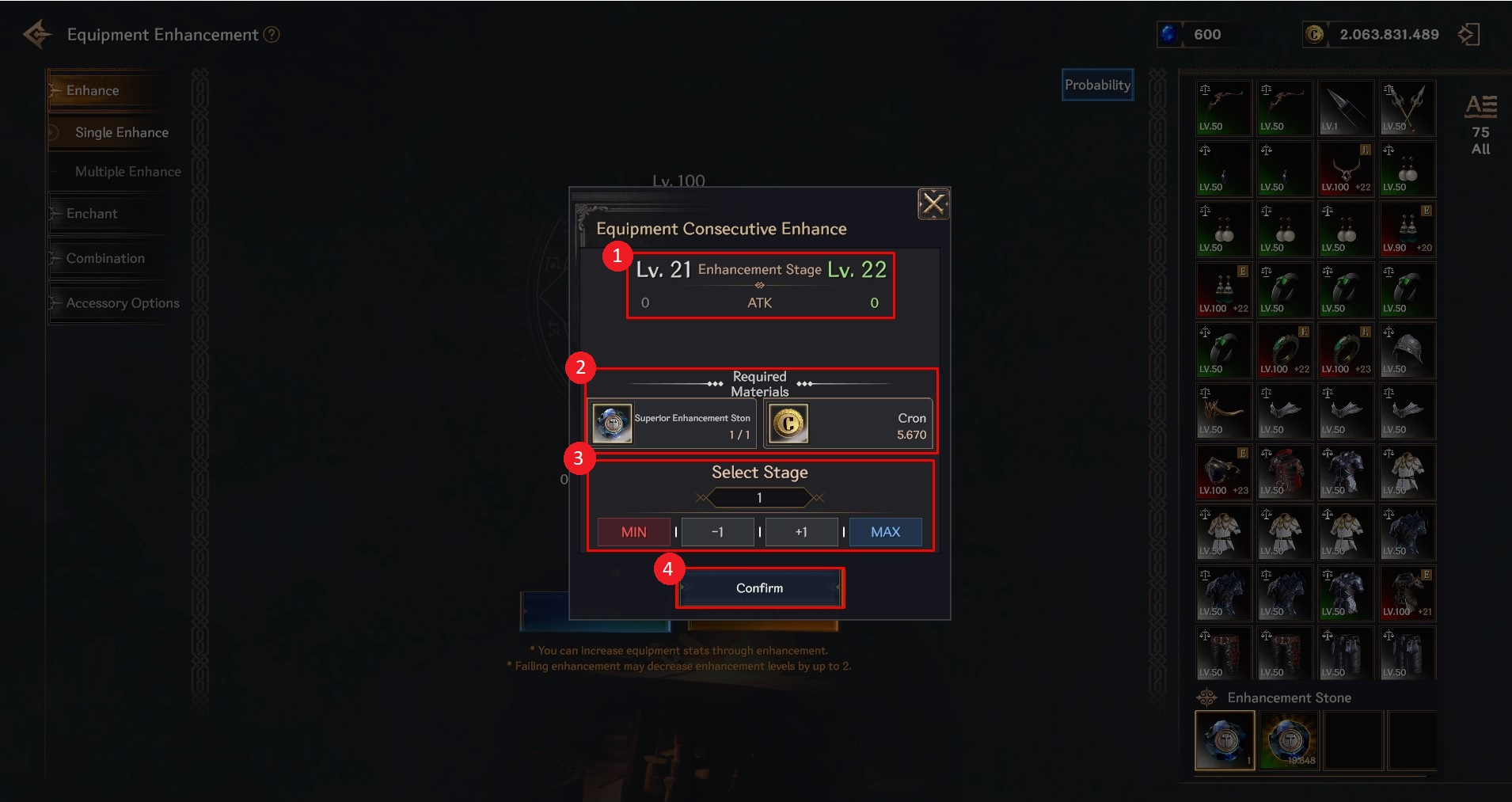
① You can check the changes in the basic options of the equipment when consecutive enhancement is performed up to the set stage.
② You can check the goods required for consecutive enhancement.
It is displayed based on the 'Required Materials' consumed when all sections are successfully enhanced.
③ You can set the consecutive enhancement stage.
MIN: Select the minimum step that can be consecutively enhanced.
-1: Lowers the set continuous strengthening level by 1 level.
+1: Increases the set continuous strengthening level by 1 level.
MAX: Select the highest level that can be consecutively enhanced.
④ Consecutive enhancement is carried out with the set contents.
▹ Enhancement success/failure
- The success rate of enhancement varies depending on the enhancement stage.
- When successful, the enhancement level increases by 1, and the basic equipment options increase.
- If it fails, the enhancement level will drop by 1-2 levels, and the basic equipment options will change to match the level that was dropped.
▹ Multiple Enhancement
- You can enhance multiple items at once in the Enhancement tab > Multiple Enhancement.
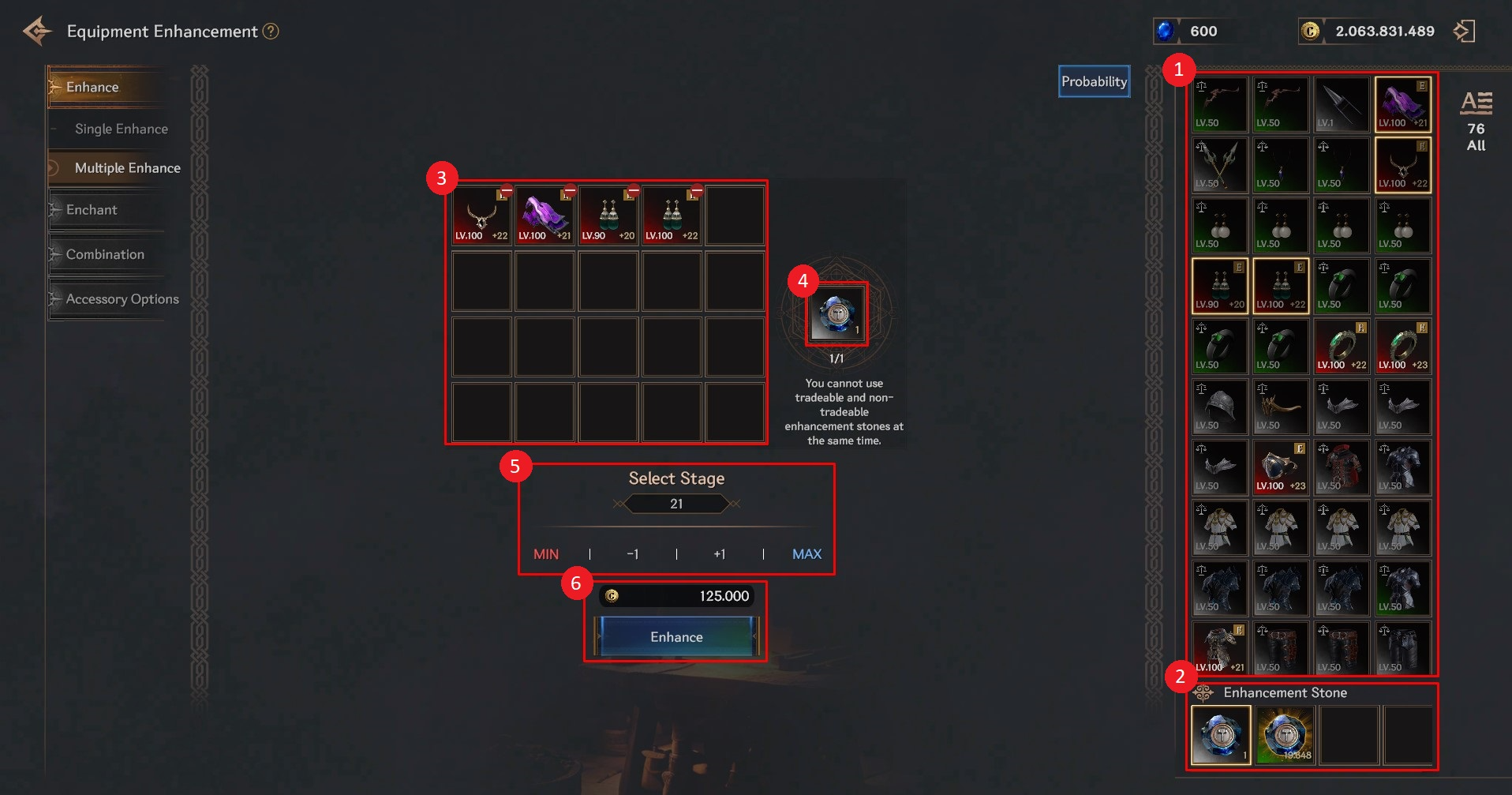
① You can check the items you have and register them as multiple enhancement targets.
② You can select the enhancement stone to use for multiple enhancement.
③ The items registered in ① will be displayed. You can unregister them by clicking/touching the ⊖ sign at the top right of the icon.
④ The type and number of enhancement stones to be used are displayed. The number is displayed based on the amount used when all enhancements are successful.
⑤ Select the stage you want to strengthen. Strengthening will proceed until all registered items reach that stage.
⑥ Check the cost and proceed with the enhancement. The cost is displayed based on the cost when all enhancements are successful.
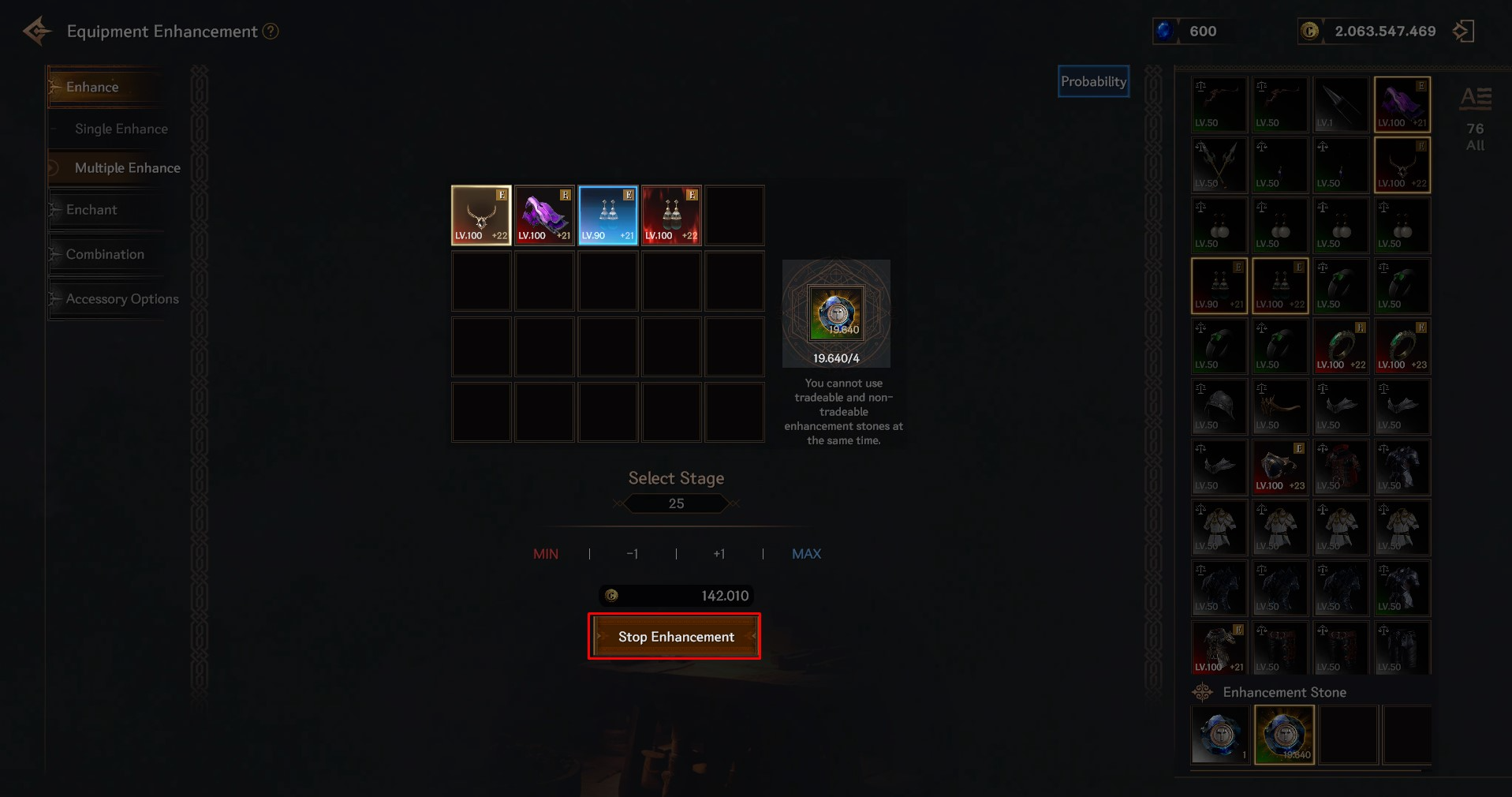
- When performing multiple enhancement, multiple consecutive enhancements will be performed until all registered items reach the set stage.
You can stop a multiple enhancement in progress by clicking/touching the [Stop Enhancement] button.
✦ Enchant
▹ Enchant is an equipment enhancement feature that consumes sapphires to lower the equipment's wearable level restriction.
▹ Enchantment costs vary depending on the equipment restriction level.
- Level limit by item grade
10 | 30 | 50 | 70 | 90 | 110 | 120 |
| Legendary | ||||||
| Ancient | ||||||
| Rare | ||||||
| Advanced | ||||||
| Normal | ||||||
▹ Enchantment Progress
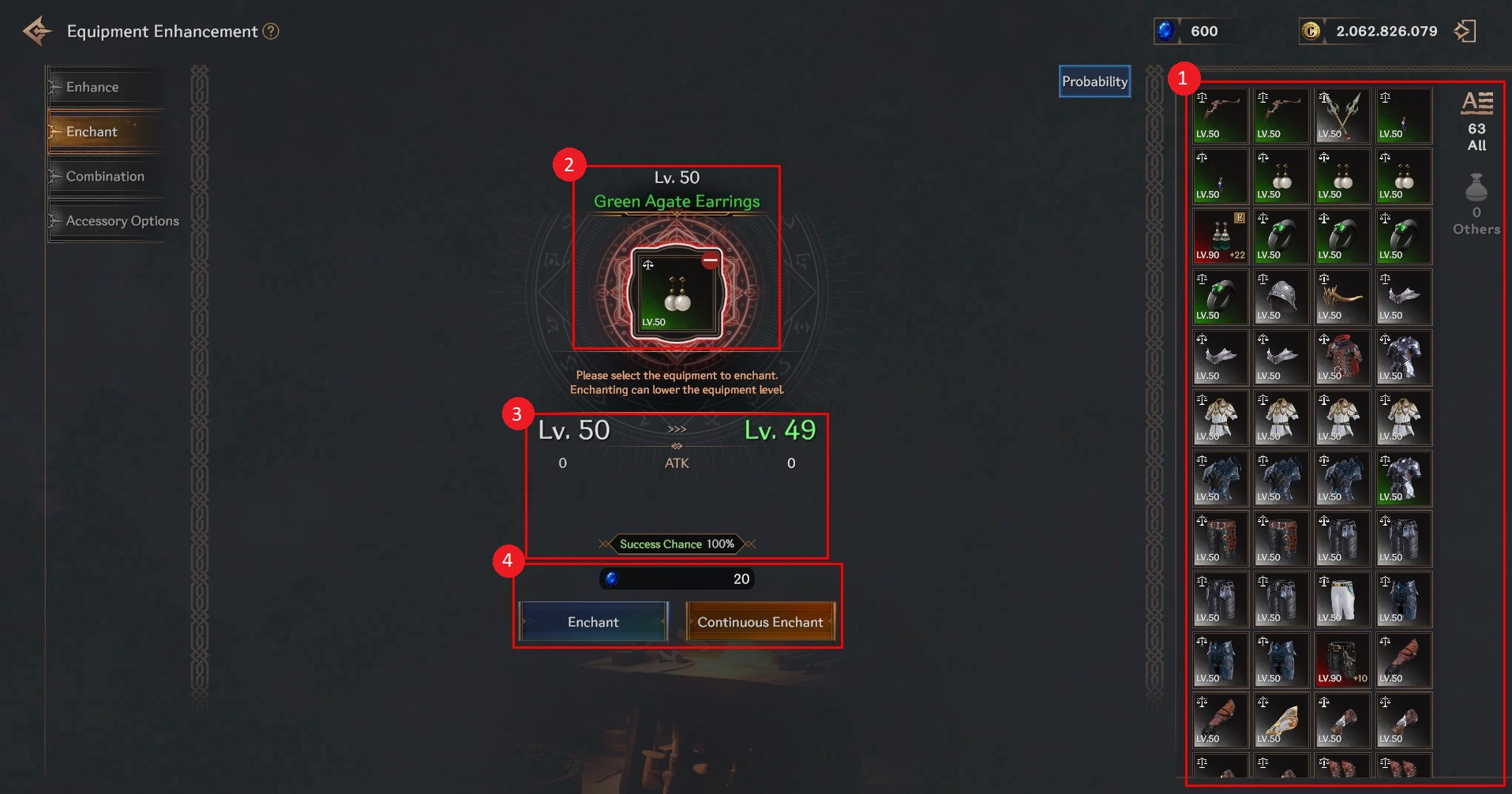
① You can check the items to be registered.
② You can register the device to check the information or cancel the registration status.
③ You can check the results before/after successful enchantment.
④ You can perform enchantment/continuous enchantment with the registered contents.
▹ Consecutive Enchantment
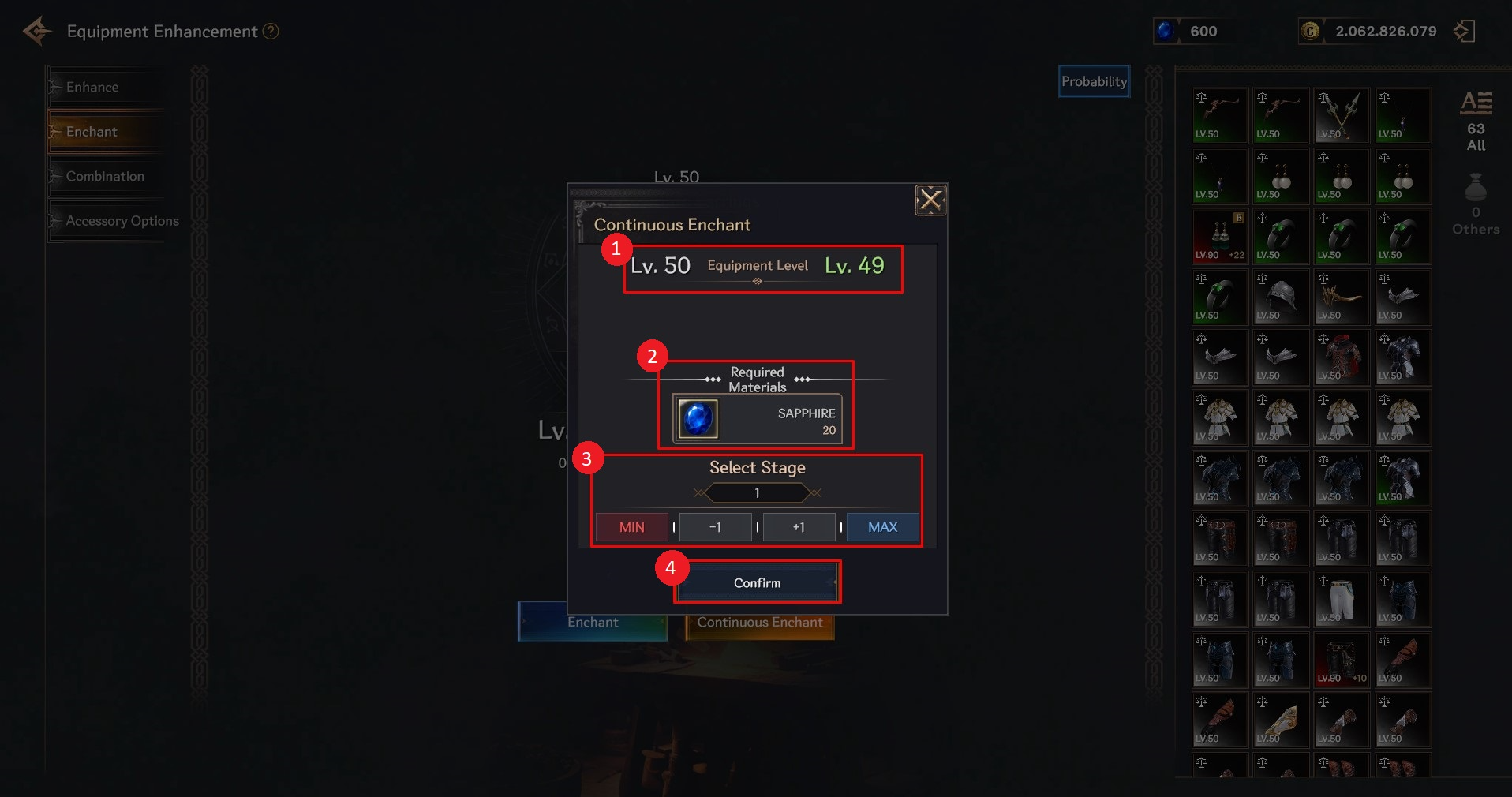
① You can check the equipment wearing restriction level that changes when continuous enchanting is performed up to the set stage.
② You can check the items required for continuous enchantment.
It is displayed based on the 'Required Materials' consumed when all sections are successfully strengthened.
③ You can set the continuous enchantment stages.
MIN: Select the minimum level of consecutive enchantments possible.
-1: Lowers the set consecutive enchantment level by 1.
+1: Increases the set consecutive enchantment level by 1.
MAX: Select the highest level of consecutive enchantments possible.
④ Continuous Enhancement is carried out with the set contents.
▹ Enchantment success/failure
- The success rate of enchantment varies depending on the enchantment stage.
- If successful, the equipment wearing restriction level is lowered by 1.
- When failing, the equipment wearing restriction level is maintained and not reduced.
✦ Combination
▹ Combination is a feature that combines equipment of the same grade to increase its grade and grant/overlap sub-options.
- When the combination is successful, the main equipment's grade and basic options increase, and the selected sub-option is acquired.
> The highest grade that can be raised through combination is 'Ancient' grade.
- If the combination fails, the material equipment used in the combination will be destroyed.
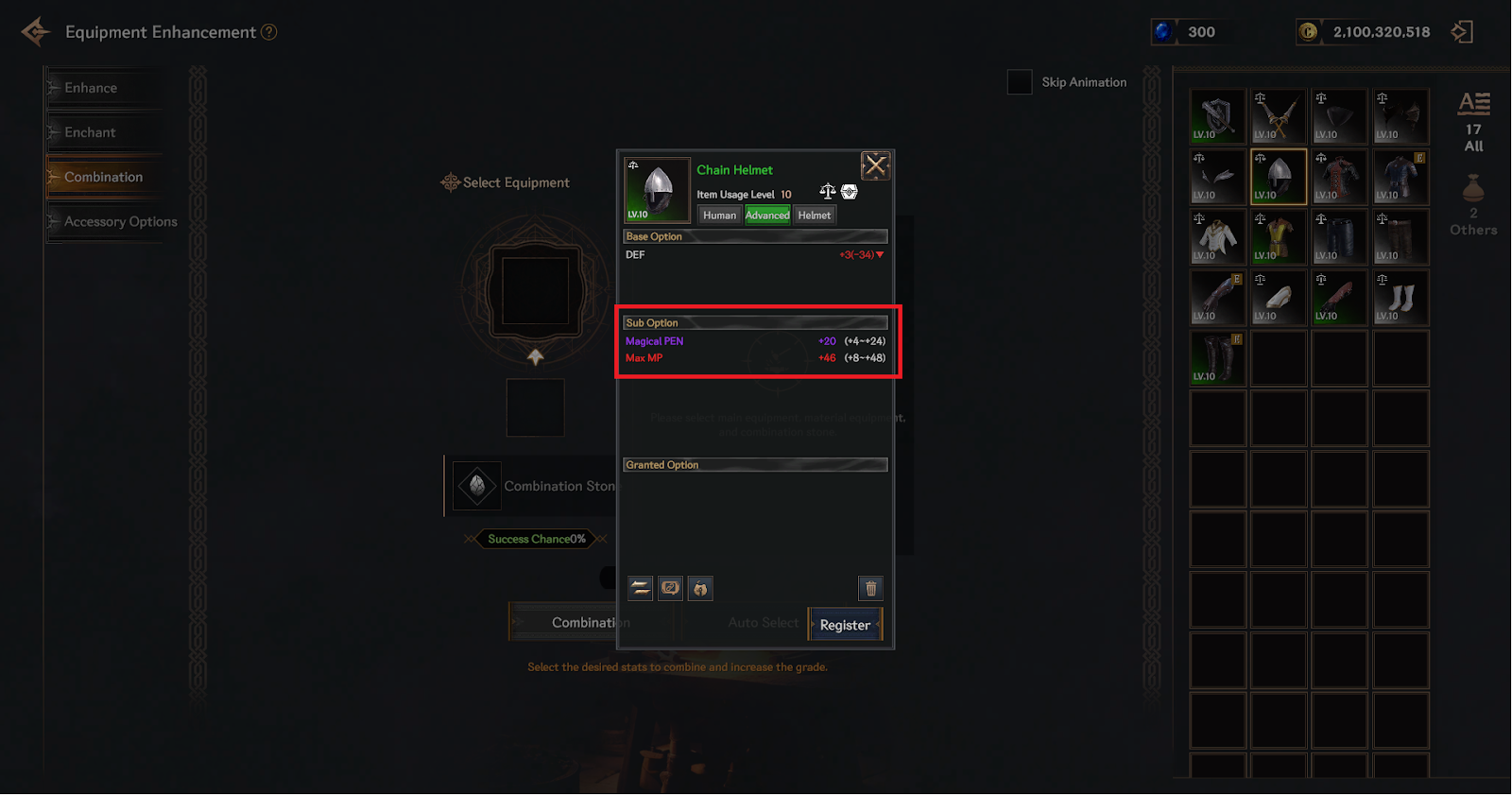
▹ Sub Attribute
Sub Attributes are additional options that equipment has in addition to the basic options.
You can check it in the equipment details.
- Sub Attribute grade guide
The grade is applied based on the item option value and is displayed in a color corresponding to the grade.
The option grades are classified as Normal < Advanced < Rare < Ancient < Legendary.
The higher the number within the numerical range of the option, the higher the rating.
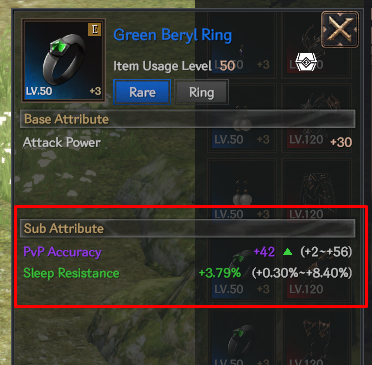
- Equipment sub attribute types by equipped part
Weapon | Helmet | Top | Bottom | Gloves | Shoes | Necklace | Earrings | Ring | |
Sub-Option Type | Physical Critical Hit Chance | Physical Penetration | Reduced damage to normal monsters | Physical Penetration Resistance | Physical Accuracy | Physical evasion | PvP Attack Power | PvP Accuracy | PvP Accuracy |
Magic Critical Hit Chance | Magic Penetration | Reduced damage to boss monsters | Magic Penetration Resistance | Magical Accuracy | Magic Evasion | PvP Defense | PvP Evasion | PvP Evasion | |
Increased physical critical hit damage | Max HP | PvP Damage | Max HP | Max HP | Max HP | Physical Critical Hit Resistance | Stun hit rate | Stun resistance | |
Increased magic critical hit damage | Max MP | Max HP | Max MP | Max MP | Max MP | Magic critical hit resistance | Bond hit rate | Bondage resistance | |
Abnormal status | Provocation resistance rate | Max MP | Stun resistance | Silent Resistance Rate | Bondage resistance | Reduced MP consumption | Sleep hit rate | Sleep resistance | |
Increased damage to normal monsters | HP Natural Recovery | Sleep resistance | Physical Critical Hit Resistance | HP Potion | HP Potion | Reduced physical critical hit damage | Freezing hit rate | Freezing resistance | |
Increased damage to boss monsters | MP Natural Recovery | Freezing resistance | Magic critical hit resistance | MP Potion | MP Potion | Reduced magic critical hit damage | Silent Hit Rate | Silent Resistance Rate | |
PvP Damage | Provocation hit rate | Provocation resistance rate |
▹ Combination stone
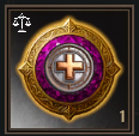
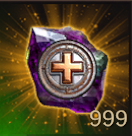
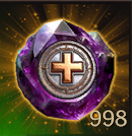
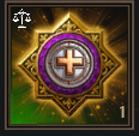
- The combination requires a material item called ‘Combination Stone’.
- Combination stones can be obtained through monster drops, crafting, or quest rewards.
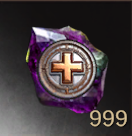
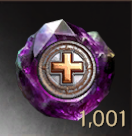
- Depending on the level limit of the equipment being combined, (Normal) / Superior / Special combination stones are required.
- Depending on whether or not the strengthening level decreases when the combination fails, it is divided into Shining / (Normal) combination stones.
Category | Combination equipment limit level | ||
Under level 70 | Level 70 ~ 110 | Level 120 or higher | |
When combination fails, downgrade protection is OFF |
|
|
|
Combination Stone | Superior combination stone |
Unique Combination Stone | |
When combination fails, equipment destruction is OFF |
|
|
|
Brilliant Combination Stone | Brilliant Superior Combination Stone | Brilliant Unique Combination Stone | |
▹ Combination progress
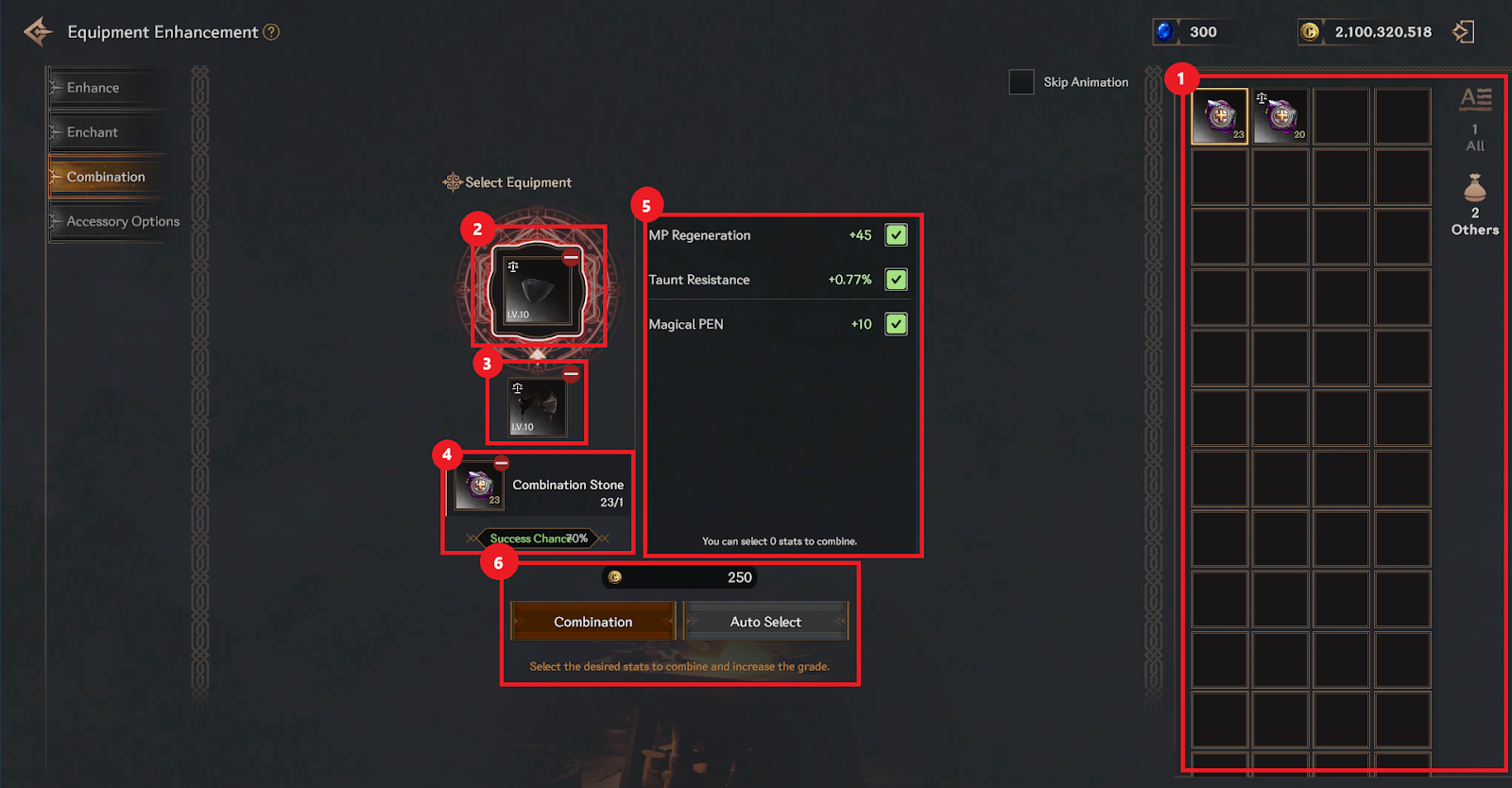
① You can check the items to be registered.
② You can register/unregister the main equipment to be combined.
> When the combination is successful, the main equipment's grade increases and the enchantment/enhancement stage is maintained.
③ You can register/unregister the material equipment to be combined.
> If the combination is successful, the material equipment will be destroyed.
> If the combination fails, the material equipment will be destroyed depending on the type of combination stone used.
④ You can register/deregister combination stones to be used in combination.
- (Normal) Combination Stone: If the combination fails, the material equipment will be destroyed.
- Shining Enhancement Stone: Even if the combination fails, the material equipment will not be destroyed.
⑤ You can select the sub-options of the items you obtain when the combination is successful.
- All sub-options of registered main equipment and material equipment are displayed.
- If the main equipment and material equipment have the same type of sub-option, the values will be displayed overlapping.
- Up to 3 when combining Advanced↔Advanced equipment, 4 when combining Rare↔Rare equipment, and up to 5 when combining Advanced↔Advanced equipment.
You can select sub options.
⑥ You can proceed with the combination using the registered contents.
- Item restriction level-based combination possible grade range
> Equipment with a maximum level of 50 can be combined up to advanced grade.
In other words, you can obtain rare grade equipment by combining high grade equipment.
> Equipment with a level limit of 70 or higher can be combined up to rare grade.
In other words, you can obtain equipment of even ancient grade by combining rare grade equipment.
▹ Combination failure/success
When the combination is successful, the main equipment's grade increases, the material equipment disappears, and the selected sub-option is acquired.
If the combination fails, the main equipment grade will not increase, sub-options will not be acquired, and the material equipment will disappear depending on the type of combination stone used.
- Change Accessory options
You can change the sub-options of a trinket by using the Change Trinket Option function.
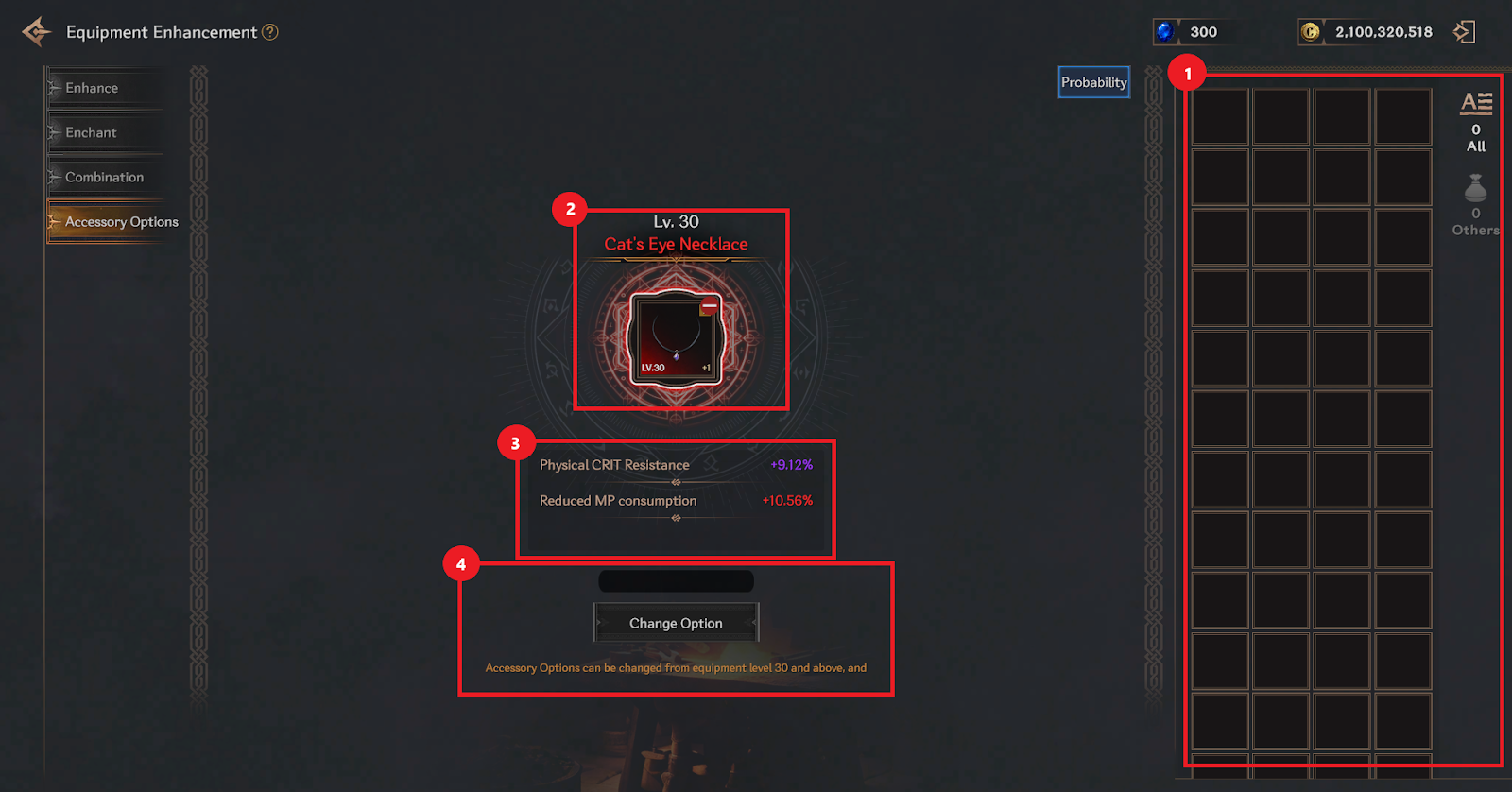
① You can check the list of accessories you own and register accessories for which you want to change sub-options.
② You can check or unregister registered accessories.
③ You can check the sub-options of the registered accessories. When changed, the changed sub-options are displayed.
④ Change sub-options by consuming rubies. When changed, all sub-options will be changed at once.
❈ To prevent unintended changes due to continuous clicks/touches, after one change
It is set to remain unchanged for about 2 seconds.
- Information on cost of changing options according to accessory level restrictions
Level restriction | Cost (Ruby) |
30 | 10 |
50 | 20 |
70 | 50 |
90 | 100 |
110 | 200 |
120 | 1000 |
✦ Succession
▹ ‘Succession’ is a system that transfers the upgrade/enhancement/enchant status of a legendary equipment to another ancient equipment.
Succession can be performed in the succession tab of the equipment enhancement menu.
▹ Succession Process
① You can check the item to be registered.
② You can register or unregister the main equipment.
- During succession, the main equipment’s type, sub-options, and assigned option status are retained.
③ You can register or unregister the material equipment.
- During succession, the material equipment’s grade (legendary upgrade status), enhancement and enchant status are transferred to the main equipment, and the material equipment used for succession is destroyed.
- Only equipment with the same base level can be used as material equipment.
④ You can check the materials needed for succession.
- Legendary Promotion Scroll Fragments corresponding to the succession equipment type are required.
⑤ You can view the information of equipment obtained upon succession.
- The main equipment’s type, sub-option, and assigned option status are retained.
- The material equipment’s grade (legendary upgrade status), enhancement and enchant status are transferred to the main equipment.
⑥ You may check the cost for the succession process and proceed with the succession according to the registered details.