CROSS RAMP Guide
How to Connect the Cross Wallet in R.O.H.A.N.2 Global
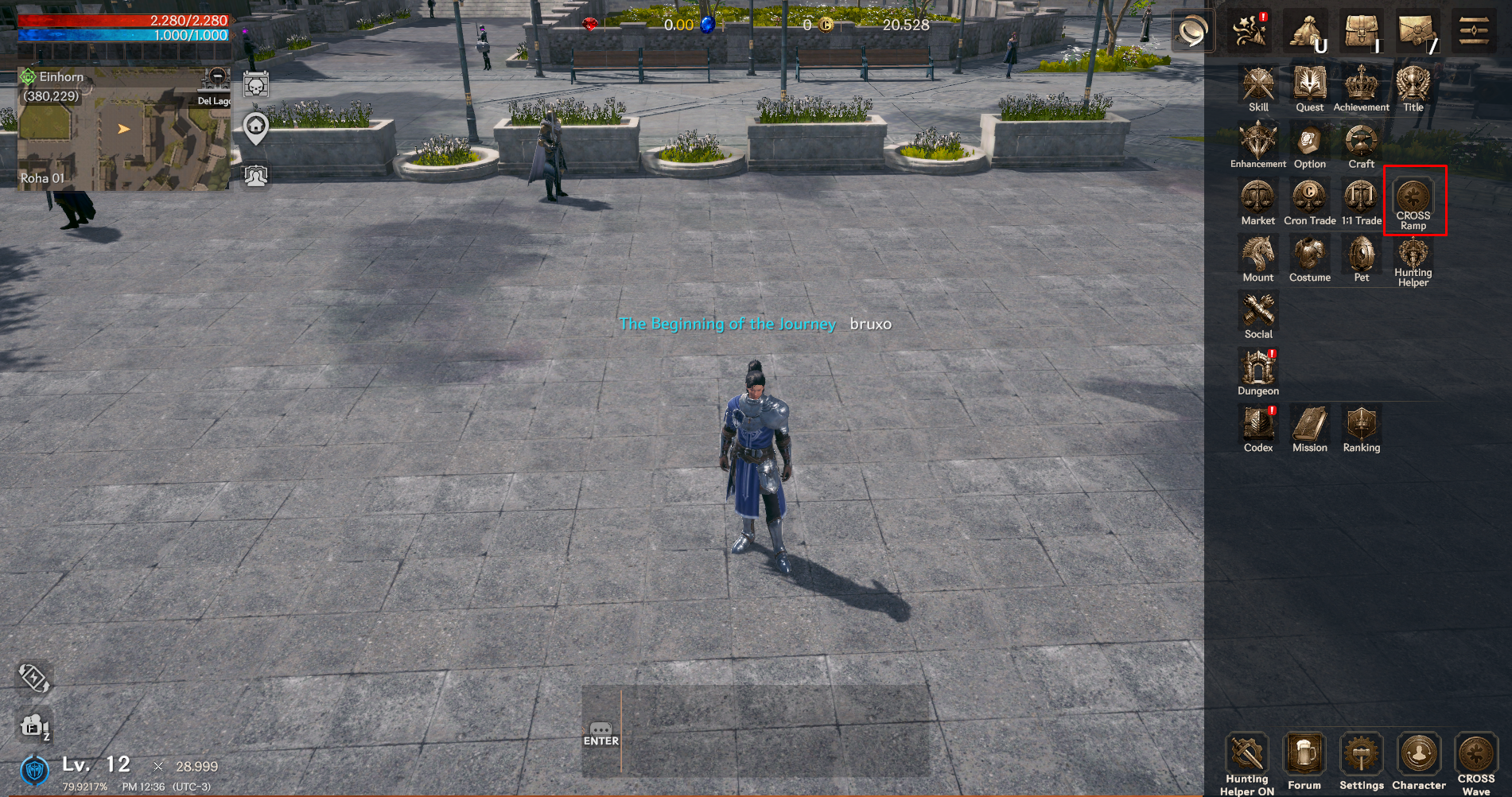
1. Open the Menu
- • On the game screen, go to the upper-right corner and tap the Menu icon.
• This will expand the full list of system options.
2. Select CROSS RAMP
• From the menu, find CROSS RAMP.
• Tap it to open the CROSS RAMP.
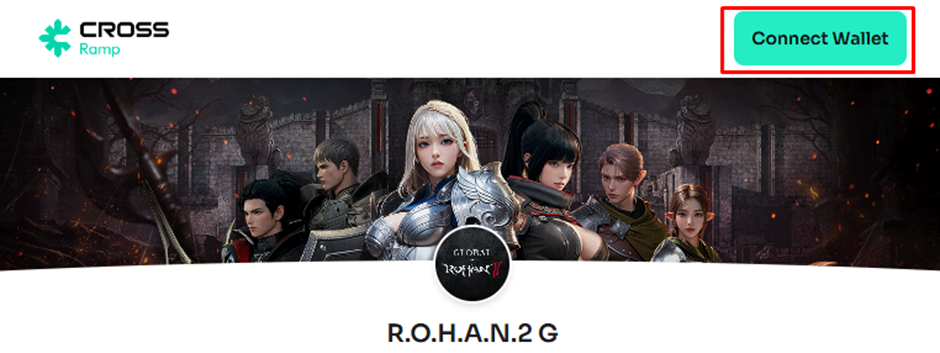
3. Press Connect Wallet
• A new screen will appear (as shown in the image).
• Click the “Connect Wallet” button in the upper-right corner.
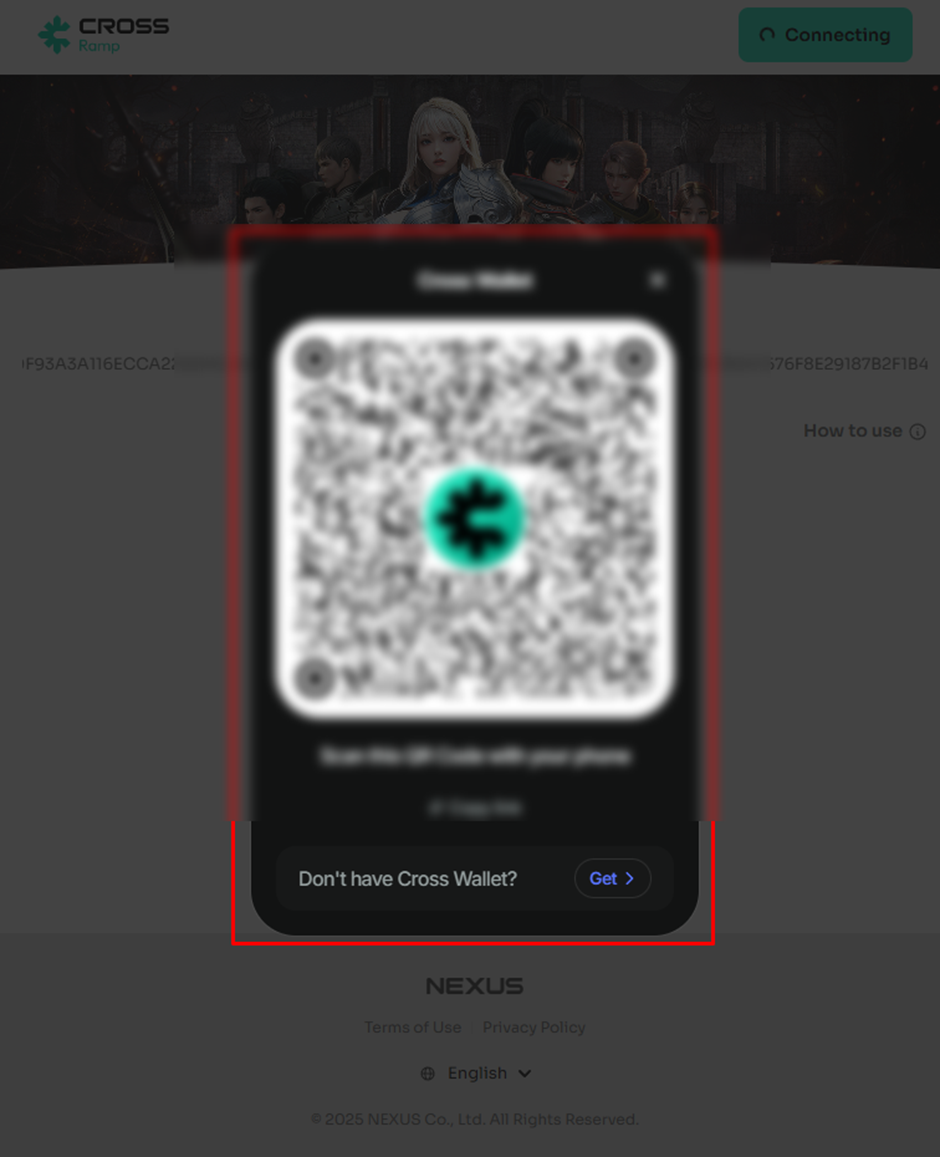
4. Scan the QR Code
• A QR Code will appear on the screen.
• Open your Cross Wallet App on your mobile device.
• Use it to scan the QR Code and link your wallet.
Important Note:
We have identified an issue where the QR code is cut off and cannot be verified when running the CROSS RAMP webview on mobile devices.
Please note that if you have pre-installed the CROSSx Wallet, you may continue to use RAMP directly through the App-to-App connection without requiring QR code verification.
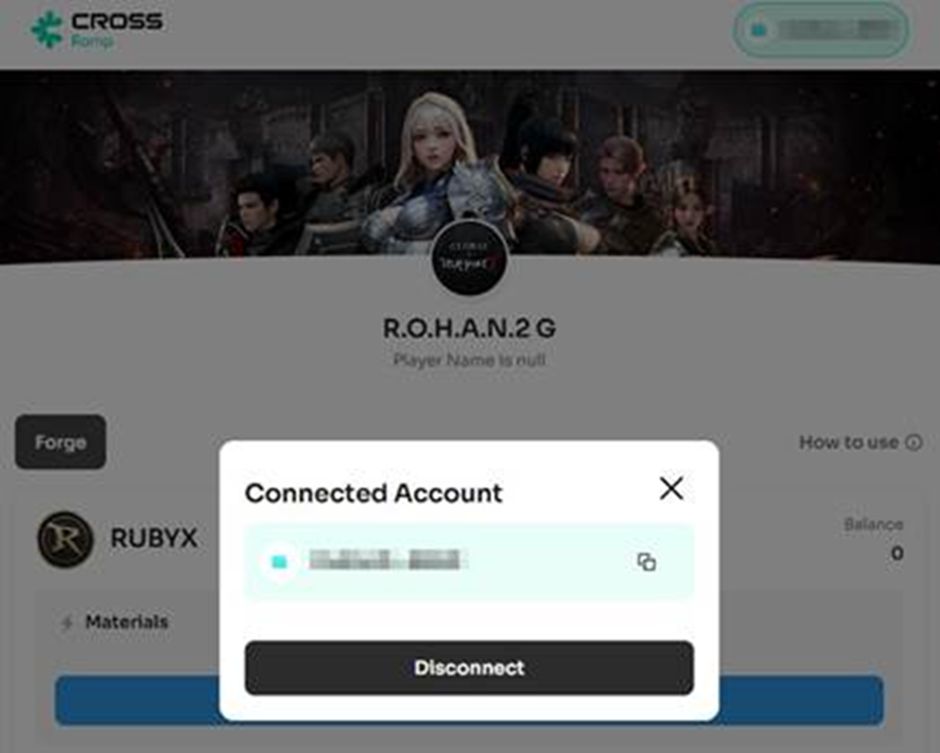
5. Select a Pair
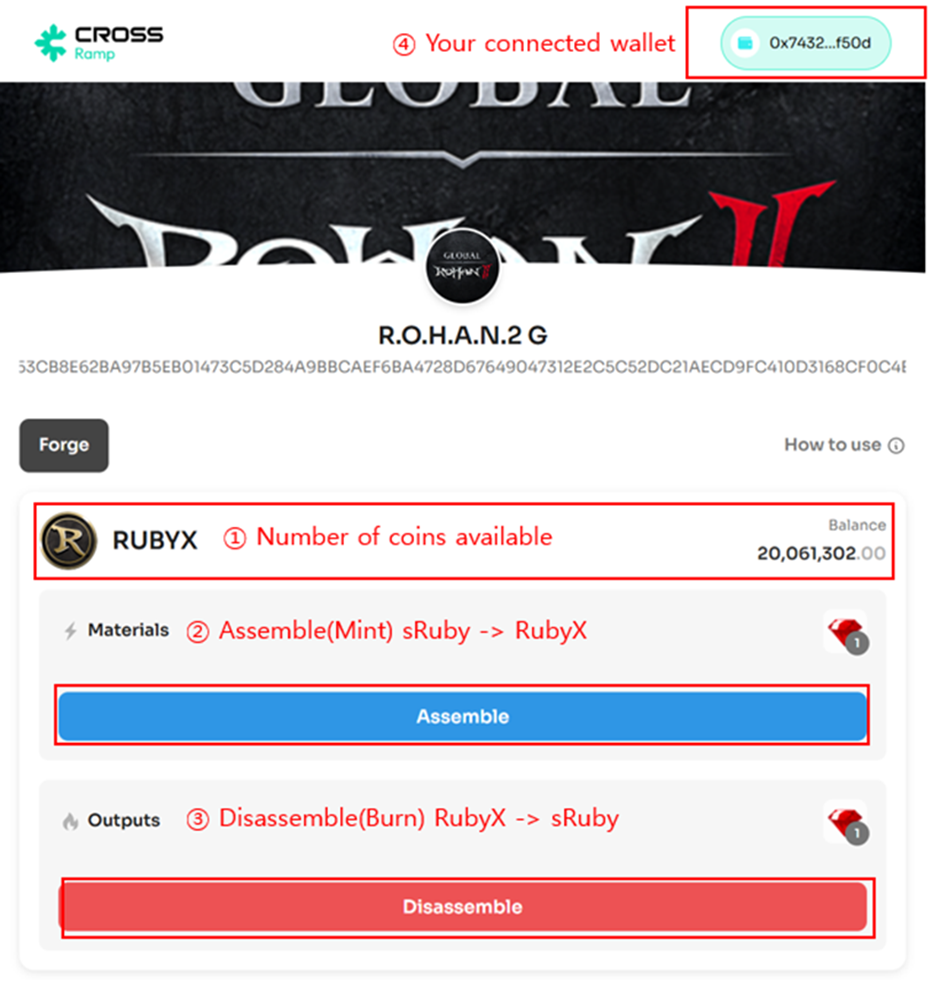
Check the list of available Pairs that allow you to exchange tokens and game assets. For each Pair, you can view:
• The Materials (required game assets) to assemble a token
• The Outputs (game assets you'll receive) when you disassemble a token
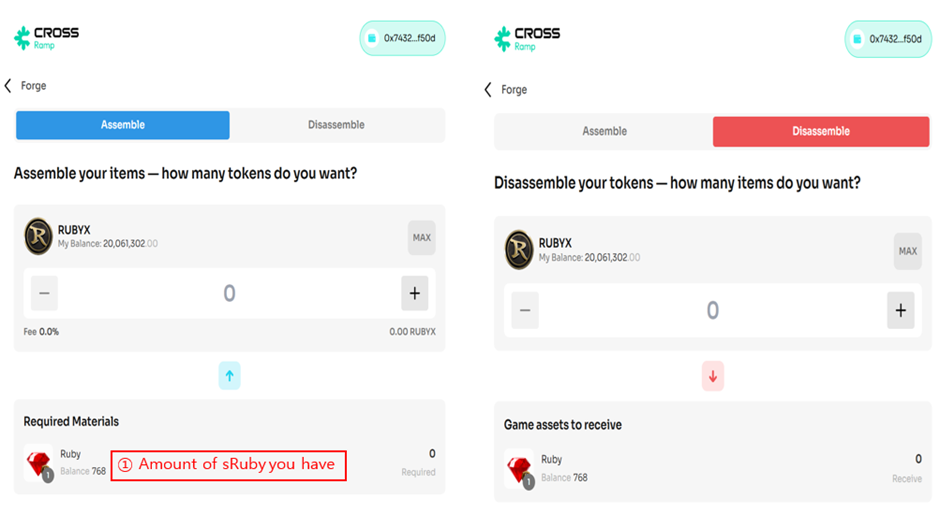
6. Choose 'Assemble' or 'Disassemble'
Depending on the Pair settings, either an 'Assemble' or 'Disassemble' tab (or both) will be available.
• To create tokens using game assets, select the 'Assemble' tab
• To receive game assets by breaking down a token, select the 'Disassemble' tab
※ Some Pairs may only support one direction: either Assemble or Disassemble.
7. Enter Amount & Sign
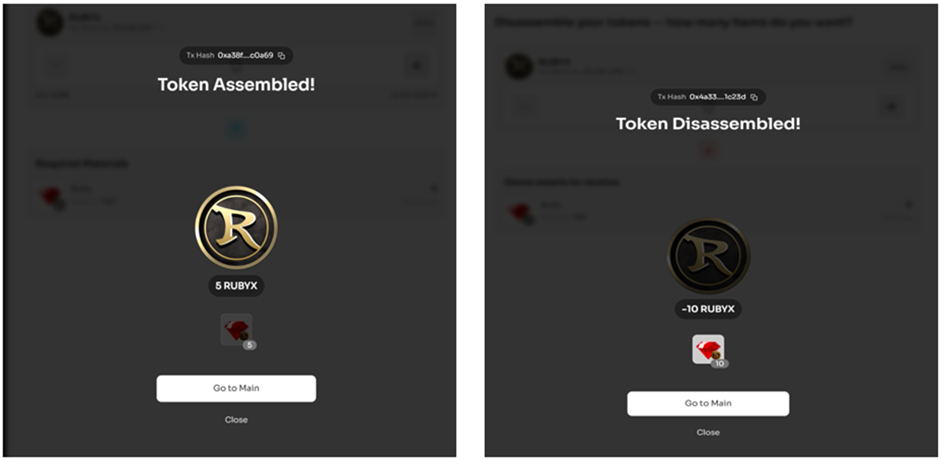
Enter the amount to Assemble or Disassemble, and you'll instantly see:
• The Materials (game assets) that will be consumed
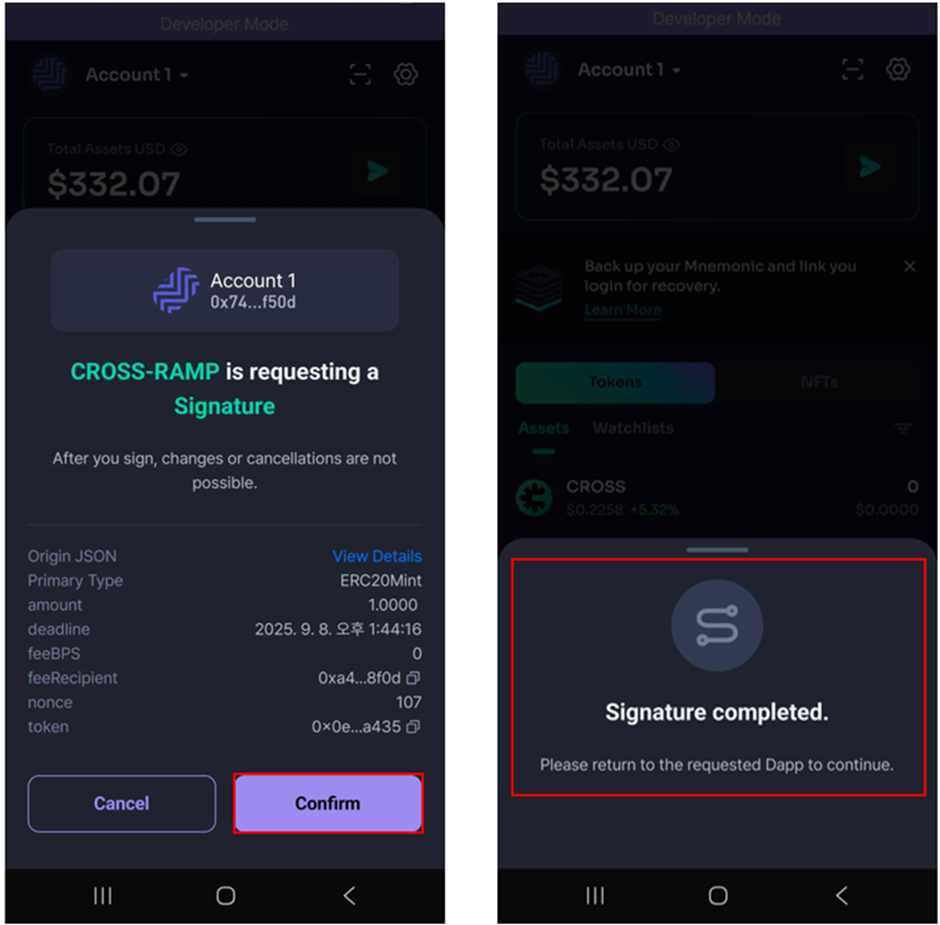
• The Outputs (tokens or game assets) you'll receive Once everything looks good, click the "Exchange" button and complete the process by signing in your CROSSx Wallet.
Stay tuned for more guides where we will go deeper into advanced strategies and usage of RUBY in both Web2 and Web3 environments.