Character Creation
Character Creation
For first-time users only, you can go to the character creation screen by selecting a server after logging in.
To create a new character, you must have the character creation ticket, then select the menu and choose Change Character.
▶ Character creation screen
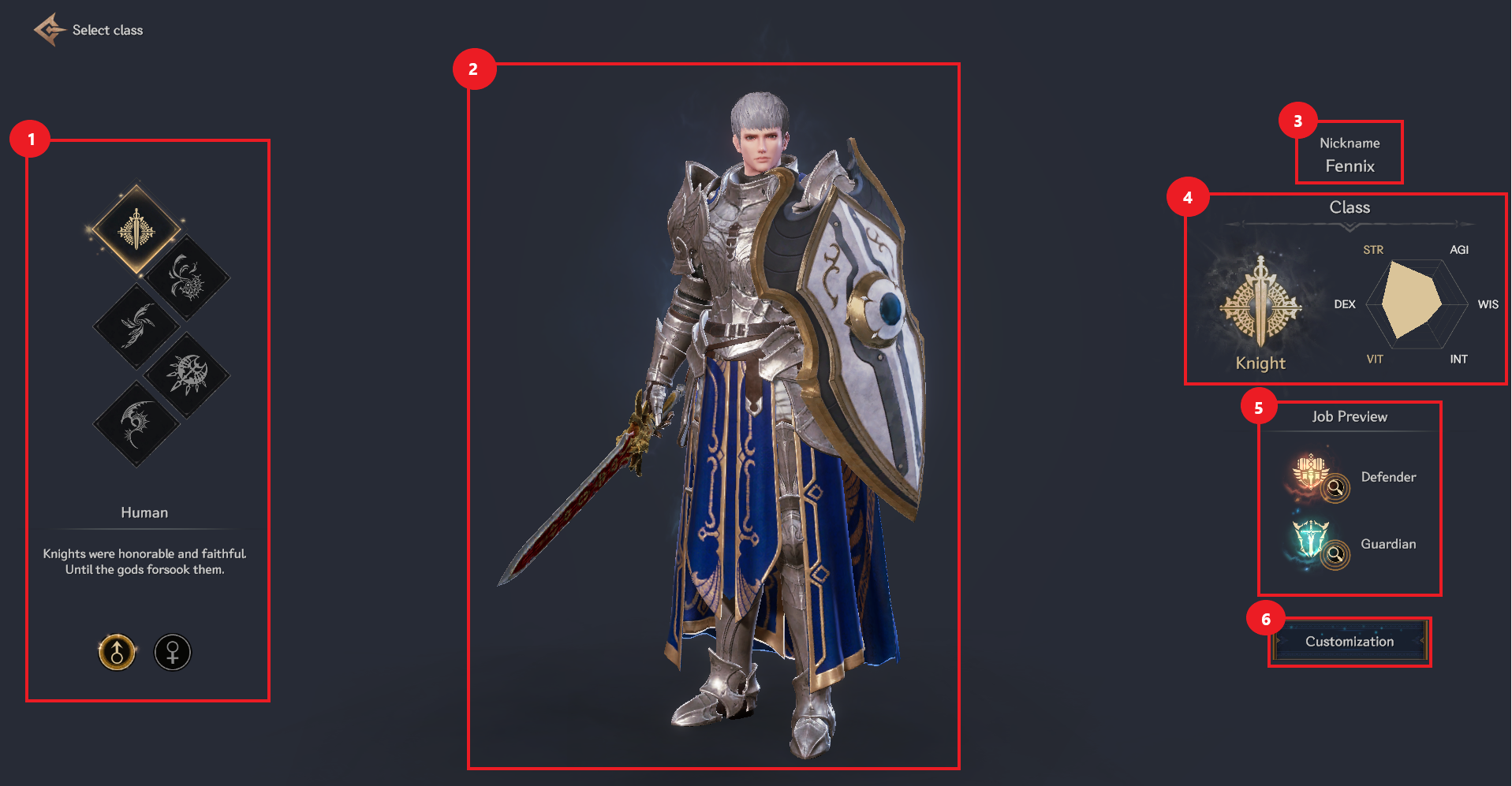
① You can select the class and gender of the character you want to create.
② You can check the character’s appearance.
③ Only the initial creator can set a nickname.
④ You can check your abilities according to your occupation.
⑤ You can check the character’s occupation and the occupations that can be selected as secondary advancements.
⑥ You can set the appearance of the character you have set.
▶ Character customization screen
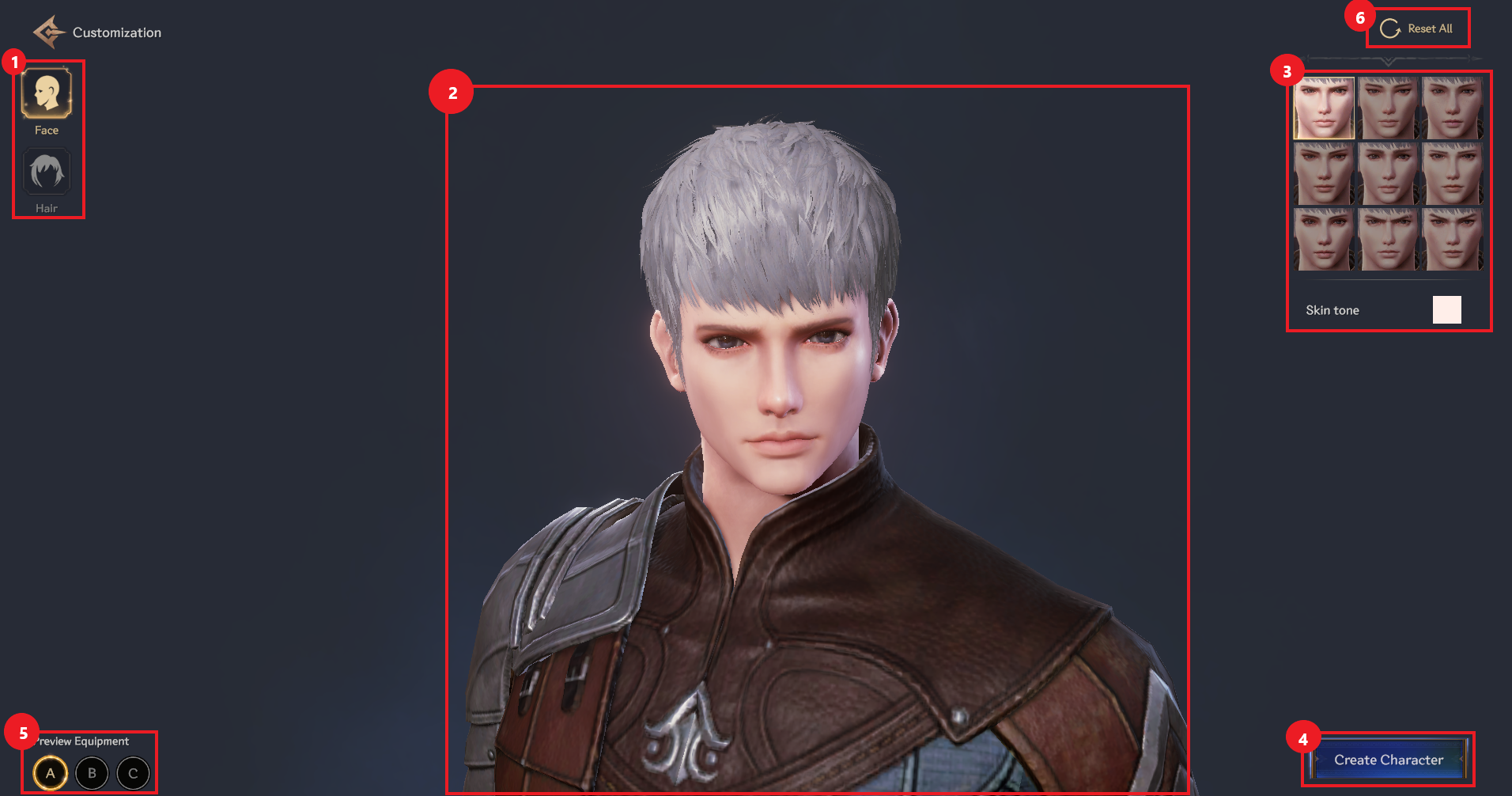
① You can set the character’s face and hair.
② You can check the character’s appearance.
③ You can choose the character's facial appearance and hairstyle, and choose the color.
④ When you select character creation, character creation is completed immediately.
⑤ You can change the equipment and costumes worn by your character.
⑥ If you select Reset All at the top right, a notification window will appear. If you select OK, the customization will be reset.