
Chat
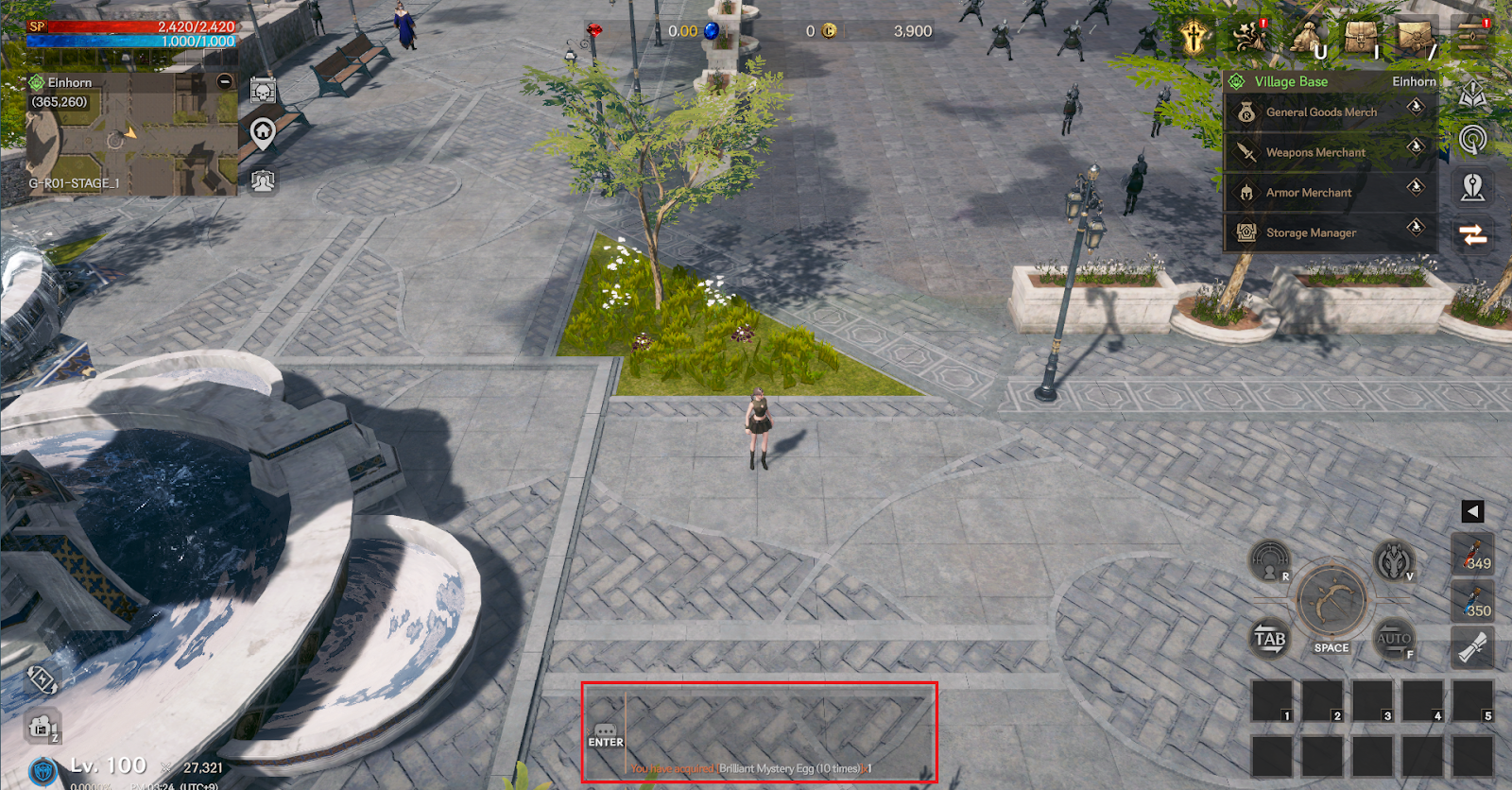
You can communicate with other players or check messages from the system through chat.
> You can open the chat window by pressing the shortcut key ENTER in the PC version.
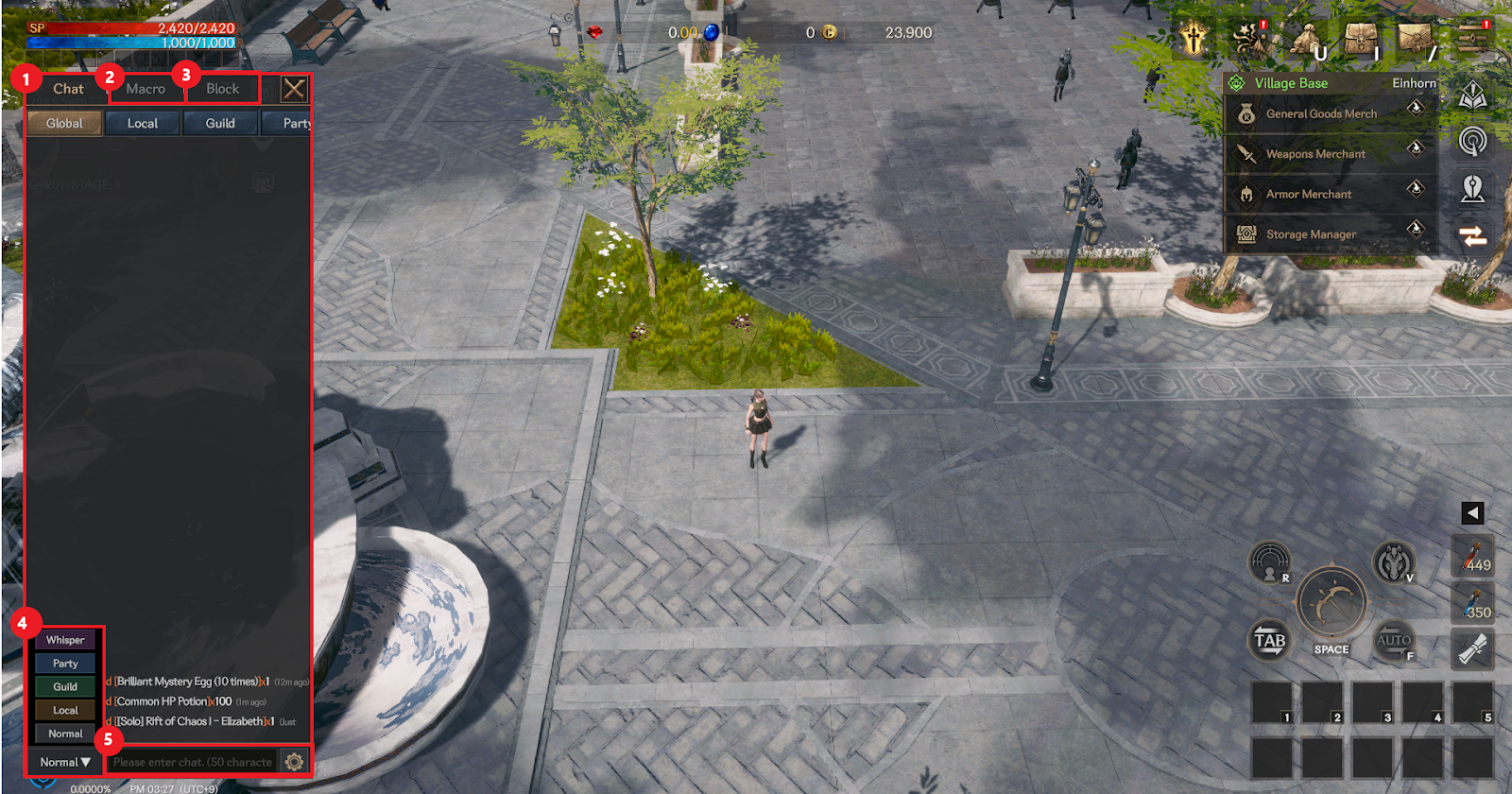
① This is the basic chat window. You can check the chats you have exchanged.
② If you select it, you can check the macro function.
③ If you select, you can check the block list.
④ You can change the chat server by selecting it.
⑤ If you select, you can enter the chat.
▶ Macro
> The macro function allows you to preset messages for quickly sending chat messages.
> A maximum of 20 characters can be entered.
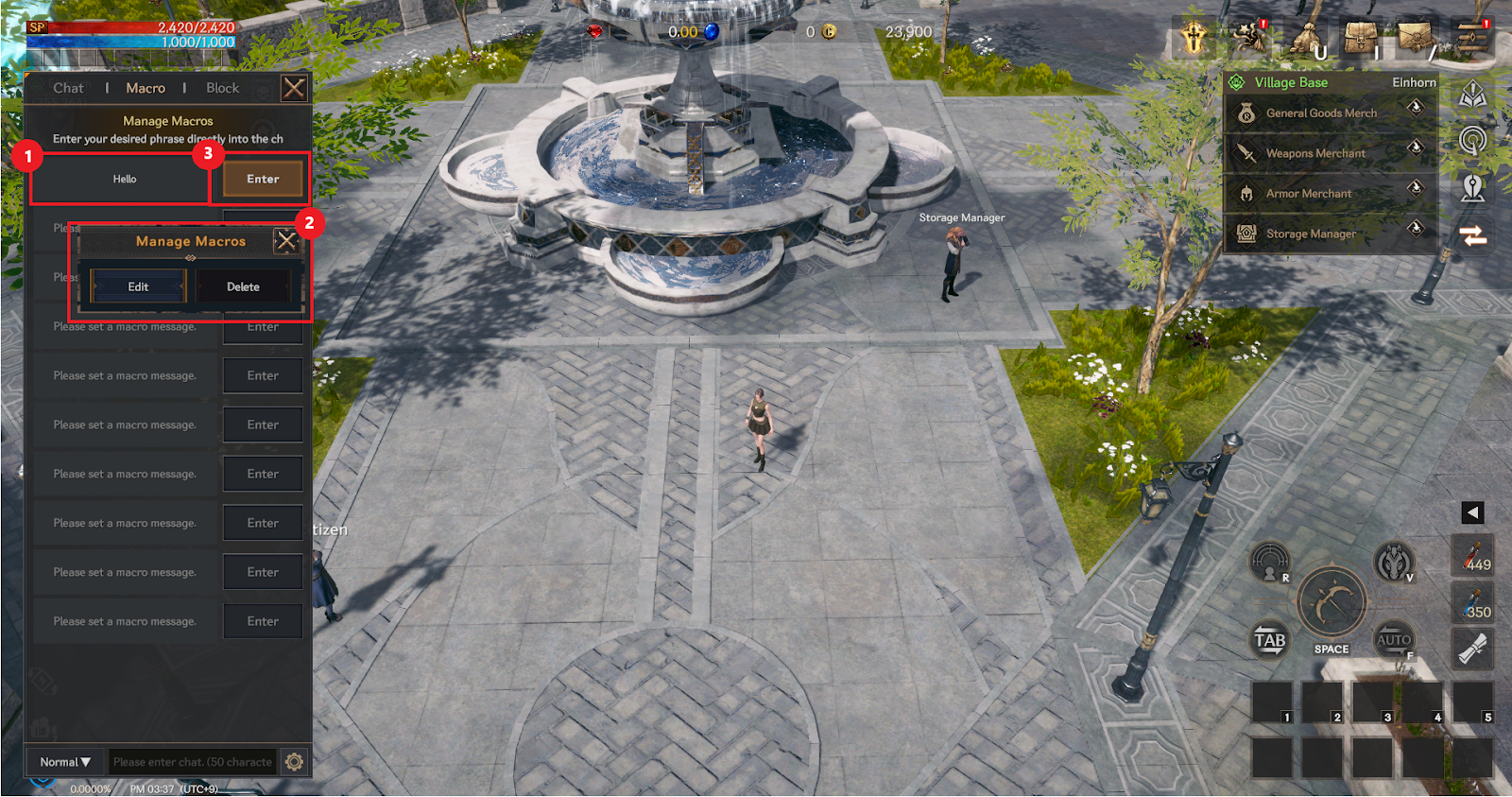
① Select the macro window you want to edit.
② When the macro management notification window appears, select Edit and enter the desired macro.
③ Once you have completed the input, select Input on the right side of the macro window.
- Delete macro
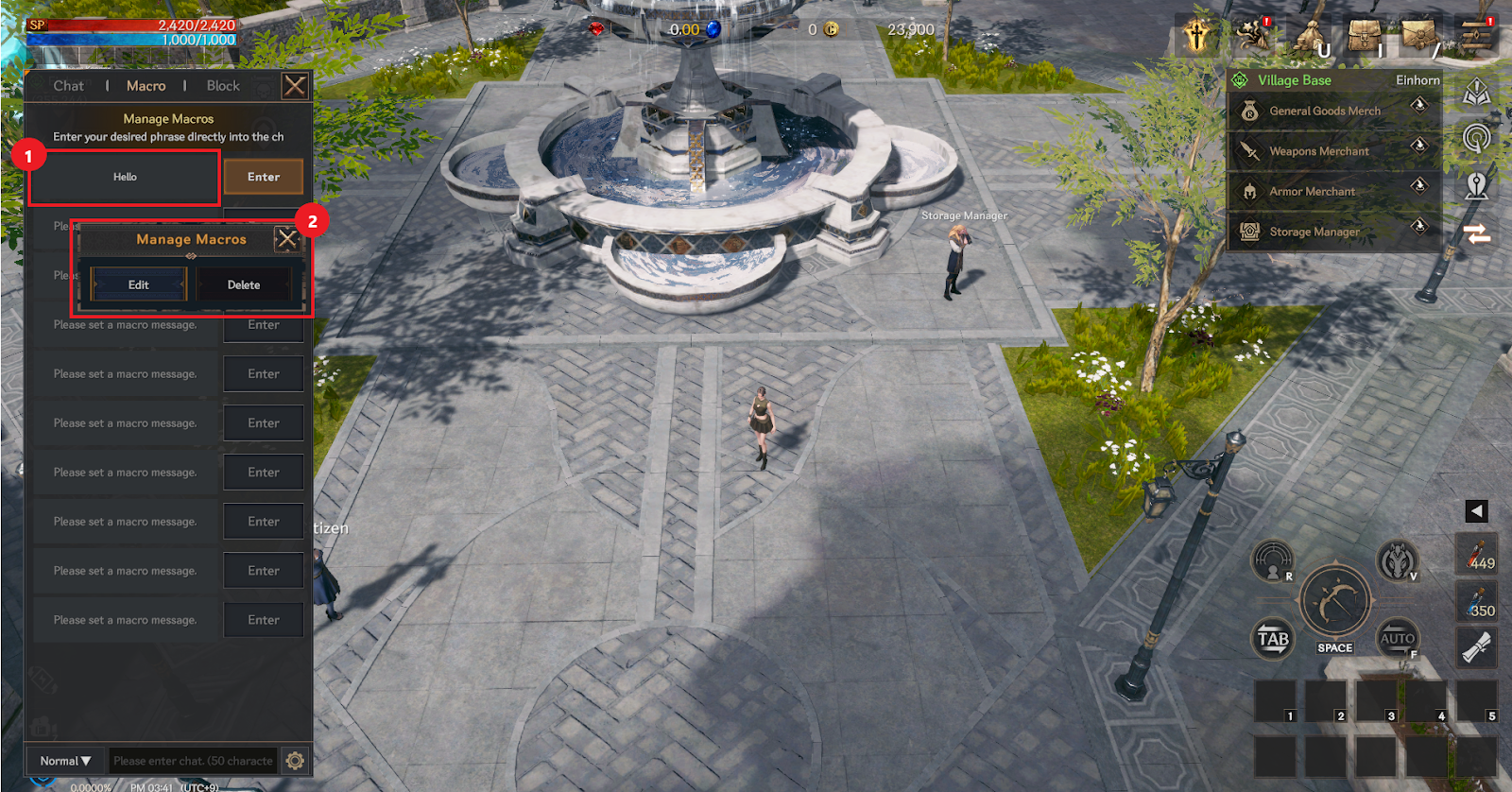
① Select the macro window you want to delete.
② When the macro management notification window appears, select Delete.
▶ Whisper
> Whisper is a system for 1:1 conversations with other players.
> You can search/select other players and chat 1:1 with them.
> Whisper chats exchanged are only displayed in the whisper chat window.
▶ Block
> This is a system that allows you to block specific players.
> When chat is blocked, the player's chat will not be displayed and you will not be able to whisper to each other.
> You can block up to 50 people.
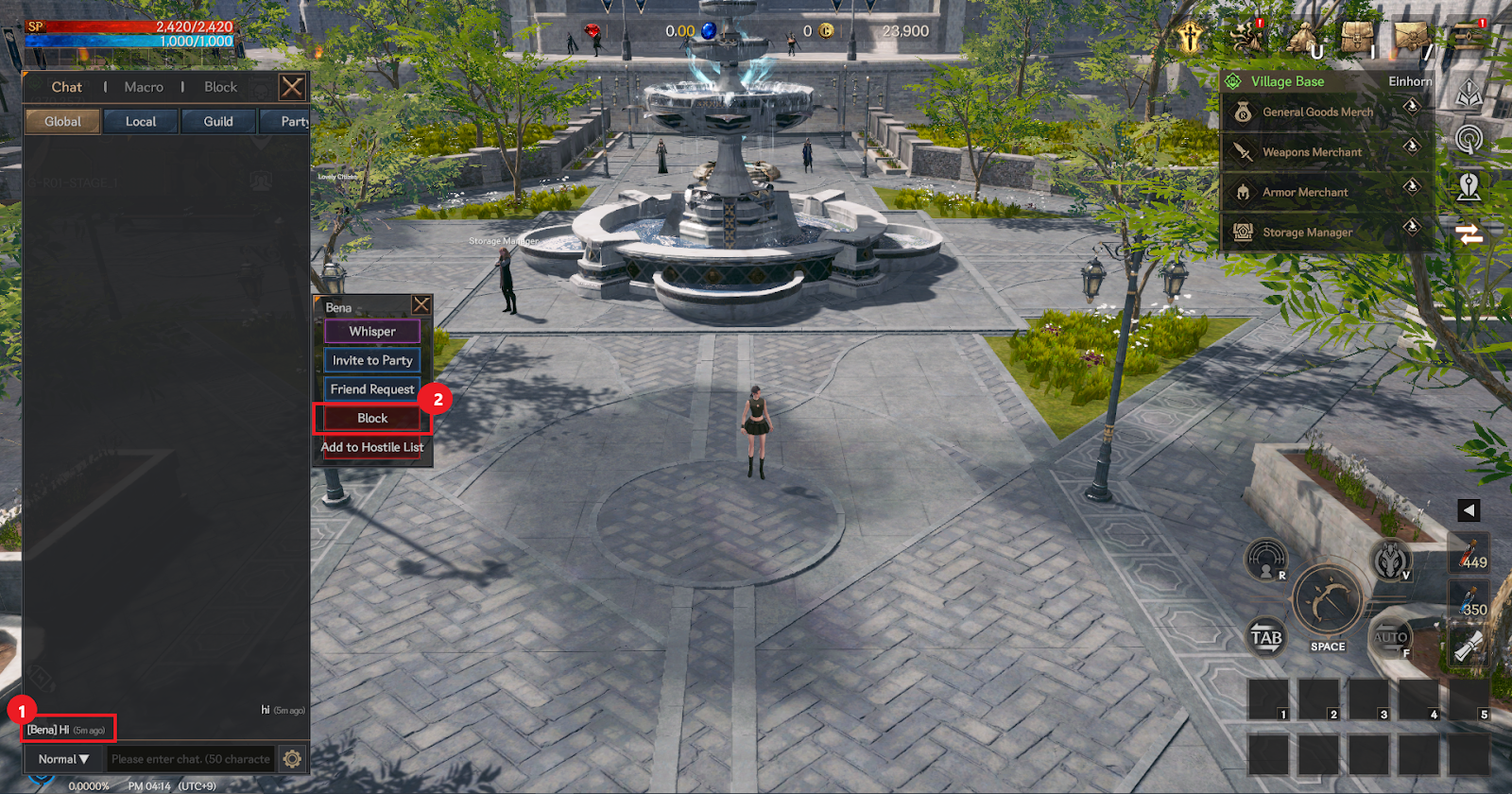
① Select the nickname of the user you want to block in the chat window.
② When the notification window appears, click Block to complete the blocking. You can check the completed blocking in the blocking section of the chat window.