
Title
You can check the title menu by touching the 'Title' icon in the upper right menu.
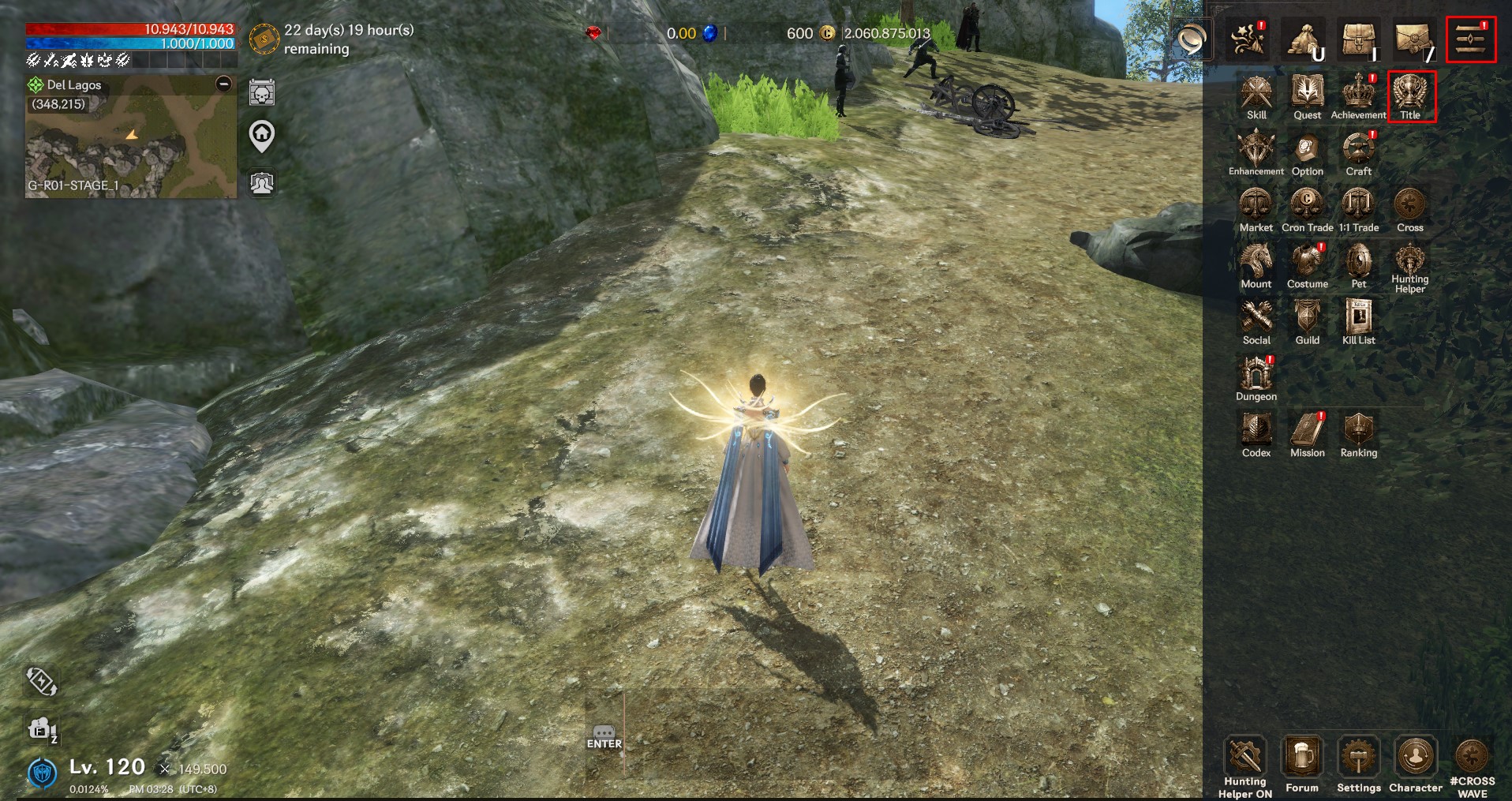
▶ Title setting
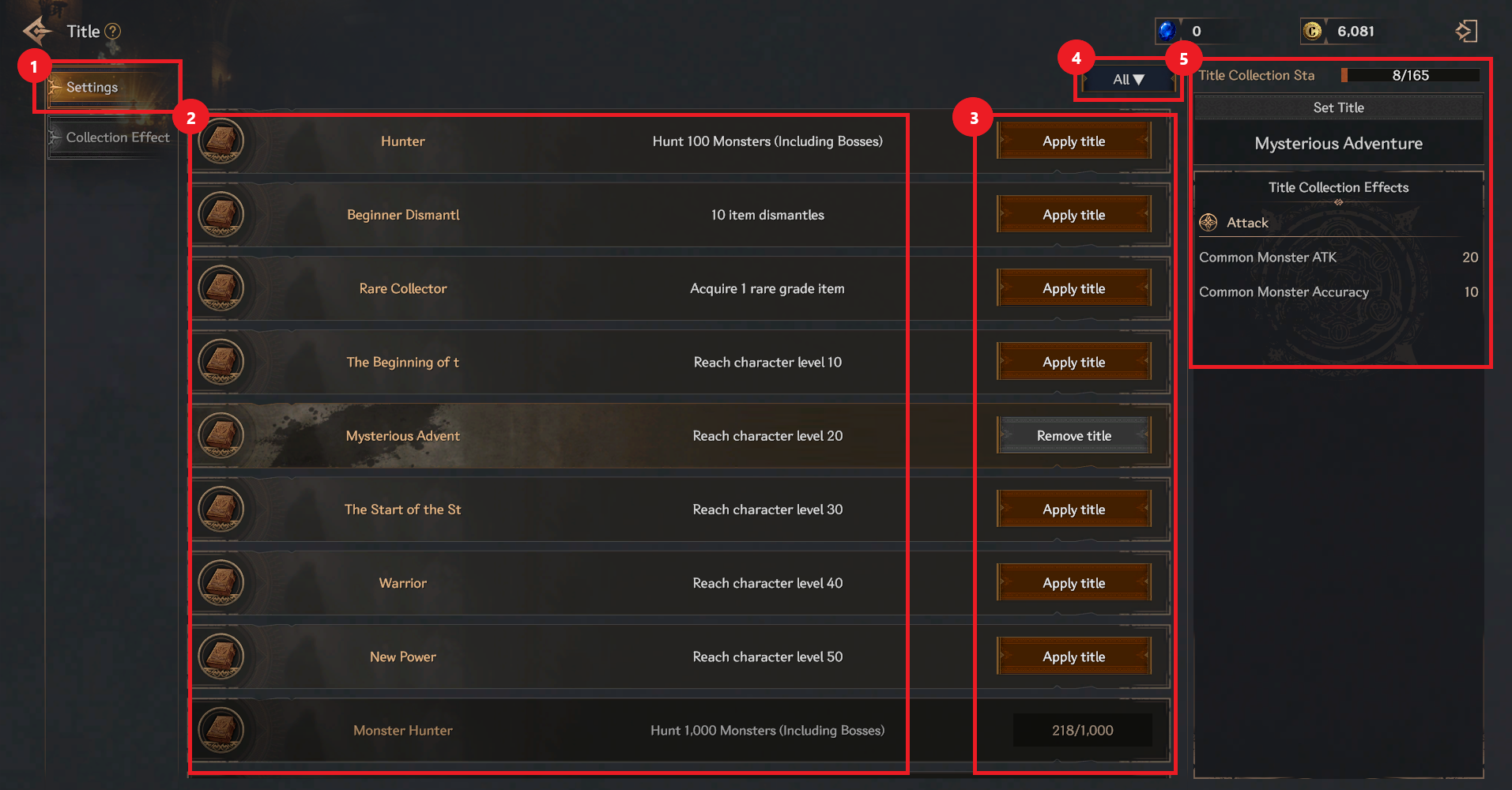
① You can check and equip the list of titles you have acquired in the ‘Settings’ tab.
② You can check the title name and collection conditions of the list.
③ You can apply/remove the acquired title.
④ You can check by setting the conditions of the title list. (All/Collecting/Collecting Completed)
⑤ You can check the current title collection status of your account and information on title collection effects.
▶ Collection effect
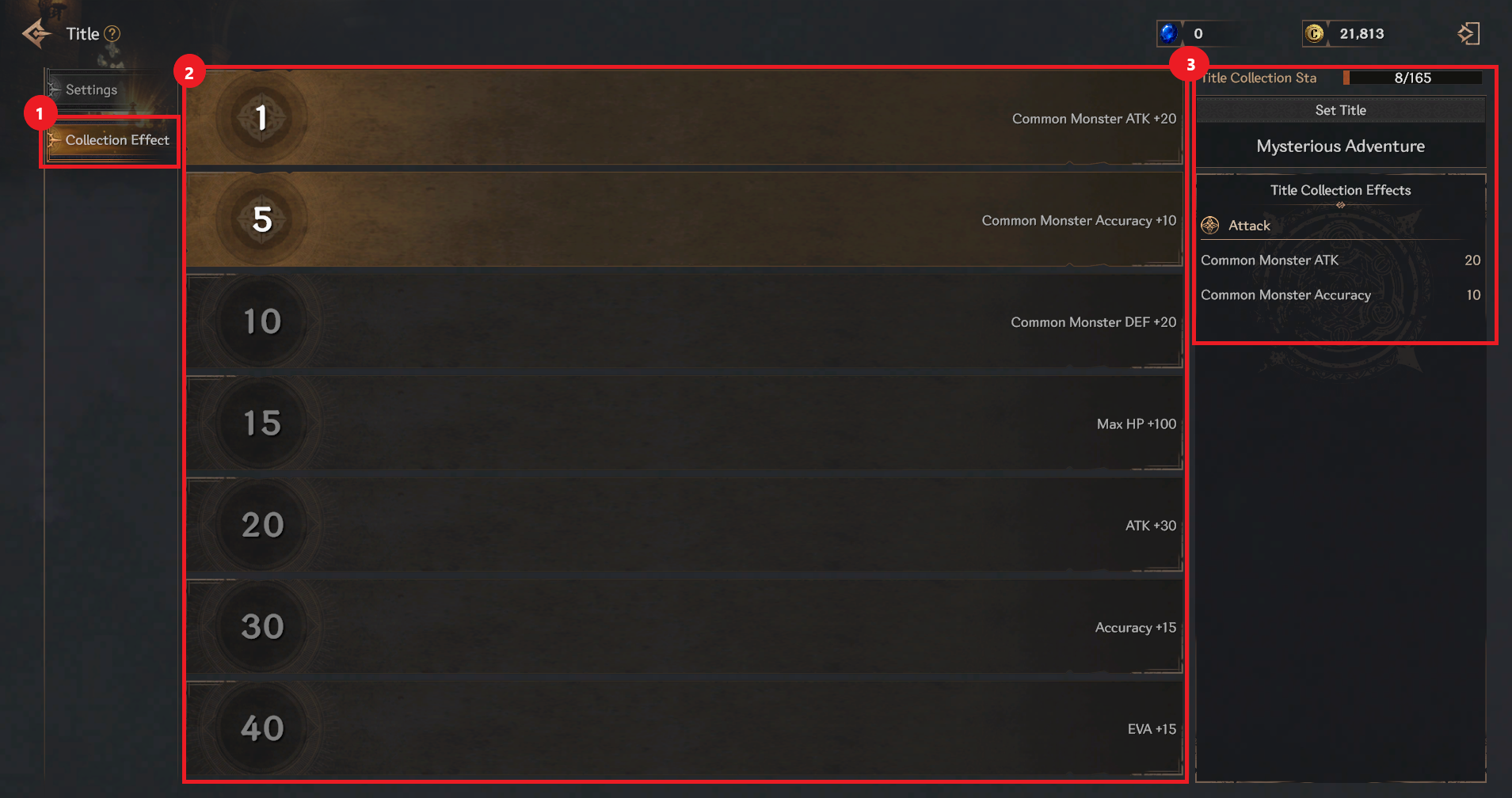
① You can check the effects according to the number of titles collected in the ‘Collection Effect’ tab.
② You can check the overall collection effect and the currently achieved collection effect.
③ You can check the title collection status and the applied title collection effects.