Cash Shop and Premium Subscription
Cash Shop and Premium Subscription
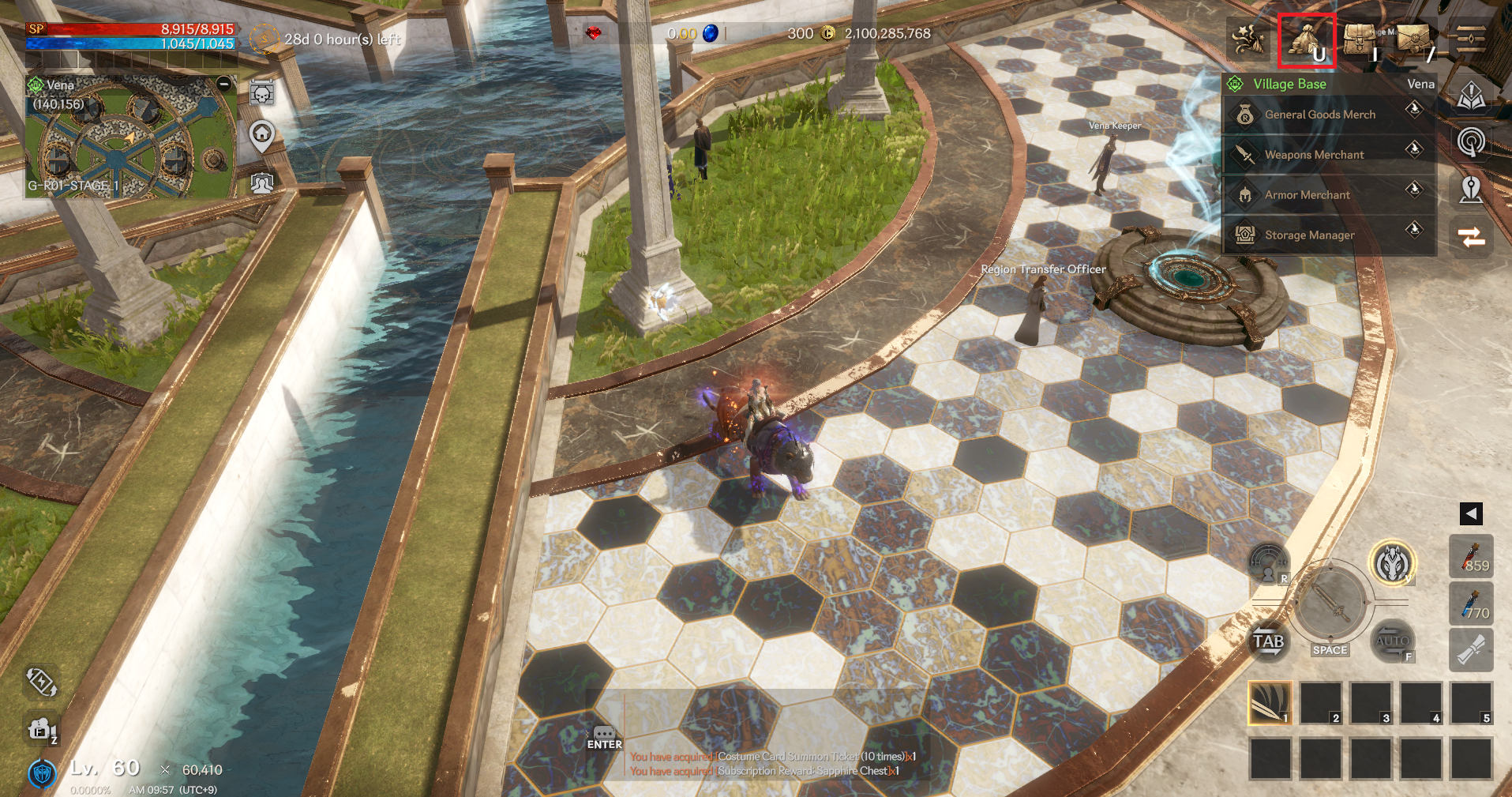
You can go to the Cash Shop by touching the 'SHOP' icon in the top right.
❈ Payments can be made on mobile devices.
▶ Subscription Products
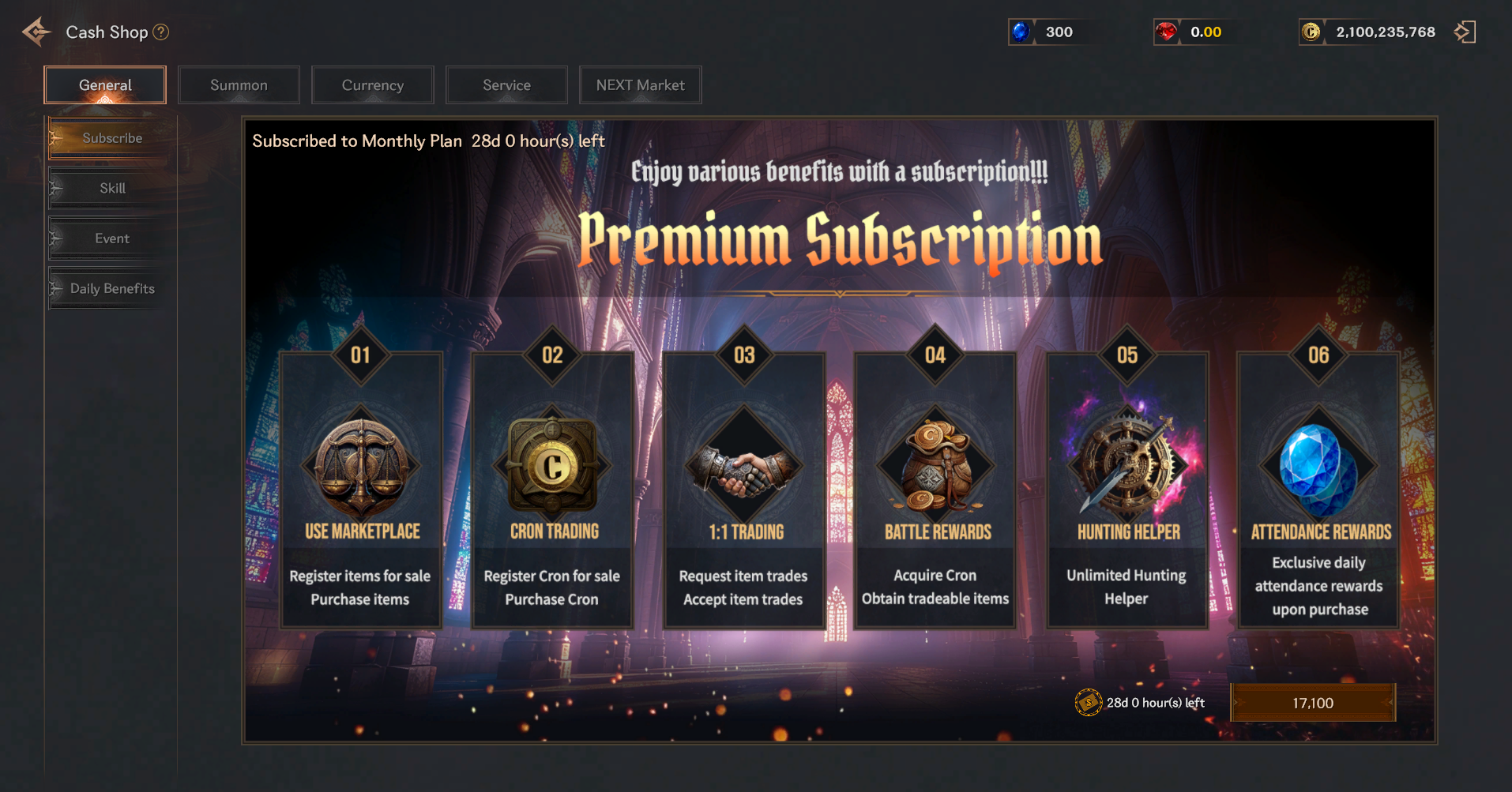
> You can receive various in-game benefits with subscription products.
> The product will be delivered by mail upon purchase, and the service will be applied when you use the subscription provided in your inventory.
> Refunds are not possible after receiving the mail once.
> This is an in-app product that does not automatically renew, so you must repurchase it after 1 month to receive the benefits.
▶ Subscription product benefits
> With the subscription, you can use the market to register items for sale and purchase items.
> You can trade Cron by registering it for sale or purchasing it through the Cron exchange.
> You can request and accept 1:1 item trades.
> You will receive battle rewards, including Cron and tradable items.
> You can use the Hunting Assistant without any time limits.
> Rewards are paid out via mail every day.
▶ Skill Products
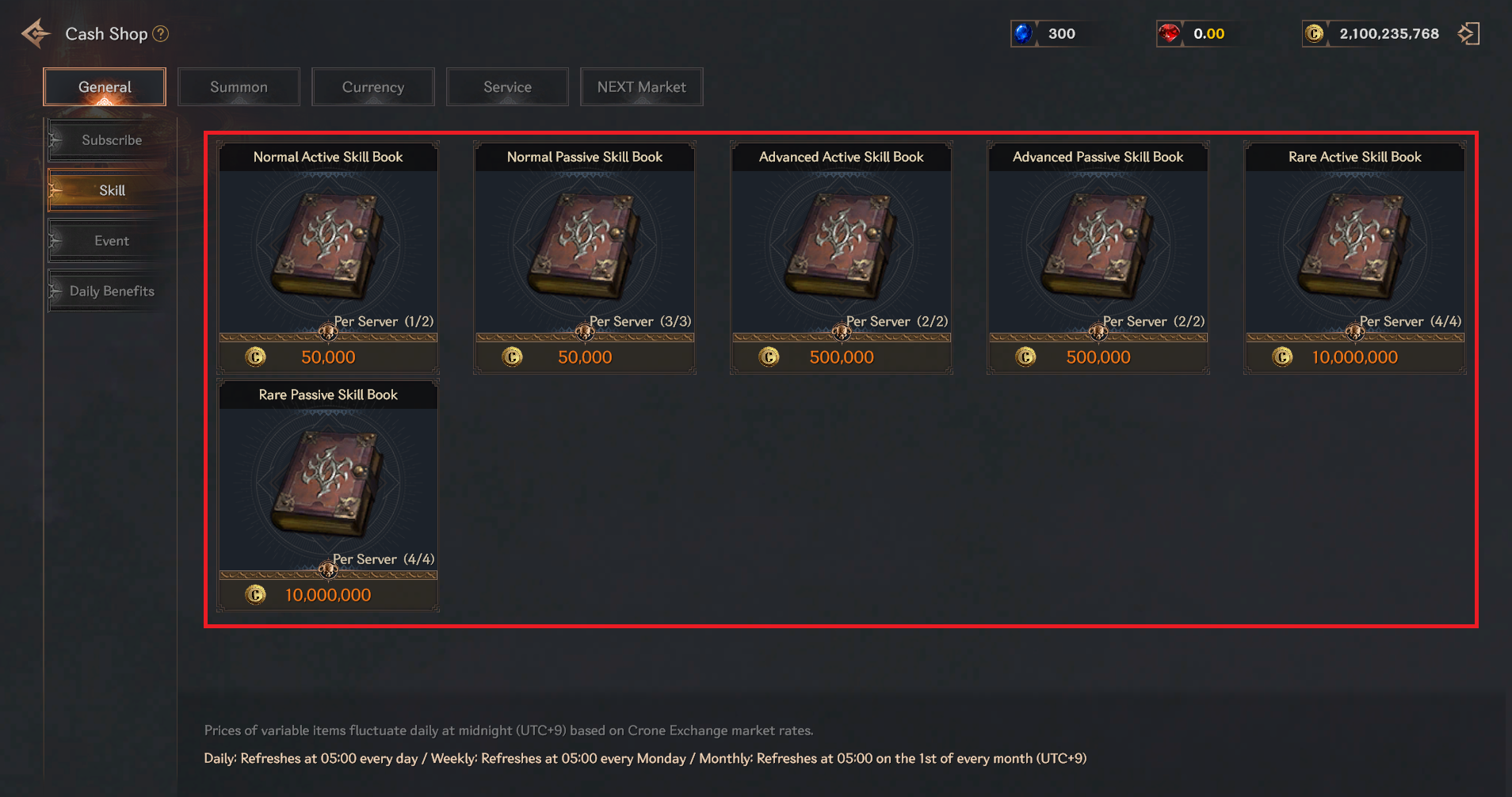
> You can purchase materials required to acquire skills.
> There is a limit to the number of purchases per server.
▶ Summon Items
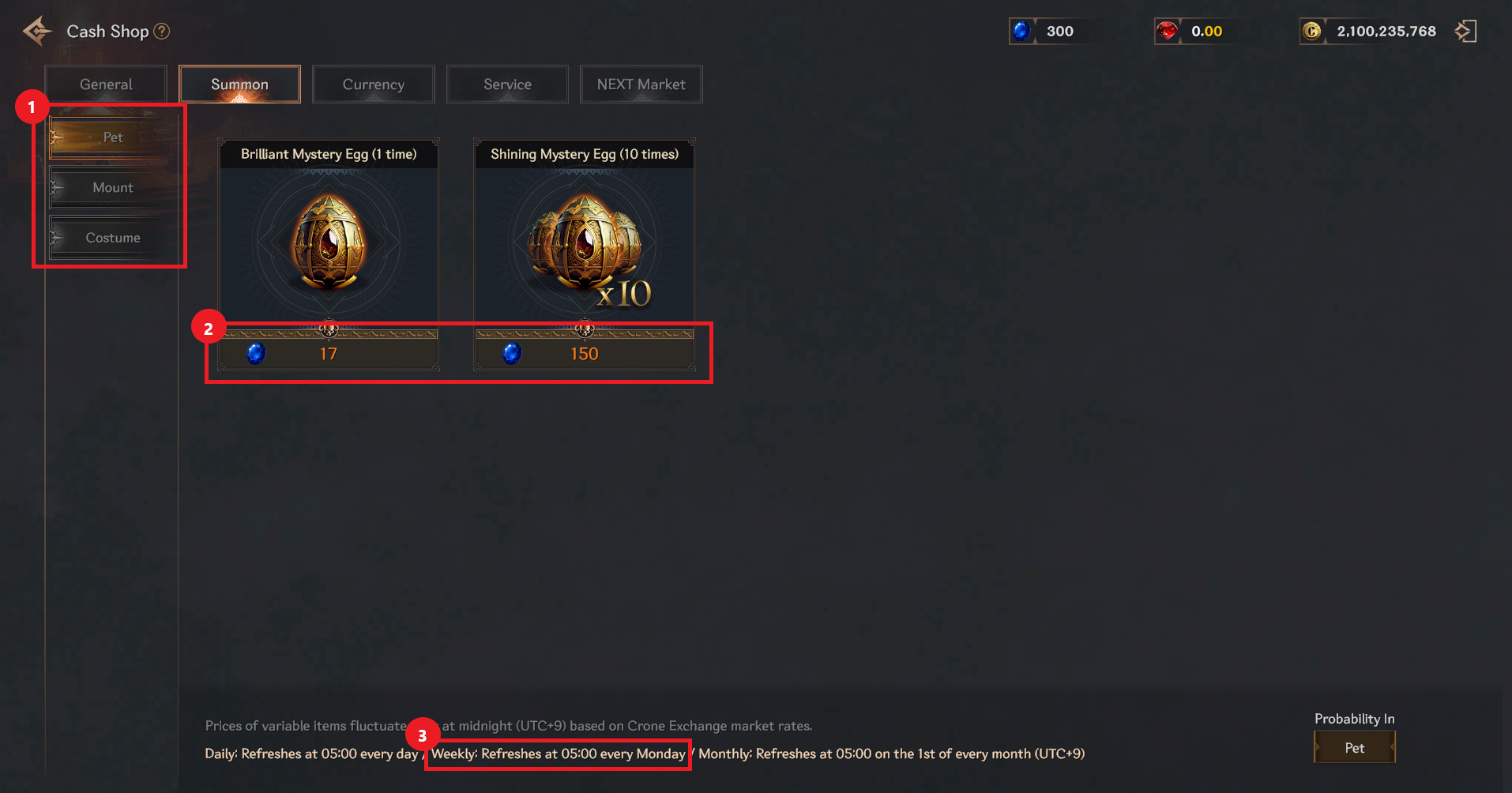
① You can purchase items such as pets/mounts/costumes.
② Purchases require Sapphires.
③ Weekly products are updated every Monday at 05:00 per region.
▶ Goods and products
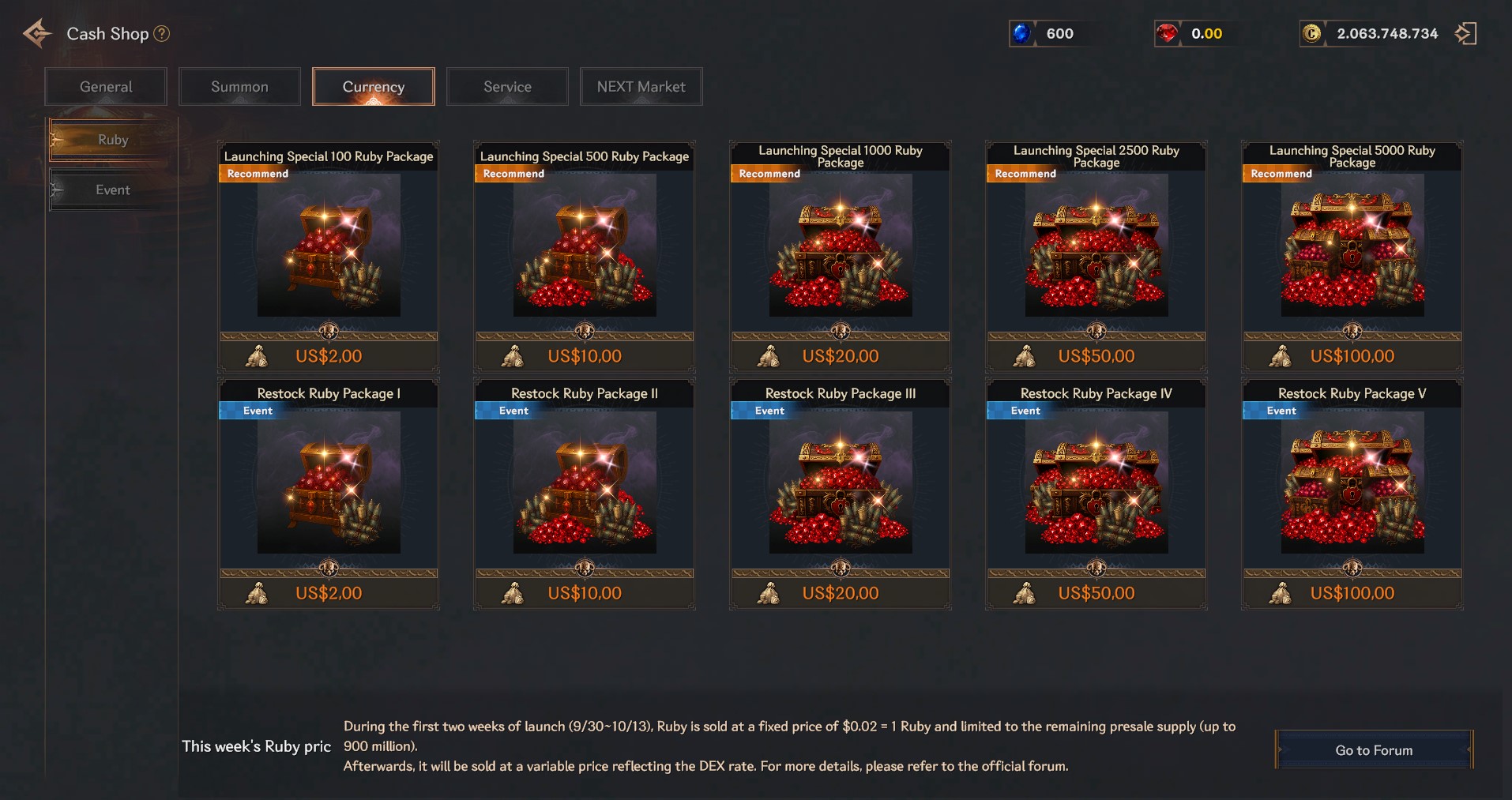
> You can purchase rubies.
▶ Additional service products
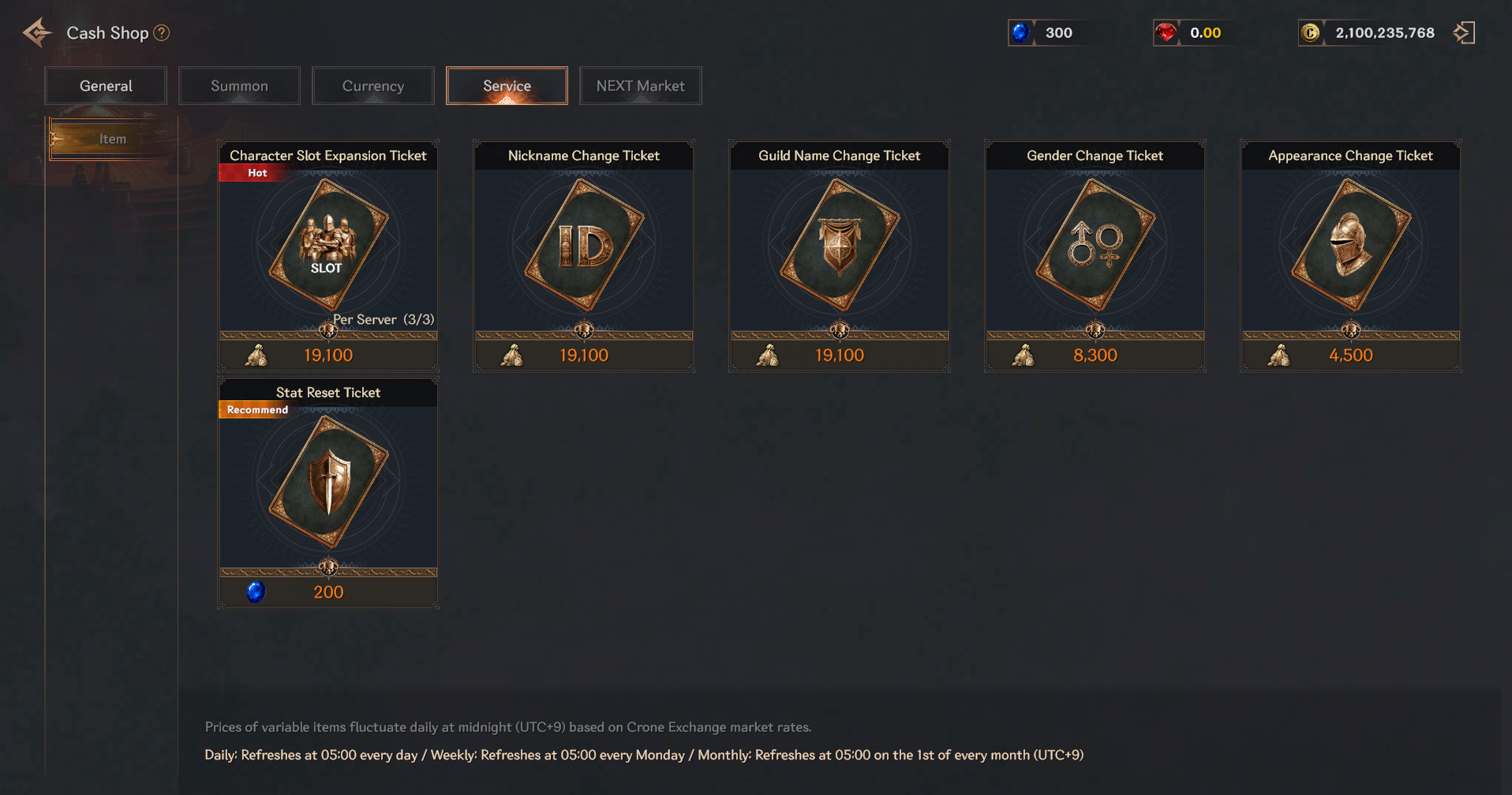
> Convenience items that do not affect character stats are available for purchase.
▶ NEXT Market Guide
NEXT Market is an official online marketplace for ROHAN 2 items, operated in partnership with LINE NEXT and Web3 systems. Players can:
Purchase special packages, skins, and items
Trade using in-game currency (RUBY), stablecoins (USDT), or local payment methods (depending on region)
Access exclusive limited-time offers not available in the regular in-game shop
How to Access NEXT Market
1. Log in to R.O.H.A.N. 2.
2. Open the Store / Item Shop menu.
3. Click on NEXT Market or “Go to Market.”
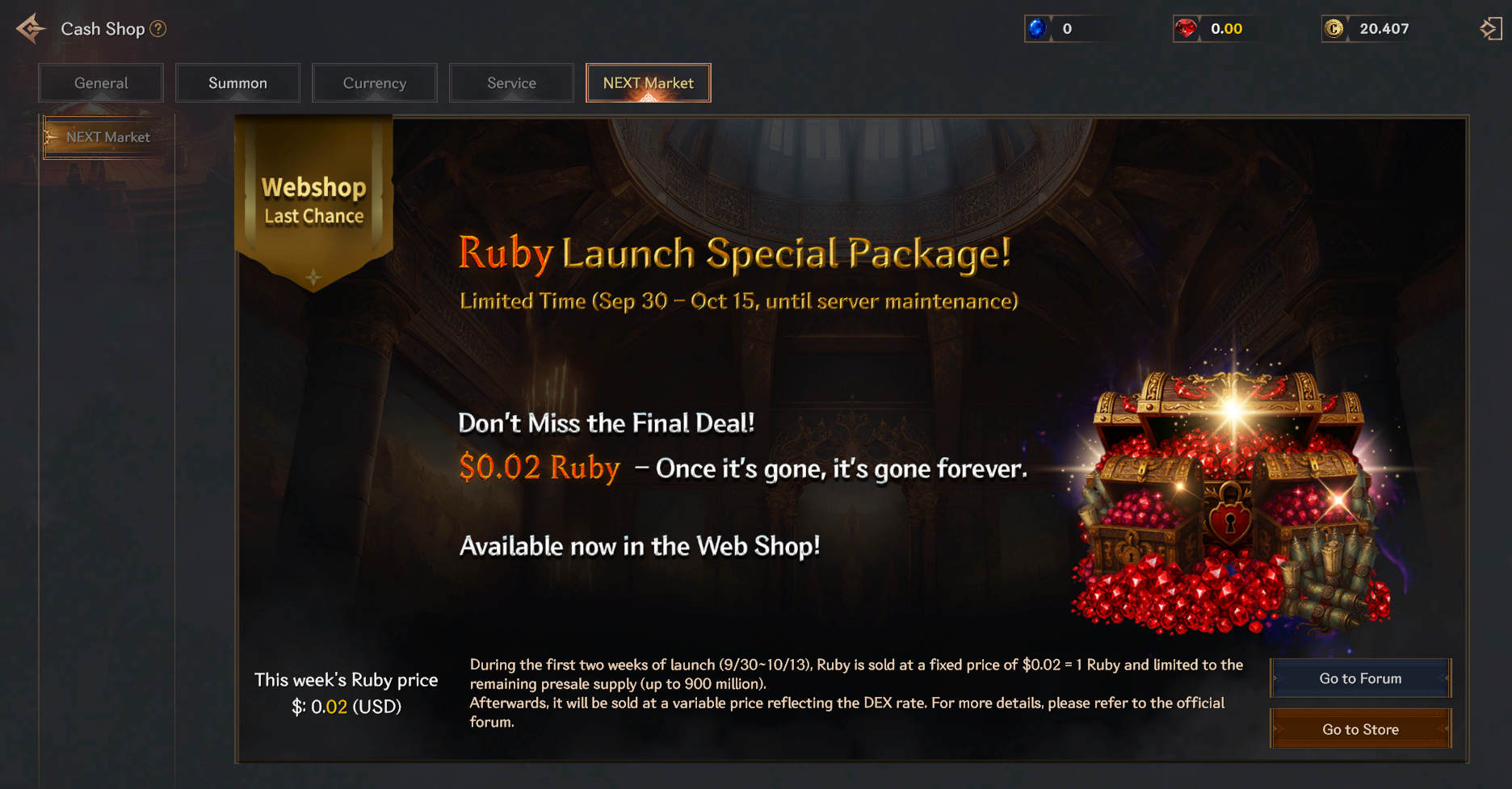
4. Click on the ‘Go to Store’ button. The game will open a web browser window leading to the official NEXT Market site.
5. Click on the gift package item to view the product description and related information
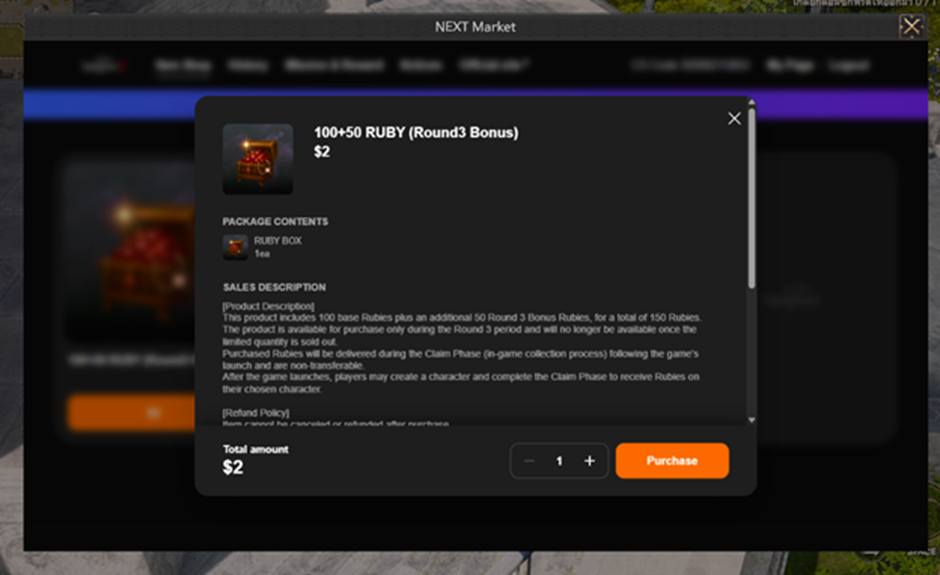
▹After confirming the purchase, click [Purchase] and the purchase payment process window will pop up.
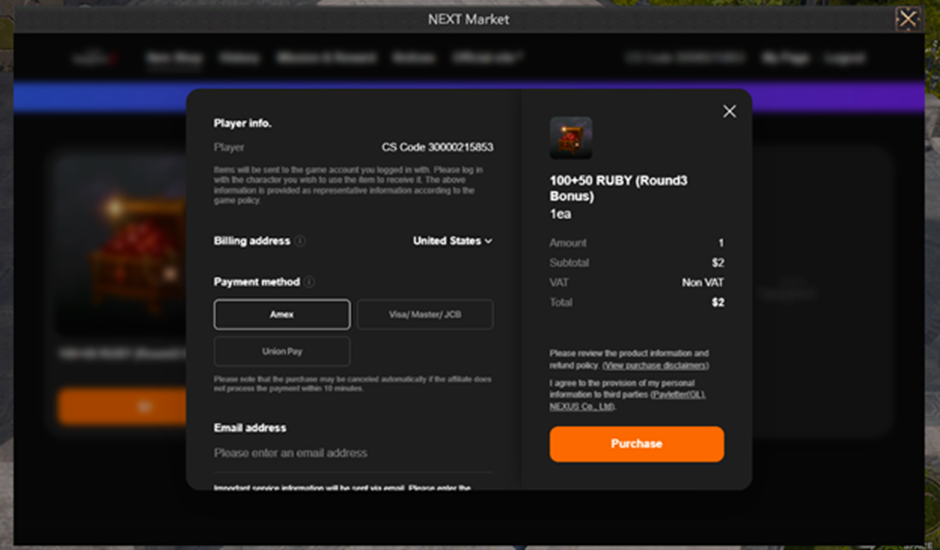
▹You can select the country for Billing address and payment
▹Enter your email address and click Purchase to confirm
▹You can choose the corresponding payment method according to your personal needs. After the payment is completed, the product will be sent to the mailbox in the game.