
Guild
The guild system is activated when you have a character level 15 or higher.
❈ [Land Management] The ability to block enemy guild entry and turn PVP On/Off will be updated in the future.
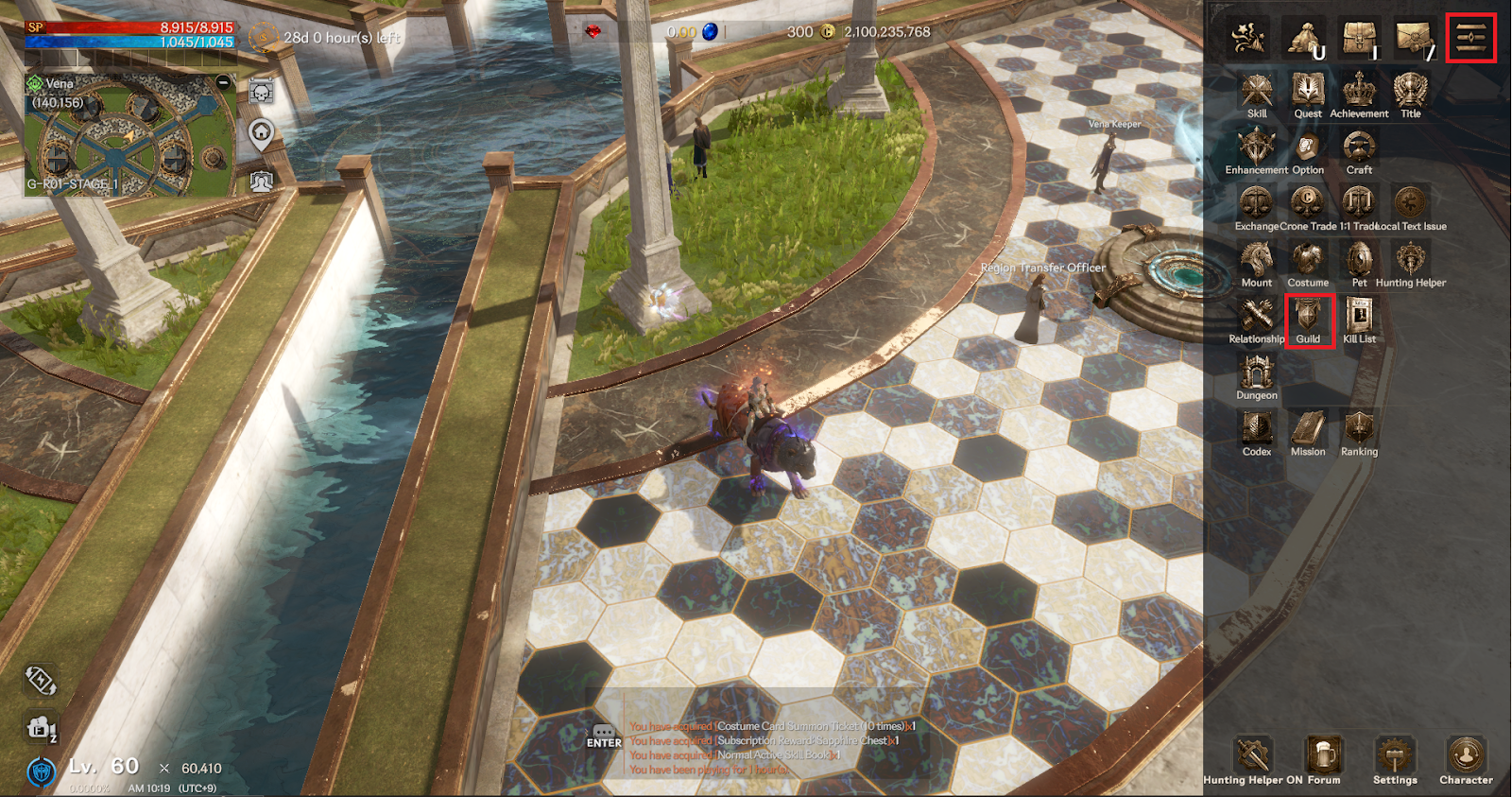
> You can check the guild menu by touching the guild icon in the upper right menu.
▶ Join a Guild
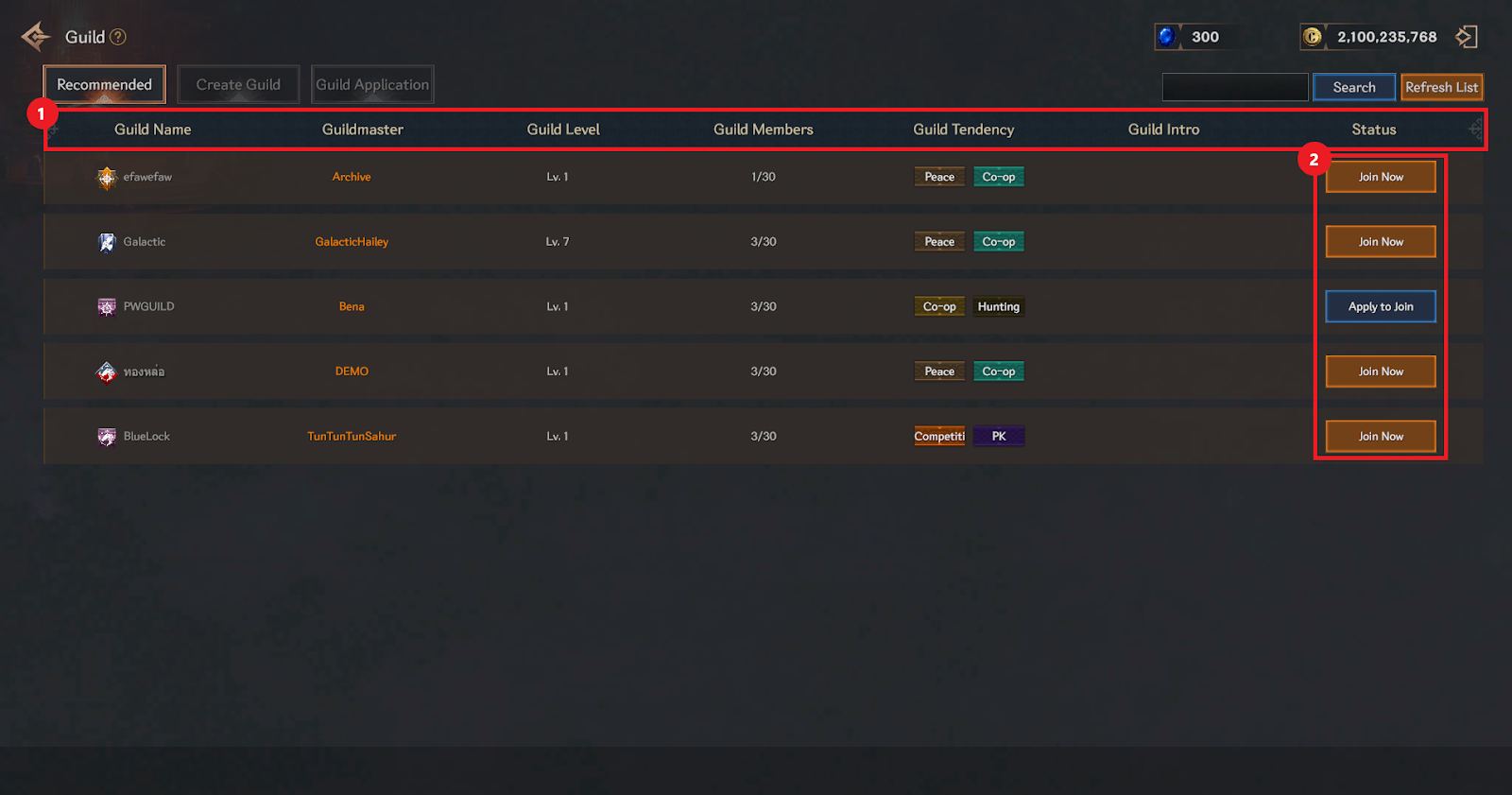
① You can check the guild name/guildmaster/guild level/guild members/guild tendency/guild introduction/status.
② You can join the guild by signing up immediately or applying for membership.
▶ Leave the guild
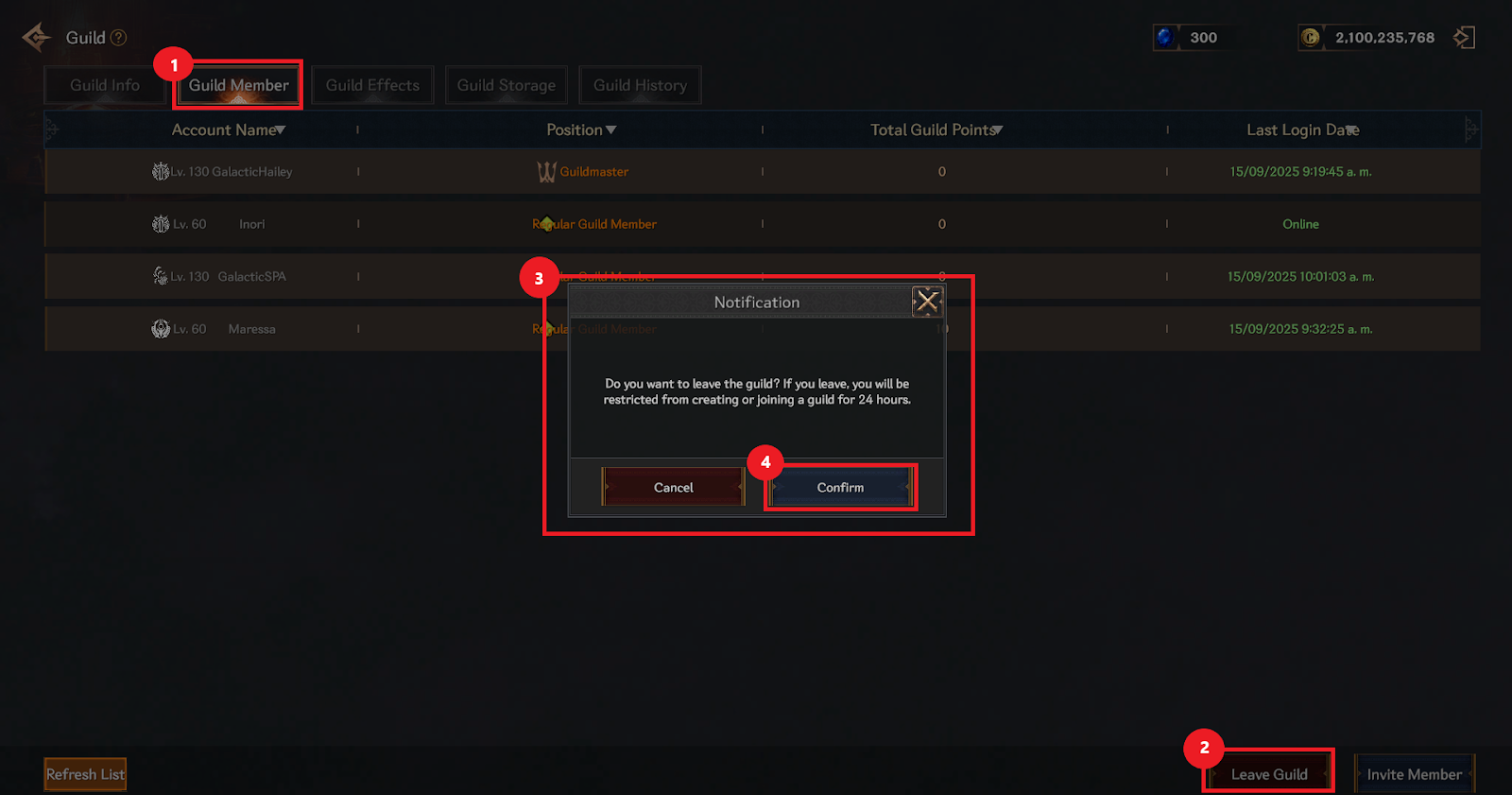
① Select a guild member on the right side of the guild information at the top.
② When you enter the guild member screen, select Leave Guild at the bottom right.
③ Check the notification window that appears stating that if you leave a guild, you will be restricted from creating or joining a new guild within 24 hours.
④ When you select Confirm in the notification window, your guild withdrawal is complete.
▶ Guild Basic Rules
Authority | Guild leader | Vice Guild Leader | Elite Guild Member | General Guild Member |
Guild Emblem Customization | ✓ | ✓ | X | X |
Edit Guild introduction | ✓ | ✓ | X | X |
Edit Guild disposition | ✓ | ✓ | X | X |
Changed the way to join a Guild | ✓ | ✓ | X | X |
Edit Guild Announcement | ✓ | ✓ | X | X |
Guild membership application approval/rejection | ✓ | ✓ | X | X |
Purchase and Activate Guild Effects | ✓ | X | X | X |
Guild Warehouse Slot Expansion | ✓ | ✓ | X | X |
Putting items in the guild warehouse | ✓ | ✓ | ✓ | ✓ |
Remove items from guild warehouse | ✓ | ✓ | ✓ | X |
Hostile/Friendly Guild Settings | ✓ | ✓ | X | X |
Appointment/dismissal of the vice-guild leader | ✓ | X | X | X |
Elite/General Guild Member Position Adjustment | ✓ | ✓ | X | X |
Guild leader dismissal vote | ✓ | ✓ | ✓ | ✓ |
Guild member expulsion | ✓ | ✓ | X | X |
Disbanding the guild | ✓ | X | X | X |
Invite guild members | ✓ | ✓ | X | X |
> The positions of guild members are divided into guild leader, vice-guild leader, elite guild member, and general guild member, and each position gives them authority in guild activities.
Material | Type | Acquisition Source | Usage |
Cron | Guild Owned | Guild Content | Expand storage, Use Guild Buffs, Guild Distribution |
Ruby | Guild Owned | Guild content, guild auction | Use Guild Buffs, Guild Distribution |
Guild EXP Value | Guild Owned | Attendance check, donation | Guild Level Up |
Points | Guild Owned | Attendance check, donation, guild content | Acquire Guild Buffs |
Guild Coins | Guild Owned | Attendance check, donation, guild content | Guild Shop |
> There are 5 types of goods used in the guild, and their acquisition and use are as follows.
> You can earn guild points through guild activities.
> The guild level increases based on the accumulated amount of guild points earned.
> You can purchase and use 'Guild Effects', which are ability increase effects that are applied to all guild members for a certain period of time or permanently.
> Guild Effects can only be purchased and used by the guild leader.
> You can store items in the guild warehouse. The initial 50 slots are provided and can be expanded up to a maximum of 250 slots.
> All guild members can store items, but only those with the elite guild member position or higher can take them out.
▶ Guild activities
If you have joined a guild, you can participate in or manage various guild activities from the guild menu depending on your position.
▶ Create a Guild
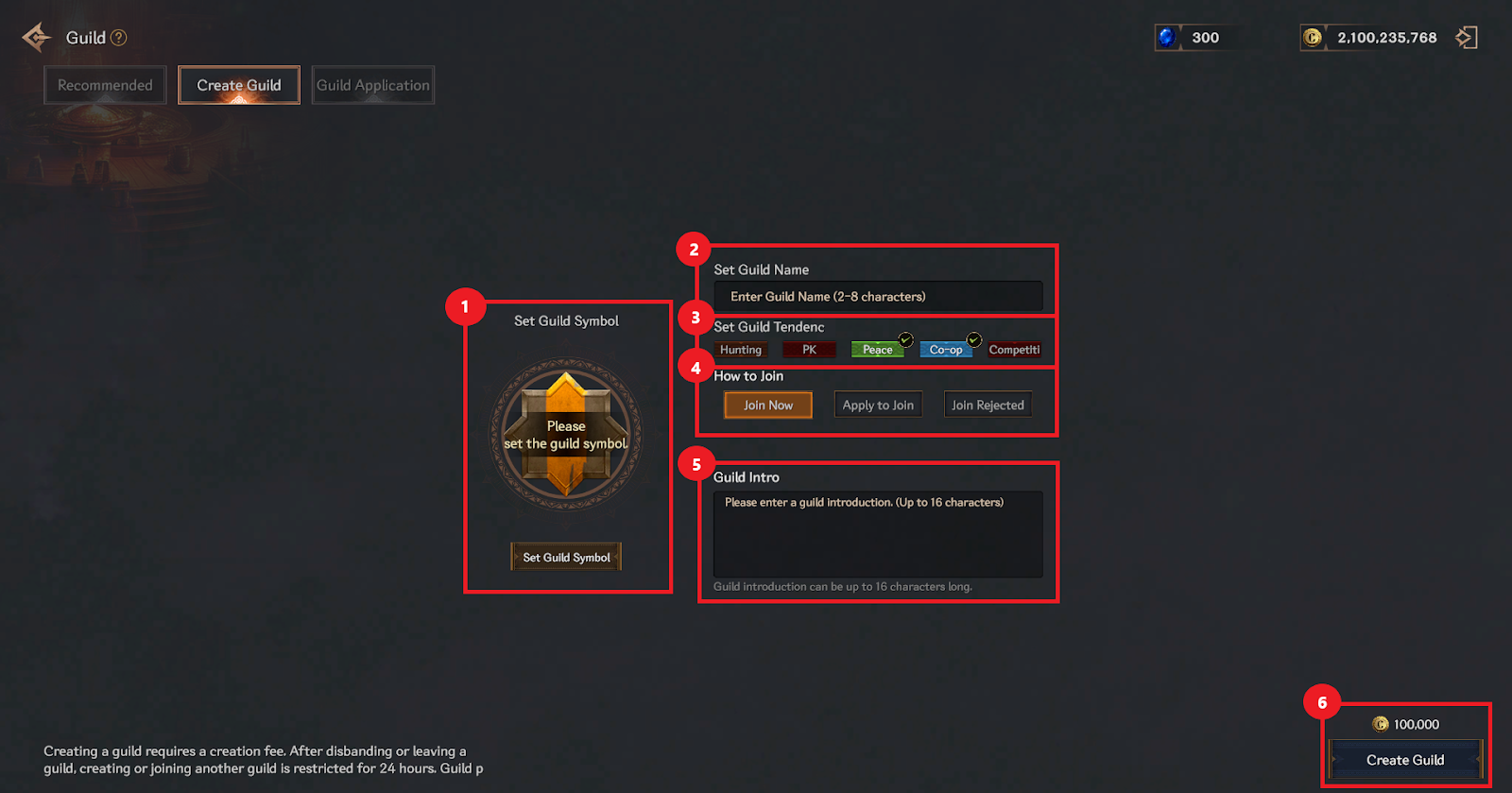
① You can set the guild emblem and flag color.
② You can set a guild name. (Up to 8 characters)
③ There are 5 types of guild tendencies, and you can set up to 2.
④ You can choose how to join the guild.
⑤ You can write a guild introduction. (Maximum 16 characters)
⑥ You can create a new guild by spending 100,000 crons.
▶ Guild information settings
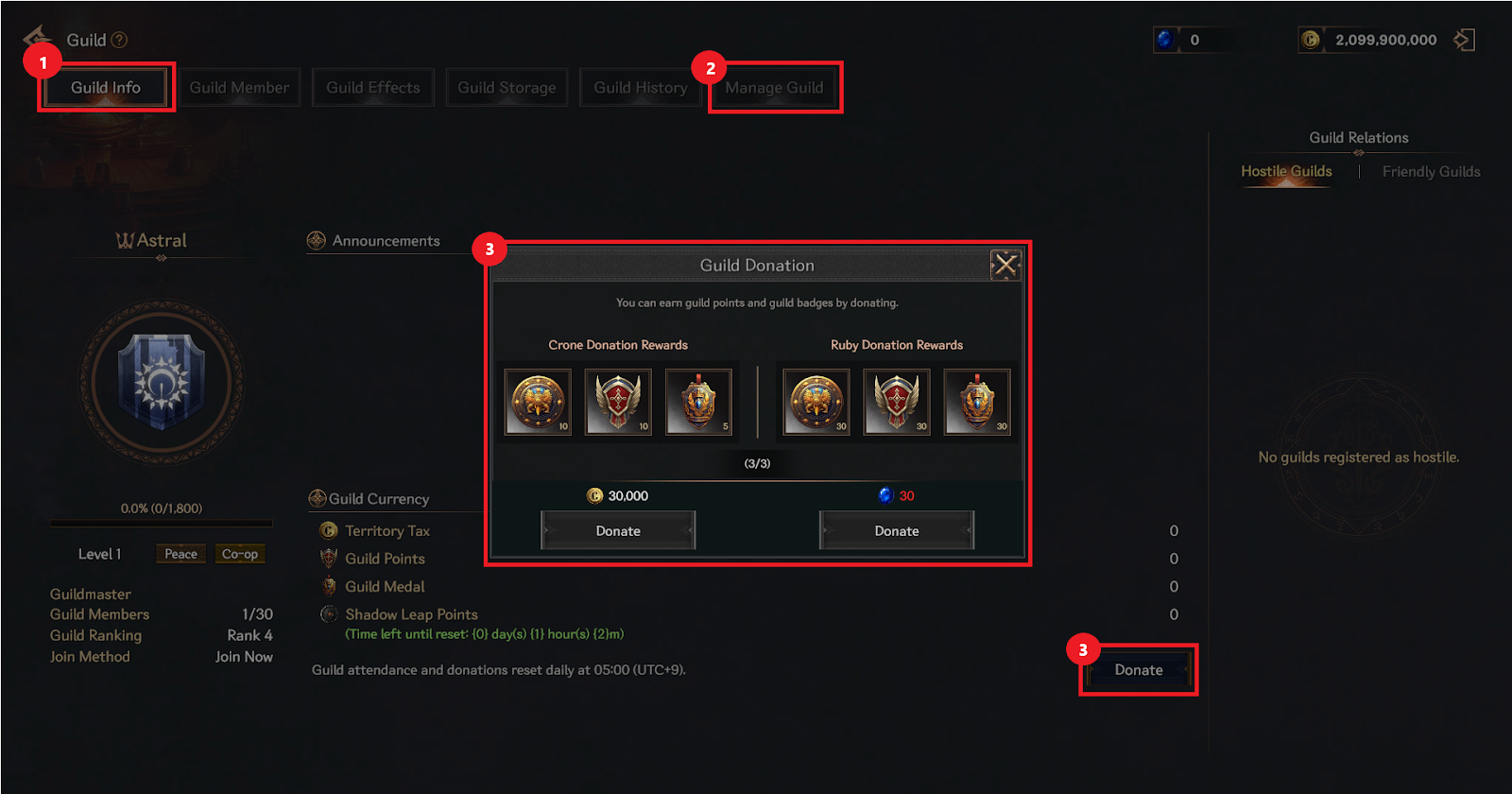
① You can check the current guild status in the guild information tab.
② Depending on your position, you can change and edit guild-related settings such as the guild emblem or introduction.
③ You can donate crons and sapphires to earn guild points and coins.
▶ Guild member management
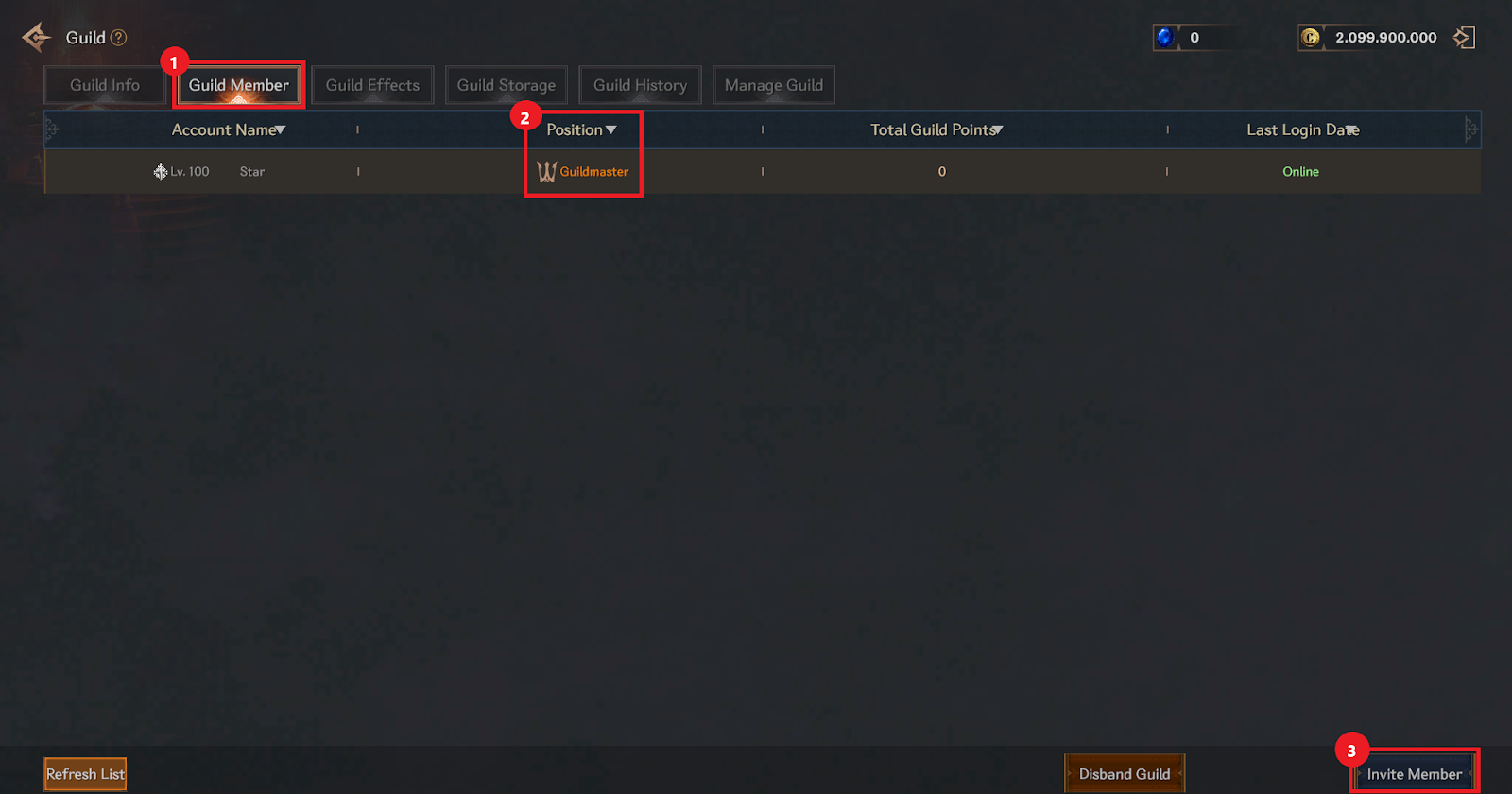
① You can check and manage the guild member list in the Guild Member tab.
② You can adjust the order of other guild members depending on their position.
③ You can invite or kick members depending on your position.
▶ Guild Effect
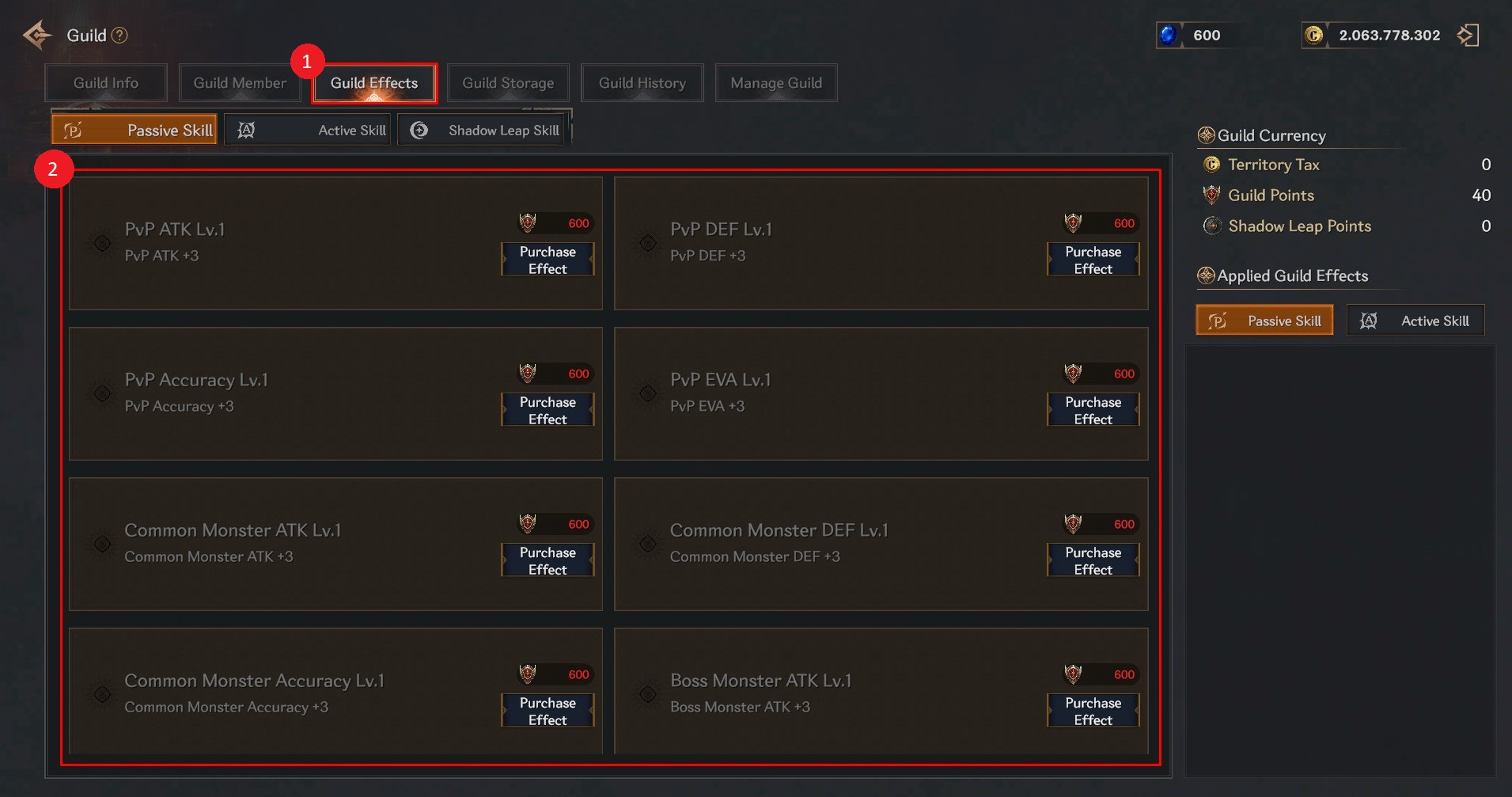
① You can check and manage the list of guild effects in the Guild Effects tab.
② They are classified into passive and active skills and grant stat buffs to guild members. > The guild leader and guild vice-leader can purchase them using guild points.
▶ Guild Storage
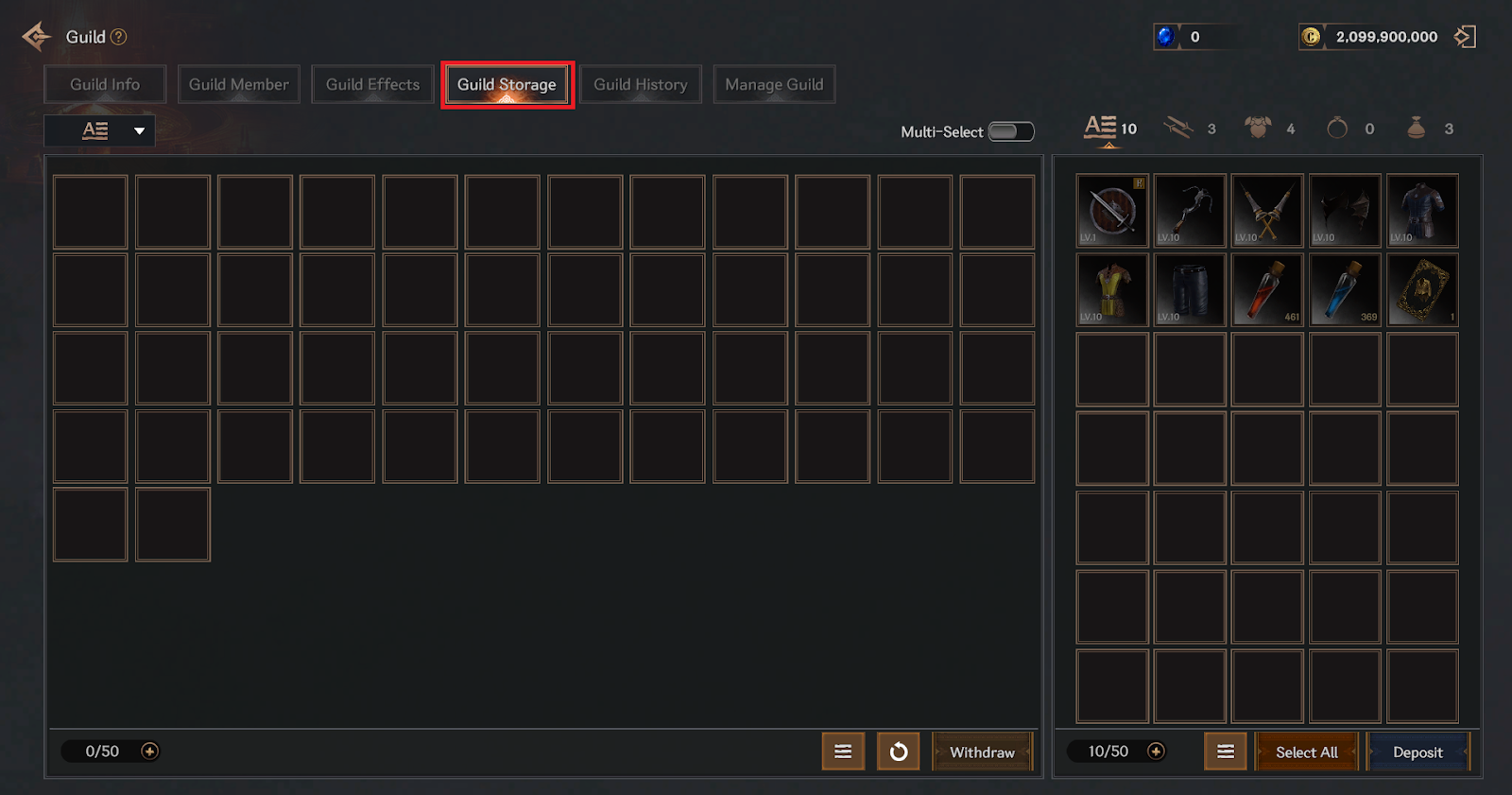
> The guild warehouse is a storage facility for items that can be shared among guild members.
> You can only store unbound items that you do not wear after obtaining them.
> Only guild members with a Premium Suscription can use the Guild Storage.
▶ Guild History
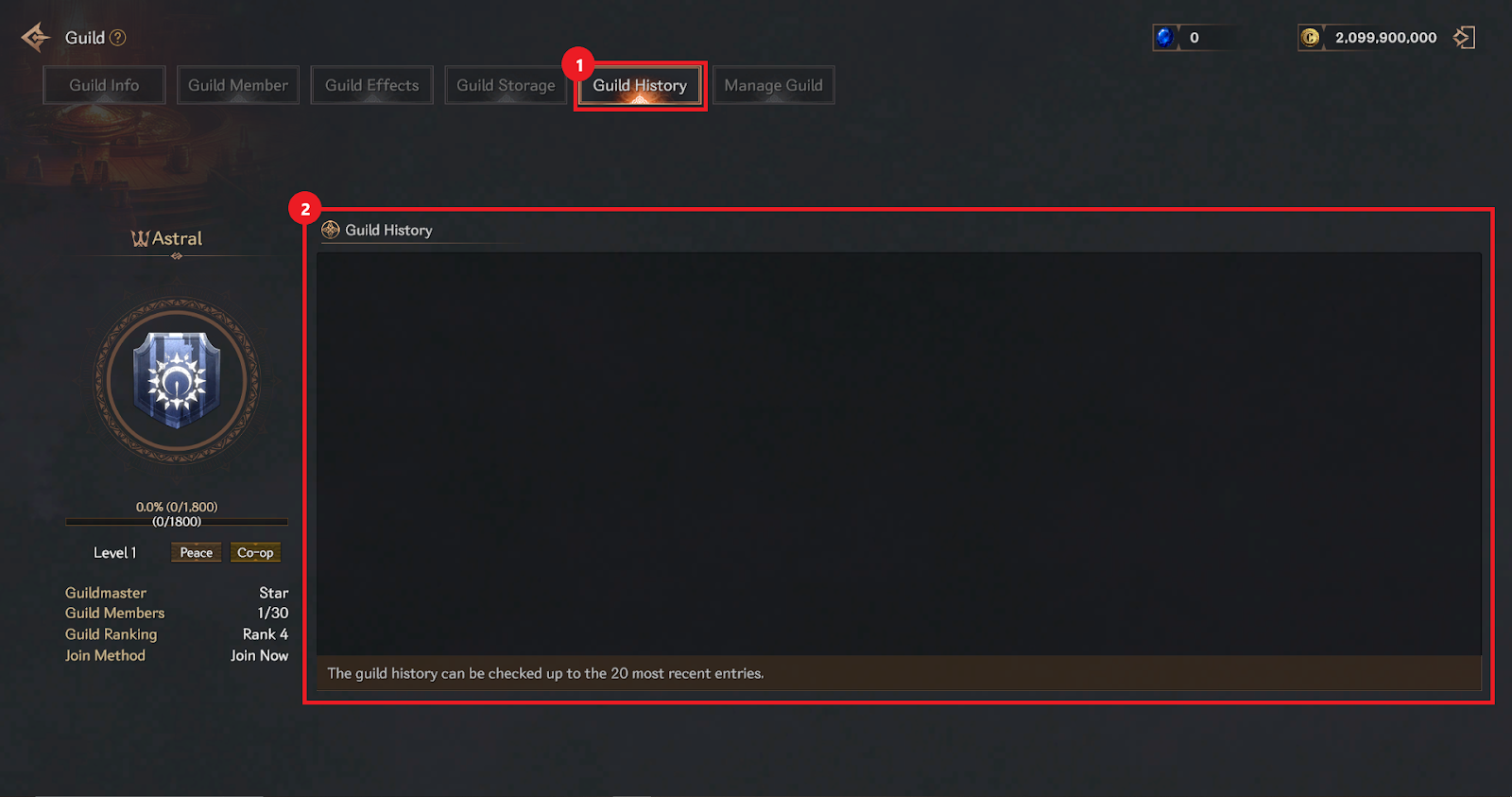
① You can check the history of guild activities in the Guild History tab.
② You can check up to 20 recently added contents in the guild history.
▶ Guild Management
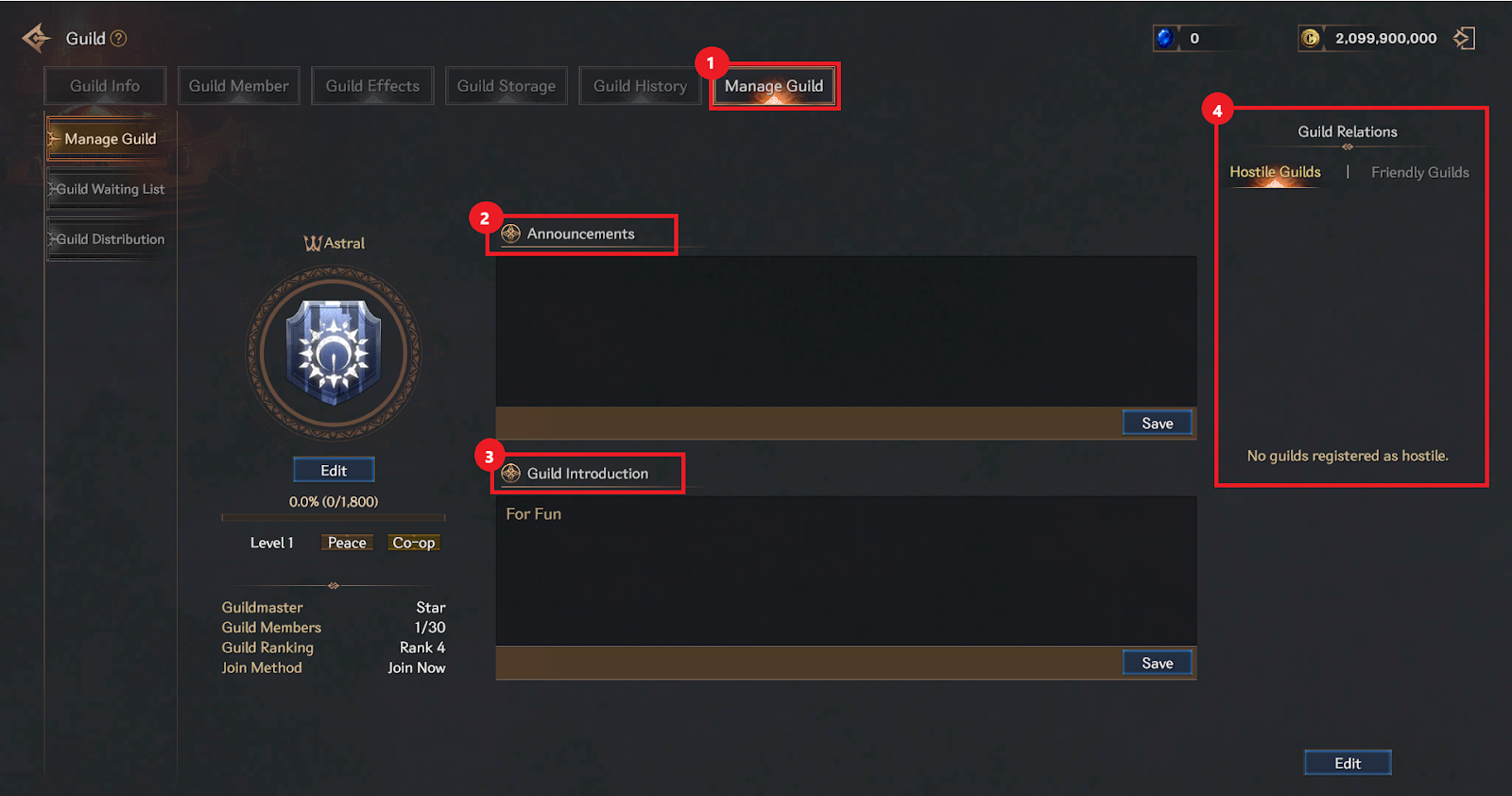
① Guild management can only be used by the guild leader/vice guild leader and can adjust guild-related settings.
② Announcements is a system in which the guild leader/vice guild leader posts information they wish to notify to guild members internally.
You cannot use prohibited words or special characters, and you can enter up to 50 characters including Korean and English.
③ Guild introduction is a post that is published in the recommended guild list along with the guild name and guild tendencies.
Guild leader/vice guild leader can edit. Forbidden words and special characters cannot be used.
You can enter up to 16 characters including Korean and English.
④ Guild relationships can be set by the guild leader/vice guild leader as hostile/friendly guilds.
- - Guild waiting list
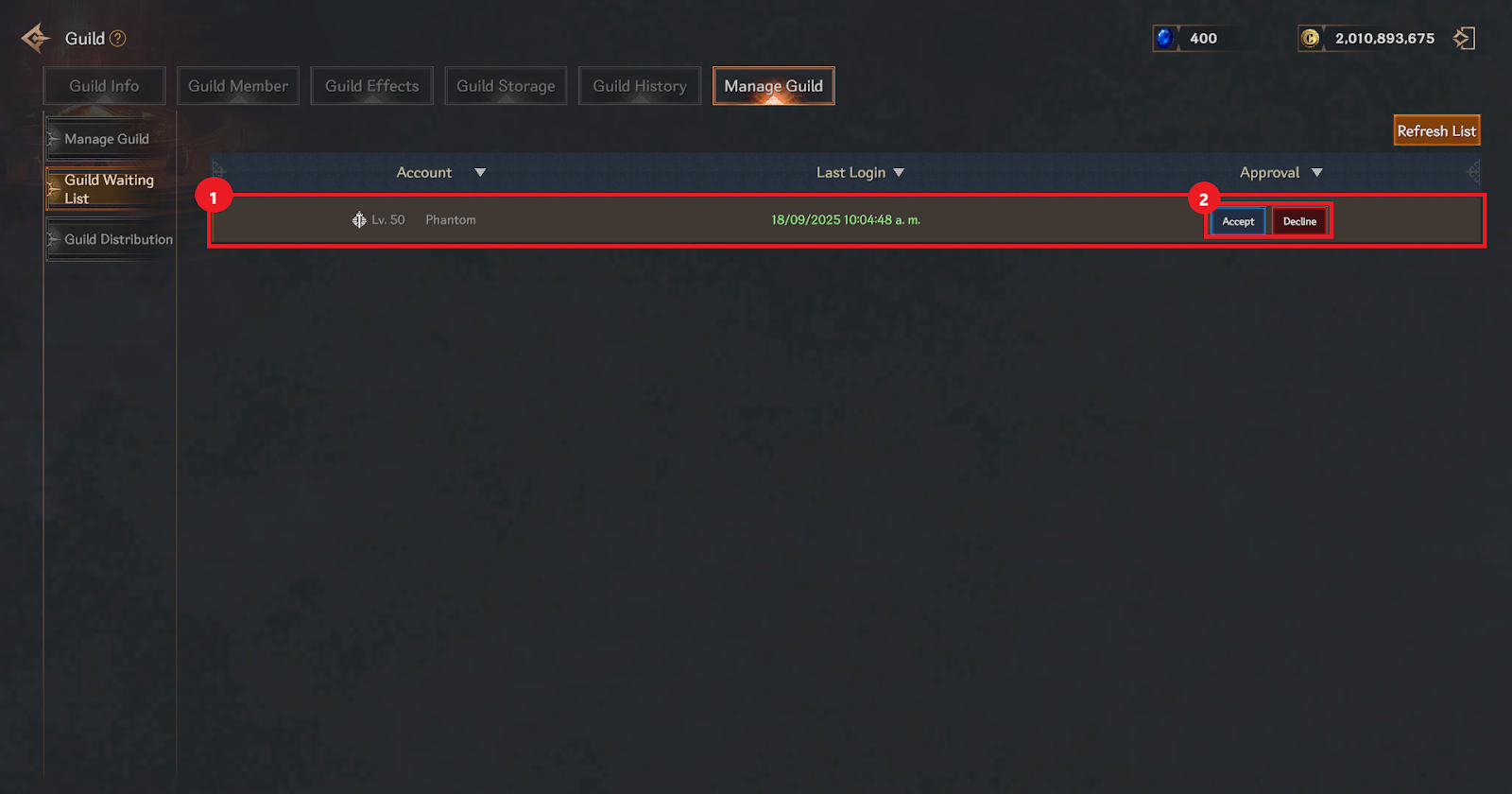
① Application Status When an application for guild membership is received, you can check the information of the player who applied for membership in the guild waiting list.
② You can process the subscription application by selecting Accept/Reject.
- - Guild distribution
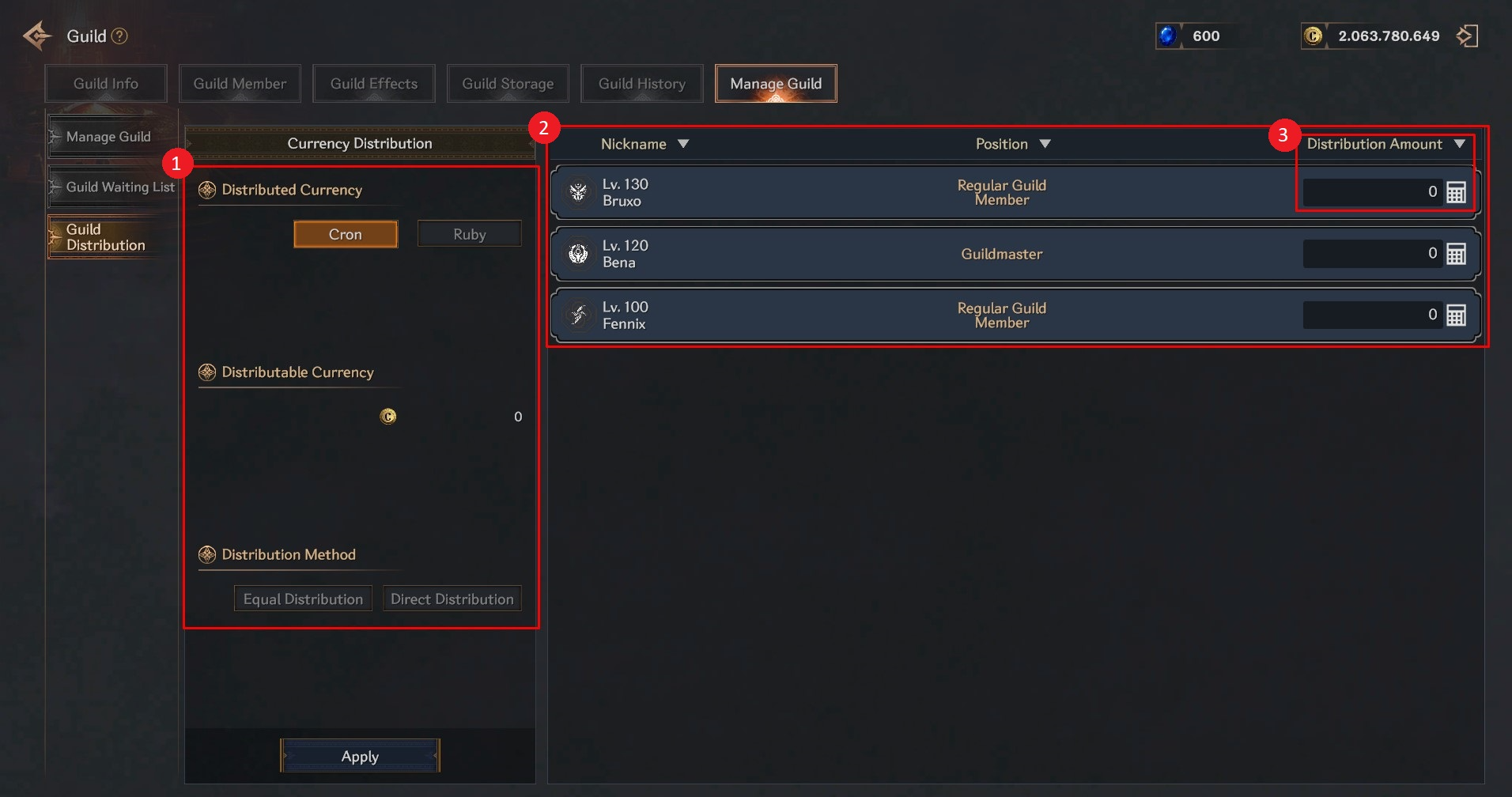
① Check and select the goods to be distributed, then select the distribution method.
② Check the list of guild members to receive the distribution.
③ Set the distribution amount according to the distribution method.
> The maximum amount of Cron that can be held is approximately 2 billion Cron. When distributing or receiving large amounts of Cron, please ensure that the total held does not exceed 2 billion Cron after receiving it.