
Pet
You can check your pet information by touching the 'Pet' icon in the upper right menu.

▶ Equipping a pet
Indicates the overall type of pet.
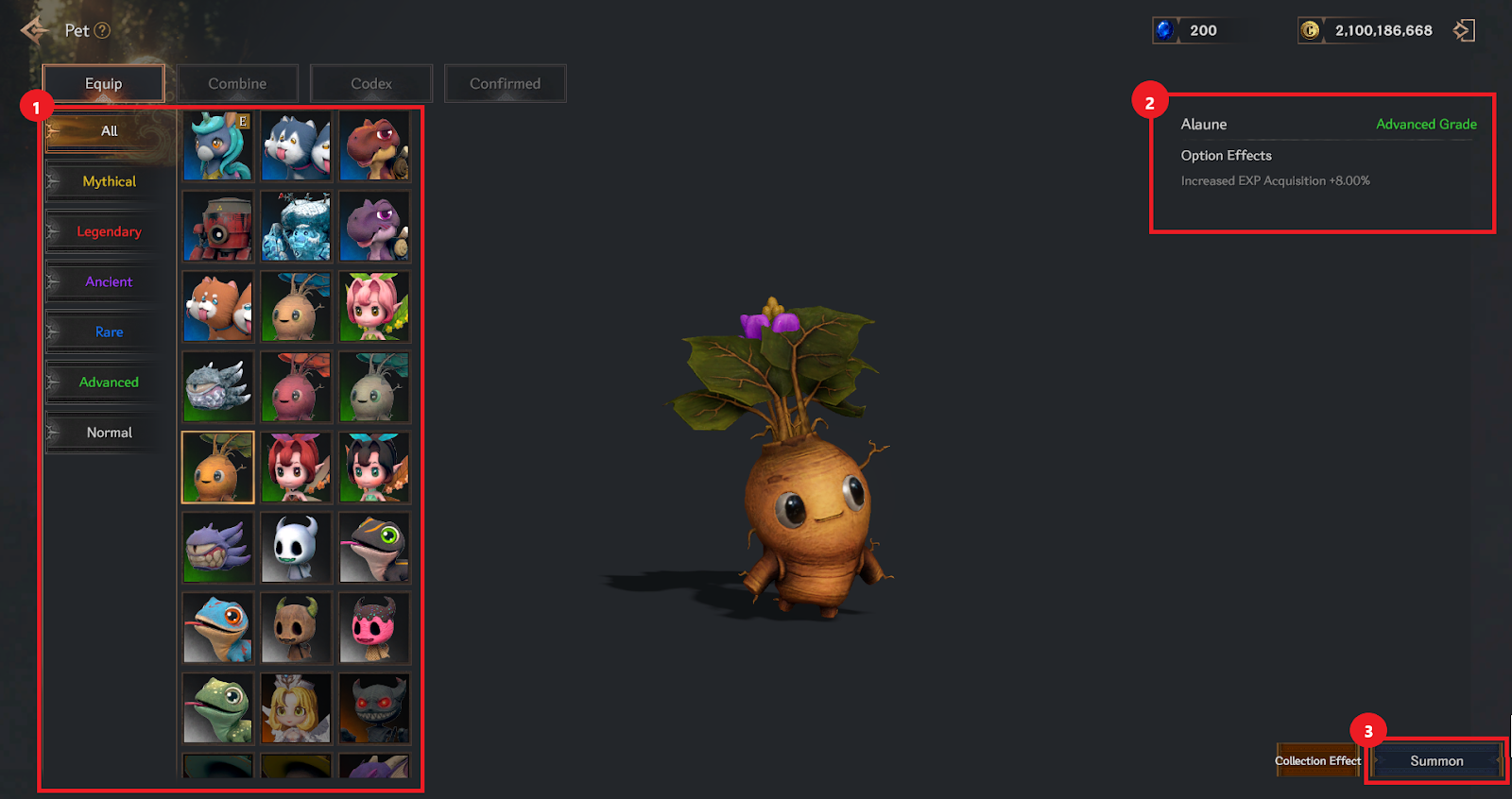
① You can select and view pets by grade, and check whether you have or do not have all pets.
② You can check the level of the equipped pet and whether the overall ability option effect will be applied when equipped.
③ You can summon or unsummon a pet.
▶ Pet Combine
You can combine the pets you own.
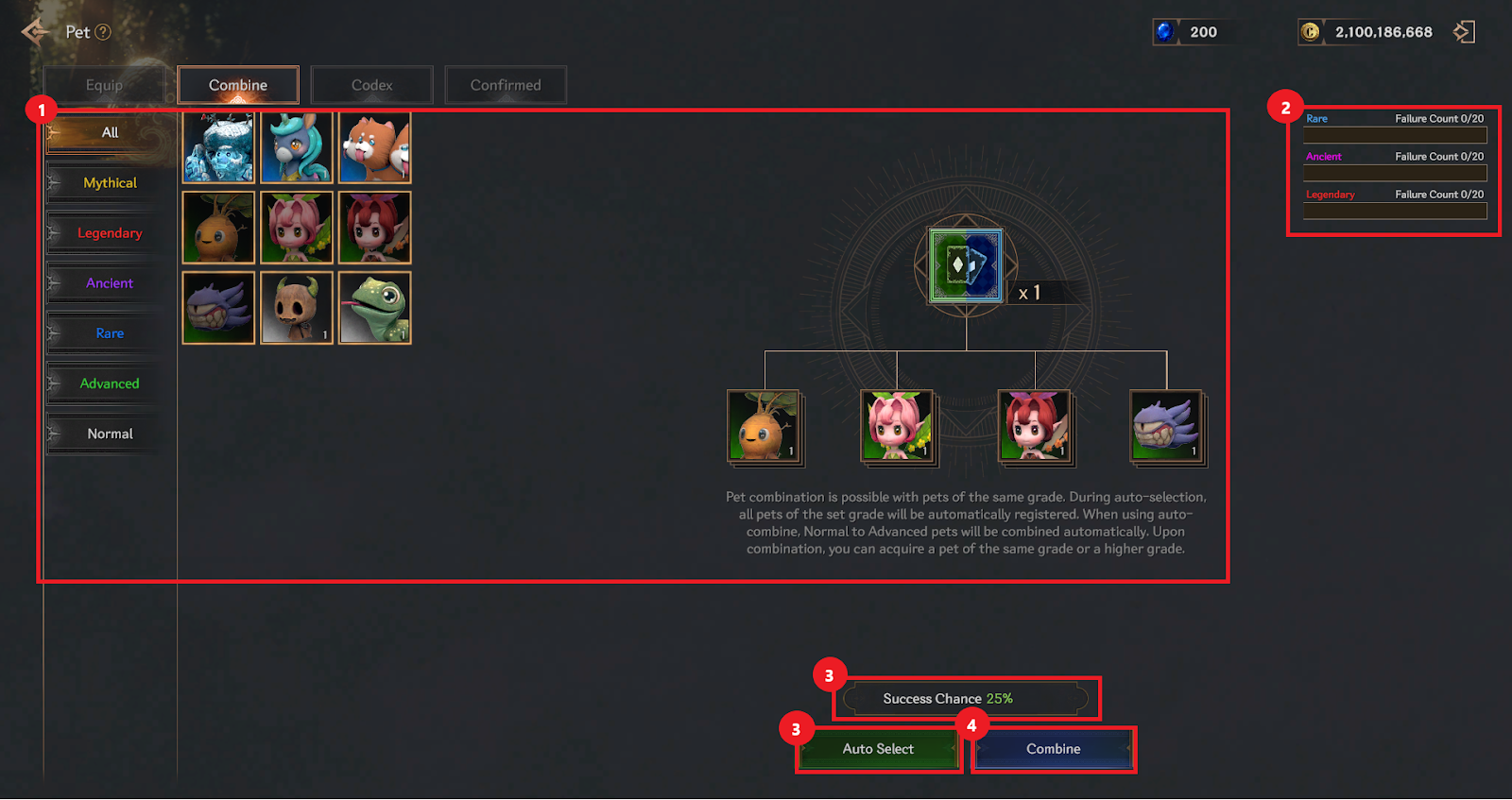
① You can select a pet of the same grade to be combined from the pet list and register it in the 4 combine material slots.
② When pet combine fails, the number of attempts is counted in the upper left corner according to the grade of the pet you own. (Up to 20 times per grade)
③ You can proceed with combine by automatically selecting, and the combine success probability is displayed at the top.
④ Proceed with combine. When combining, you can obtain a pet of the same or higher grade.
▶ Pet Codex
You can register the pet you own to gain collection effects.
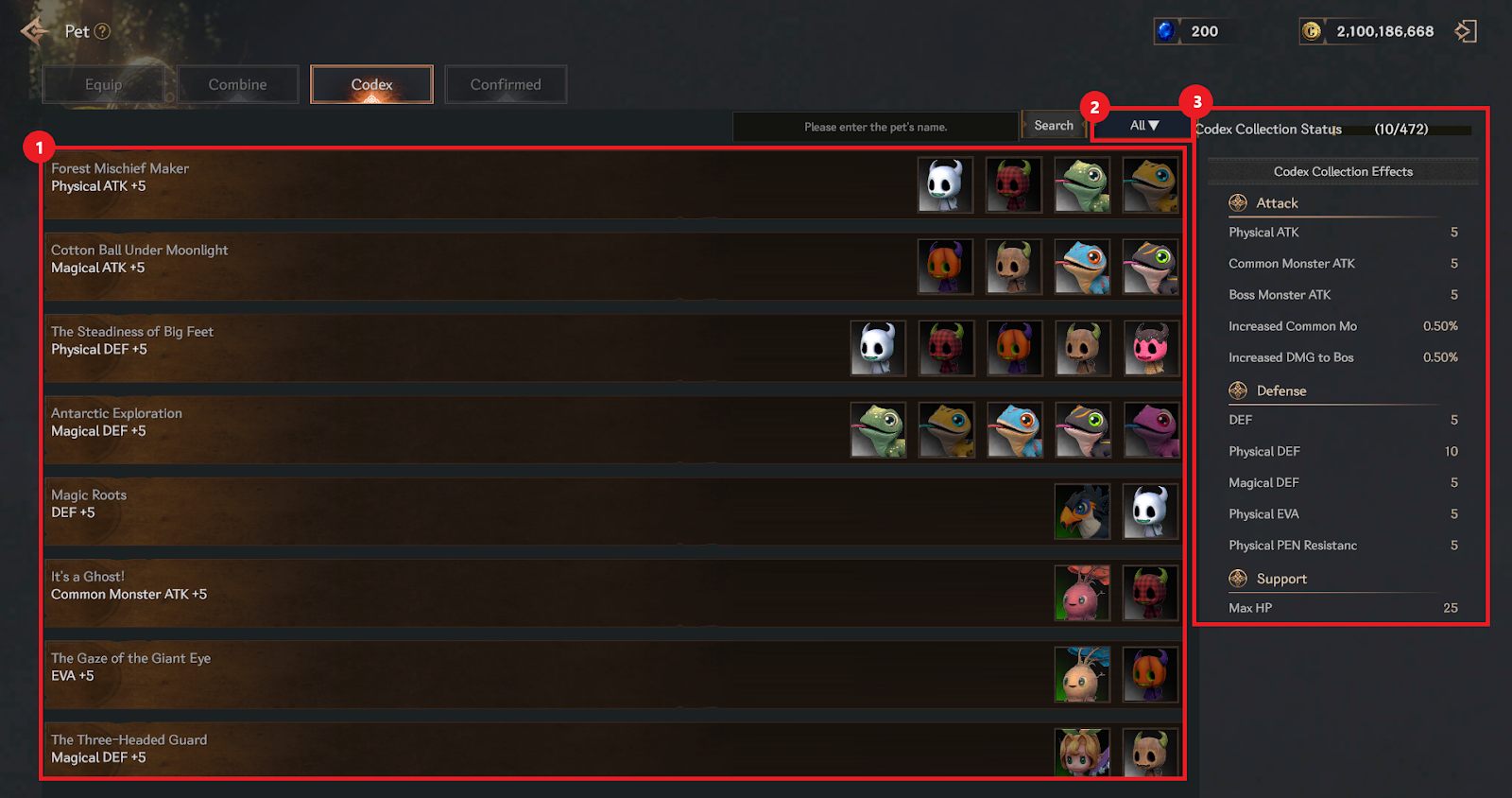
① You can check the collection effects and pet list.
② You can check by setting the conditions of the pet list. (All/Collecting/Collected)
③ You can check the collection effect and collection status of the Pet Codex.
▶ Pet confirmation
You can confirm your pet by checking the list of pending pets.
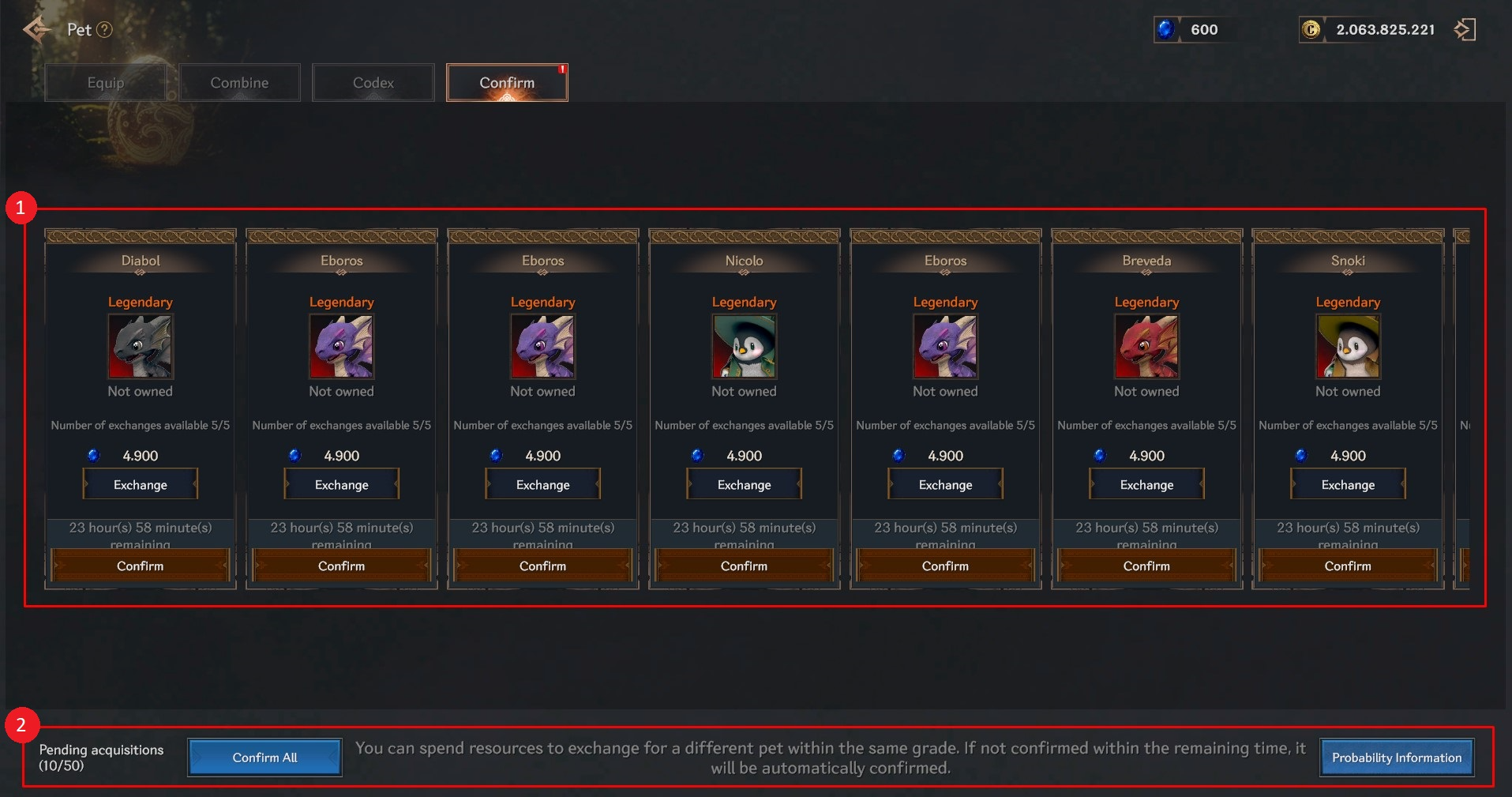
① For Ancient or higher grades, you will be moved to the Confirmed tab.
> You must proceed with 'Confirm' to obtain it.
> You can use sapphires to swap out other mounts.
> If not confirmed within the time limit, it will be confirmed automatically.
② It shows the number of pets that are pending acquisition, and you can check the probability information.