
Mounts
Tap the "Mount" icon in the top-right menu to check your mount information.
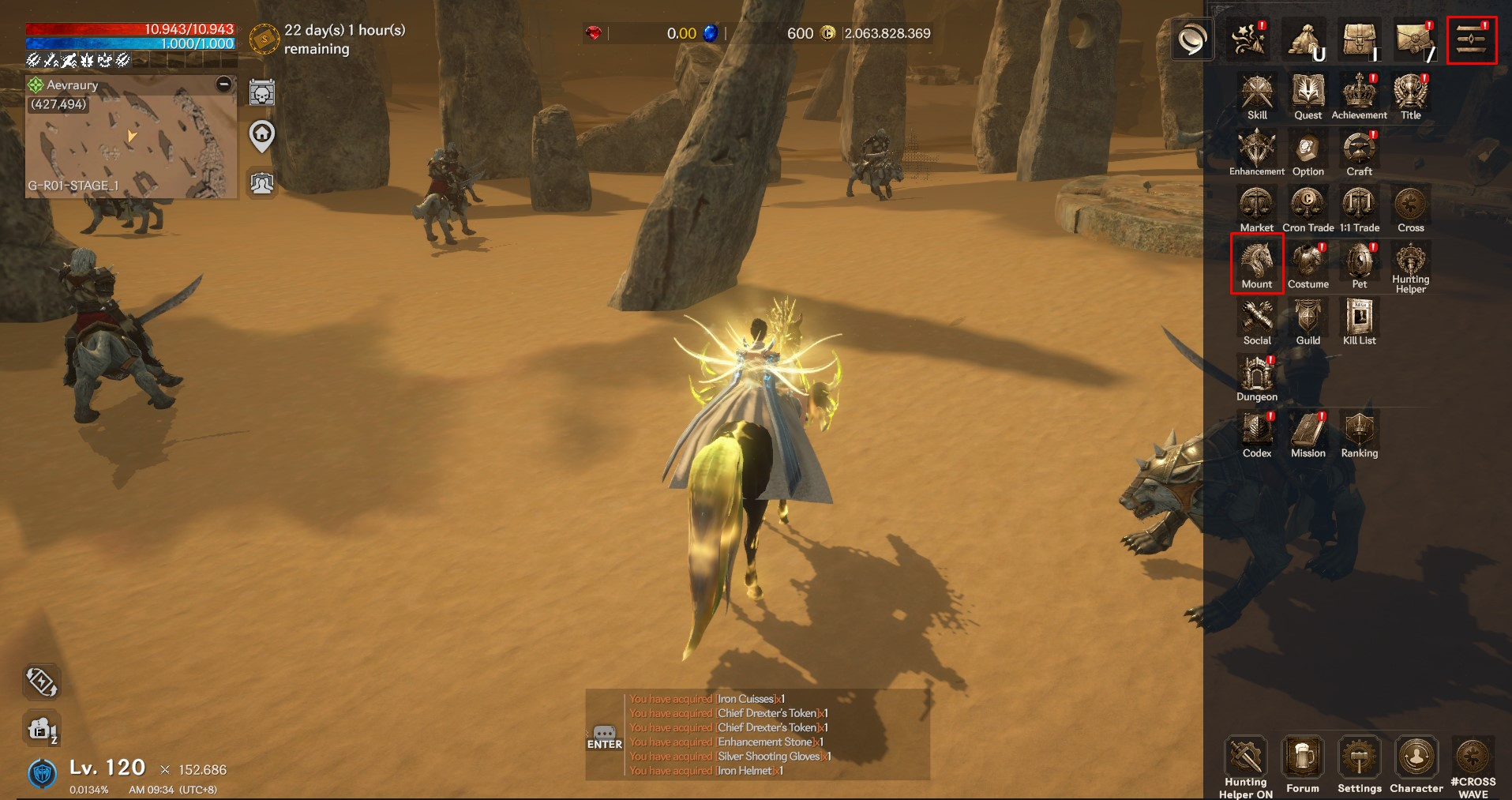
▶ Mount Overview
You can view mounts by grade and check the ownership status of all mounts (owned / not owned).
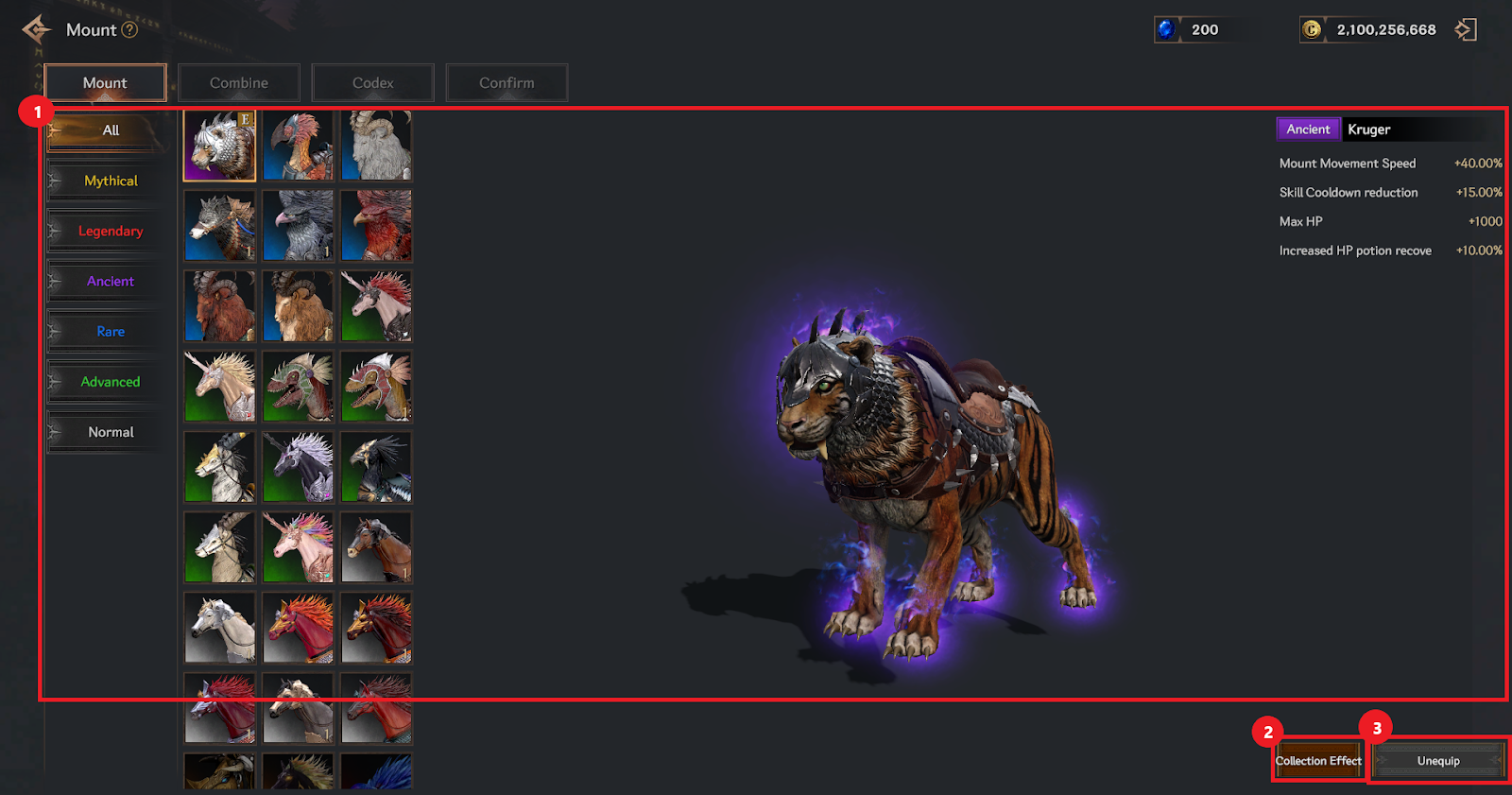
① You can check the grade of the mount and whether overall stats apply when mounted.
② You can check the collection effects of each mount.
③ You can equip or unequip a mount.
▶ Combine
You can combine the mounts you own.
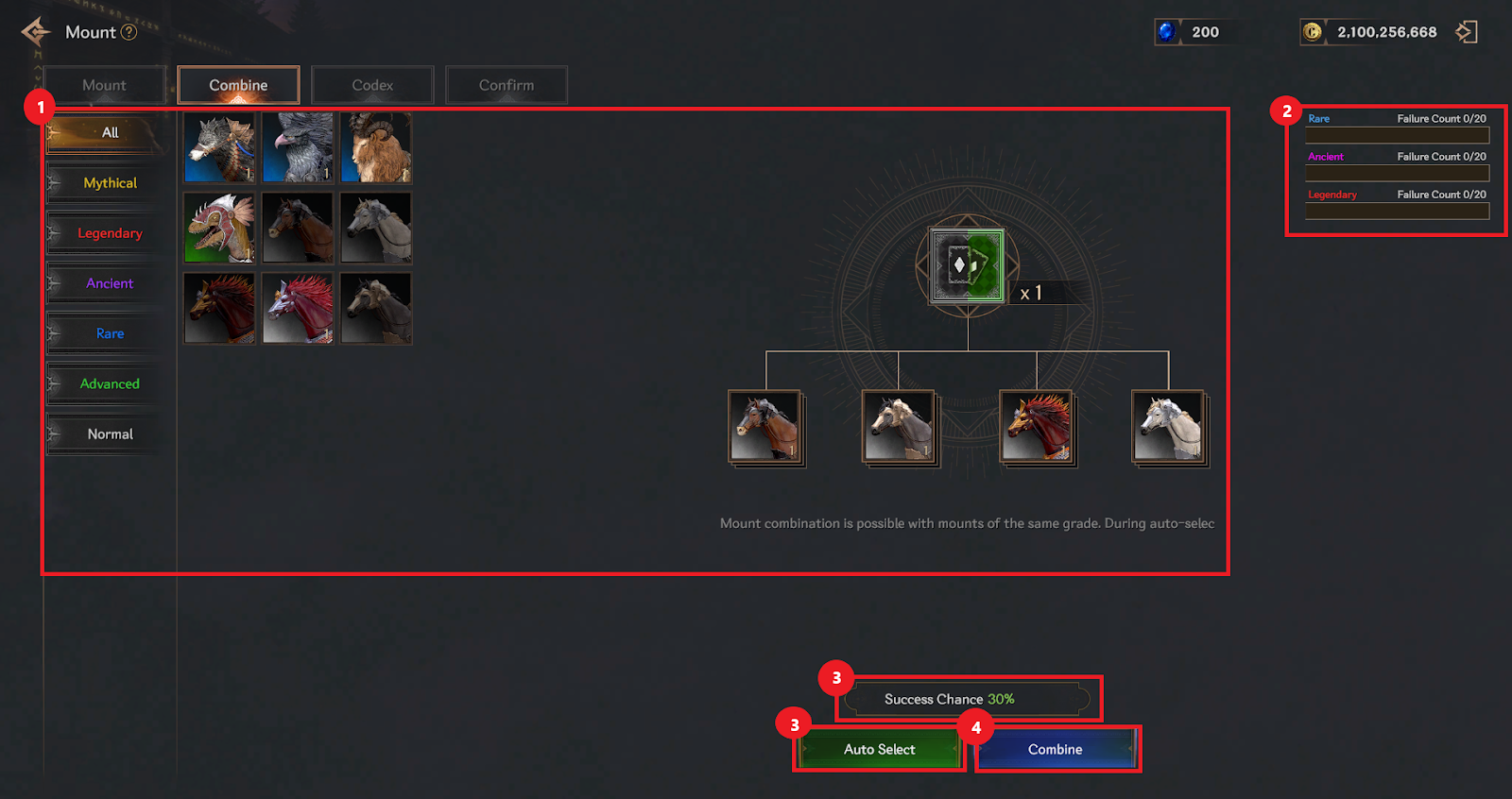
① Select mounts of the same grade from the mount list and register them into the 4 combine material slots.
② When combine fails, a counter increases based on the mount’s grade (up to 20 failures per grade).
③ You can use Auto-Select to proceed with combine, and the success rate is displayed at the top.
④ Proceed with the combine. Upon combine, you can obtain a mount of the same or higher grade.
▶ Codex
You can register owned mounts to gain collection effects.
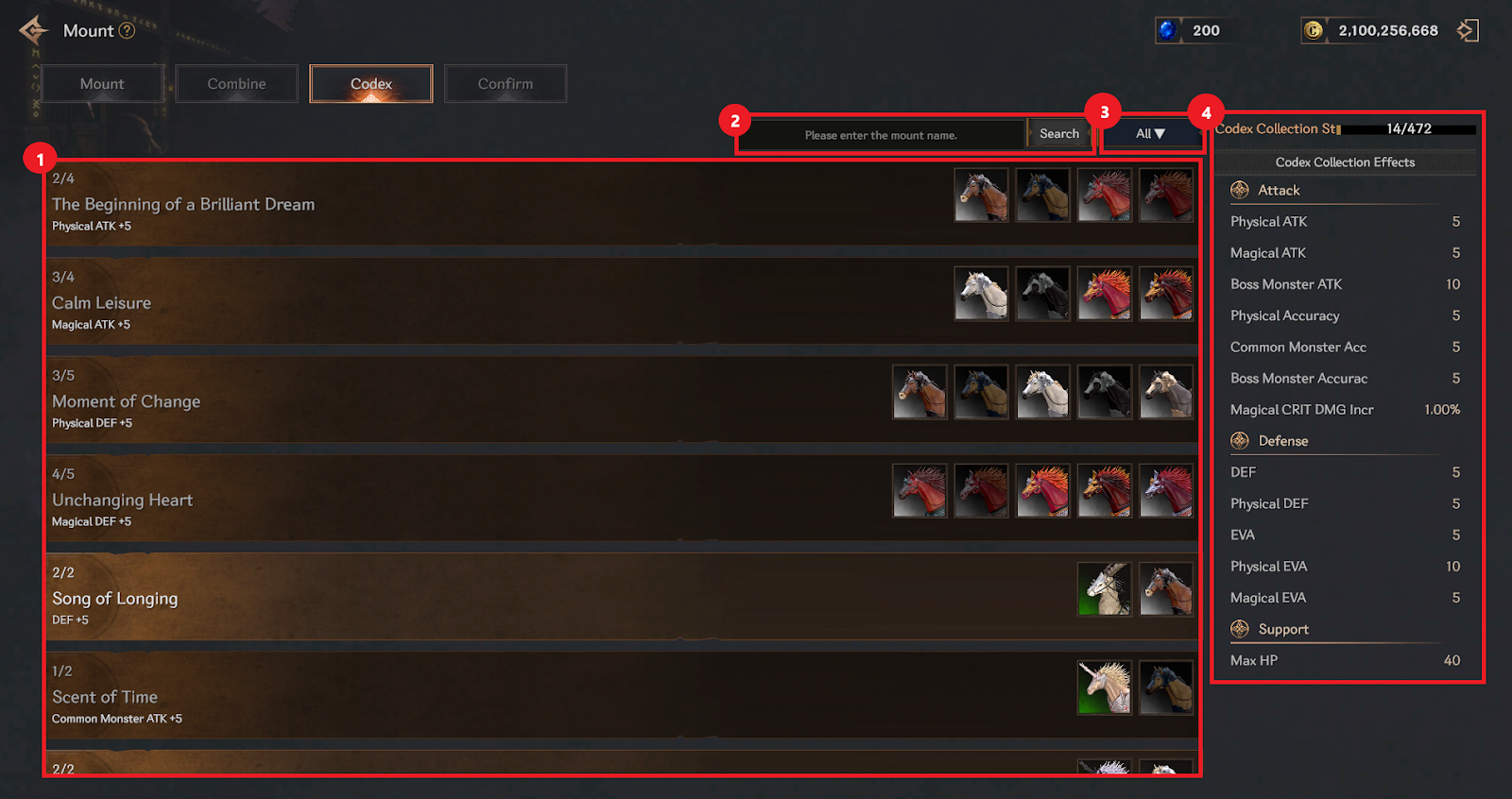
① View the list of mounts and their corresponding collection effects.
② Use the search bar to find a mount by name.
③ Filter the mount list by status: All / Collecting / Collection Complete.
④ View both the collection effects and progress of your Codex.
▶ Mount Confirmation
You can review the list of pending mounts and confirm them.
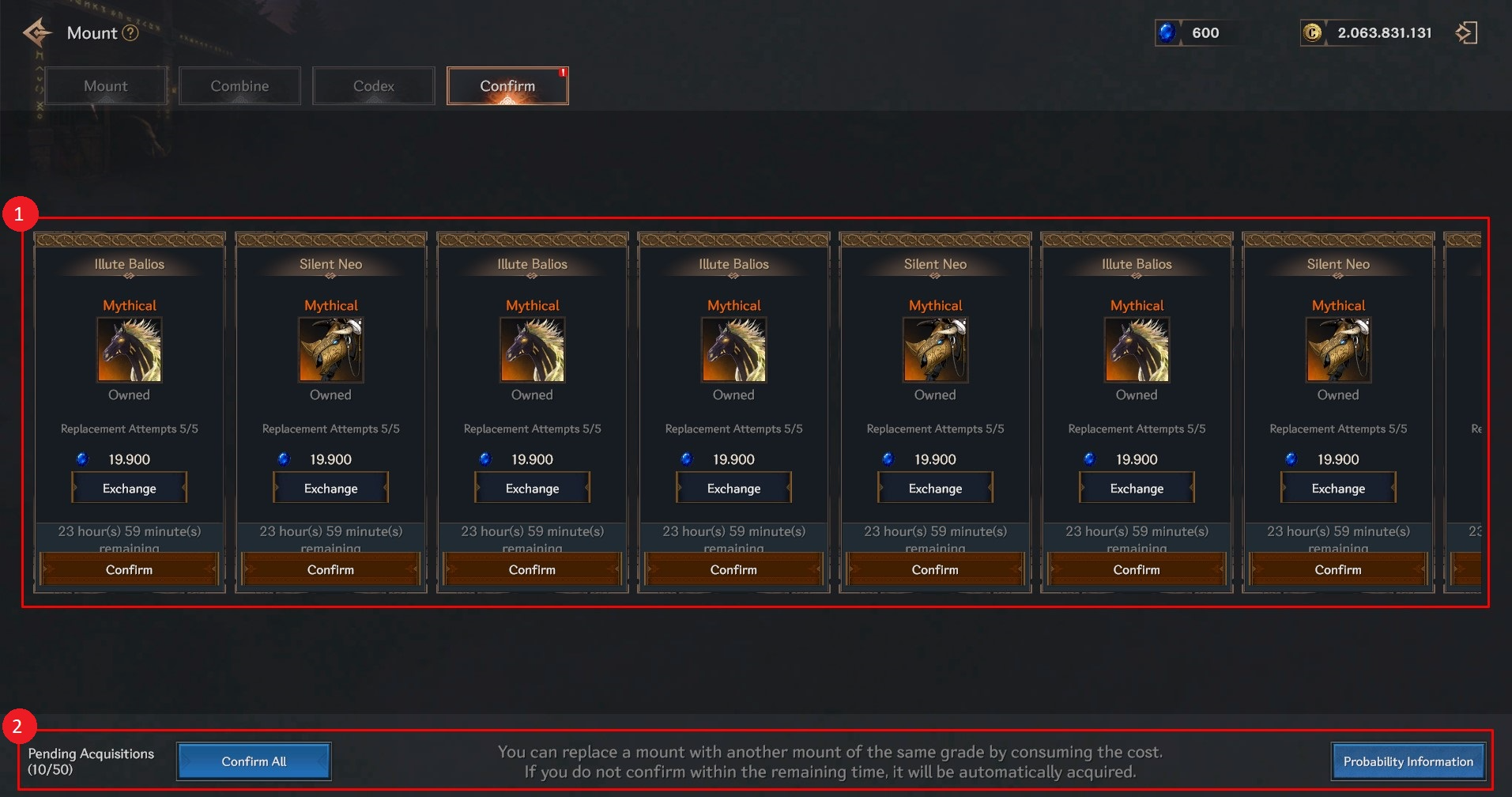
① Mounts of Ancient grade or higher will be listed under the Confirmation tab.
> You must complete confirmation to finally obtain the mount.
> You can use Sapphires to swap for a different mount.
> If not confirmed within a time limit, it will be automatically confirmed.
② Displays the number of mounts on hold and allows you to check success probabilities.