Market
In this guide, we will walk you through the Market system,
where you can sell tradable items obtained during gameplay to other Guardians.
Please read on for more details.
* ARES: THE IRON VANGUARD is available on both mobile devices and PC.
Please note that this guide is based on the PC version.
* This guide was created in a test environment, and content may change upon official release.
◈ Market: How to Access
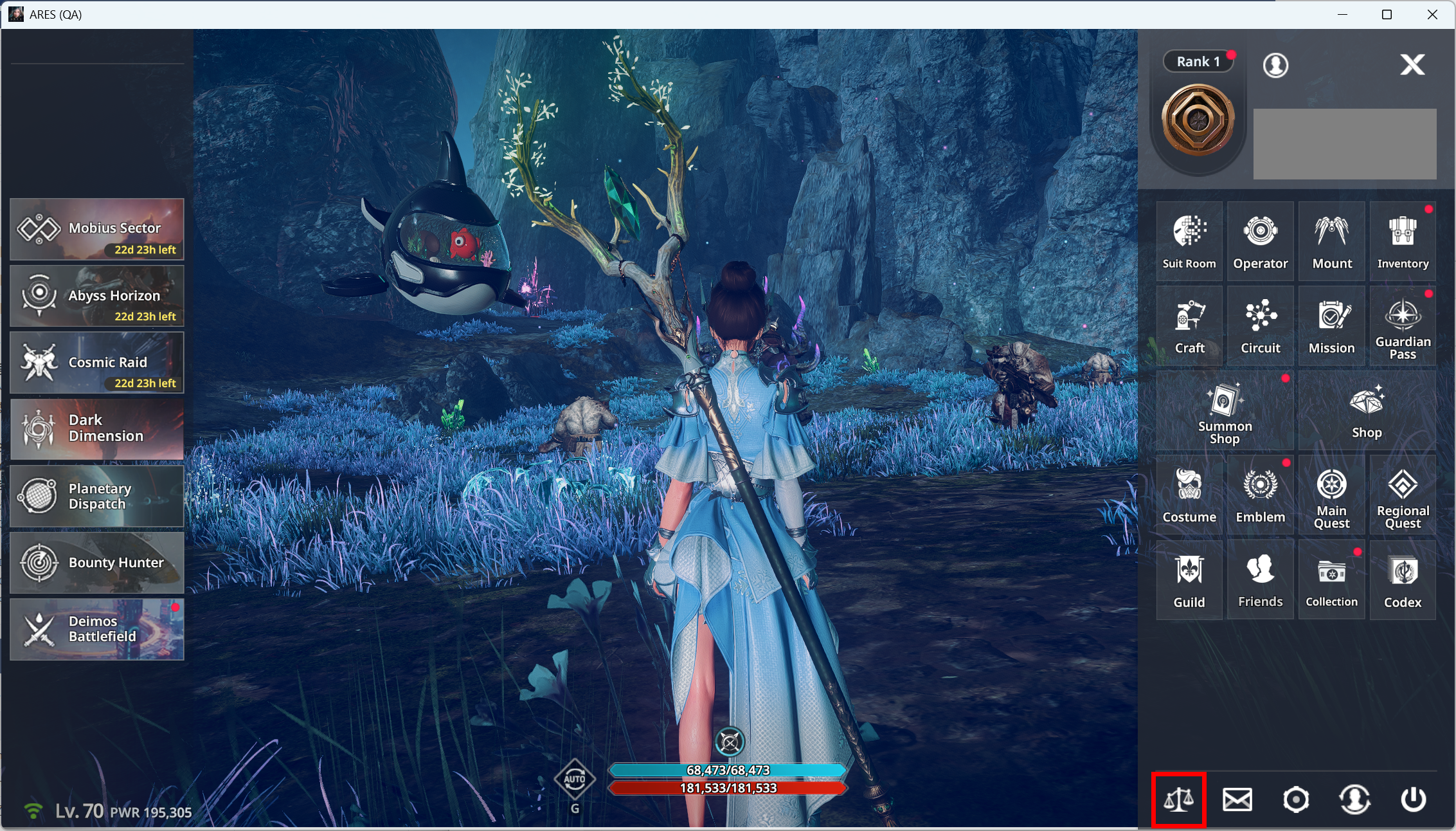
- You can access the Market via Main Screen ▶ Market.
◈ Market: Usage Guide
- To list an item on the Market, you must have a tradable item.
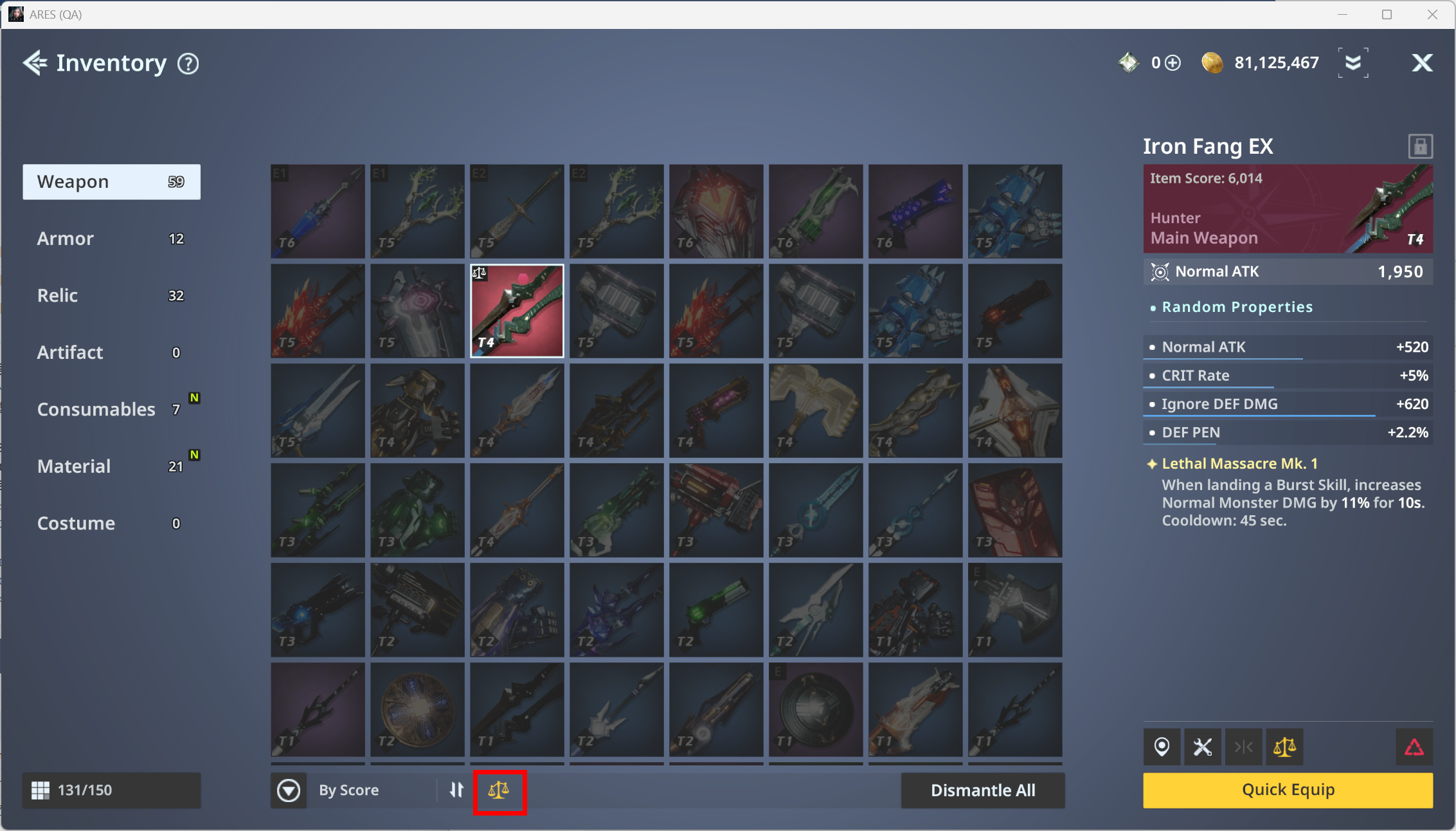
- Use the Market filter at the bottom of the Inventory to easily check which of your items are tradable.
- When you select a tradable item, the Market button will become active as shown in the image. Click the button to move to the Market, where you can list the item for sale.
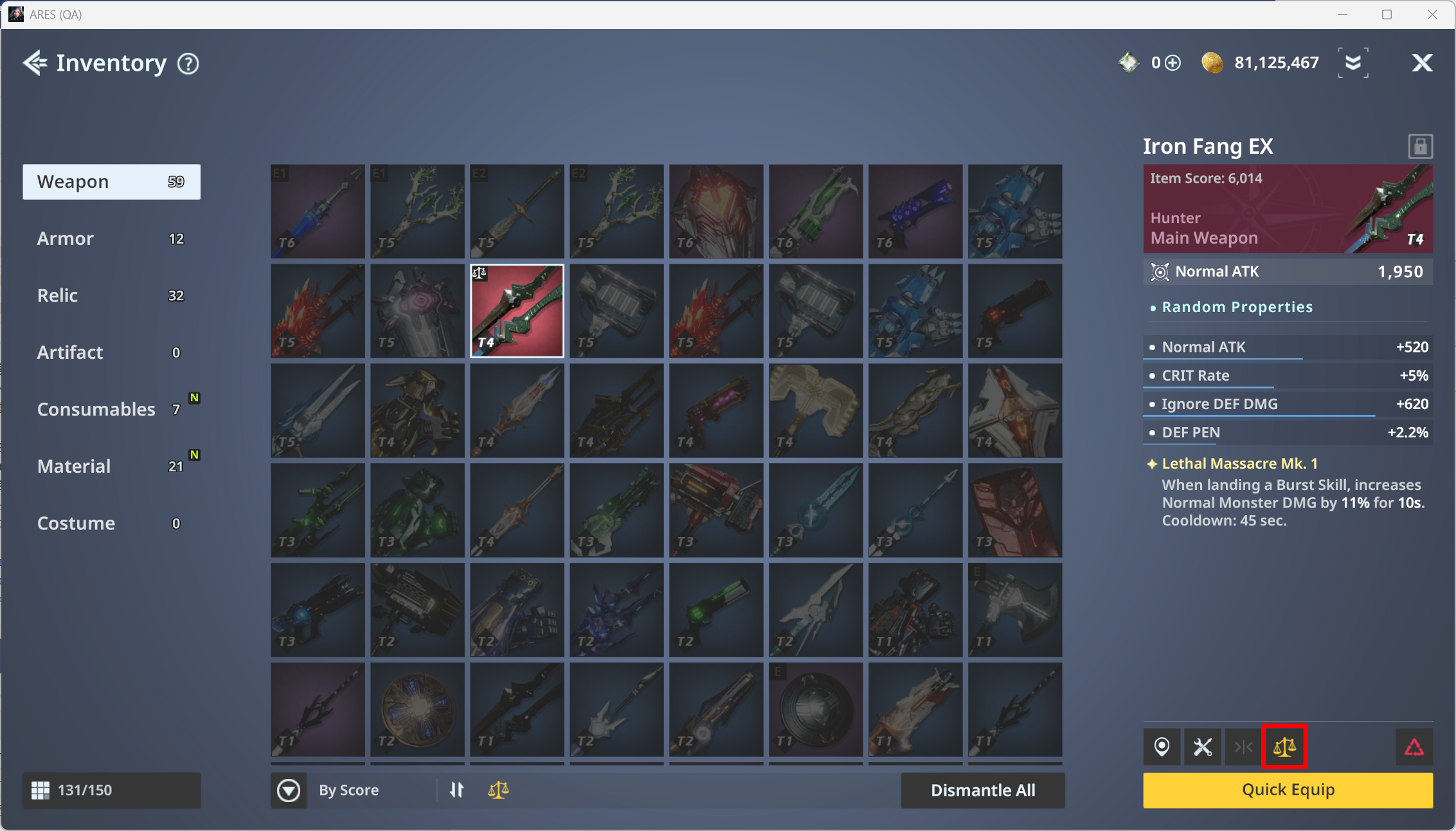
- You must enter a price before listing an item on the Market.
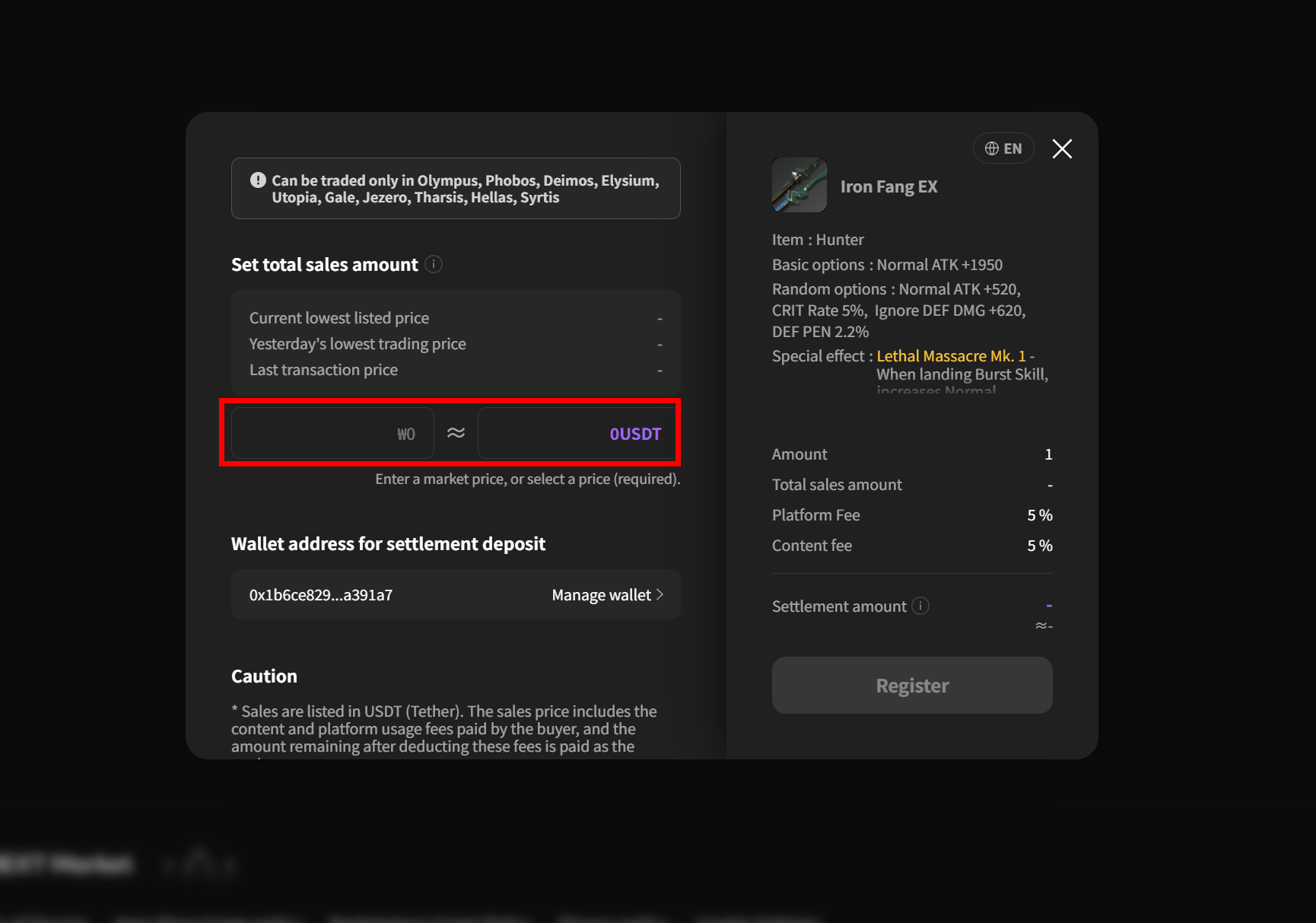
- Once the item has been successfully listed, you can view it under History ▶ Sales.
- Once the item is sold, the proceeds will be transferred to your linked My Wallet.
- Items purchased from the Market can be claimed via in-game mail.
◈ Market: Countries with Market Restrictions
Currently, the ability to sell and trade items through the Market is restricted in certain countries in accordance with local policies.
These restrictions apply only to the use of the Market and are separate from the ARES Web Shop Usage Policy.
Therefore, while access to the Market may be restricted in the countries listed below, this does not mean that access to the Web Shop is restricted.
Please make sure to check the list of restricted countries below before using the Market.
Countries with Market Restrictions
Afghanistan
Belarus
Myanmar
Central African Republic
Cuba
Democratic Republic of the Congo
Ethiopia
Iran
Iraq
Lebanon
Libya
Mali
Nicaragua
North Korea
Russian Federation
Somalia
Sudan
South Sudan
Syria
Ukraine
Venezuela
Yemen
Zimbabwe
If you have any questions regarding Market usage or restriction policies, please submit an inquiry through LINE NEXT 1:1 Inquiry.