How to Use Coupons
In this guide, we will explain how to use coupons
obtained through various events in ARES: THE IRON VANGUARD.
Please read on for more details.
* ARES: THE IRON VANGUARD is available on both mobile devices and PC.
Please note that this guide is based on the PC version.
* This guide was created in a test environment, and some content may be subject to change.
◈ How to Use Coupons
1) Log in to the game with the character that will receive the coupon rewards.
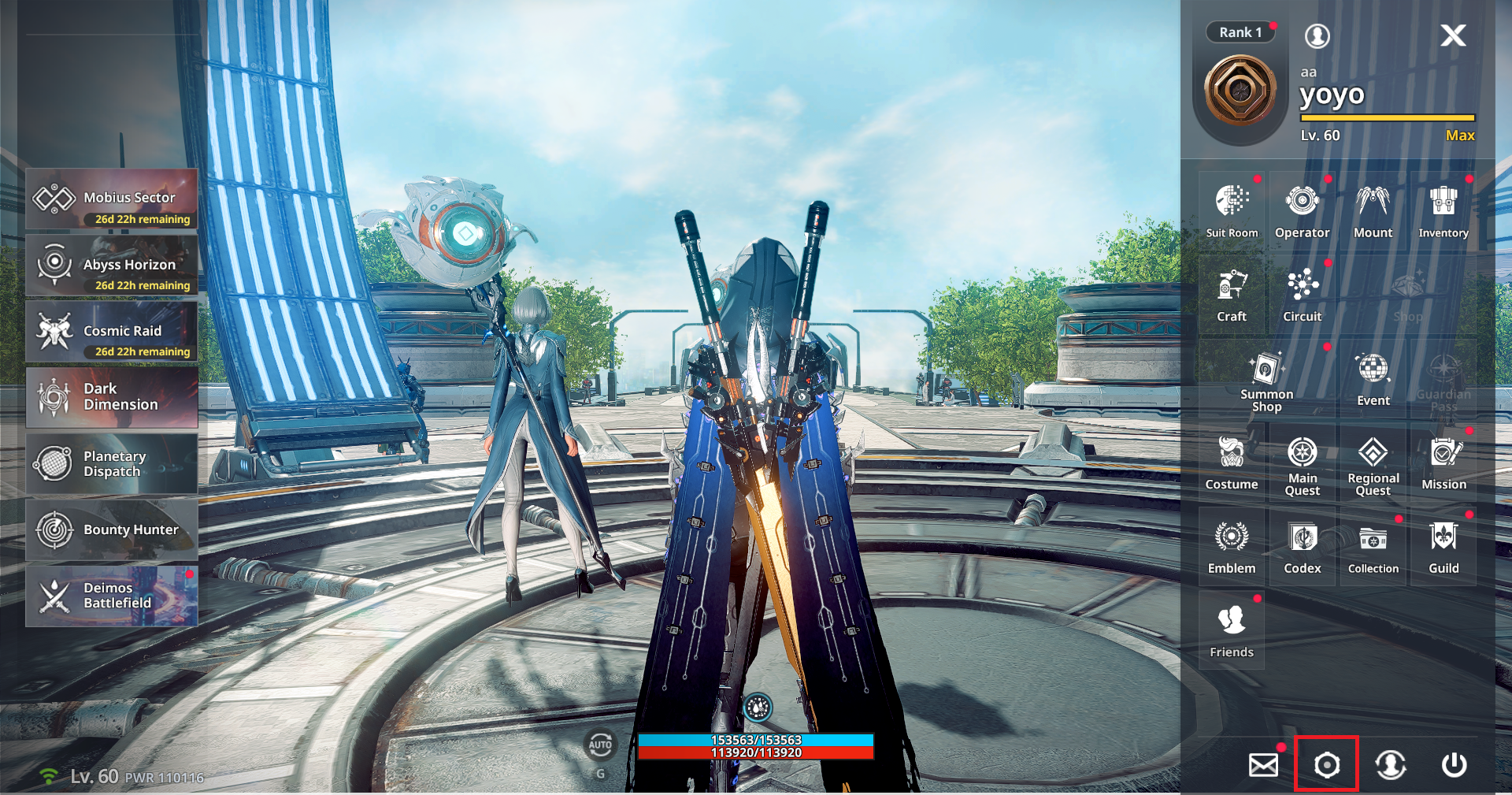 You can access Coupon Exchange through the following methods:
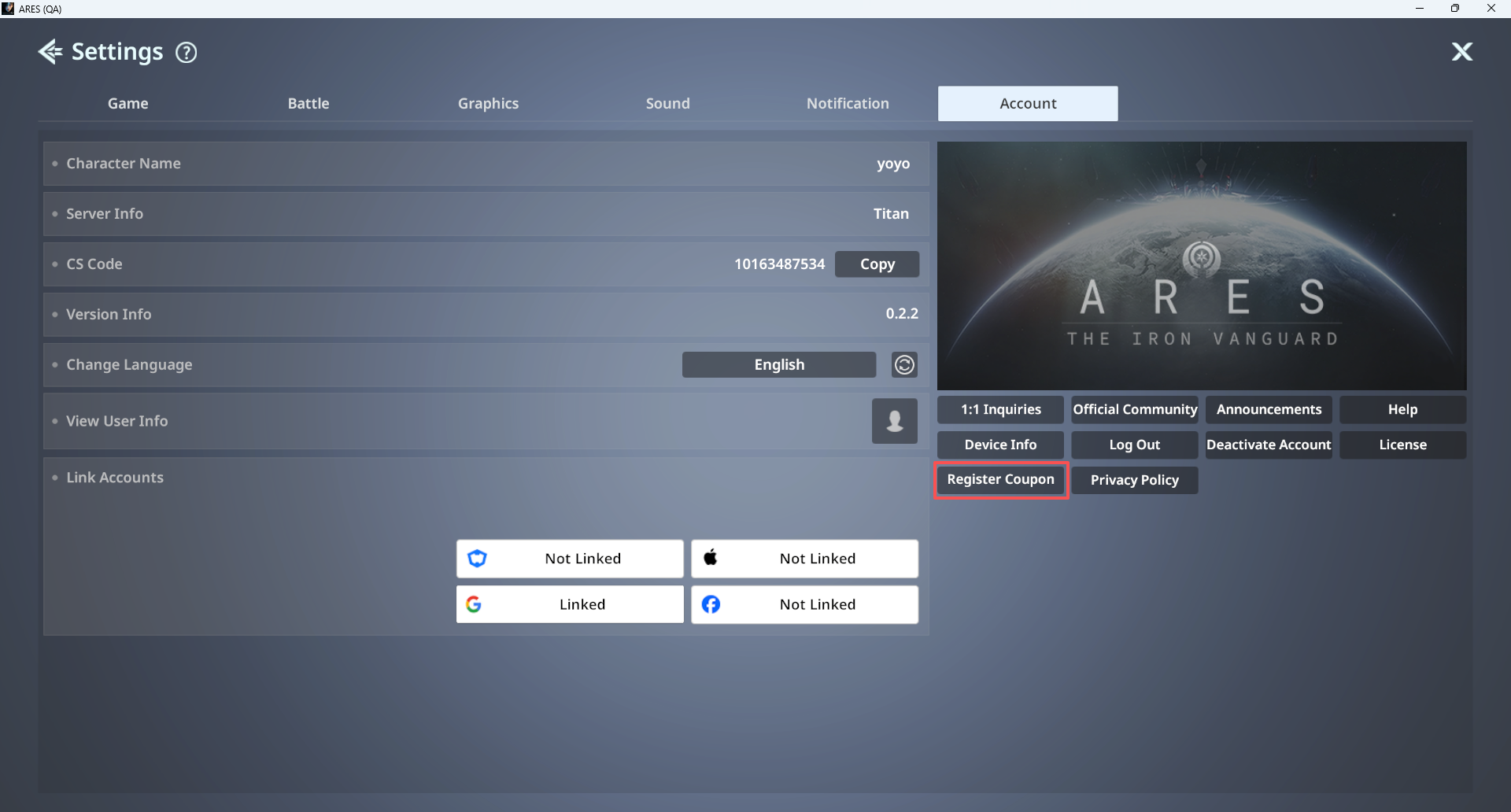
2-1) Go to Menu ▶ Settings ▶ Account and tap ‘Register Coupon’.
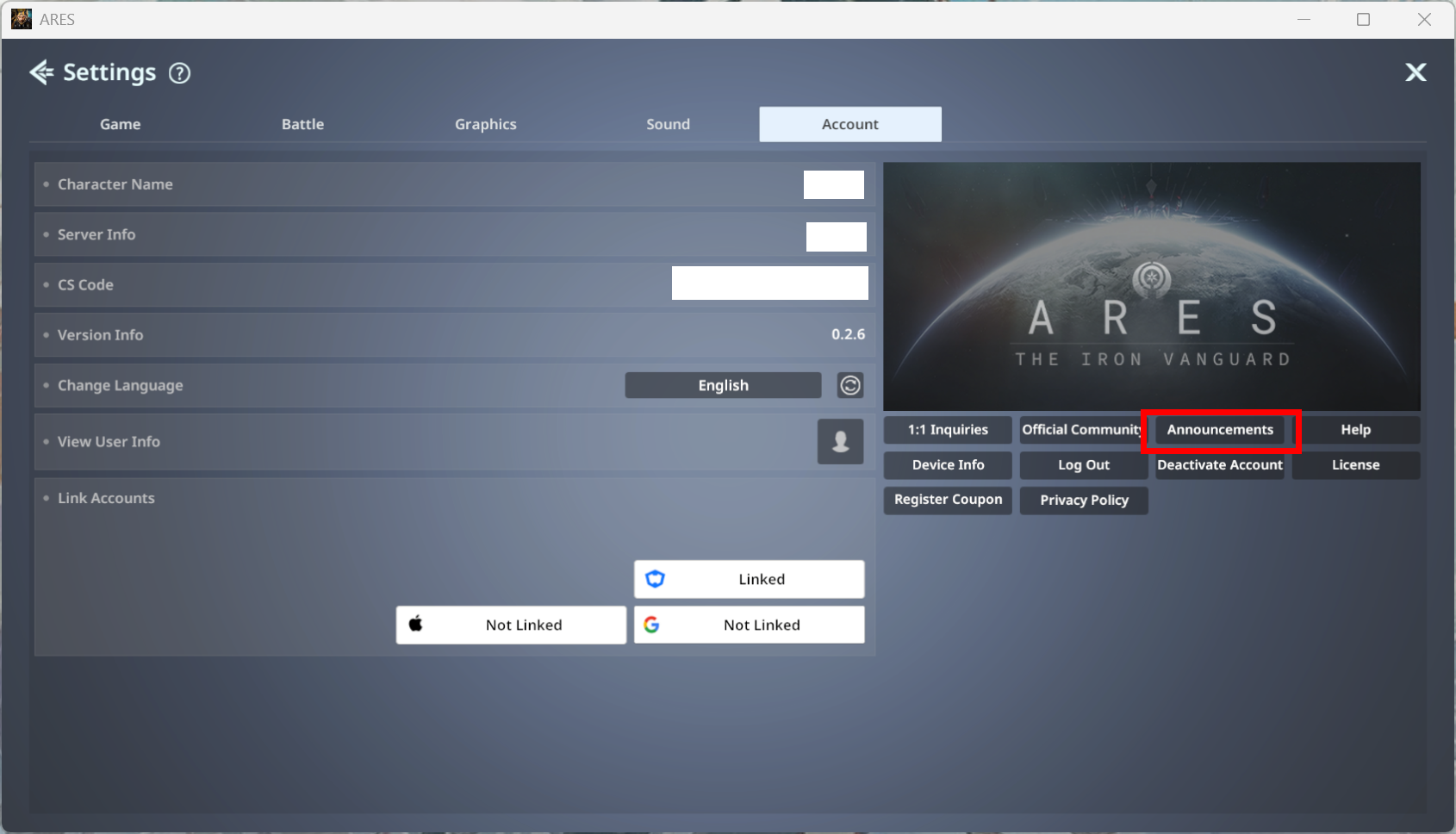
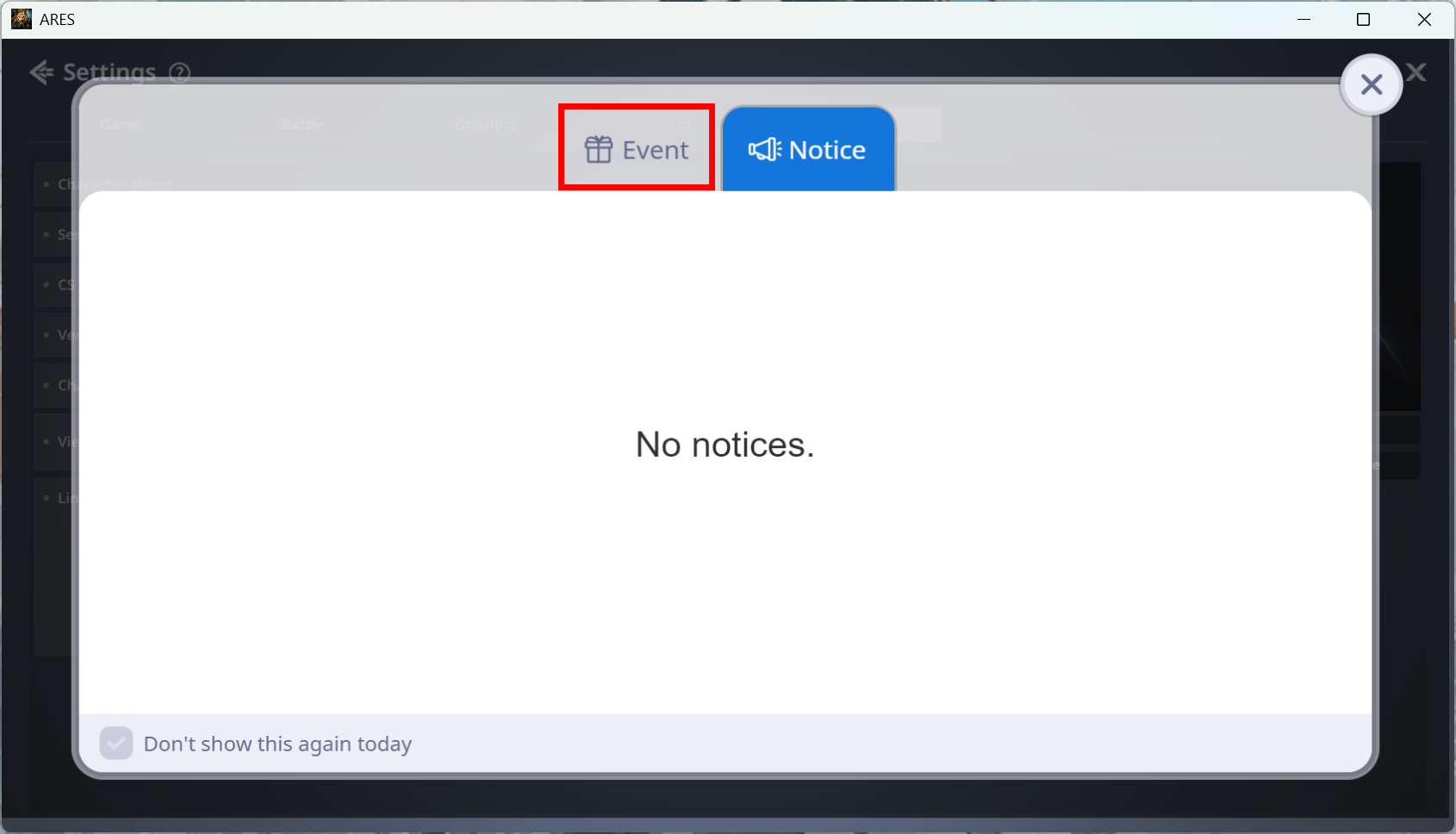
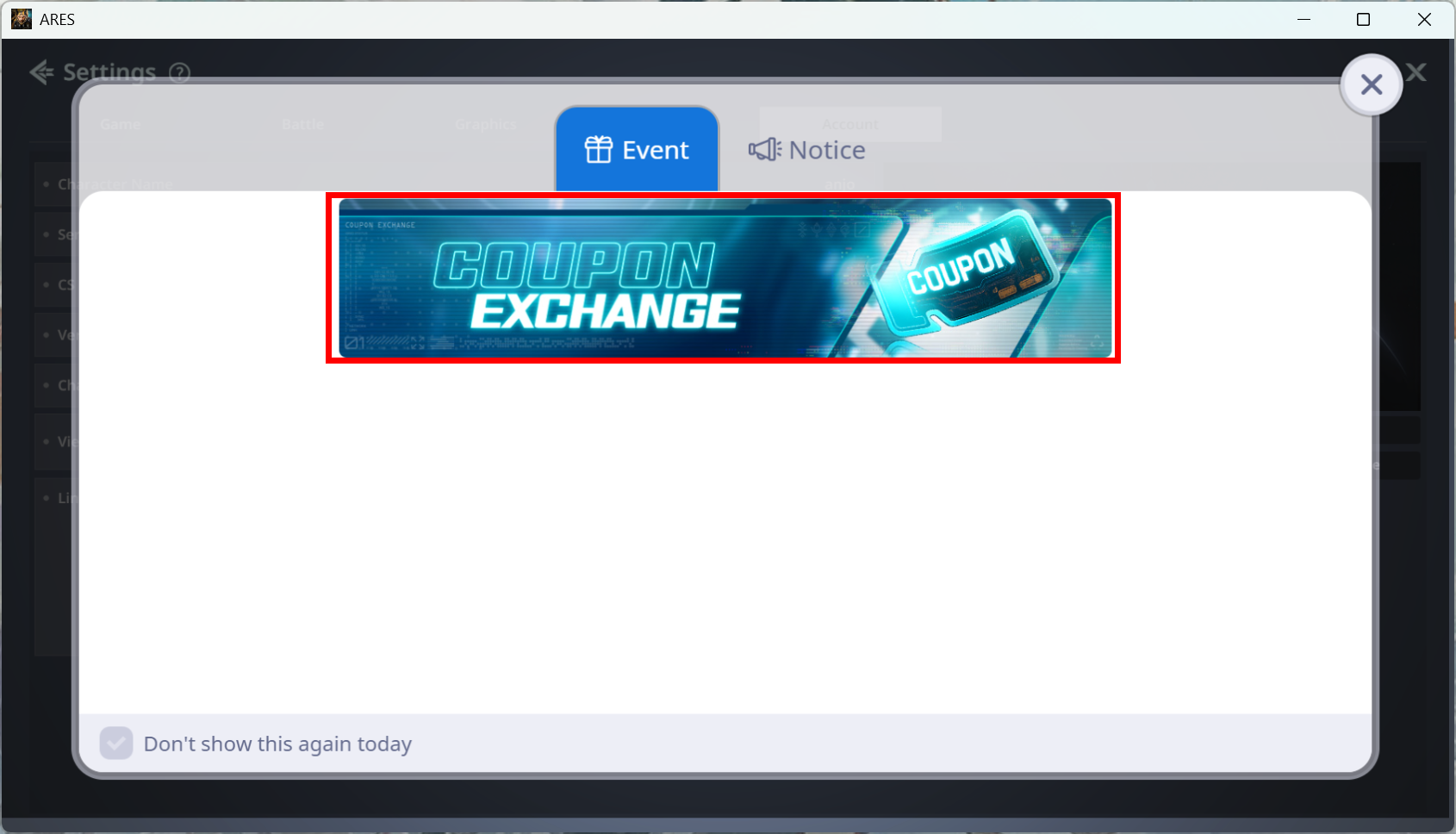
 2-2) Click Announcements under Menu ▶ Settings ▶ Account.
Click the banner under Announcements ▶ Event ▶ Coupon Exchange.
3) Enter the coupon code you wish to use.
4) After confirming successful coupon registration, check your mailbox to claim the rewards.
* If the message does not appear immediately in the mailbox, please tap Refresh.