Key Settings
In this guide, we will walk you through Key Settings,
which allow you to freely customize controls in the PC version of ARES: THE IRON VANGUARD.
Please read on for more details.
* ARES: THE IRON VANGUARD is available on both mobile devices and PC.
Please note that this guide is based on the PC version.
* This guide was created in a test environment, and some content may be subject to change.
◈ Key Settings: How to Access
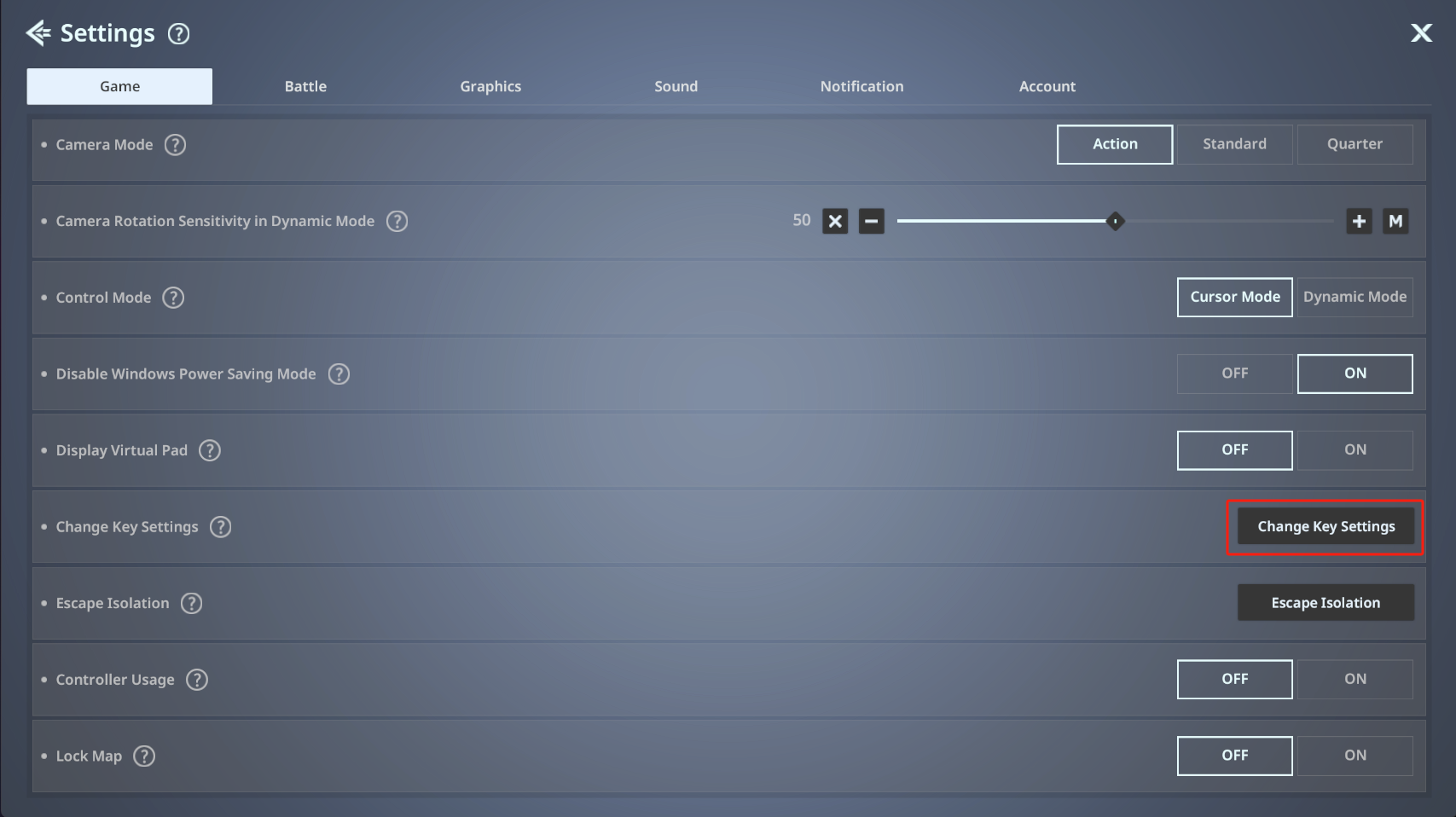
- You can access Key Settings via Settings ▶ Game ▶ Change Key Settings.
◈ Key Settings: Usage Guide
- In Key Settings, you can view the full key list and reset key settings.
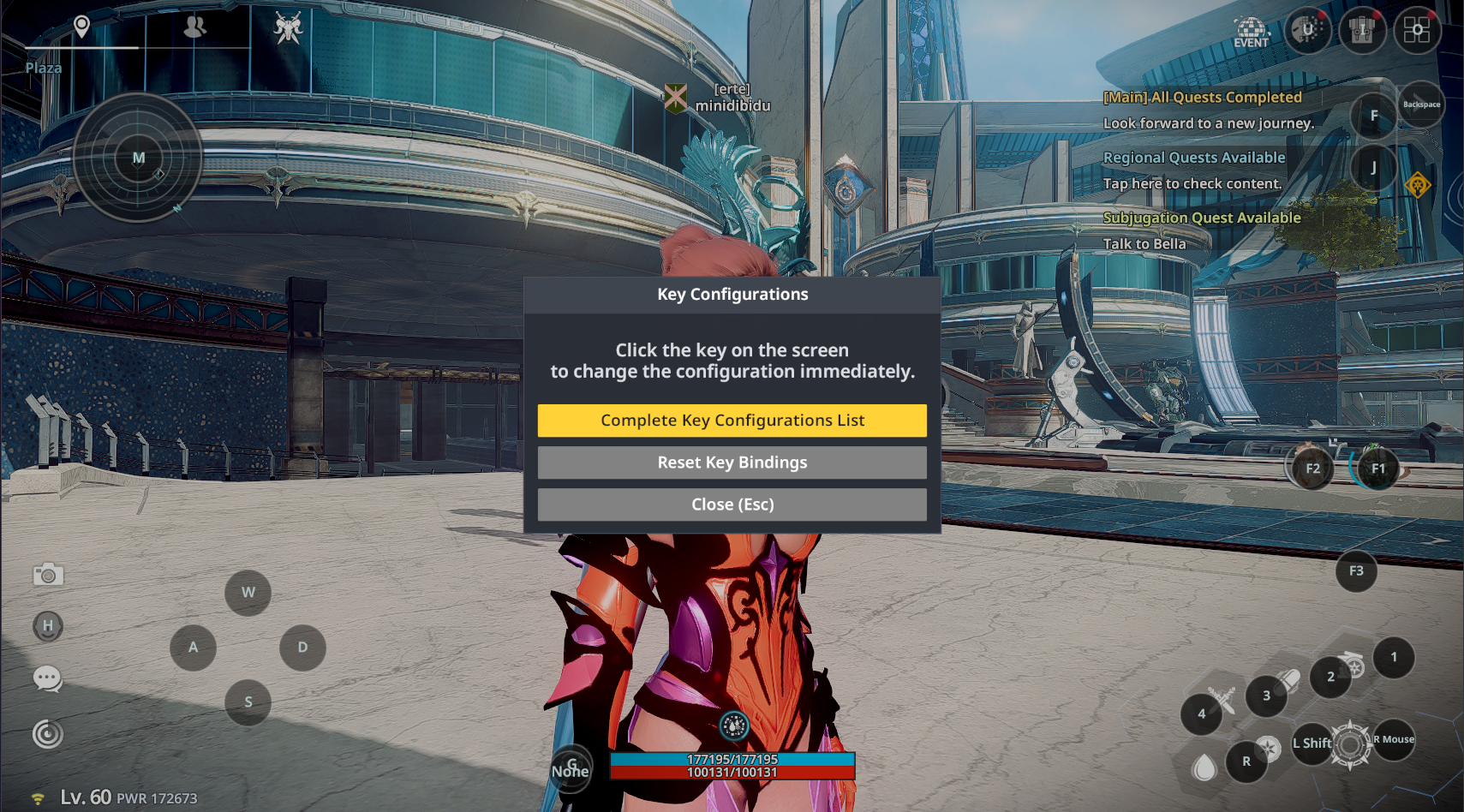
- Under ‘Complete Key Configurations List,’ you can view Basic Controls, Menu, and Others, and freely assign keys as desired.
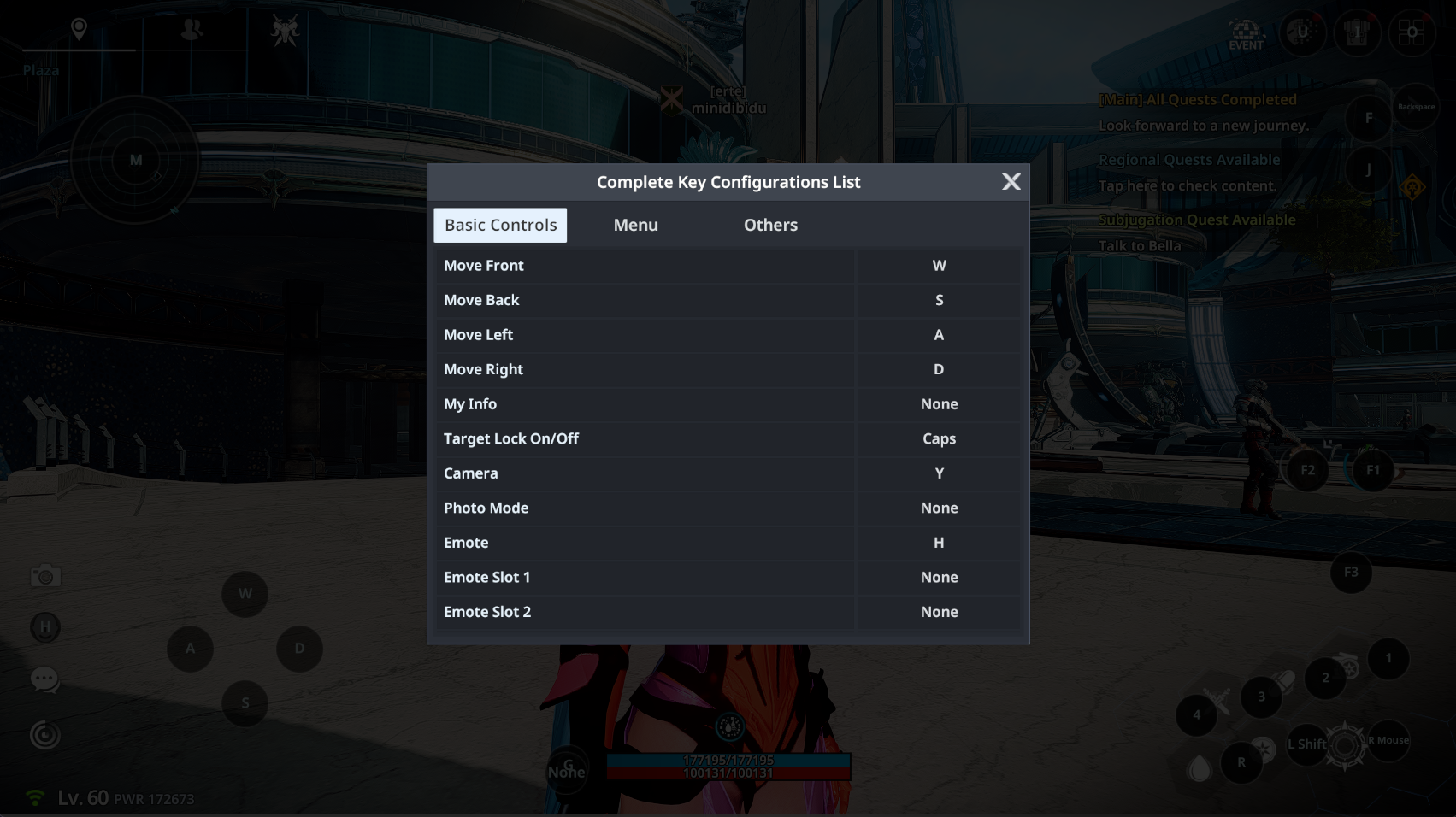
ⓘ Controllable keys can be customized individually, but the same key cannot be assigned to multiple actions.
ⓘ Some system-designated keys cannot be changed.
ⓘ Even after customization, you can tap ‘Reset Key Bindings’ to restore default settings.
◈ Controller
- Controller support is available on PC, and controllers can be used when set to ON.
ⓘ Supported controllers: PlayStation 4 (excluding wireless connection), PlayStation 5, Xbox