Character Creation

After linking your account and selecting a Server, you will enter the Character Selection screen.
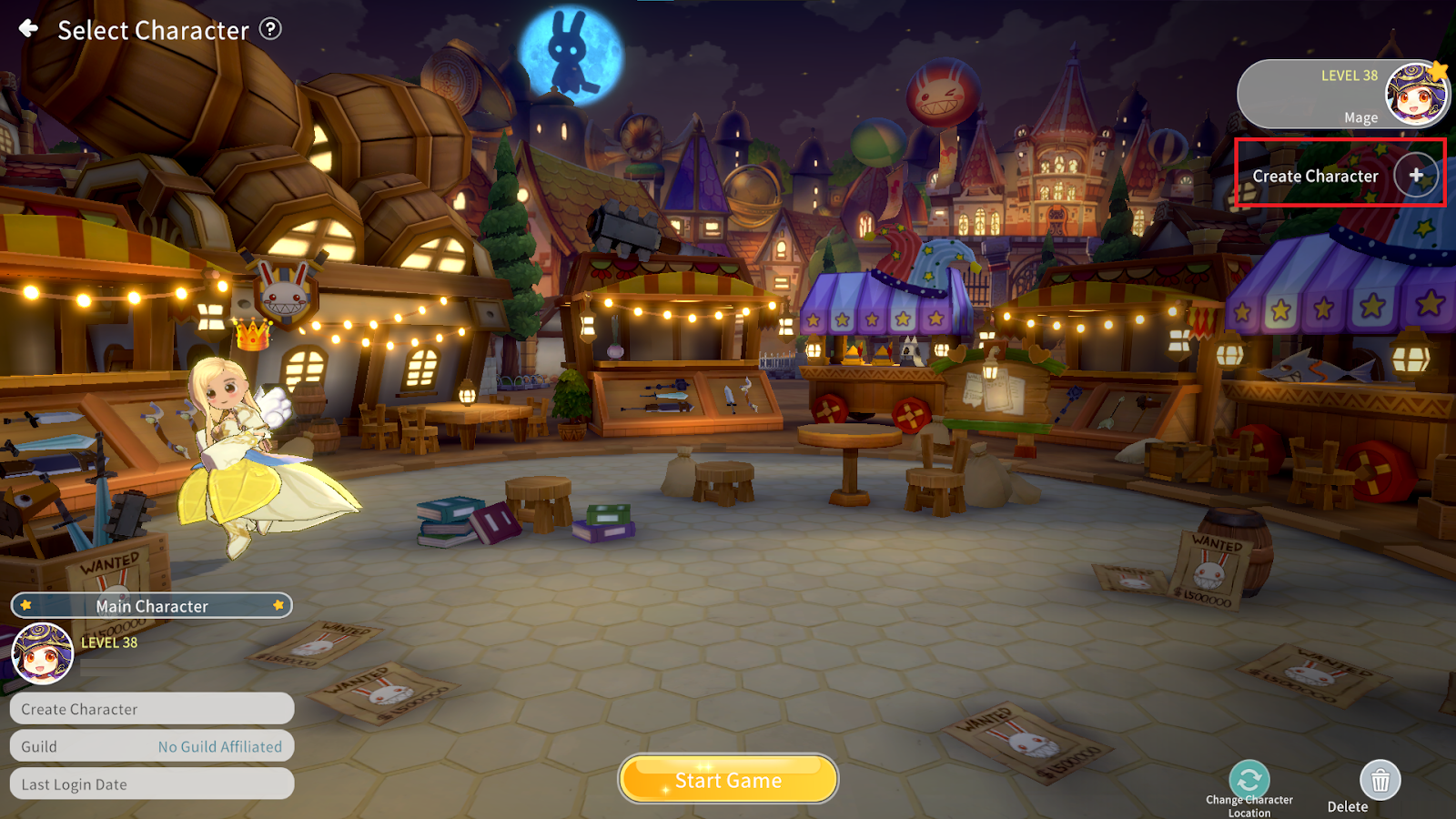
On the Character Selection screen, tap the “Create Character” button to create a new character.
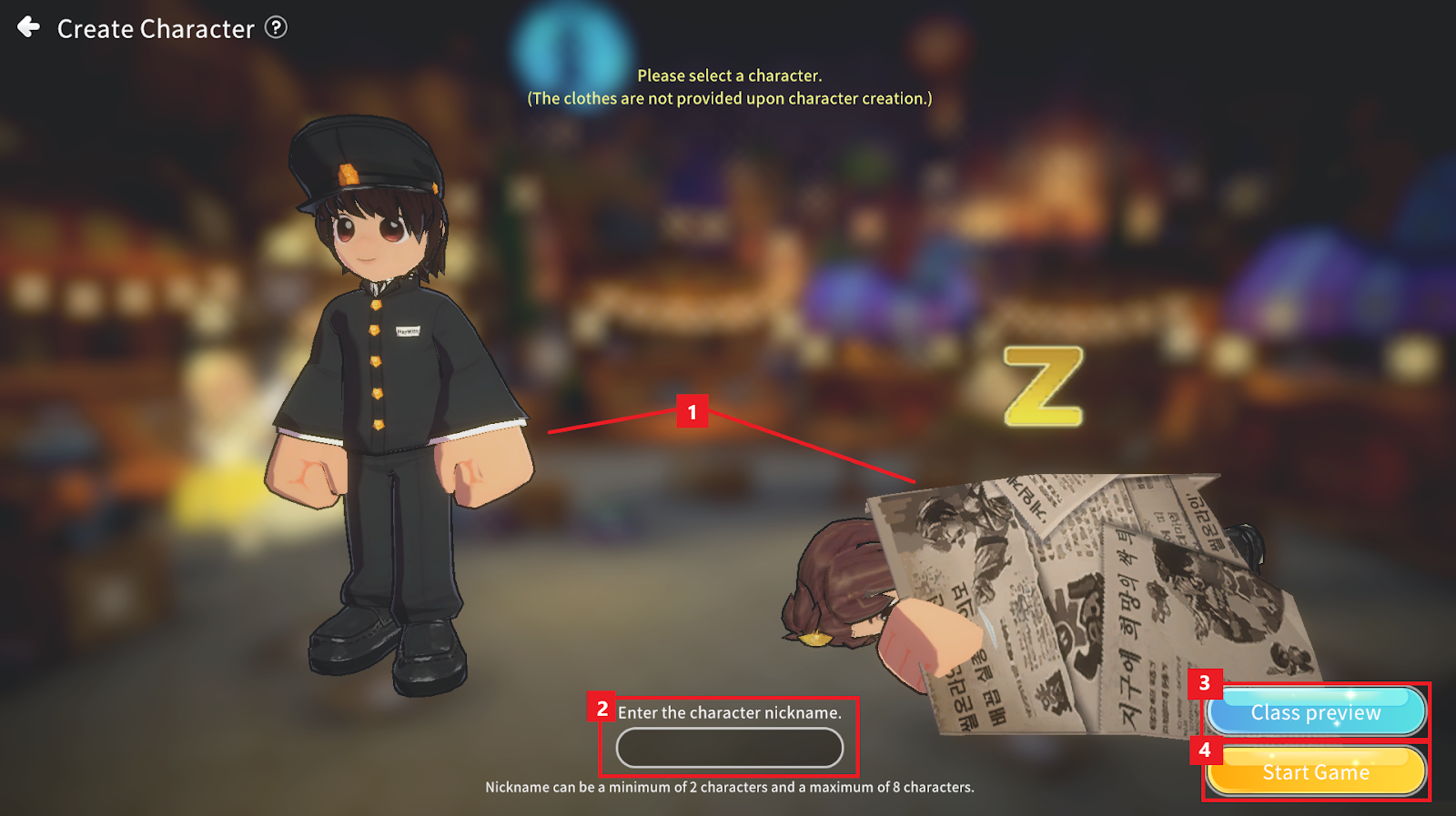
① Tap Male/Female to select the gender.
② Enter a Character Nickname. The name must be between 2 and 8 characters. Names containing prohibited words or violating operational policies cannot be used.
③ Tap the “Class preview” button to check the characteristics of Classes available for advancement.
④ Tap the “Start Game” button to complete character creation.
