Costume

Costumes are cosmetic items that can enhance character stats or customize appearance independently from equipment.

Through the Costume Menu, you can access Costume-related content such as Appraisal, Enhance, Combine, Fuse, and Dismantle.
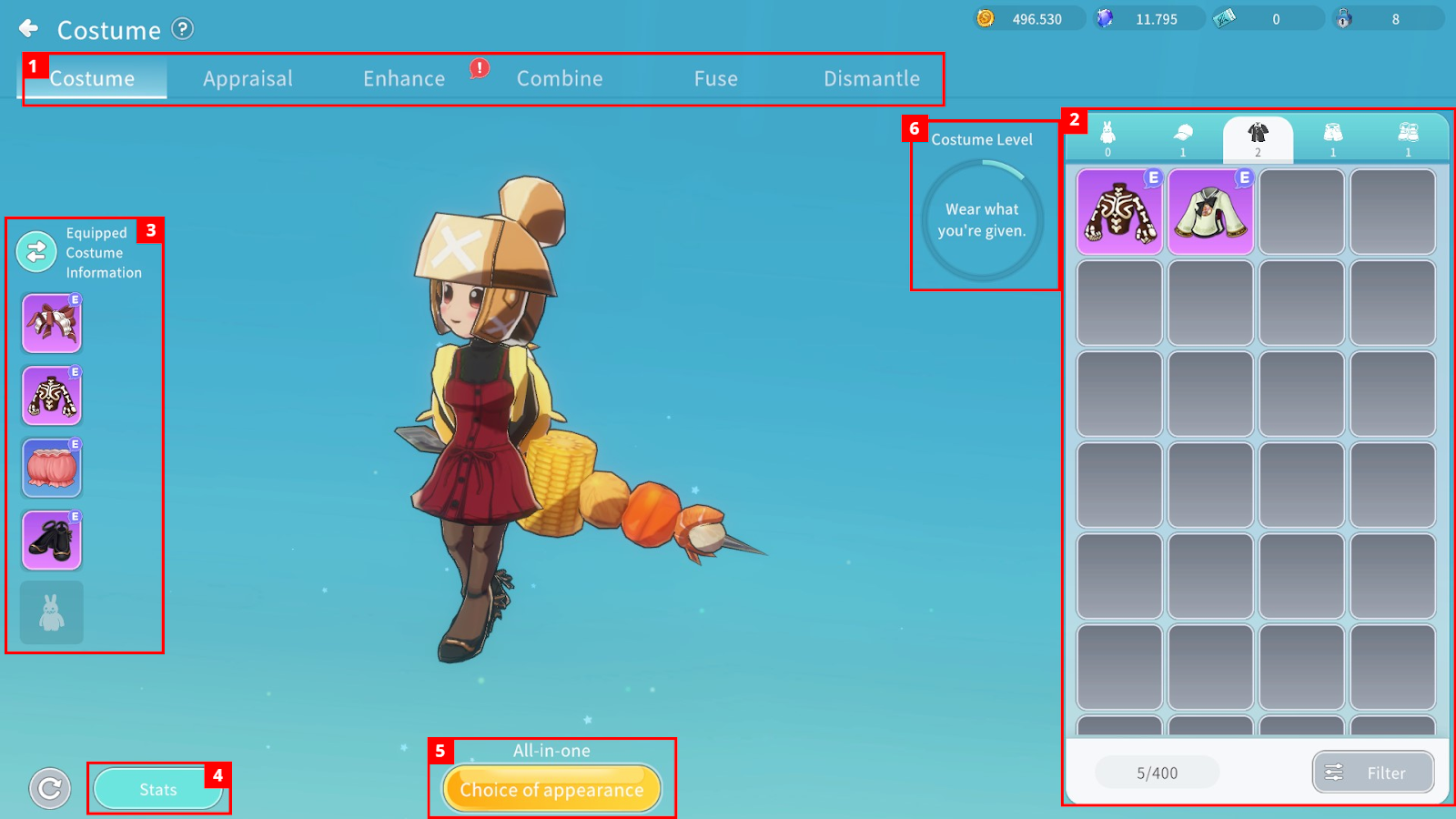
① You can select Costume-related content menus.
② You can check owned Costumes by part and sort them using the filter function.
- Costumes are divided into Full-Set and Separate-Type.
- Separate-Type consists of Helm / Top / Bottom / Boot.
- Tap a Costume to view detailed information or equip it.
▶ Equip: The Costume’s stats are applied to the character. Full-Set and Separate-Type Costumes can be equipped simultaneously.
▶ Appearance Equip: The Costume’s stats are not applied. Full-Set and Separate-Type Costumes cannot be equipped simultaneously.
③ You can check currently equipped Costumes and switch between the stat slot and appearance slot using the arrow icon.
④ You can check your character’s total stats including applied Costume stats.
⑤ You can select which Costume appearance will be displayed:
▶ Equipment: Applies the appearance of currently equipped regular gear (not Costume).
▶ Separable: Applies the appearance of the equipped Separate-Type Costume (with stats applied).
▶ All-in-one: Applies the appearance of the equipped Full-Set Costume (with stats applied).
▶ Appearance: Applies the appearance of the Costume equipped in the Appearance slot.
⑥ By accumulating points from registered Costumes in the Collection and from Costume Enhancements, you can increase your Costume Level, which grants additional stats.
Costume Appraisal
Available at Level 30, Costume Appraisal grants additional options to Costumes.
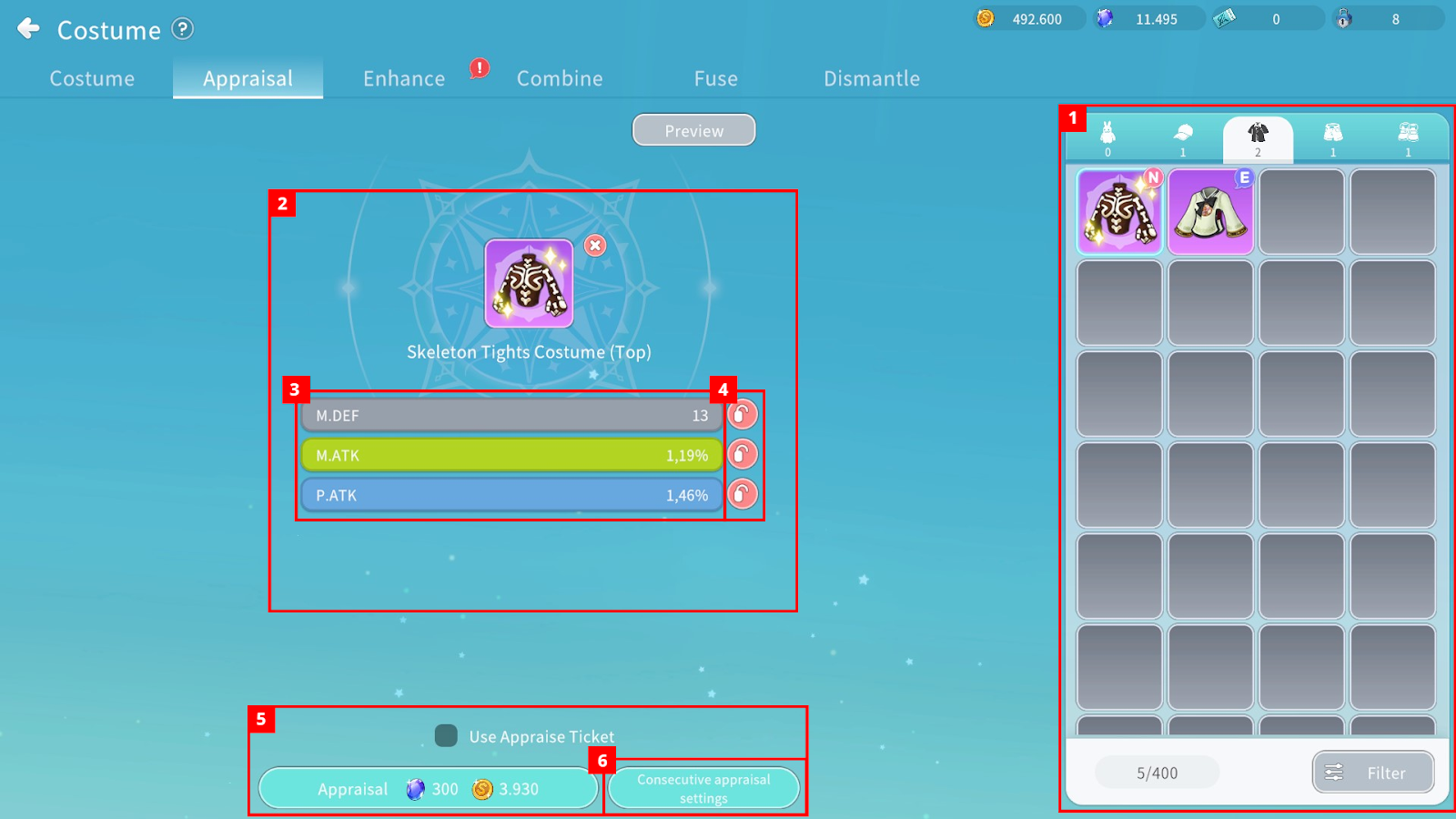
① You can check owned Costumes by part and sort them using filters.
② You can check the Costume selected for appraisal and its additional granted options.
- The number of granted options increases based on Costume grade, and the number of options is determined randomly.
- Granted stats will be displayed on the screen.
③ You can check the possible appraisal options by grade.
- Higher grades grant more options.
④ Using the [Appraisal Option Lock], you can retain selected options during the next appraisal.
⑤ You can check required materials and Cegel to proceed with appraisal.
- Already appraised Costumes can be re-appraised by consuming materials.
- If the Appraisal Ticket option is checked, a ticket is used instead of materials.
⑥ You can set desired options, and appraisal will automatically repeat until the selected option is obtained.
Costume Enhancement
By consuming enhancement materials, you can upgrade a Costume to the next stage based on probability
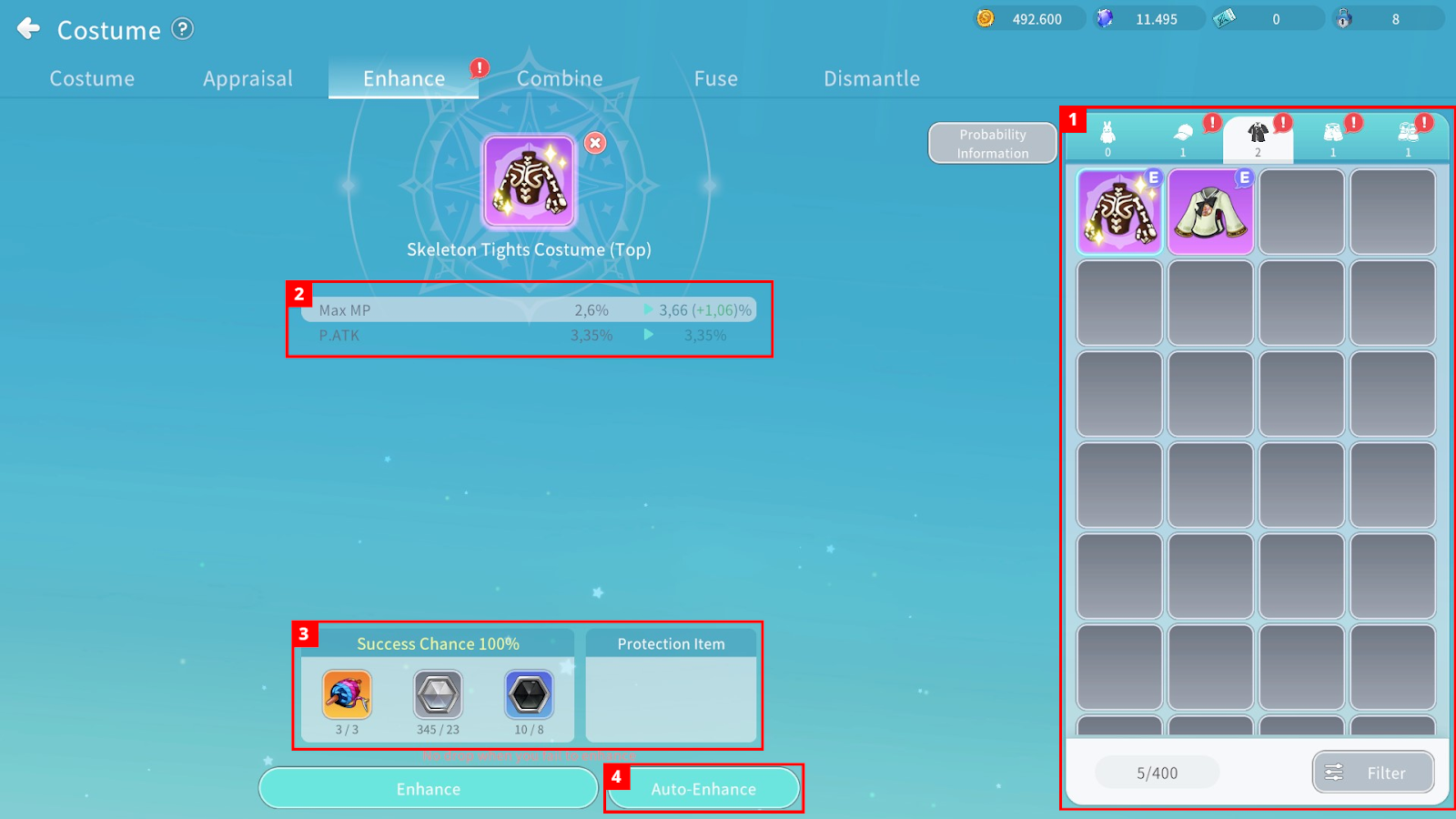
① You can check eligible Costumes and sort them via filter.
② You can compare enhancement stage and stats before and after enhancement.
③ You can check required materials, Cegel, and failure penalties before proceeding.
- If you activate a Protection Item, its effect will apply (e.g., prevent downgrade or destruction).
④ You can set a target enhancement stage, and enhancement will proceed consecutively until that stage is reached.
Costume Combination
You can combine two identical Costumes with the same enhancement level to upgrade to the next stage with 100% success rate.
Example: Rascal Rabbit Costume (+0) + Rascal Rabbit Costume (+0) → Rascal Rabbit Costume (+1)
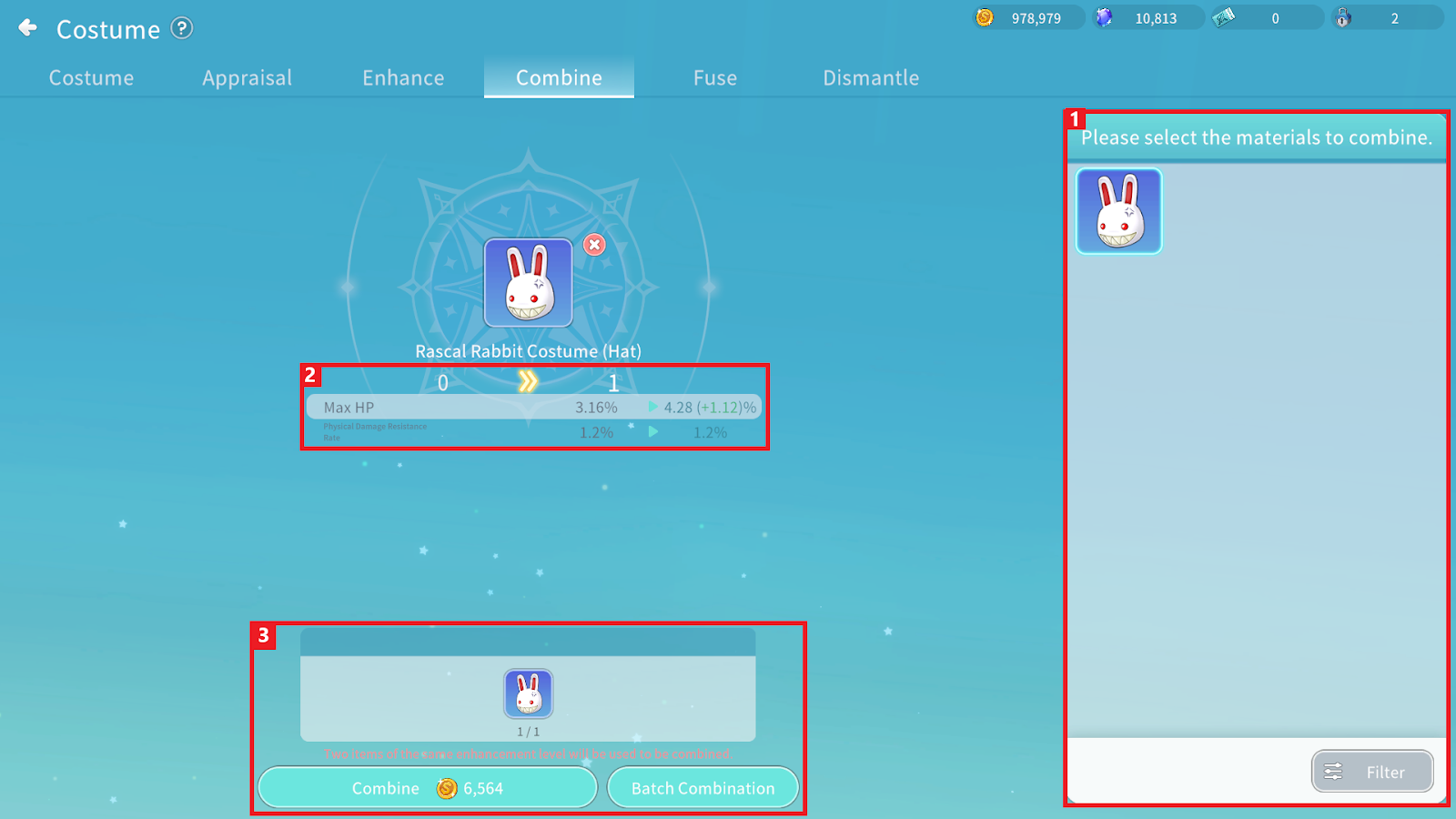
① After selecting the target Costume, you can check available material Costumes.
② You can compare enhancement stage and stats before and after combination.
③ You can review registered material Costumes and required resources, then proceed with combination.
Costume Fusing
By fusing 5 Costumes of the same grade and part, you can obtain a higher-grade Costume or items based on probability.
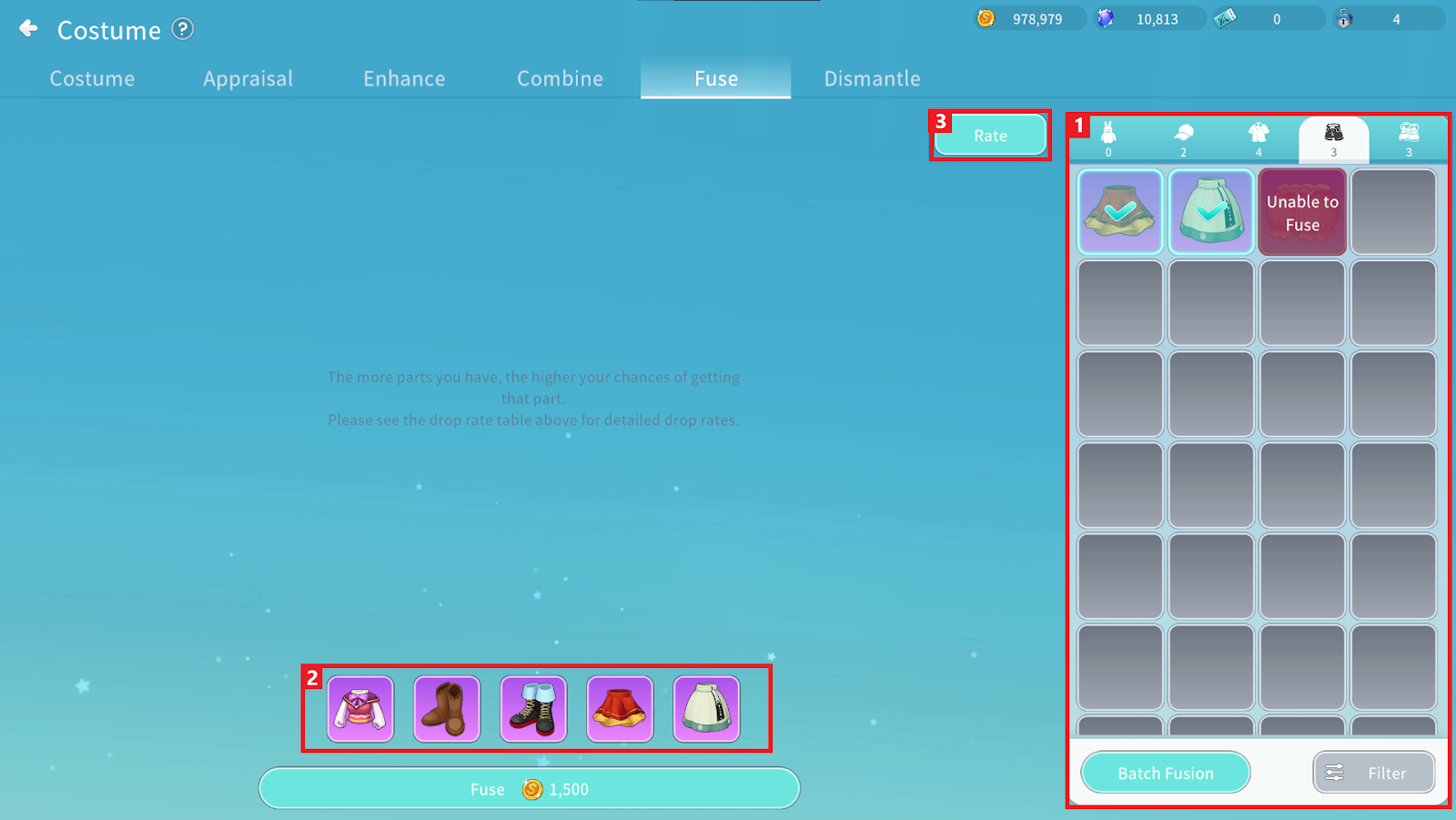
① You can check eligible Costumes and select those to use for synthesis.
② You can review selected fusion materials.
③ You can check probability information for obtainable items.
Costume Dismantling
You can dismantle Costumes to obtain specific items.
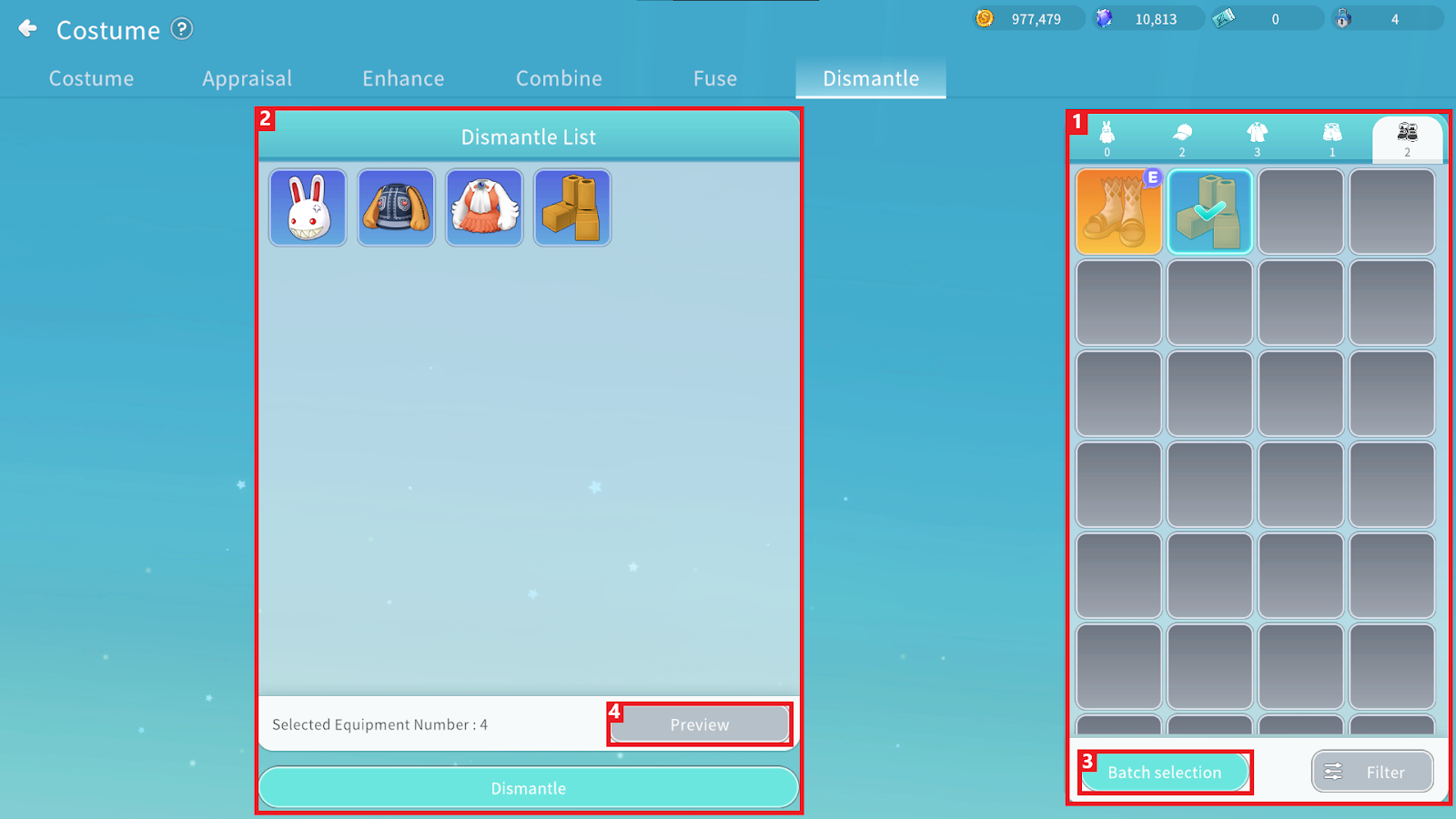
① You can check owned Costumes eligible for dismantling.
② You can review selected Costumes and proceed with dismantling.
③ You can register multiple outfits in a batch using condition filters.
④ You can check expected obtainable items before dismantling.
