
Through the Codex, you can view at a glance the Bales you have defeated and the items you have obtained.
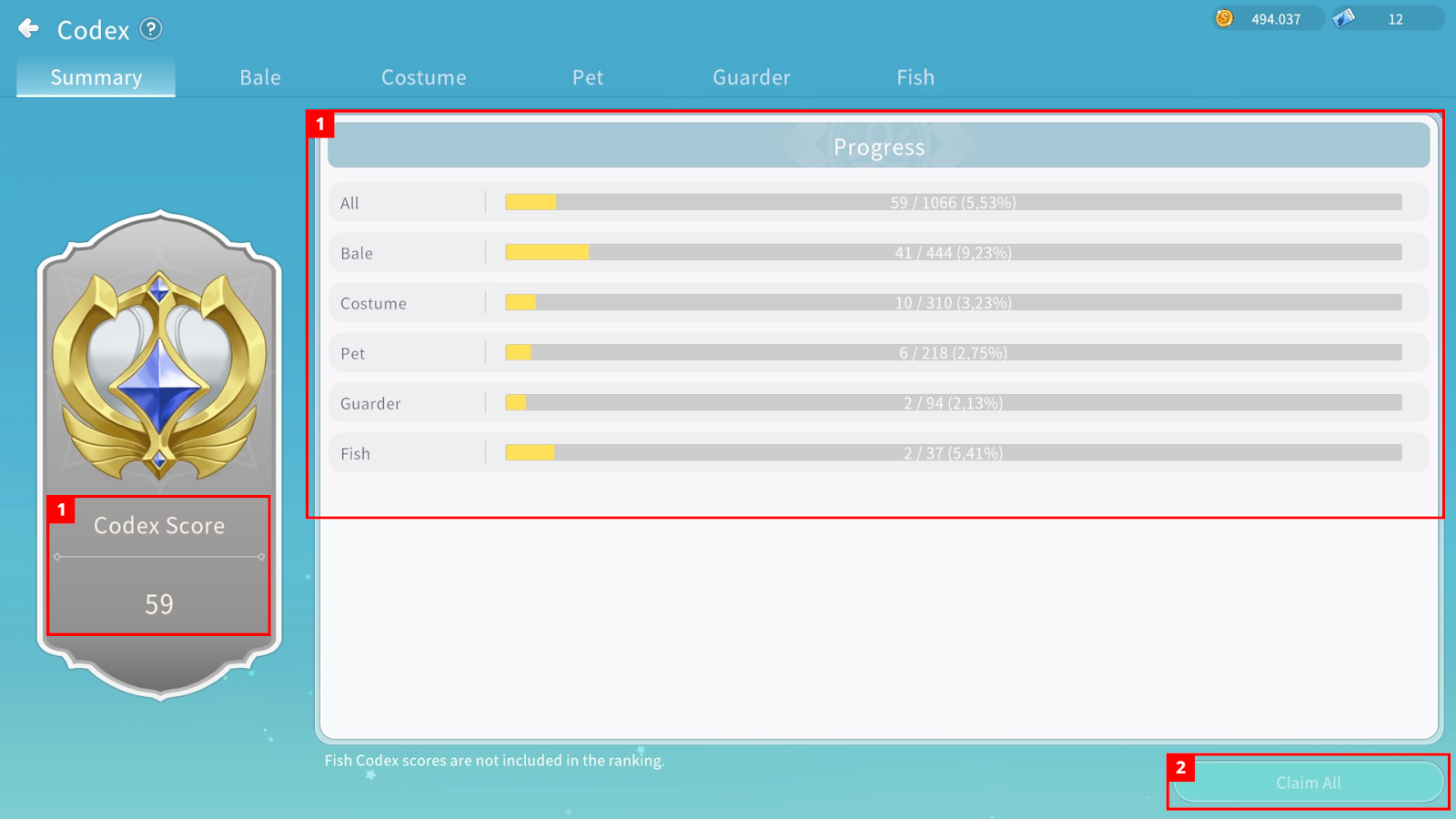
① In the Codex Summary menu, you can check your Codex score and overall progress.
② You can claim all available Codex rewards at once.
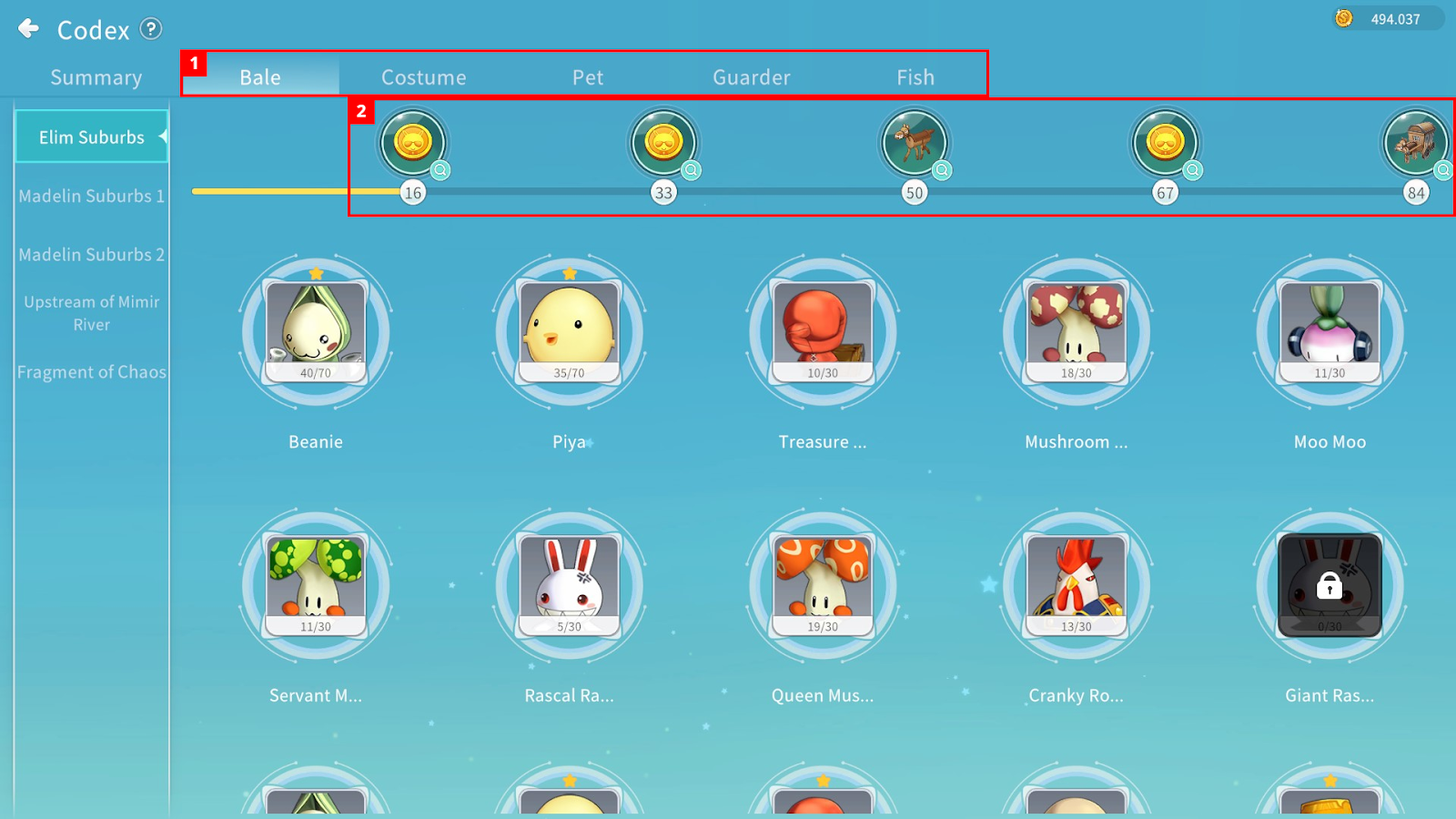
① You can select the type of Codex.
② Additional rewards can be obtained based on the number of unlocked Codex entries.
Bale Codex – Bales you have defeated are unlocked, and the number of defeats is displayed.
Costume / Pet / Guarder Codex – Items you have obtained are unlocked.
Bale Codex
By selecting a Bale, you can view detailed information.
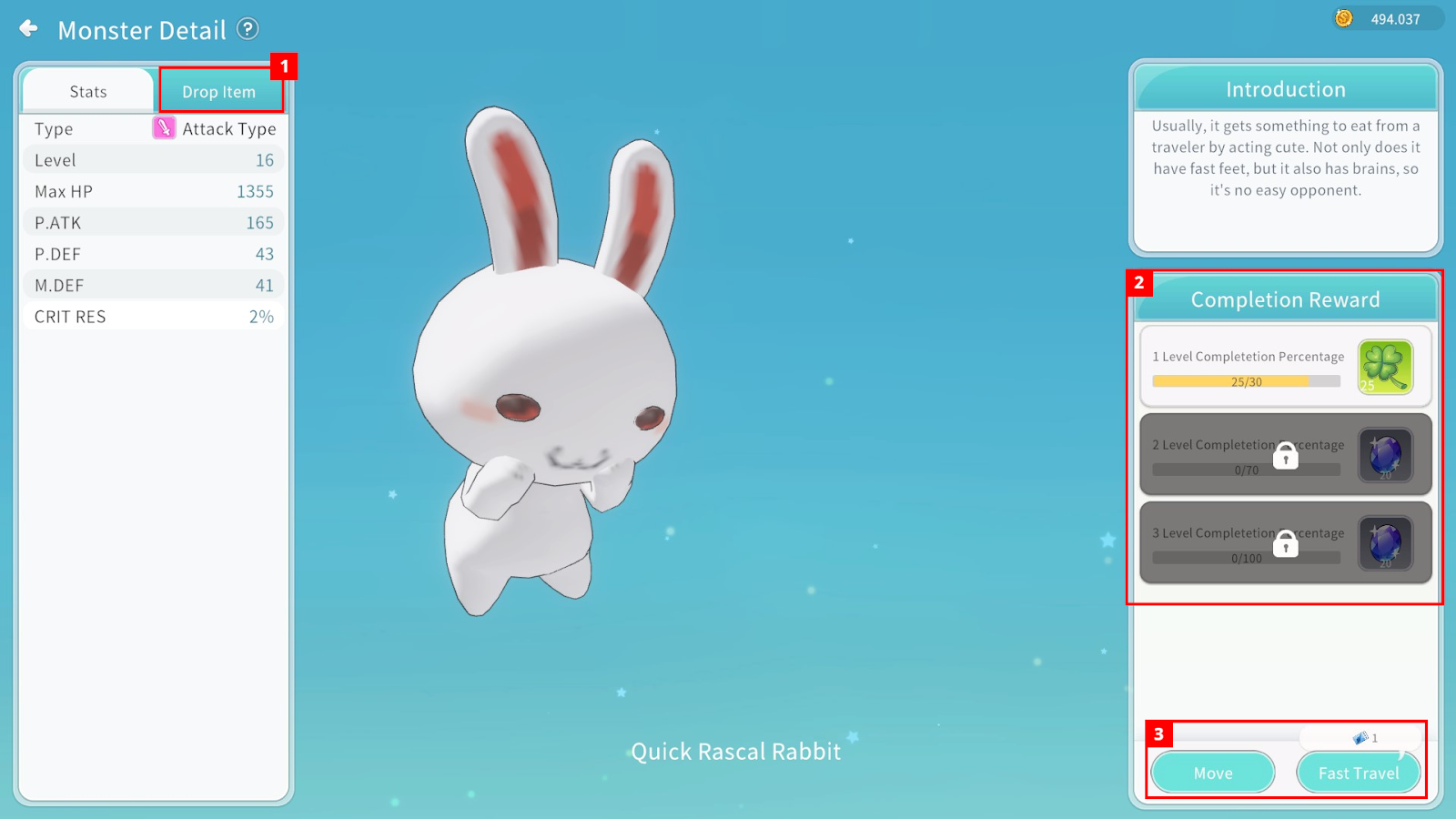
① When certain completion conditions are met, you can check the items dropped by the Bale.
② You can obtain additional rewards based on the number of Bales defeated.
③ You can move to the Bale’s location.
Costume / Pet / Guarder Codex
By selecting an entry, you can view brief information.
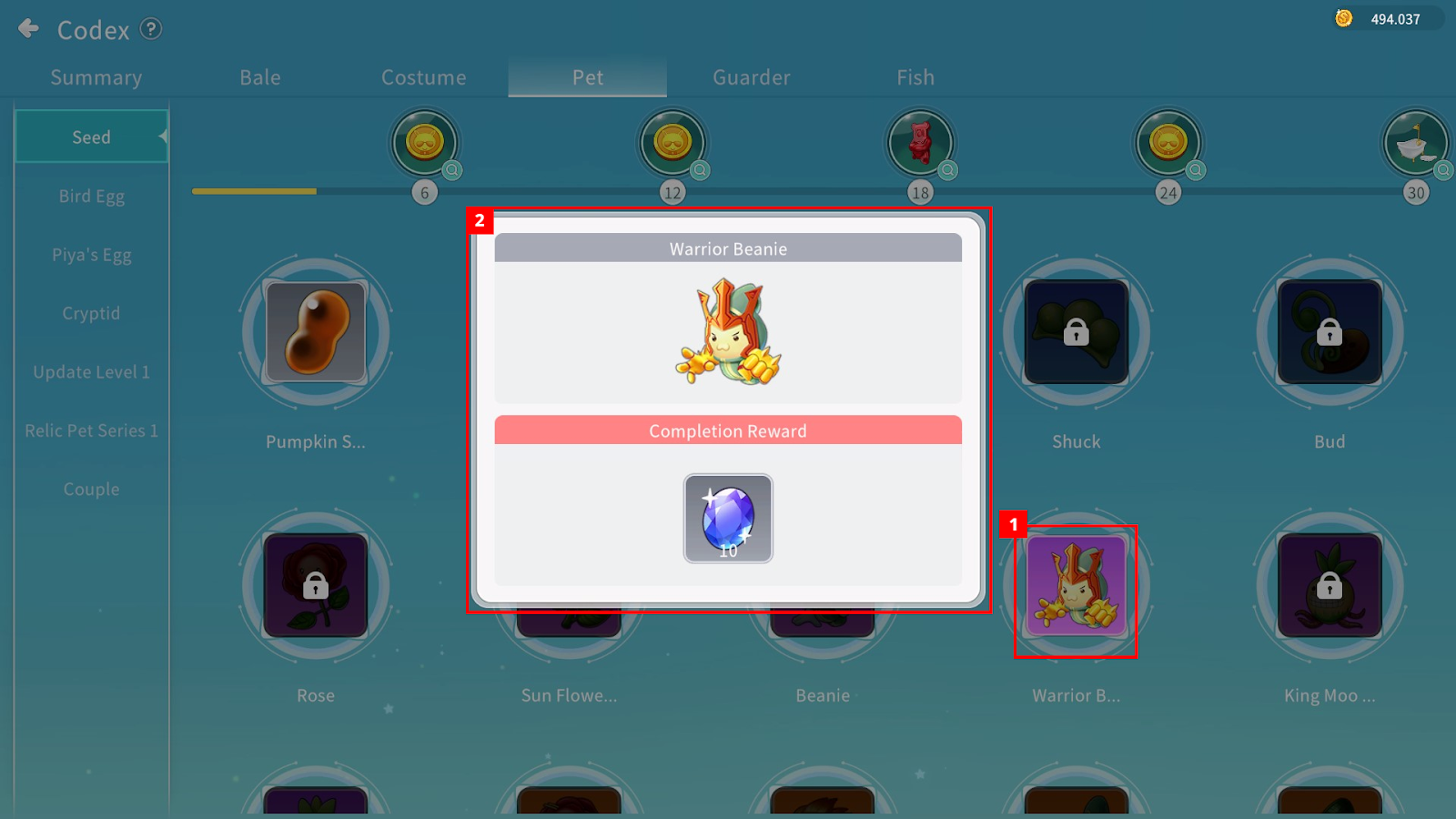
① Click the icon to check detailed information.
② You can check the reward granted upon completing that Codex entry.
Fish Codex
By selecting each fish icon, you can view detailed information and completion rewards.
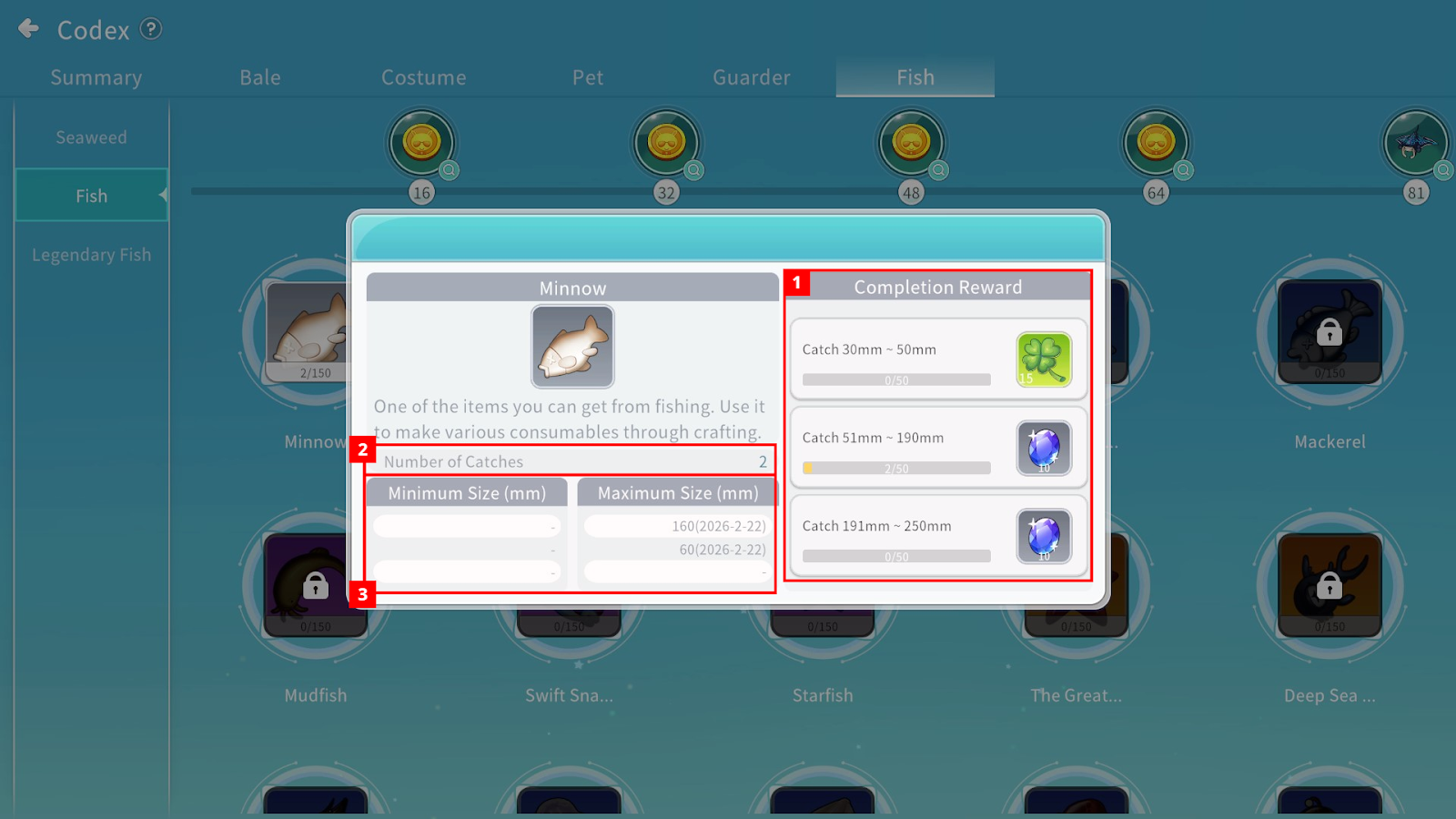
① You can obtain rewards based on the size and quantity of fish captured.
② You can check how many times each type of fish has been caught.
③ You can check the minimum and maximum size of the fish. A crown icon is displayed depending on the length achieved.
※ Notes
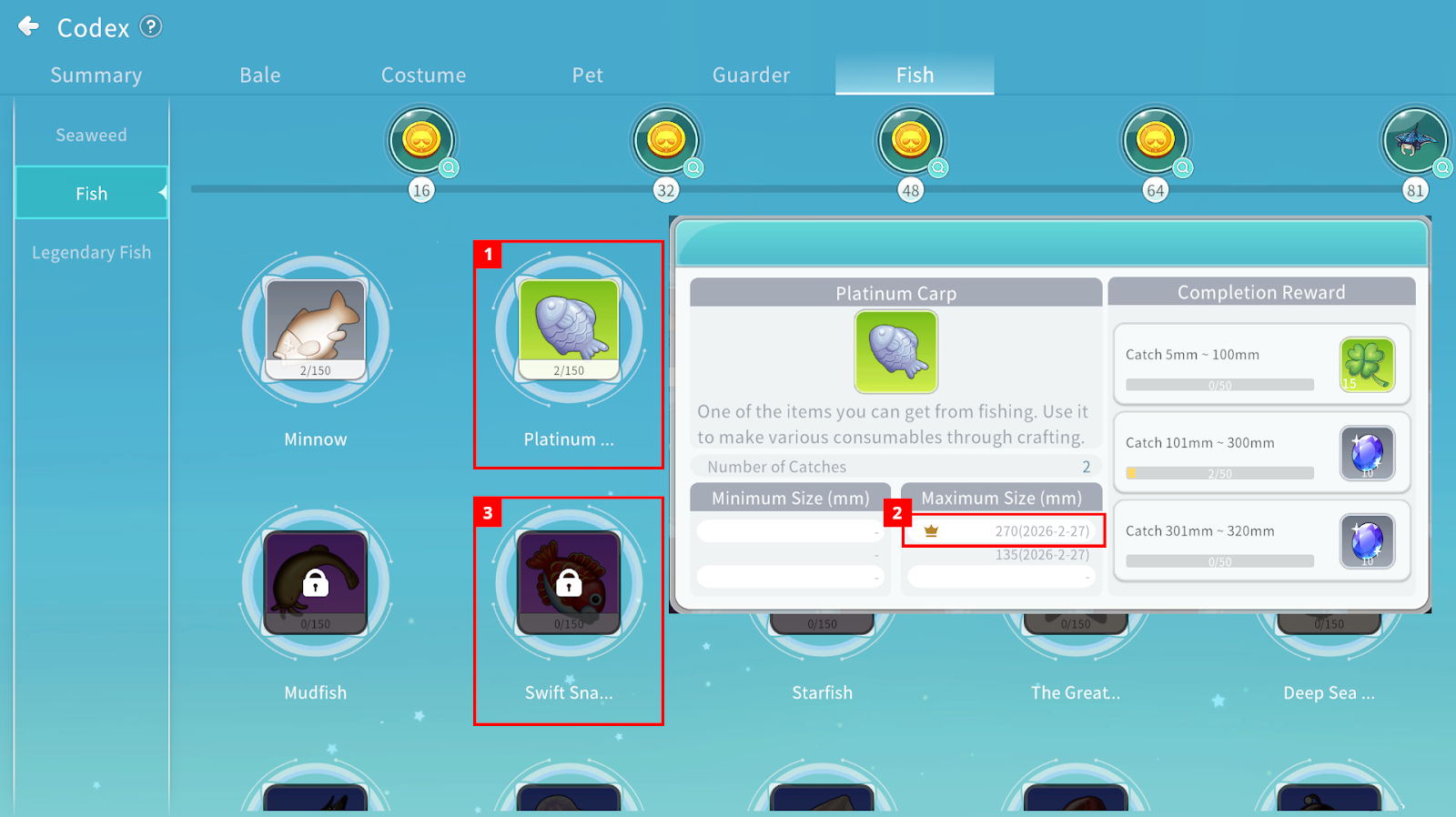 ① When a fish is obtained through fishing, it is registered in the Fish Codex. (Fish purchased from the Marketplace are not registered.)
② The crown icon appears when the fish is caught at its minimum or maximum length.
Crowns are displayed in Gold, Silver, or Bronze.
③ If the fish was not obtained through fishing, detailed information will not be displayed.
