
Pets are companions that travel with your character. By growing your Pets, you can increase their Stats.
1. Pet Info
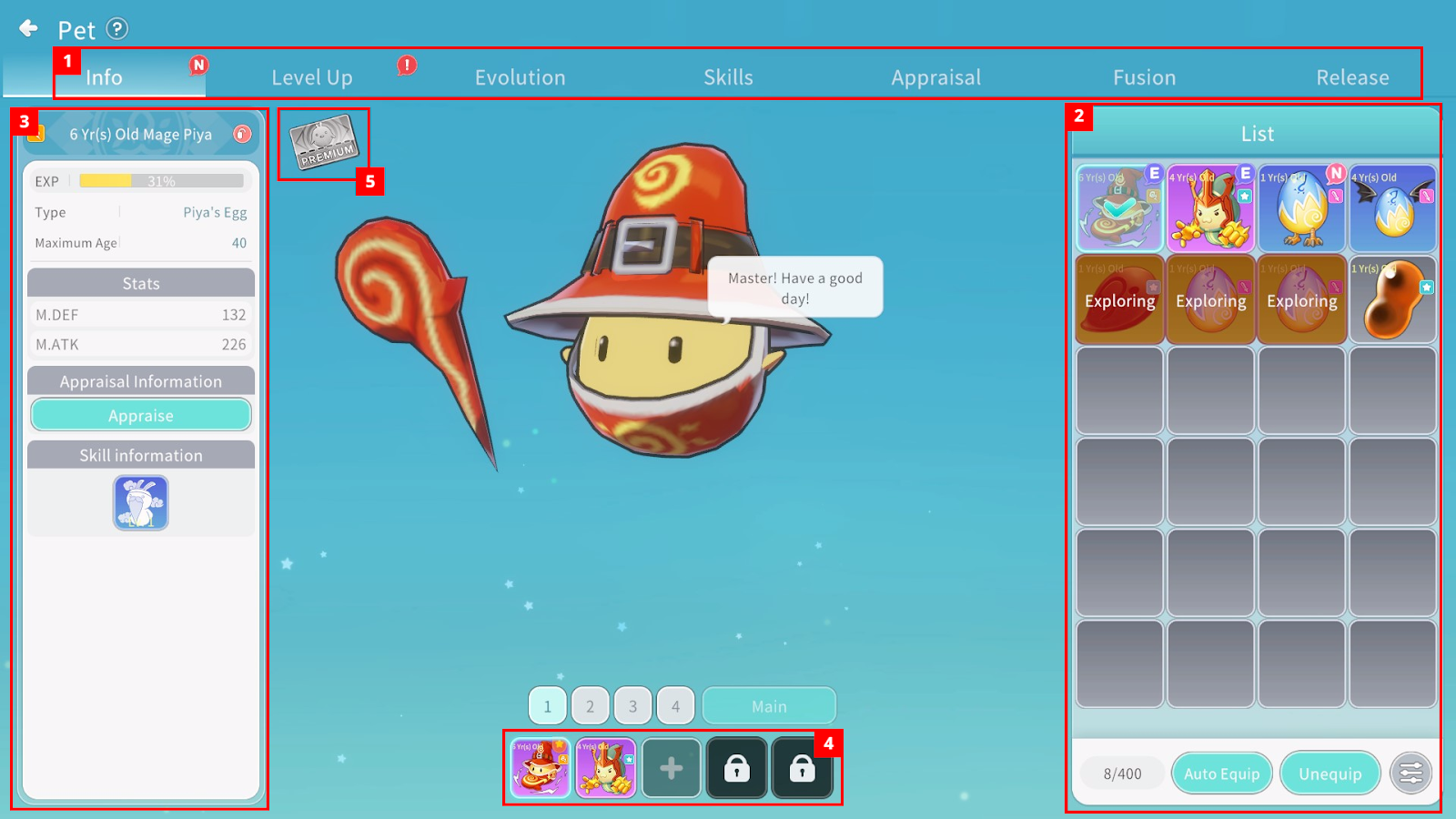
① You can select Pet-related content menus.
② You can check owned Pets, Equip, Auto Equip, or Unequip them, and sort using filters.
The Auto Equip function automatically equips the Pet with the highest Stats among owned Pets.
③ You can check detailed information of the selected Pet from the owned Pet list.
You can move to the Pet Appraisal menu through the “Go to Appraisal” button.
④ You can check equipped Pets. Up to six Pets can be equipped.
Locked slots are unlocked one by one at Levels 21, 31, 41, 51, and 101. Using the Preset function, you can assign different Pets to each preset number.
You can designate one equipped Pet as the Representative Pet, and the designated Pet will follow your character in the field.
⑤ You can check whether Pet Premium is activated.
2. Pet Level Up
You can use Pet Food to increase a Pet’s Age and Stats.
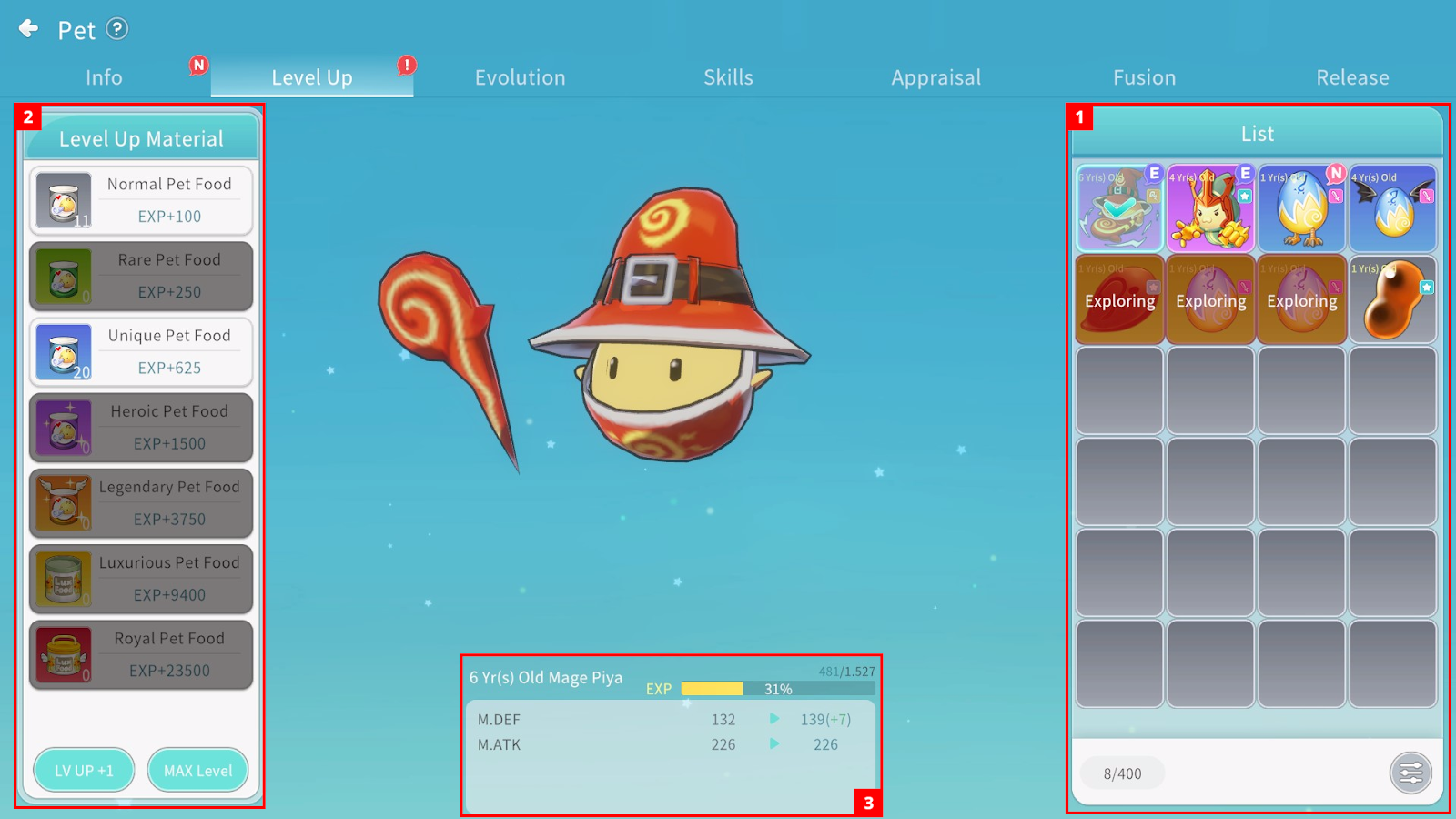
① You can check owned Pets that can use Pet Food and sort them using filters.
② You can feed the selected Pet from the list. Tap the desired Pet Food to use it.
The LV UP +1 function automatically uses enough Food to increase Age by one year, starting from lower-grade Food.
③ You can check current Stats and the Stats gained when Age increases.
The maximum growth Age increases according to the Pet’s Tier.
3. Pet Evolution
You can evolve a fully grown Pet to the next Tier.
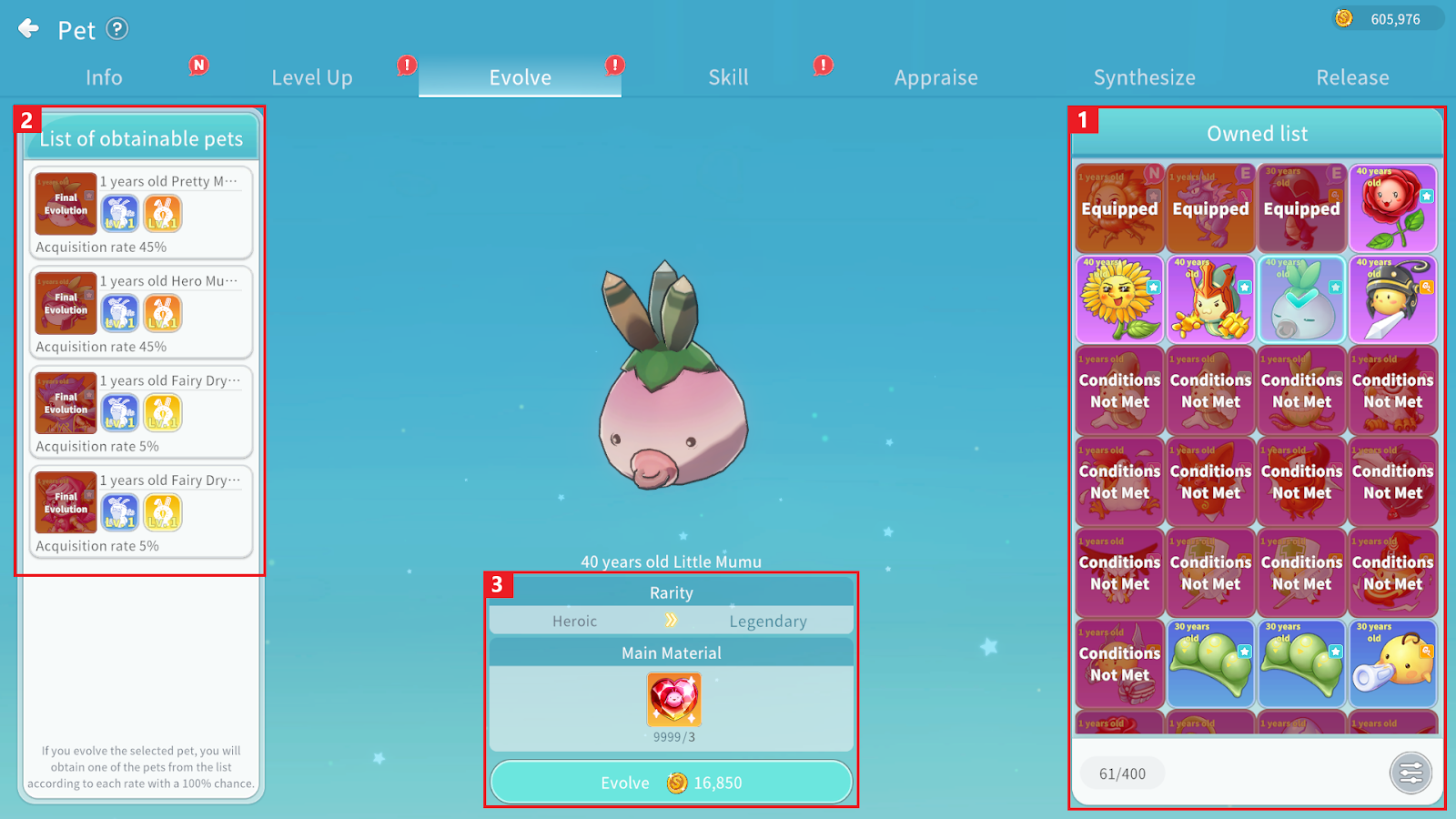
① You can check which owned Pets meet Evolution conditions and sort them using filters.
② You can check the list of obtainable Pets after Evolution. The result is determined by probability among the listed Pets.
Age resets upon Evolution, and existing Appraisal options are inherited.
③ You can check the Tier before and after Evolution, required materials and Currency, and proceed with Evolution.
4. Pet Skills
Pets of Legendary grade or higher possess Passive Skills that can be enhanced.
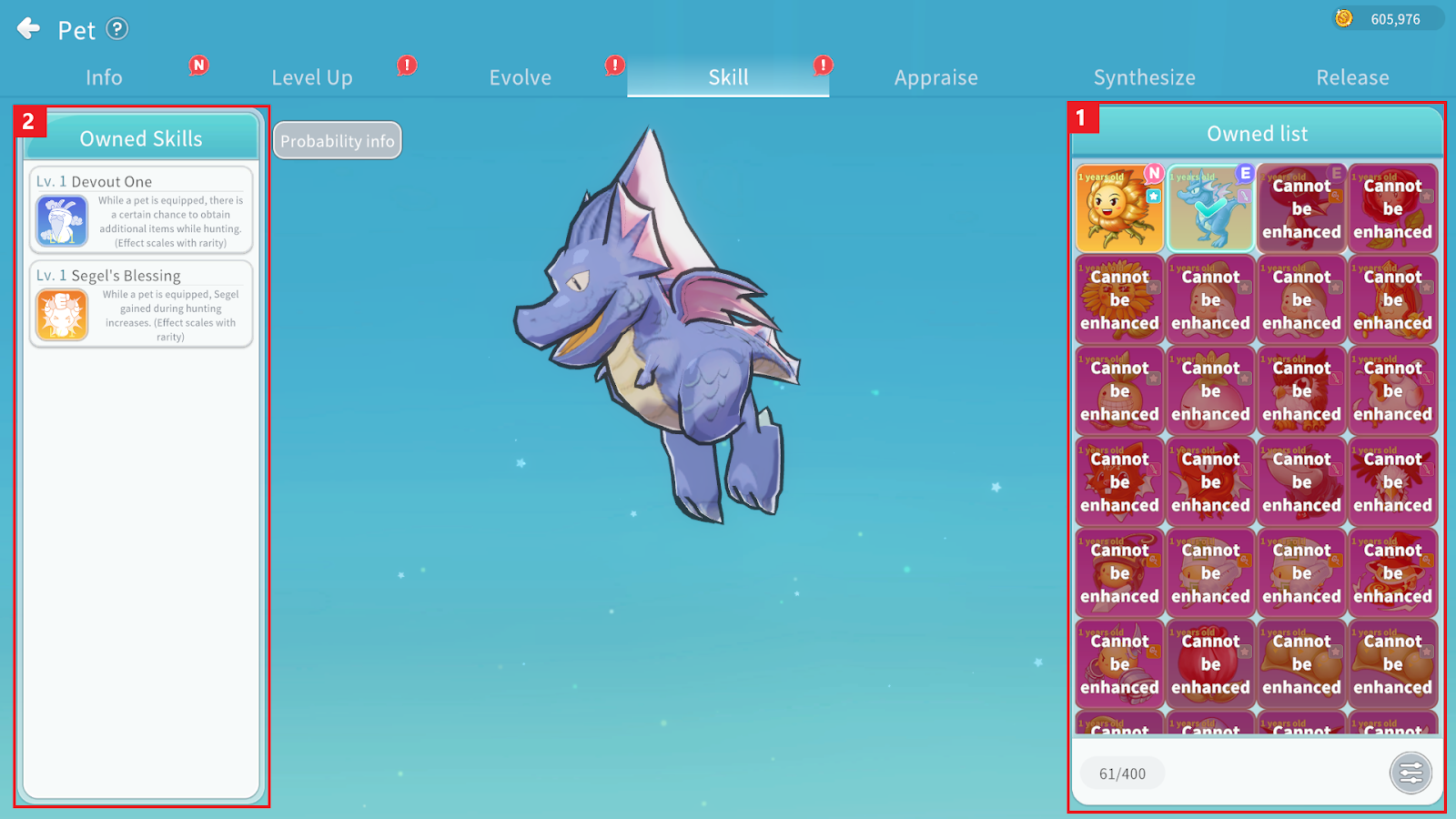
① You can check owned Pets eligible for Skill Enhancement and sort them using filters.
The maximum Skill Level differs by grade. Once fully enhanced, the Skill can no longer be upgraded.
② You can check the Pet’s Skills and their levels, and select the Skill you wish to enhance.
5. Pet Appraisal
Upon reaching Level 30, you can use Pet Appraisal to grant additional options to Pets.
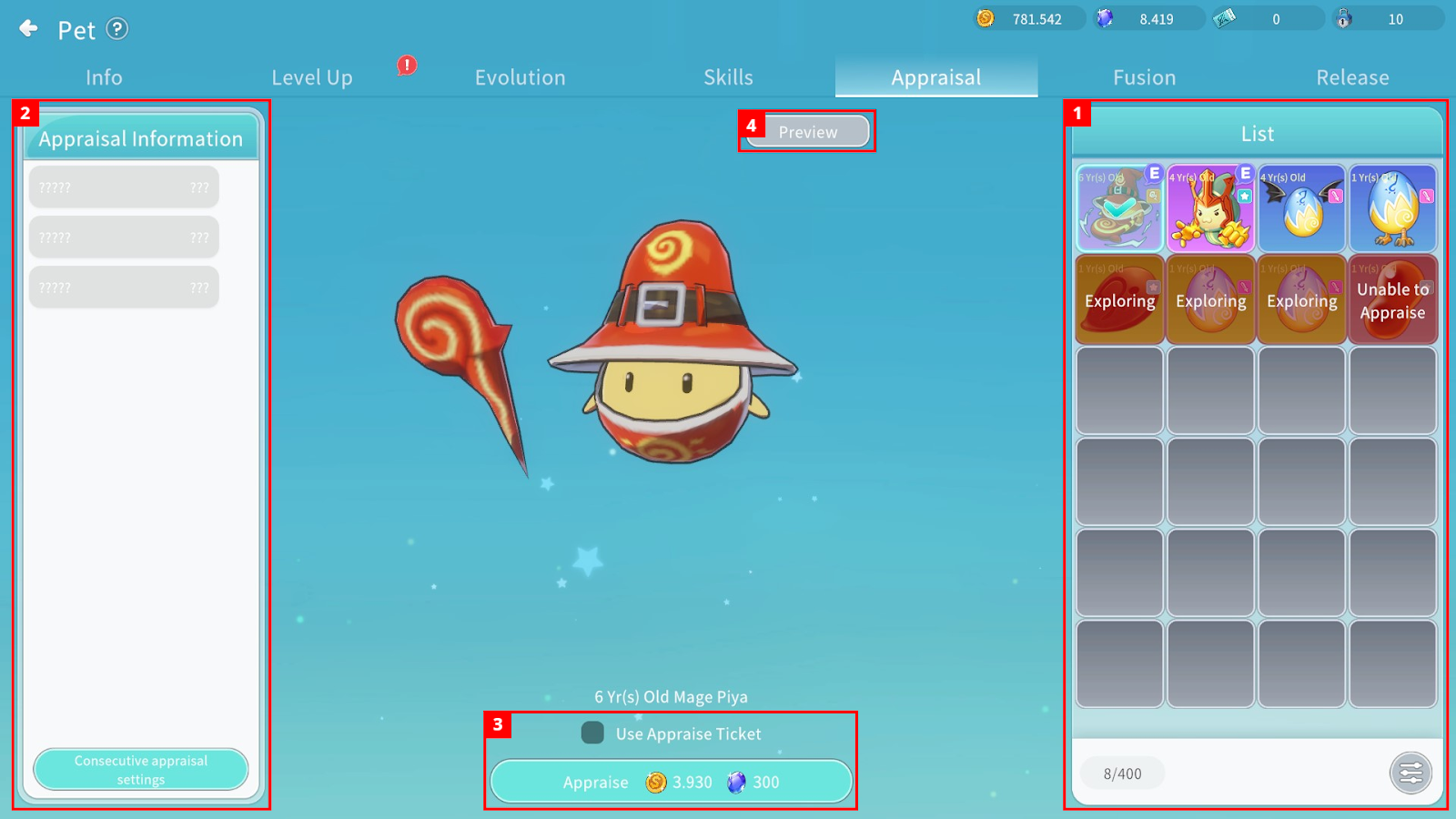
① You can check owned Pets eligible for Appraisal and sort them using filters.
② You can check granted options. If none have been granted, no options will be displayed.
Through consecutive Appraisal settings, you can set desired options and repeat Appraisal automatically until obtained.
③ You can check required materials and Currency and proceed with Appraisal.
Existing options are removed and new options are randomly granted.
If an Appraisal Ticket is selected, it will be used instead of materials.
④ You can check obtainable Appraisal options.
The number of granted options increases according to Pet grade.
6. Pet Fusion
You can fuse five Pets of the same grade to randomly obtain a Pet of the same grade from any category.
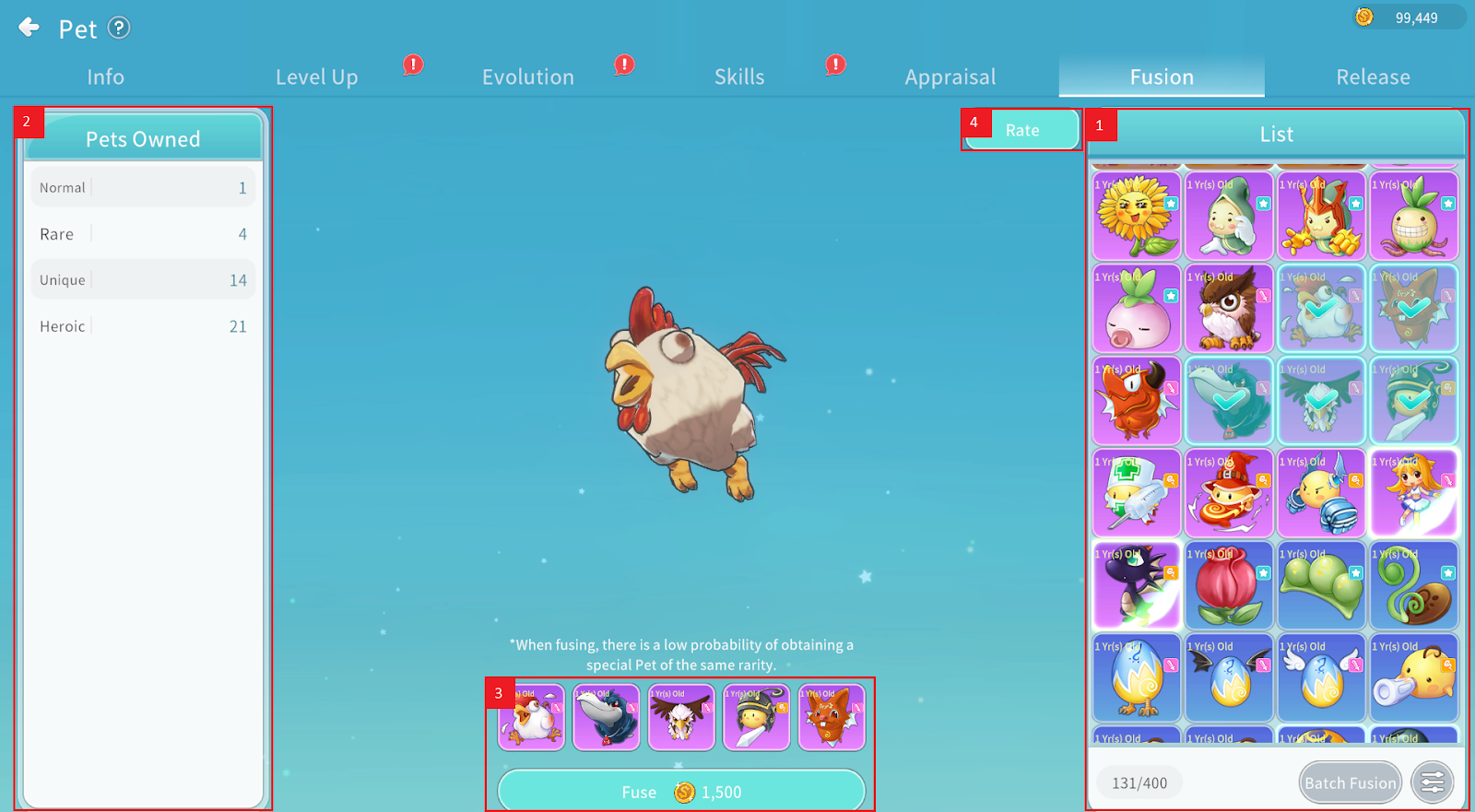
① You can check owned Pets eligible for fusion and use the Batch Fusion function with set conditions.
② You can check the number of owned Pets by grade.
③ You can check the five selected Pets and required Currency before proceeding.
④ After selecting Pets for fusion, you can check obtainable Pets and their probabilities.
7. Release
You can release unwanted Pets to obtain specific items.
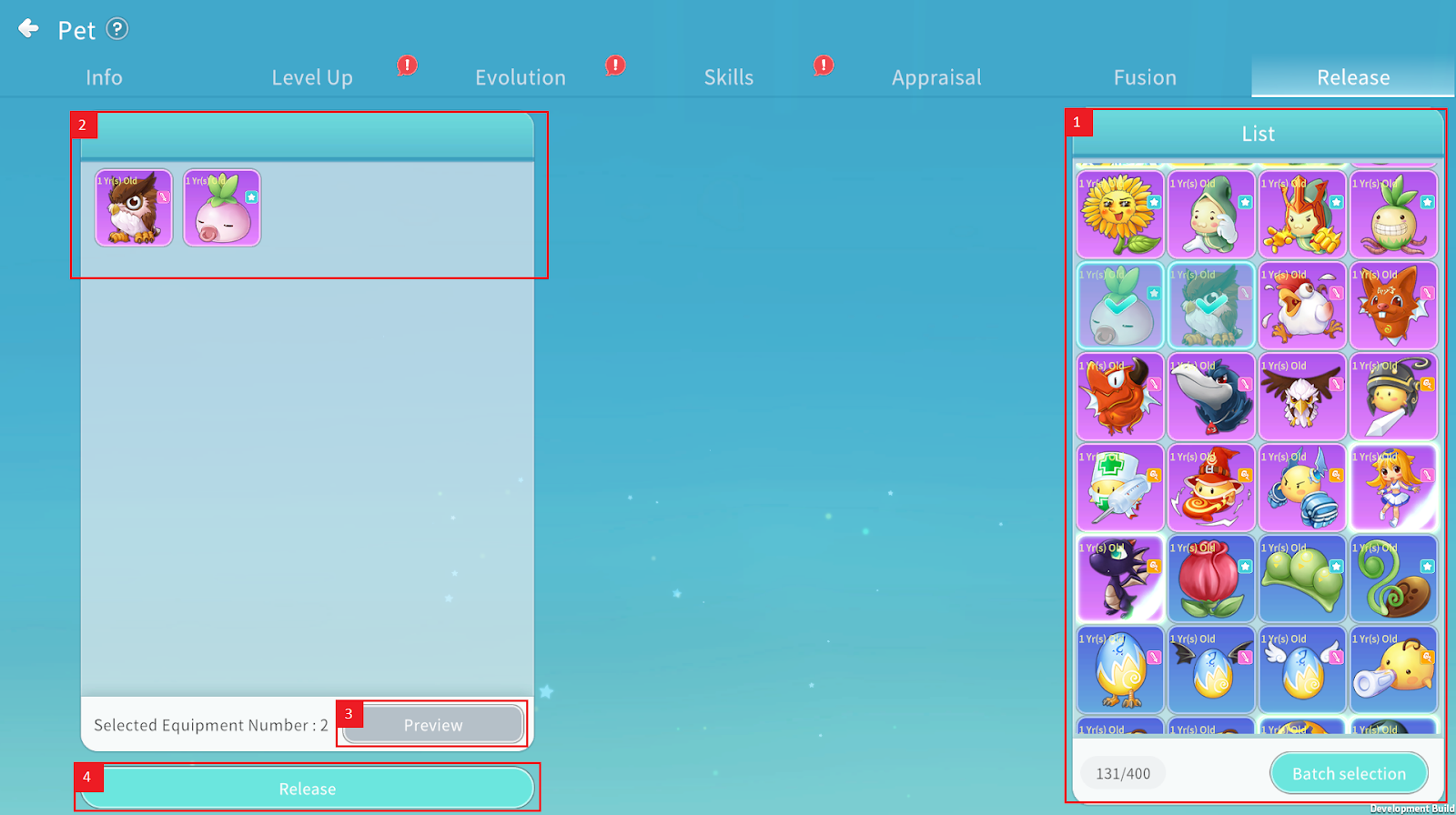
① You can check owned Pets eligible for Release and use Batch selection with conditions.
② You can check selected Pets for Release.
③ You can check expected rewards before Release.
④ Tap the Release button to release selected Pets.
8. Pet Premium
By activating a Pet Premium Ticket, you can automatically Dismantle or Sell obtained items.
To activate the Pet Premium feature, tap the Pet Premium icon.
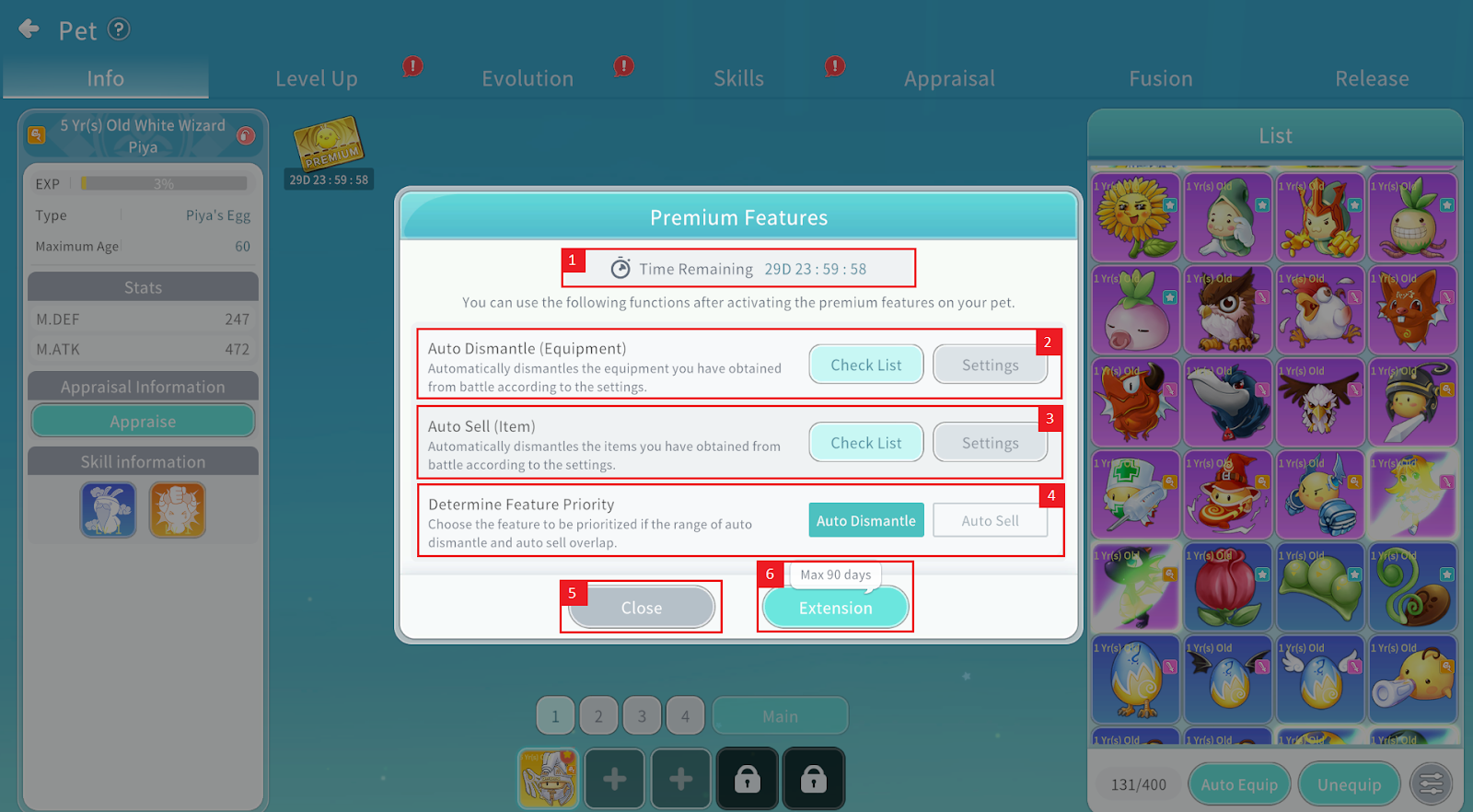
① When activated, you can check the remaining duration (up to 90 days).
② You can configure detailed settings for Equipment Auto Dismantle and check the Dismantled list.
③ You can configure detailed settings for Item Auto Sell and check the Sold list.
④ If Auto Dismantle and Auto Sell overlap, you can set priority for one function.
⑤ Close the Pet Premium page.
⑥ Activate the Pet Premium feature.
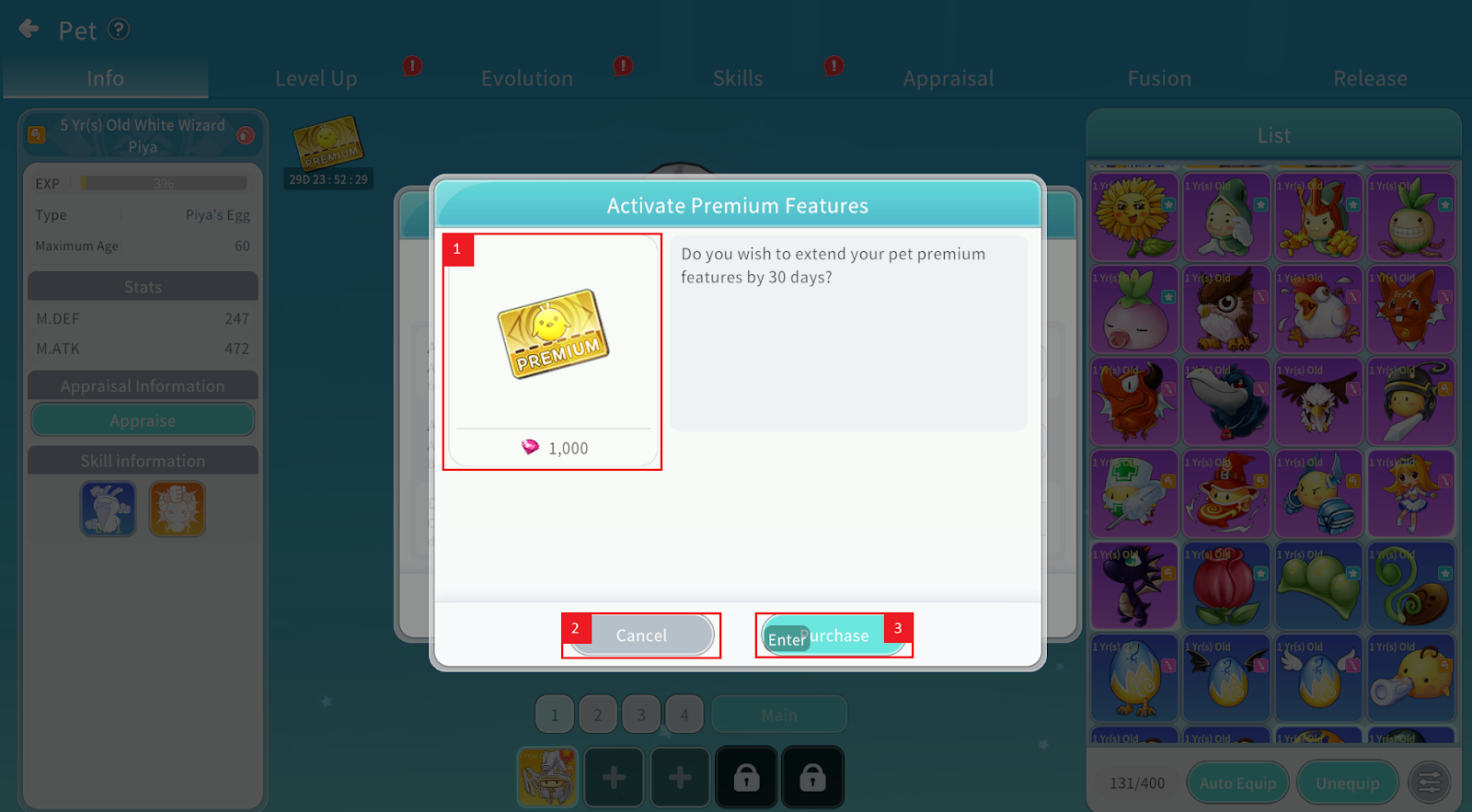
When activating Pet Premium:
① You can check the Ruby cost required.
② Close the activation page.
③ Purchase and activate Pet Premium.
(※ The feature is activated immediately upon purchase.)
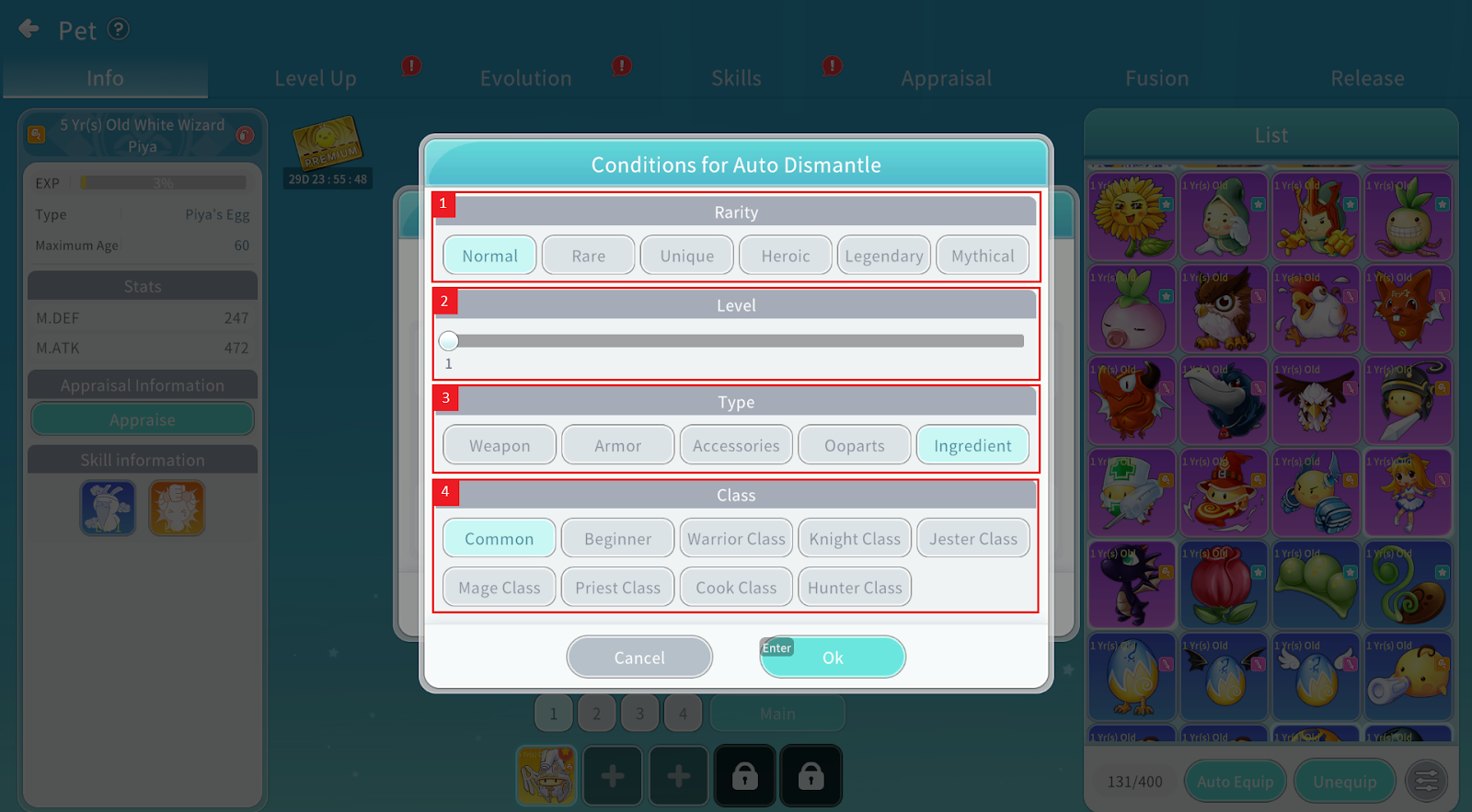
Auto Dismantle / Auto Sell Settings:
① You can set the rarity range.
② You can set minimum and maximum Levels (from Level 1 to Level 80).
③ You can set item type to apply the function.
④ You can set applicable classes.
※ Notes
Pet Premium cannot be refunded once activated.
Pet Premium is activated per character.
The Premium Pet Ticket icon appears only if you own at least one Pet.
Pet Premium is activated in 30-day increments and can be extended up to 90 days. Each activation costs 1,000 Ruby and adds 30 days.
Auto Dismantle/Sell lists reset when the game is closed.
