Patch notes [6/24]

Greetings, Adventurers of R.O.H.A.N.2 Global
Please find the details of the June 24, 2026 update below.
✦ Update Details
▹ Server Merge
- - For accounts with an active subscription, the subscription period will be extended by 1 day.
- - When the server merge takes place, Hunting Assistant settings will be reset.
After your first login following the merge, please go to Menu → Hunting Assistant → Hunting Assistant Settings and reconfigure the settings as desired.
▹ Event
[Ended] Server Transfer
[Ended] Double Equipment Drop Rate Event
✦ Dungeon Entry Count Increase Event
Event Period:
- After maintenance on June 24, 2026 (Wed) ~ Before maintenance on July 1 , 2026 (Wed)
- During the event period, the daily dungeon entry limit will be increased from 1 time → 2 times.
▹ Convenience Improvements
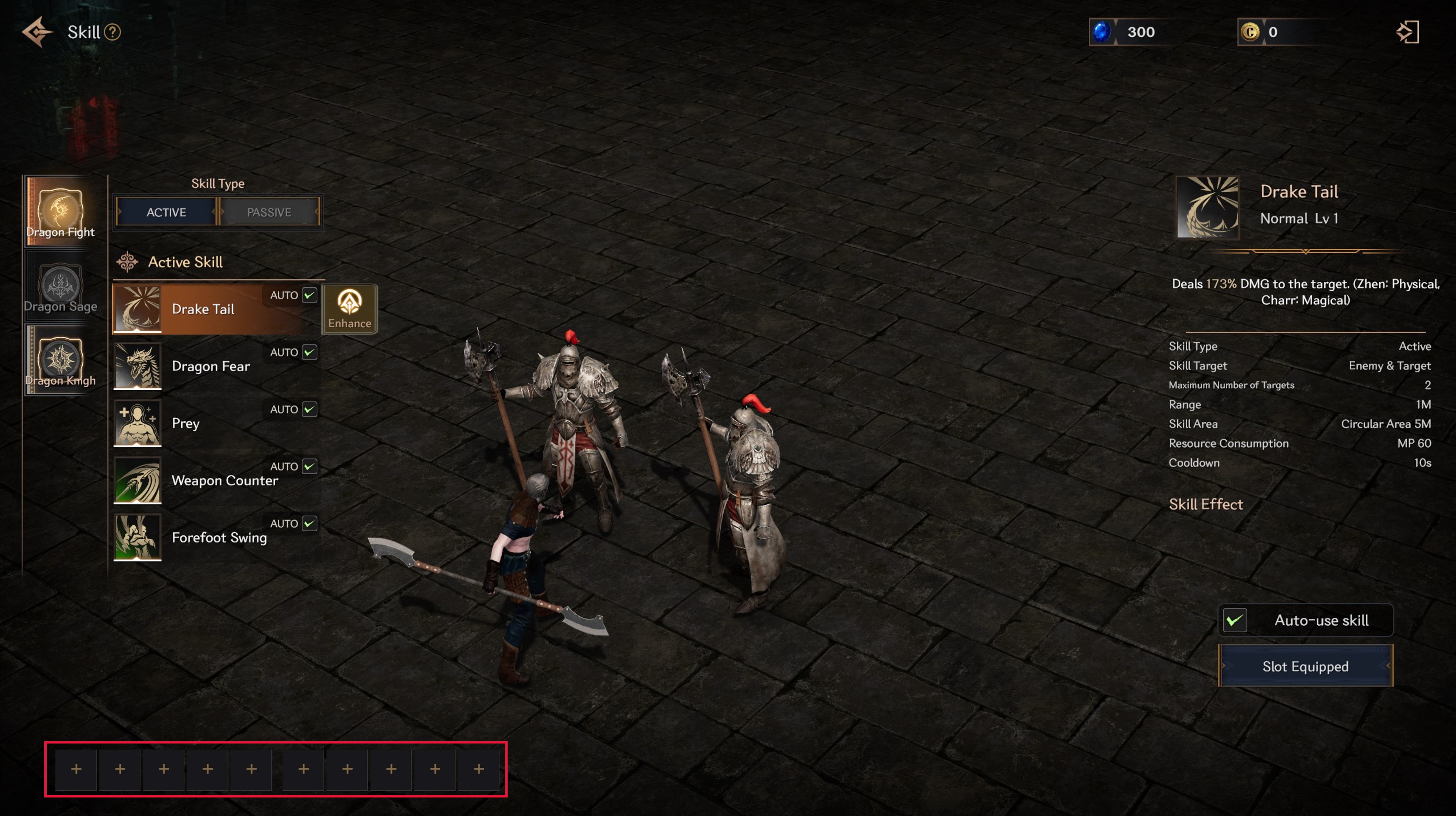
✦ Updated Skill Slot Settings to Save Separately for Each Character
- - Previously, skill slot settings were shared among characters on the same server. This caused inconvenience, as players had to change the settings after logging in whenever they wanted to use a different setup for a specific character. To improve this, skill slot settings will now be saved separately for each character.
- Due to the change in how slot settings are saved, each character’s skill slot settings will be reset upon the first login after the June 24 scheduled maintenance.
✦ Added the Guild Mark Feature
- The Guild Mark feature allows guild members to identify specific characters by displaying a mark above them.
- - Guild Mark Settings
- ▸In the Guild menu, select the character you wish to assign a mark to, then choose the desired mark. The selected mark will be displayed above that character for all guild members.
▸ Guild Marks can be assigned by guild members with the rank of Vice Guild Master or higher.
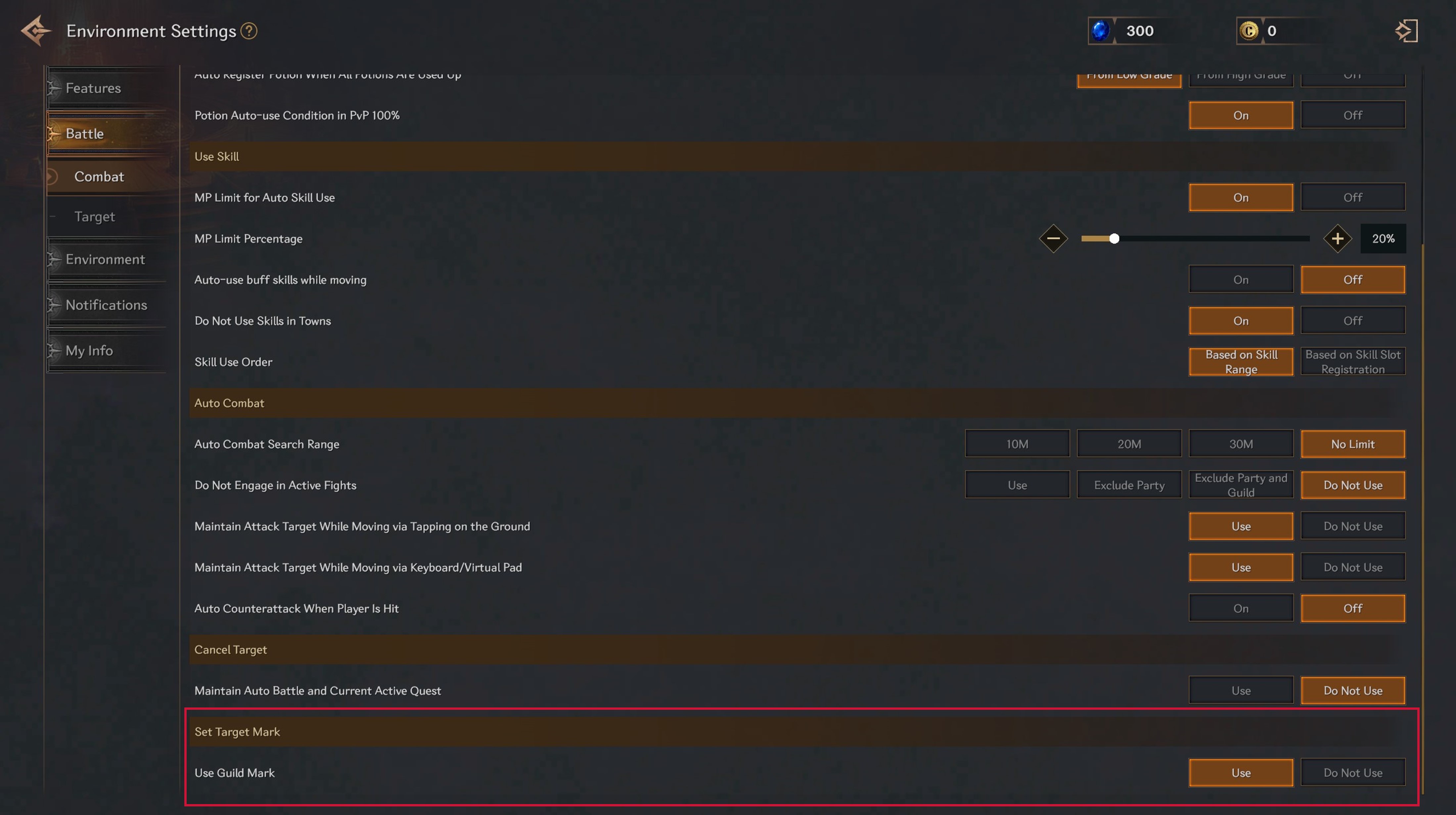
▸ Whether Guild Marks are displayed can be adjusted in the Settings menu.
▸ A mark can also be assigned to the selected character through the character interaction menu.
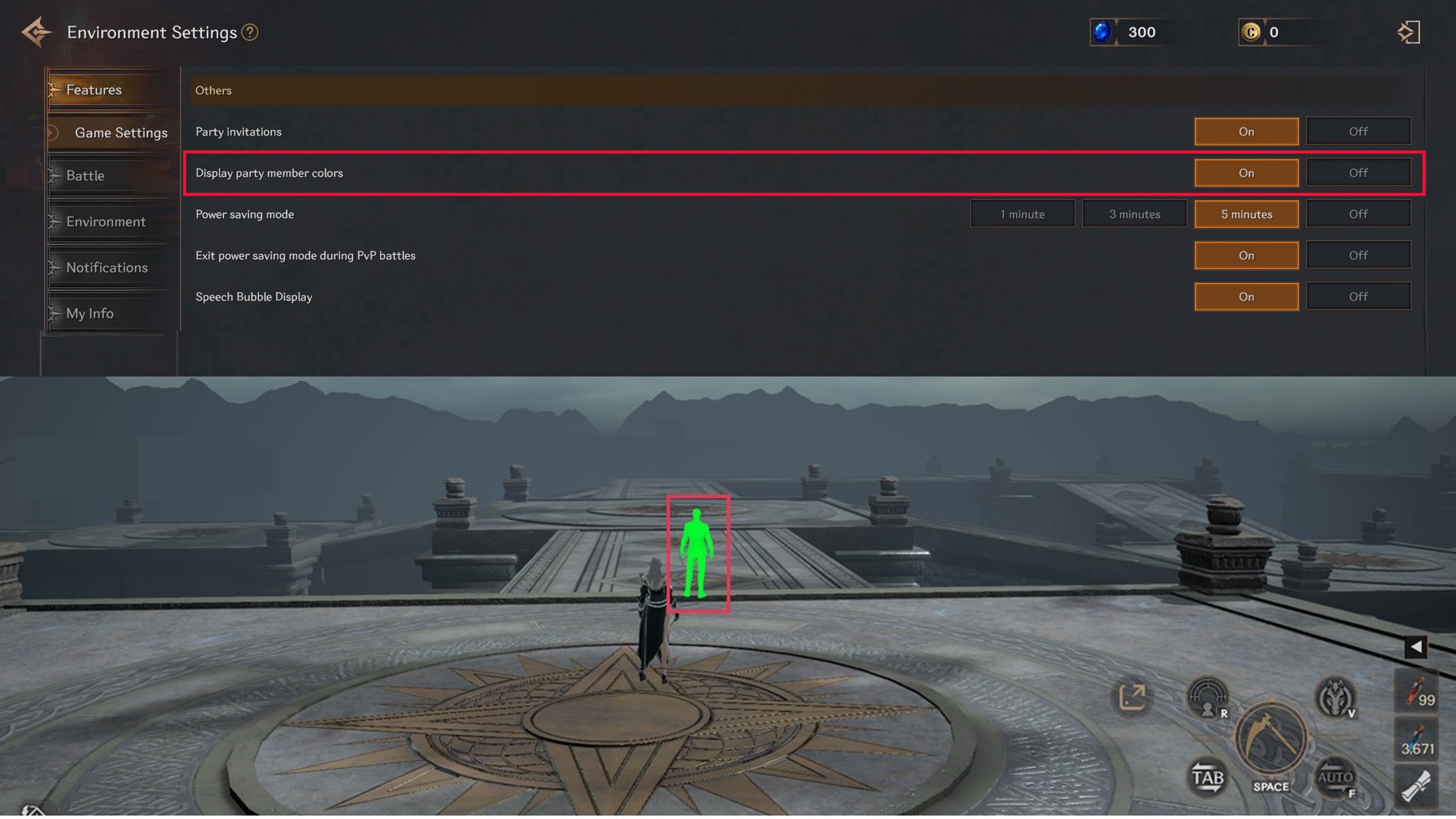
✦ Added the Party Member Color Display Feature
- - A feature has been added that highlights party members in a distinctive color, making it easier to identify their locations in situations where party member positioning is important, such as when using party buff skills.
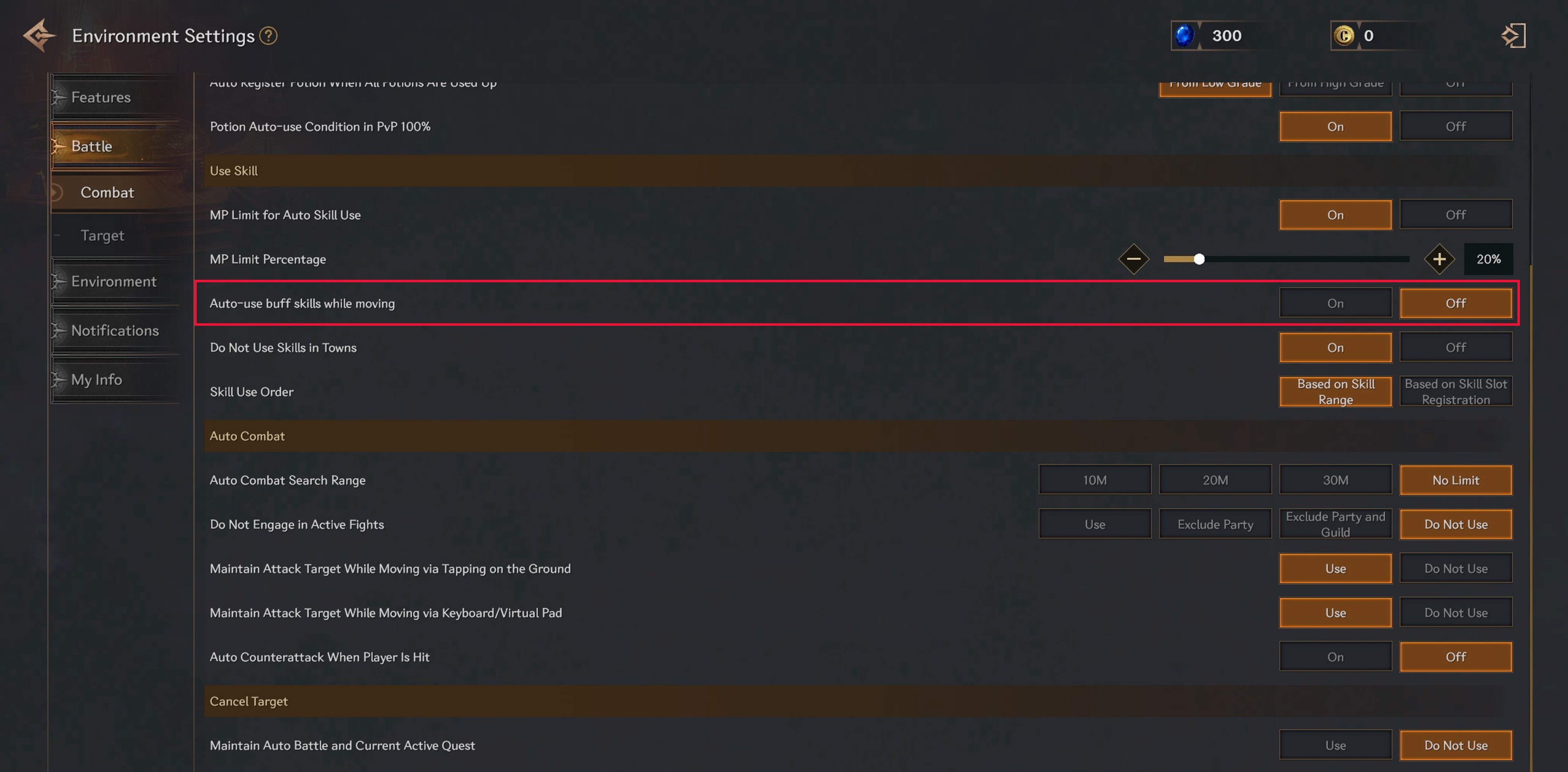
✦ Added the Auto-Use Buff Skills While Moving [On/Off] Option
- - When this feature is enabled, buff skills will be used automatically while moving without switching the character into combat mode.
Thank you.
— R.O.H.A.N.2 Global Team
**Note: The English version is the most accurate. Announcements and guides in other languages are provided for reference only.