Personal Trade

Personal Trade
You can conduct 1:1 trade in the personal trade menu.
You can enter the personal transaction menu by clicking/touching the 1:1 transaction icon in the 三 menu.
✦ Private Sales
You can register items for sale to individuals.
▹ Sales registration
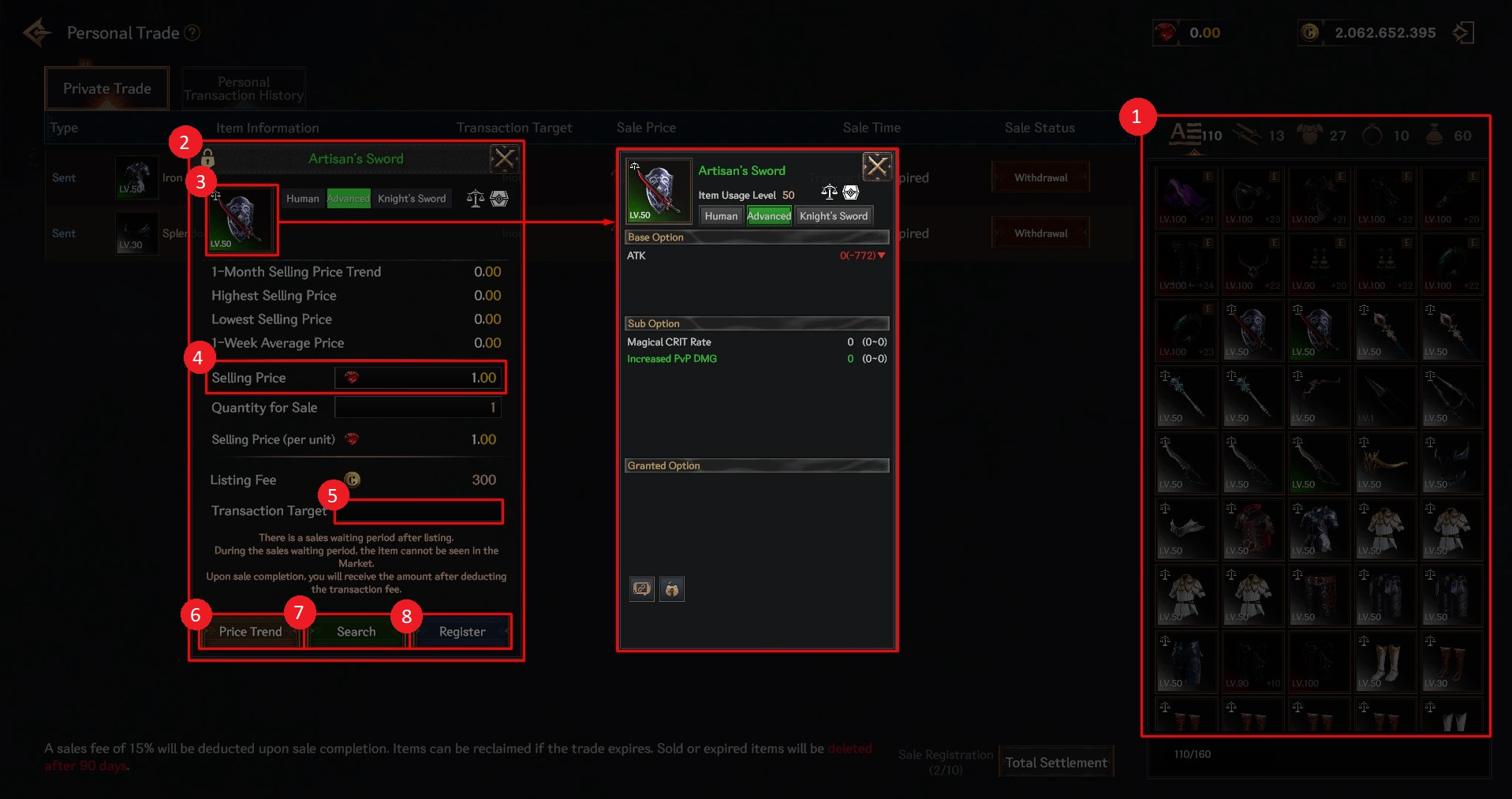
① You can select the item you wish to register for sale. Only tradable items can be registered for sale.
② The sales registration screen for the selected item is displayed.
③ You can check the item details by clicking/touching the item icon.
④ You can set the sales amount (Ruby). A sales registration fee (Cron) is charged in proportion to the sales amount.
⑤ You can enter the nickname of the transaction target.
⑥ You can check the weekly/monthly average transaction price of the selected item.
⑦ You can search the selected item on the exchange. (This feature is being prepared.)
⑧ You can register sales with the set contents.
▹ Items registered for sale are displayed as ‘Sent’ in the personal transaction tab.
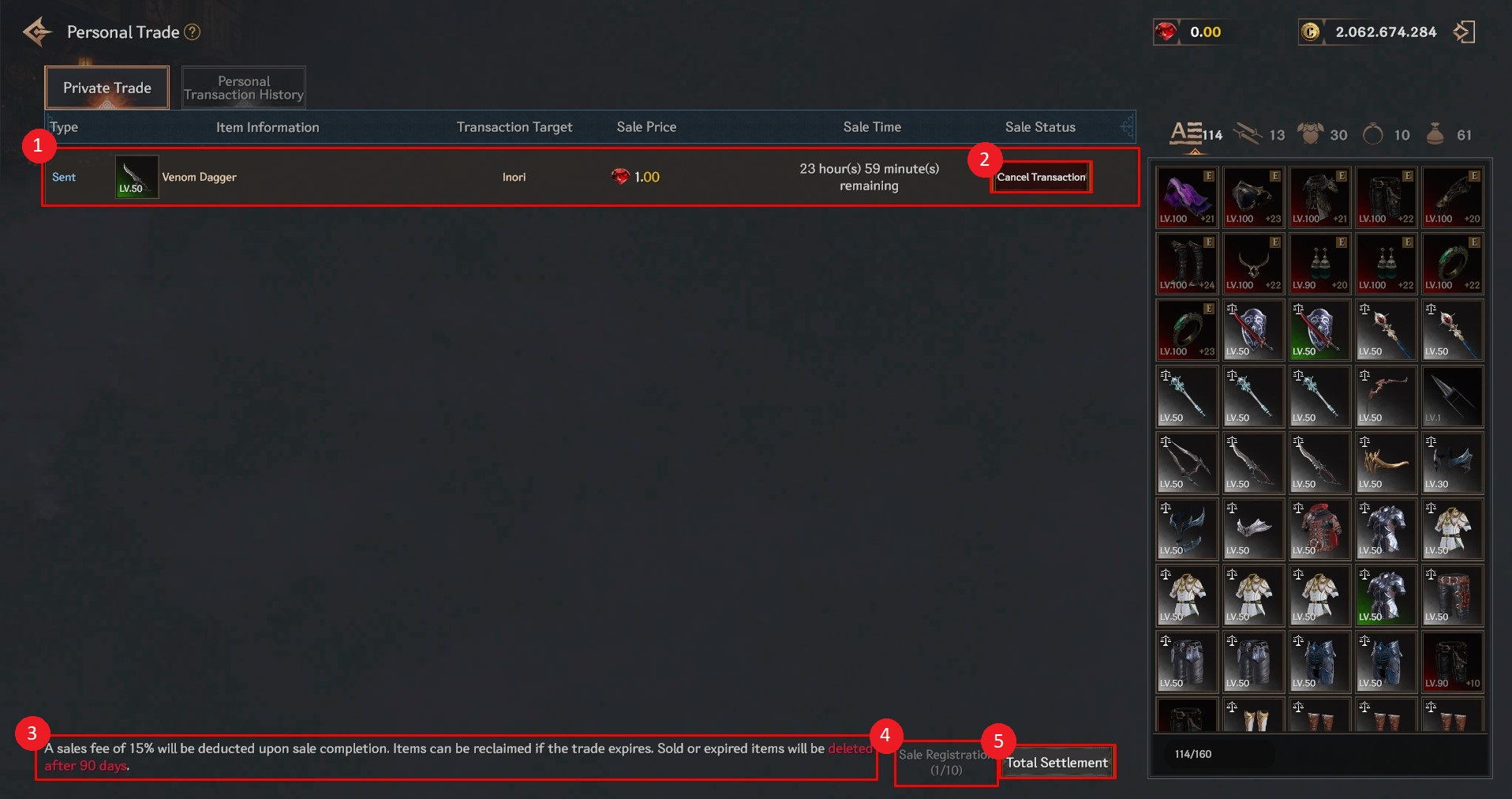
① You can check the list of items registered for sale.
> You can settle the completed sale amount. The amount settled is the set sales amount minus a 15% commission.
② You can cancel a trade for items that the other party has not yet purchased.
③ Precautions when selling
> A sales commission (15%) will be deducted upon completion of the sale.
> It can be recovered when the transaction expires.
> It will be deleted 90 days after the sale is completed, and the period expires.
④ You can check the number of sales registrations. Up to 10 can be registered.
⑤ You can receive the full settlement amount.
✦ Personal Purchases
You can check and purchase items registered to you in the Personal Transaction tab.
▹ Items registered for sale in your name will be marked as ‘Received’ in the Type field.
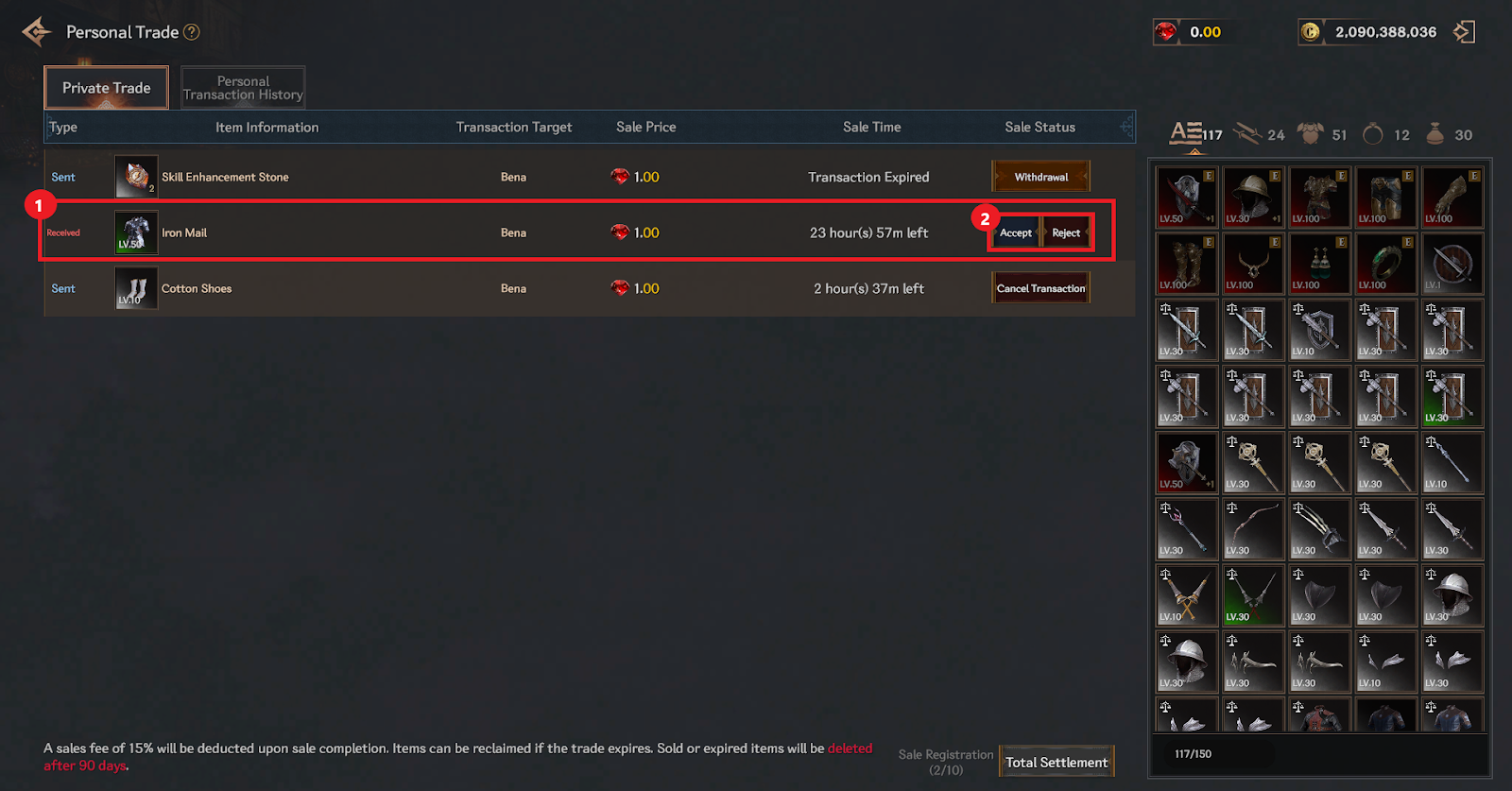
① You can check the list of items registered for sale in your name. The type is displayed as ‘Received’.
② You can accept or decline the purchase.
✦ Personal Transaction History
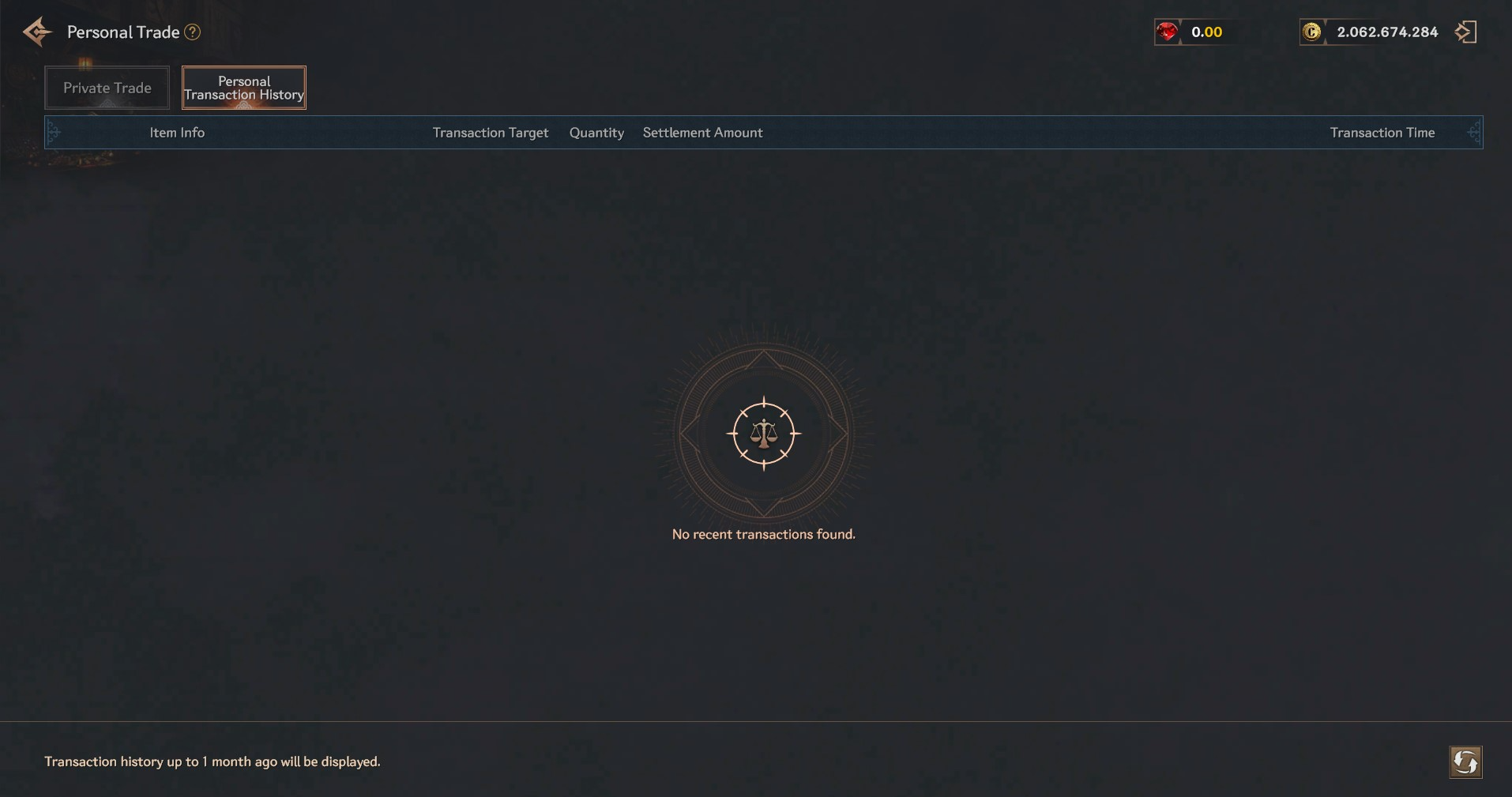
You can check your personal transaction history for up to one month in the Personal Transaction History tab.