
Storage
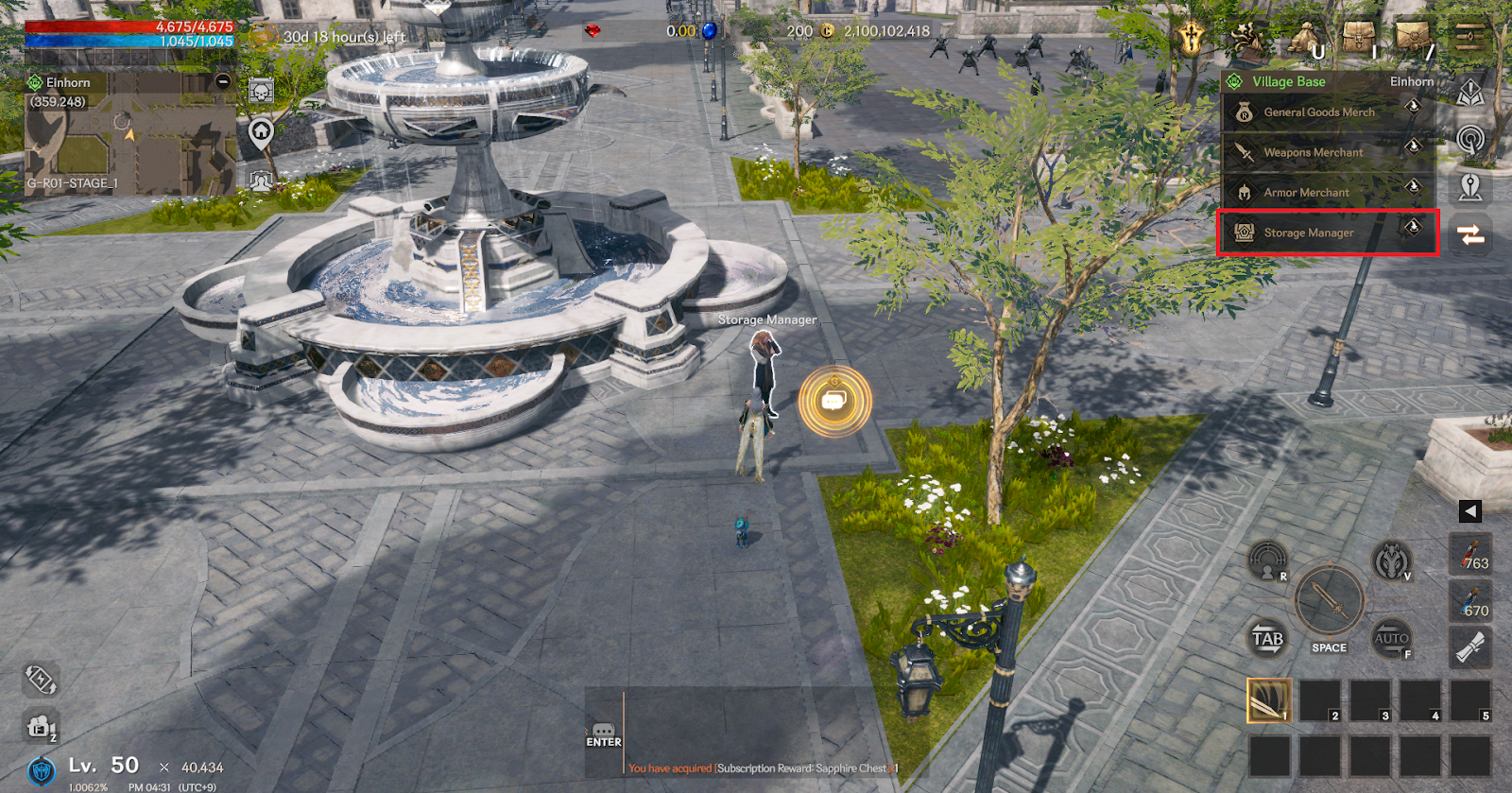
▶ Storage Manager
This feature allows you to store items in your character's inventory.
You can use the warehouse function by visiting the Storage Manager NPC located in the village.
▶ Warehouse Use
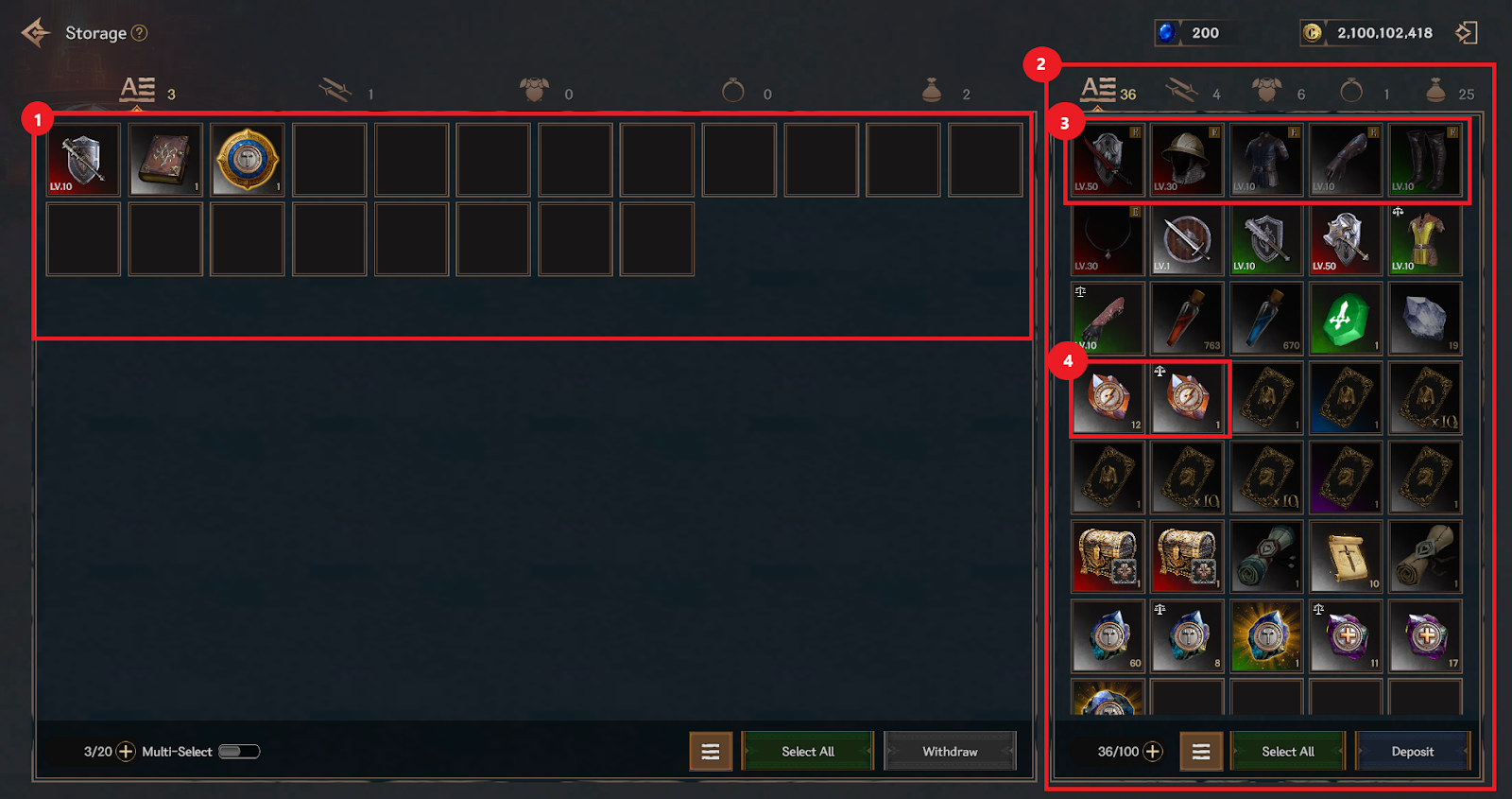
① You can check the items and inventory held in the warehouse.
② You can take out items held in the warehouse and move them to your inventory.
③ Equipped items and locked items cannot be moved.
④ Items with a quantity, such as reinforcement stones, can be moved as many times as you want.
▶ Multiple selection / Select all
> When setting the multi-select option, you can select multiple items at once to deposit or take them out.
> You can select all items displayed in the warehouse/inventory screen at once by touching the Select All button.
> If there is not enough warehouse or inventory space to move, you cannot select all and then move.