Emblem
In this guide, we will walk you through Emblems, which can be obtained
by completing specific conditions such as quest completion or weapon level achievements.
Please read on for more details.
* ARES: THE IRON VANGUARD is available on both mobile devices and PC.
Please note that this guide is based on the PC version.
* This guide was created in a test environment, and some content may be subject to change.
◈ Emblem: How to Access
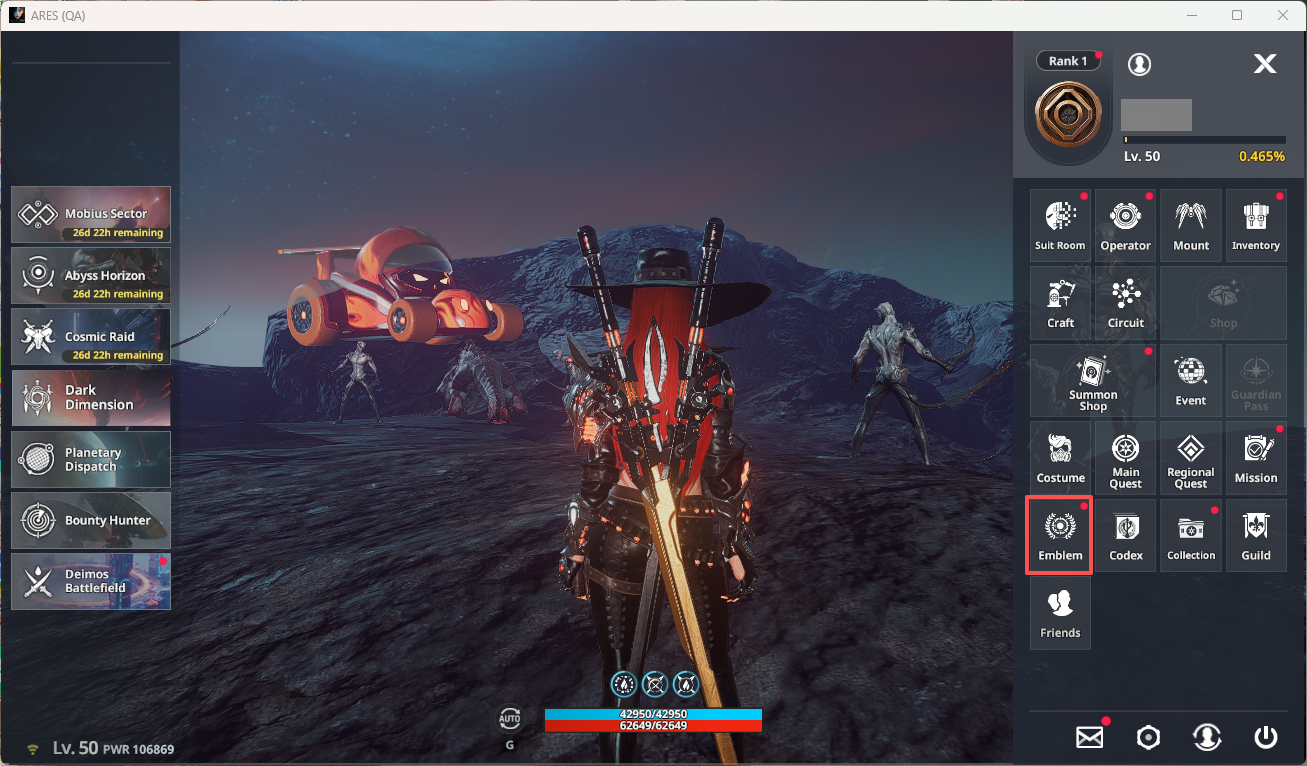
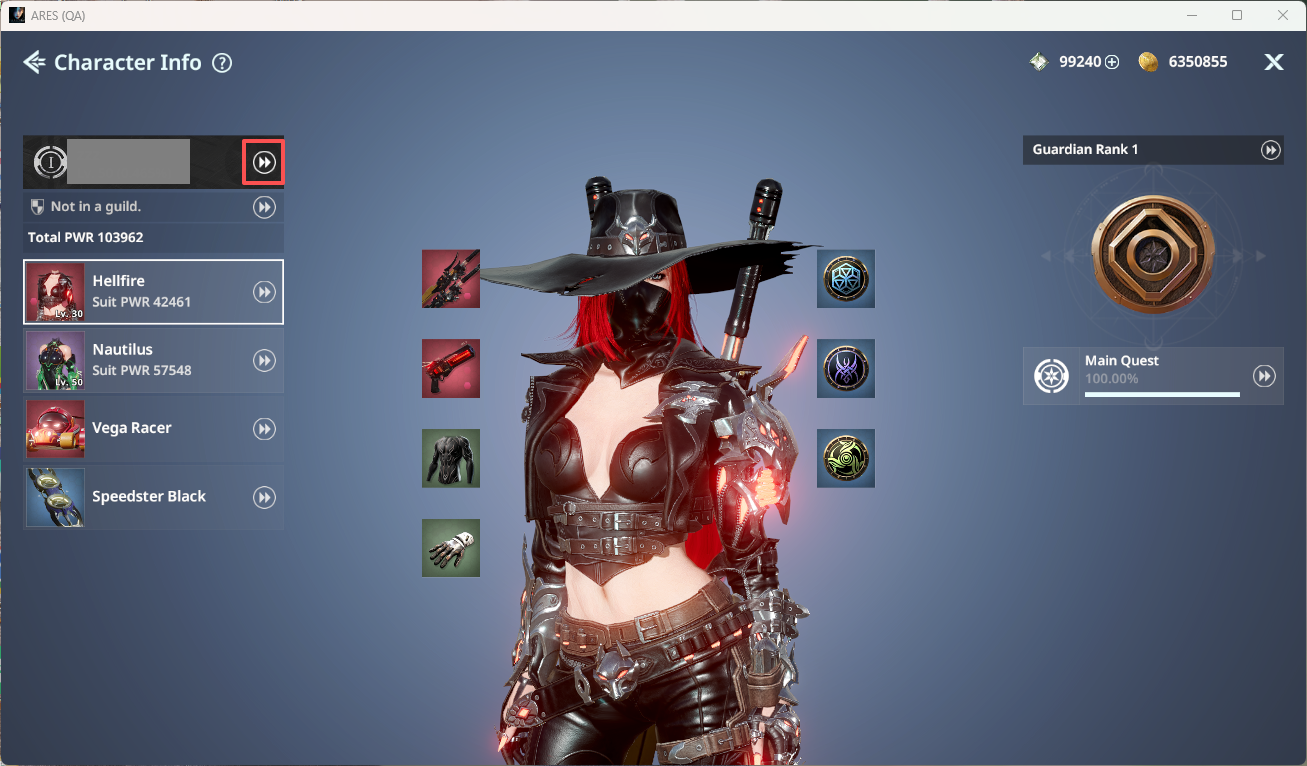
- You can access Emblems in two ways:
ⓘ Menu ▶ Emblem
ⓘ Menu ▶ Character Info ▶ Emblem
◈ Emblem: Normal
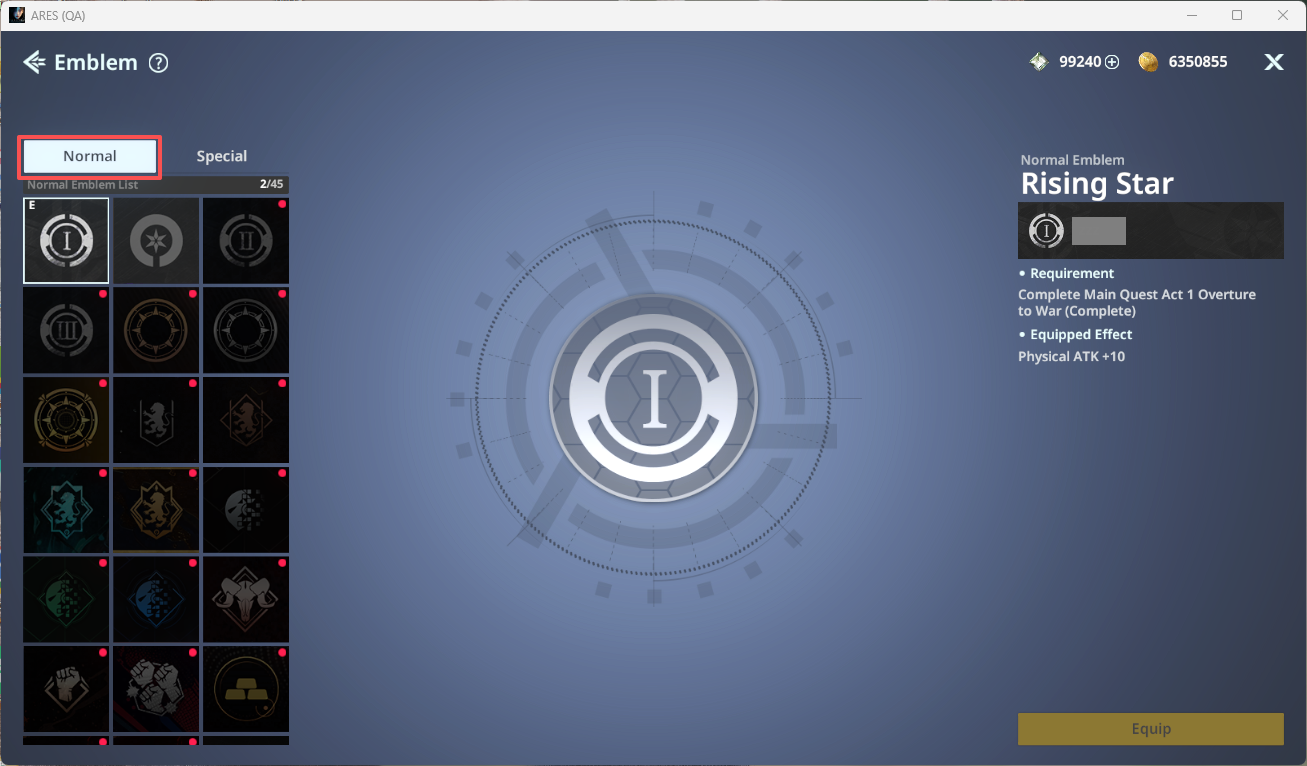
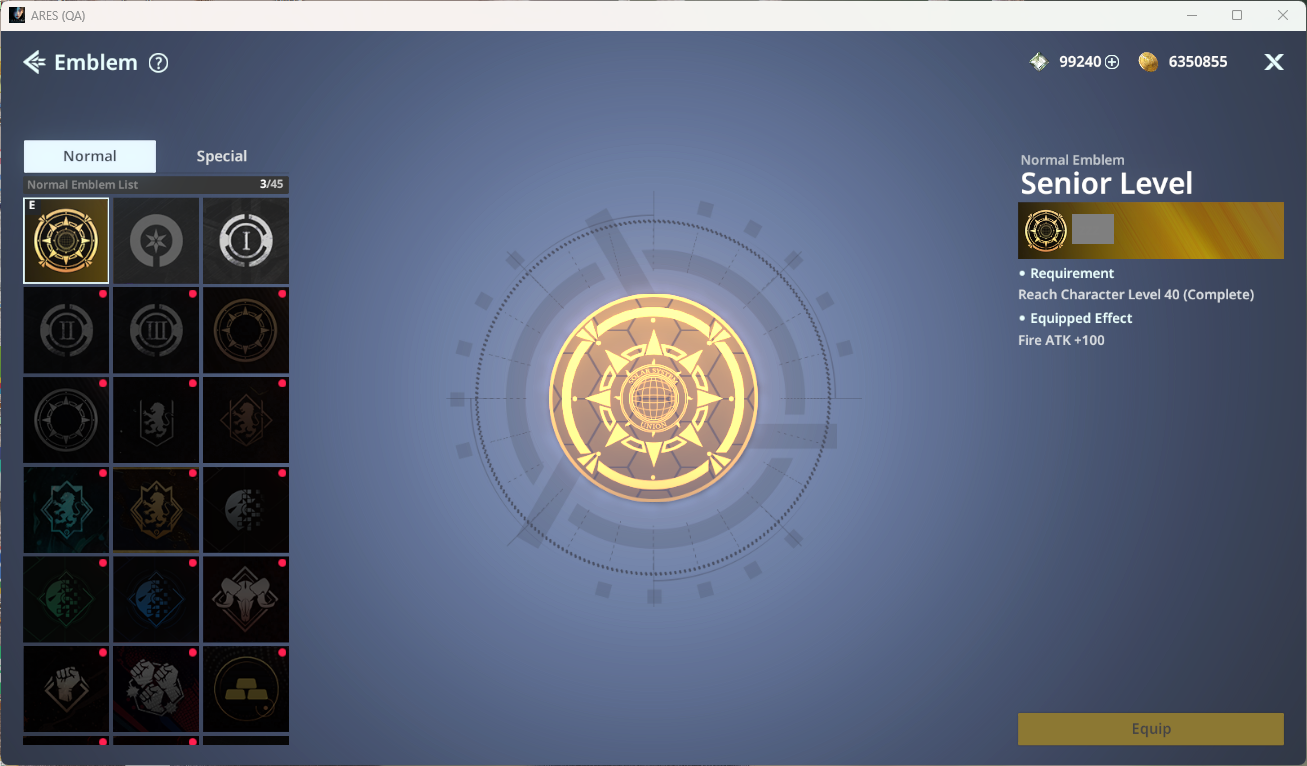
- In Normal, you can view Emblems obtainable from standard content. Click an Emblem to check acquisition conditions and equip effects.
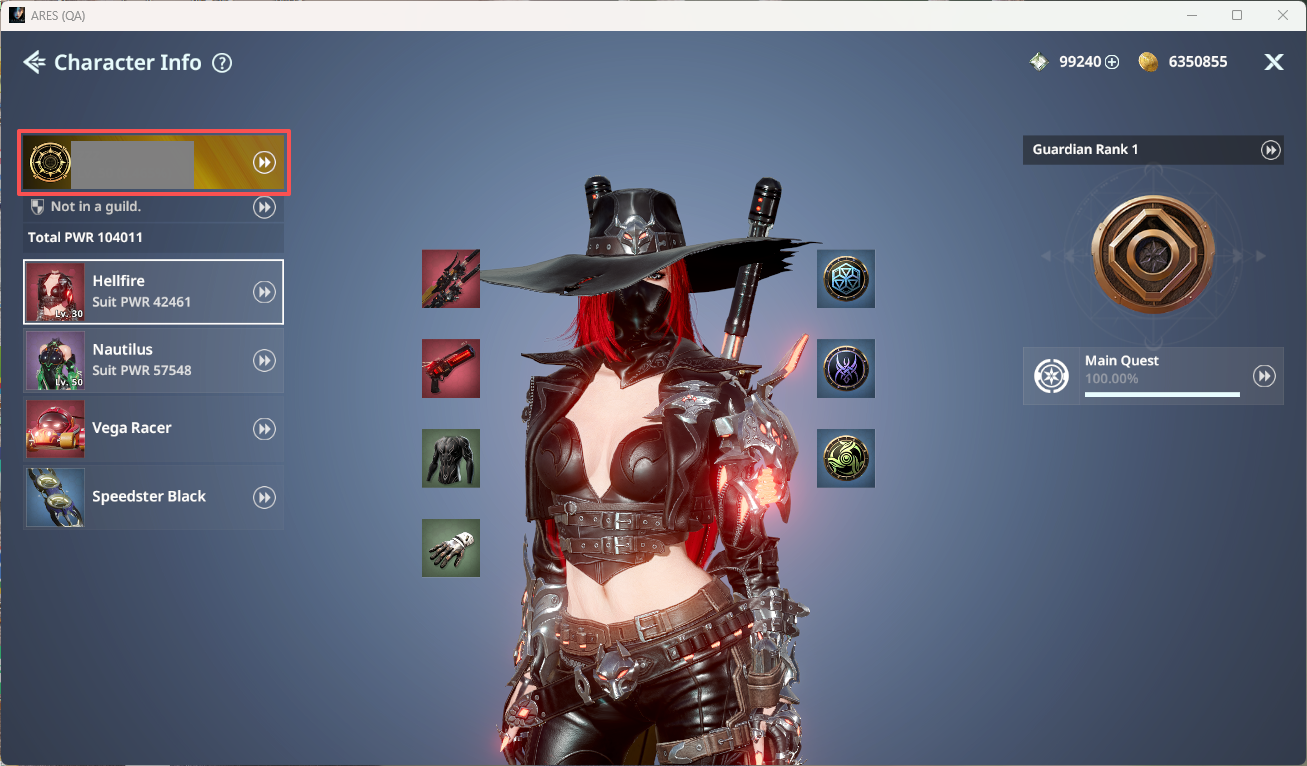
ⓘ When equipped, the Emblem icon will be displayed in Character Info.
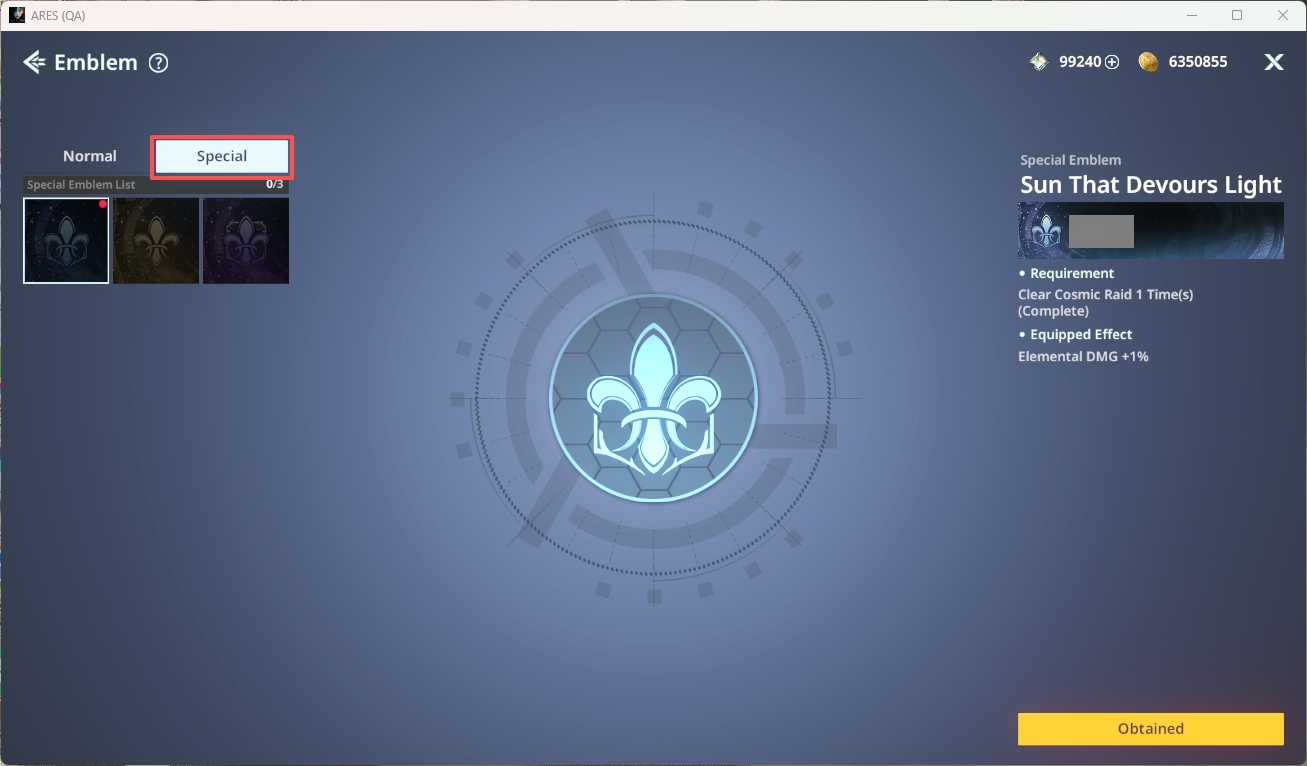
◈ Emblem: Special
- In Special, you can view Emblems obtainable from advanced content. Click an Emblem to check acquisition conditions and possession effects.