Combat
In this guide,
we will introduce the various combat systems that make combat in ARES even more engaging.
For more information, please refer to the details below.
ARES: THE IRON VANGUARD is available on both mobile devices and PC.
This guide is based on the PC version.
* This guide was created in a test environment, and some content may be subject to change.
◈ Combat: Perfect Change
- Each equipped Suit builds its own gauge during combat.
- When a gauge is fully charged, the corresponding Suit icon lights up. Switching to that Suit activates Perfect Change.
- Switching Suits with Perfect Change activates the Suit's Perfect Change Skill, grants additional buffs, and charges the Burst Gauge.
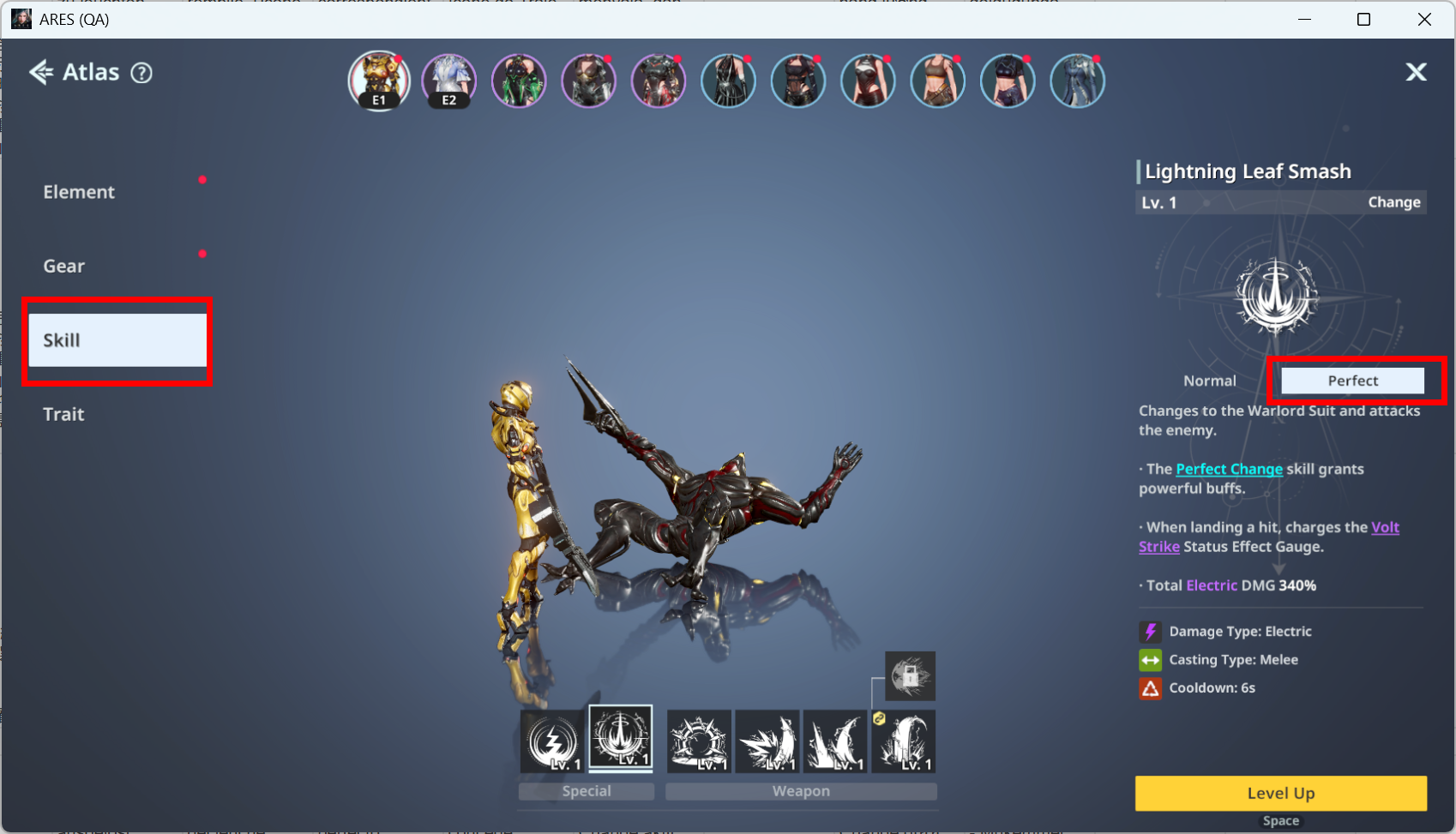
ⓘ Detailed information about Perfect Change Skills can be found in Special Skills under Menu ▶ Suit Room ▶ Skills.
- Perfect Change grants various benefits, including increased Skill DMG.
- Use Perfect Change strategically to seize the advantage and turn the tide of battle.
◈ Combat: Counter, Dodge, and Block
- You can avoid enemy attacks in several different ways.
- Successfully performing a Counter or Dodge rapidly charges the Perfect Change Gauge, allowing you to activate Perfect Change more frequently.
■ Counter
- Use your Sub Weapon Skill with precise timing as an enemy attacks to perform a Counter.
- On PC, press R to use the skill.
- On mobile, tap the skill button below.
■ Dodge
- Use Dodge just before an enemy attack lands.
- On PC, press Left Shift.
- On mobile, tap the button below.
■ Block
- As a Warlord, you can use your Sub Weapon Skill to Block while an enemy is attacking.
- Block uses the same skill button as Counter. Unless the skill is used with the precise timing required for a Counter, a Warlord performs a Block instead.
◈ Combat: Elements
- Take advantage of your Suit's elemental skills to gain the upper hand in battle.
- Status effects include Gash, Blaze, Frostbite, Volt Strike, and Corrosion. Each status effect has its own unique effects.
| Element | Status Effect | Effect |
| Ice | Frostbite | Freezes the target, preventing actions while reducing CRIT DMG RES and CRIT Rate RES. |
| Fire | Blaze | An intensified Fire status effect that deals massive explosion damage to a single target based on Fire ATK. |
| Radiation | Corrosion | Decreases the target's DEF and Elemental RES. |
| Electric | Volt Strike | An intensified Electric state that instantly deals AoE damage based on Electric ATK. |
| Physical | Gash | Deals damage every second based on Physical ATK and increases damage taken from DoT effects. |
◈ Combat: Strengths and Weaknesses
- Every boss has its own strengths and weaknesses.
- In certain content, these can be viewed before entering the stage. Otherwise, they can generally be checked by selecting the boss's HP bar.
- Take advantage of elemental weaknesses to gain the upper hand in battle.
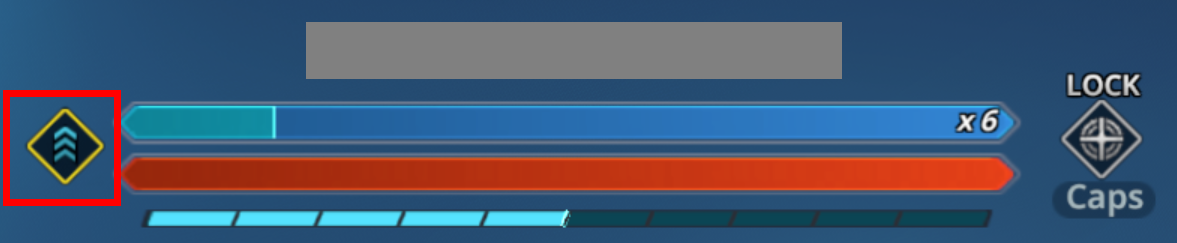
ⓘ During combat, an icon appears to indicate whether your equipped Suit has an elemental advantage or disadvantage.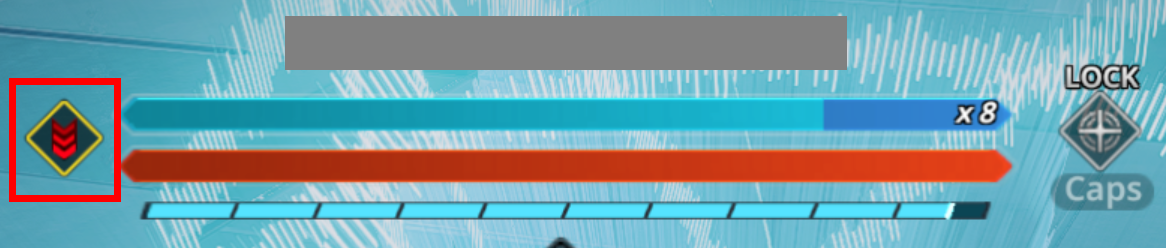
ⓘ If your Suit matches the boss's Strength, a red icon appears to indicate you are at a disadvantage.
ⓘ If your Suit matches the boss's Weakness, a blue icon appears to indicate you are at an advantage.