Shop
In this guide,
we will introduce the Shop, where you can purchase special items for use in the game.
For more information, please refer to the details below.
* ARES: THE IRON VANGUARD is available on both mobile devices and PC.
This guide is based on the PC version.
* This guide was created in a test environment, and some content may be subject to change.
◈ Shop: How to Access
- Open the Shop through Main Screen ▶ Shop.
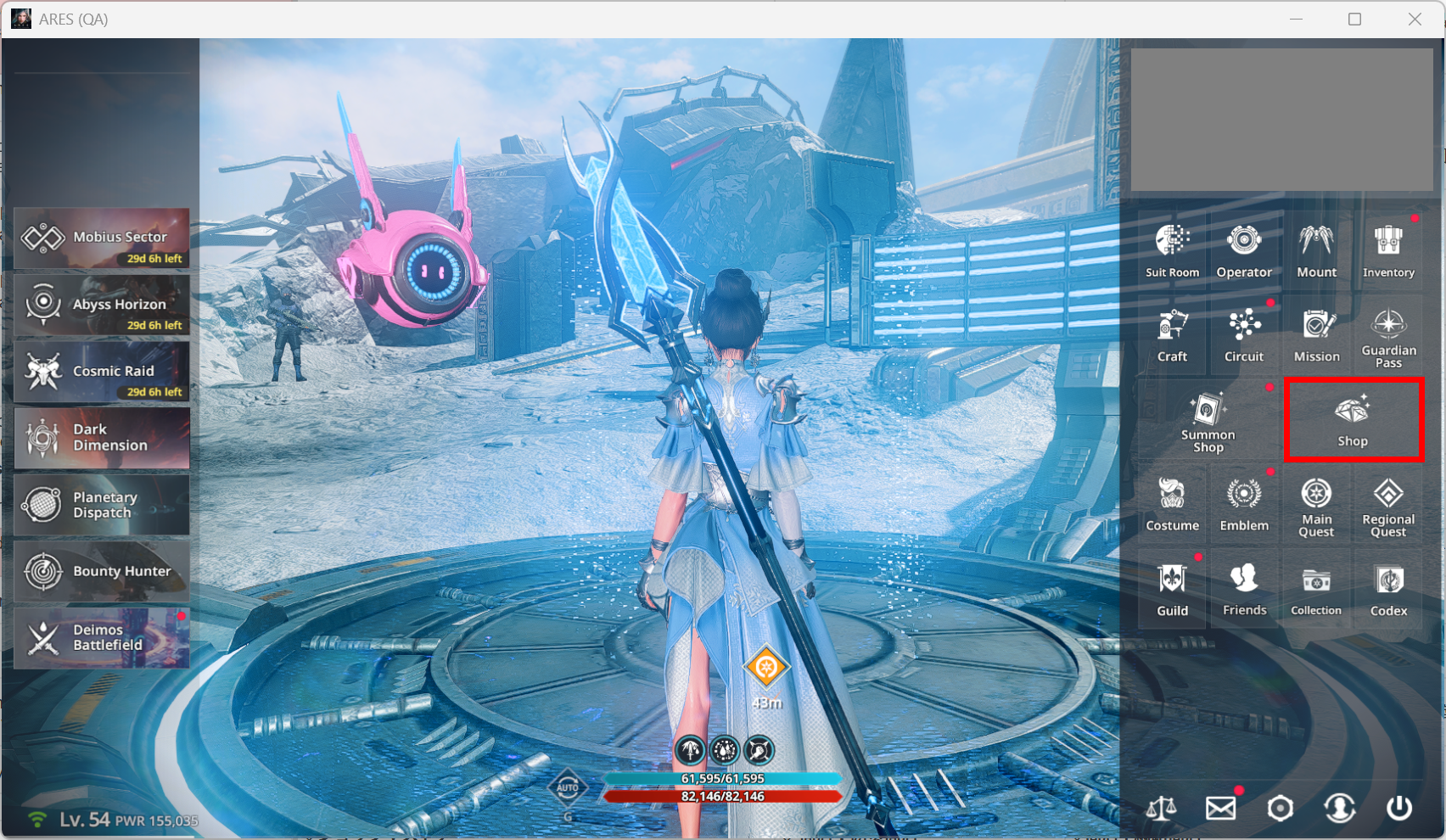
ⓘ The Shop is unlocked after completing Act 1 Chapter 1 - Searching for Aria (2).
ⓘ Shop items may differ when the game officially launches.
◈ Shop: Products
- The Shop offers Summon Tickets and a variety of special items to support your adventure.
- Available products may change over time.
◈ Shop: Web Market
- Open the Web Market by selecting the Web Market button in the lower-left corner of the Shop.
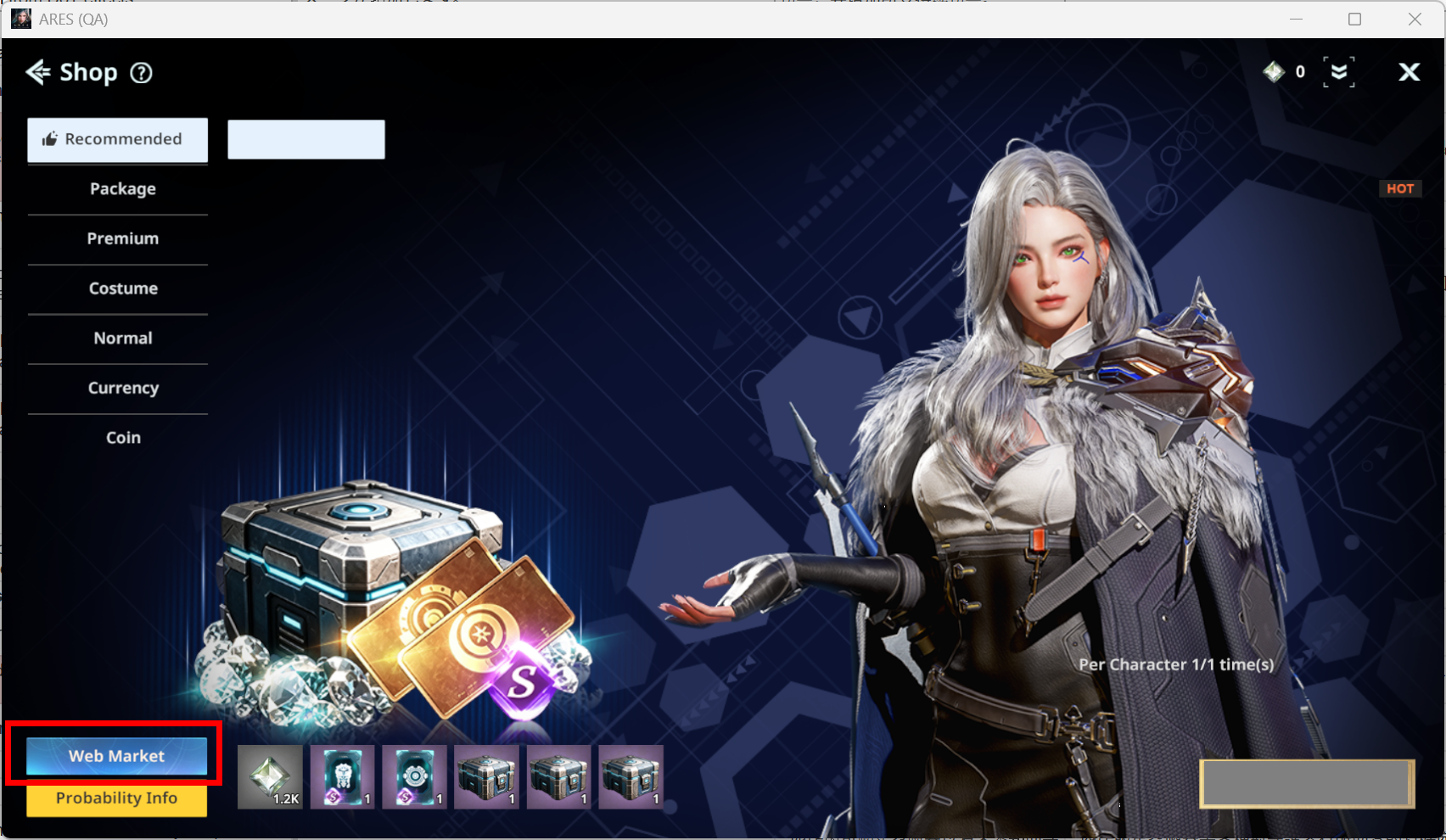
- The Web Market offers exclusive items available only through the Web Market.
ⓘ Visit the Item Shop category on the official website to access the Web Shop.
ⓘ Visit the Marketplace category on the official website to access the Marketplace.
ⓘ Items purchased from the Shop or Web Market can be claimed from your Mailbox.