Photo Mode
In this guide, we will walk you through Photo Mode,
where you can capture memorable moments from your adventures with stunning screenshots.
Please read below for details.
* ARES: THE IRON VANGUARD is available on both mobile and PC platforms.
Please note that this guide was created based on the PC environment.
* This guide was created in a test environment, and some content may be subject to change.
◈ Photo Mode: How to Access
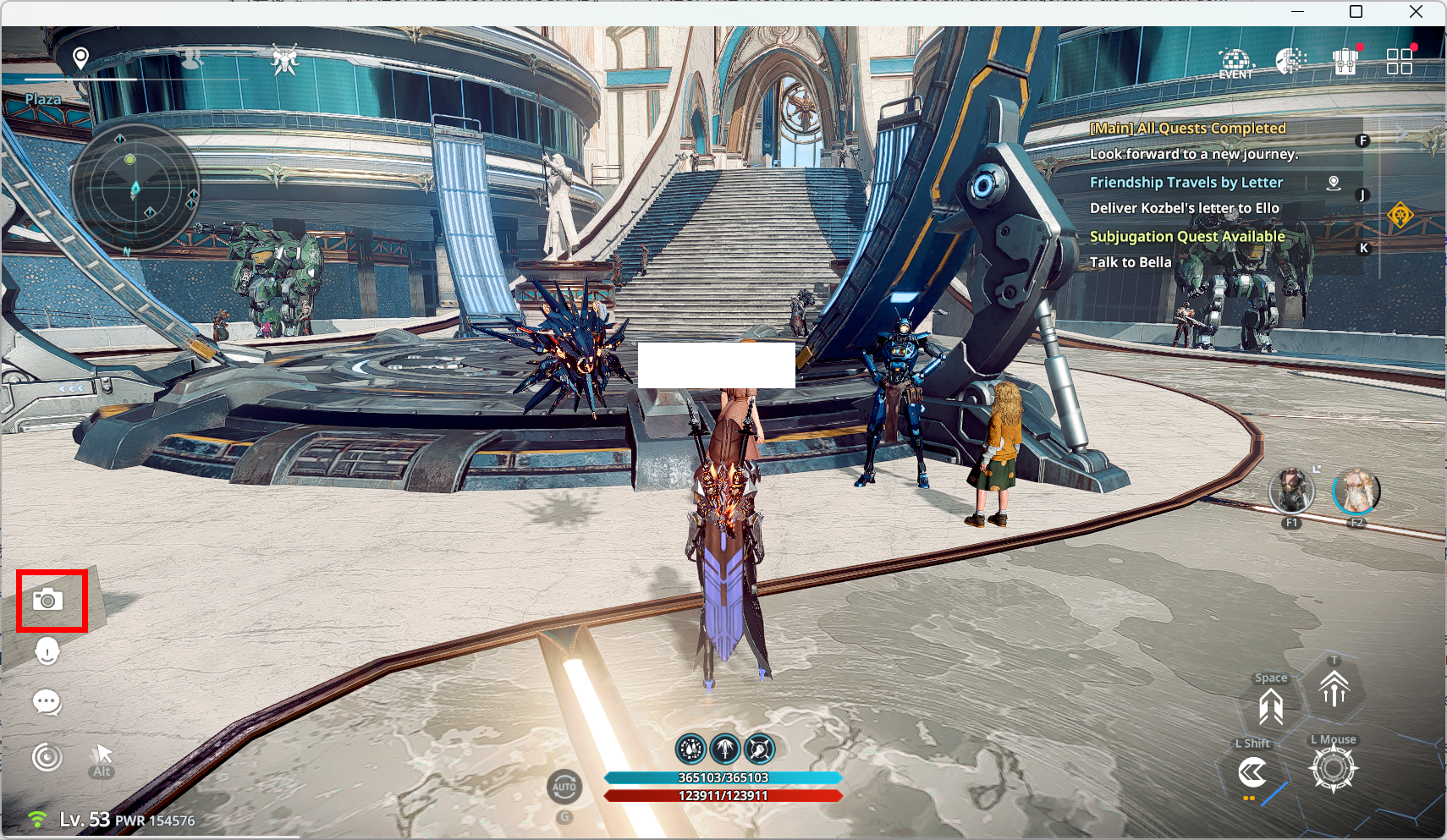
- You can access Photo Mode via Main Screen ▶ Photo Mode.
◈ Photo Mode: Usage Guide
- In Photo Mode, you can customize various settings such as Name Display, Targeted Shot, Zoom, and Blur Effects.
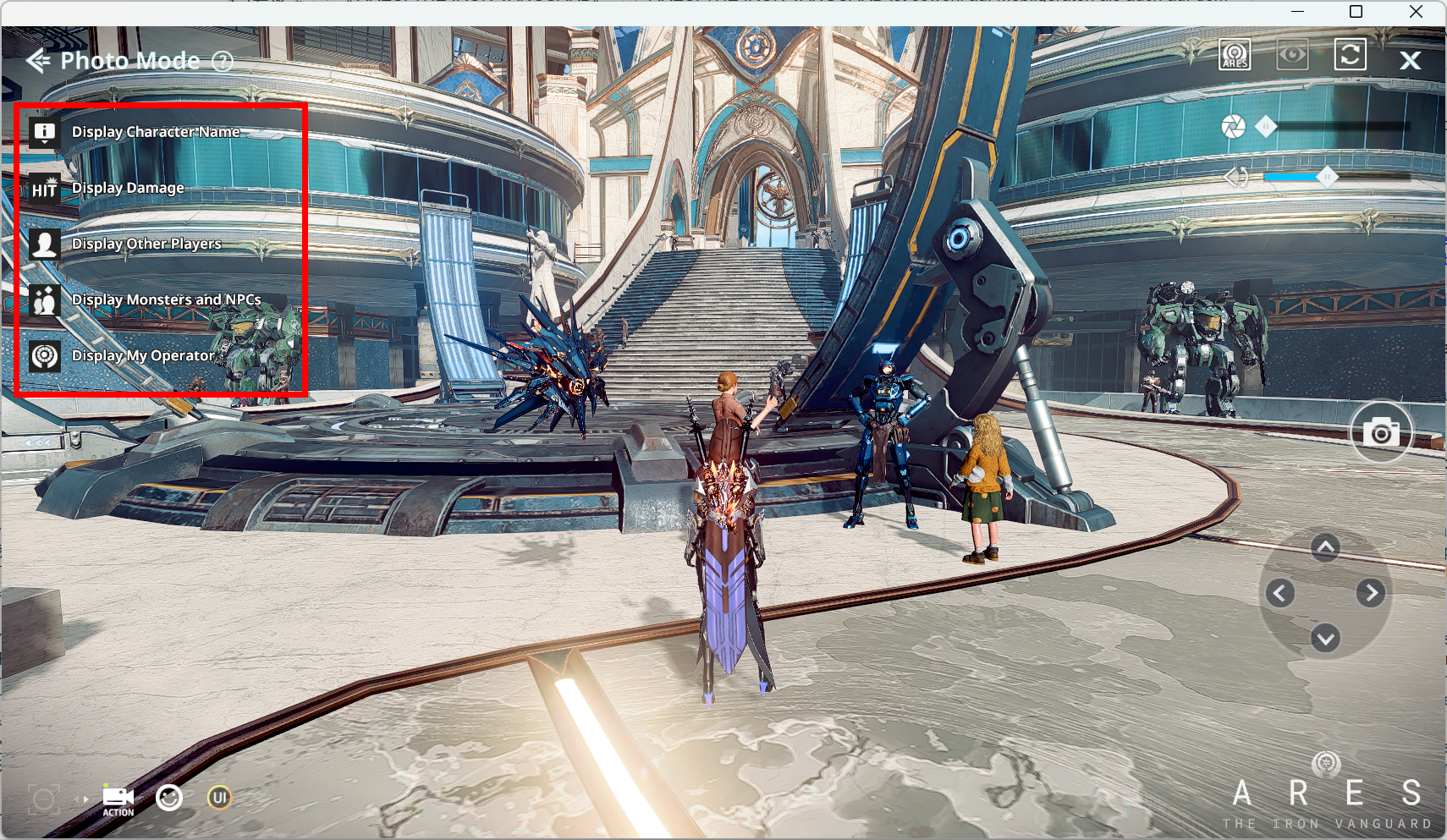
- In this area, you can configure whether to display Character Names, Damage Numbers, Other Players, Monsters & NPCs, and your Operator.
- In this area, you can use ‘Targeted Shot’ to capture a selected area, adjust camera angles, use poses, and toggle the UI on/off.
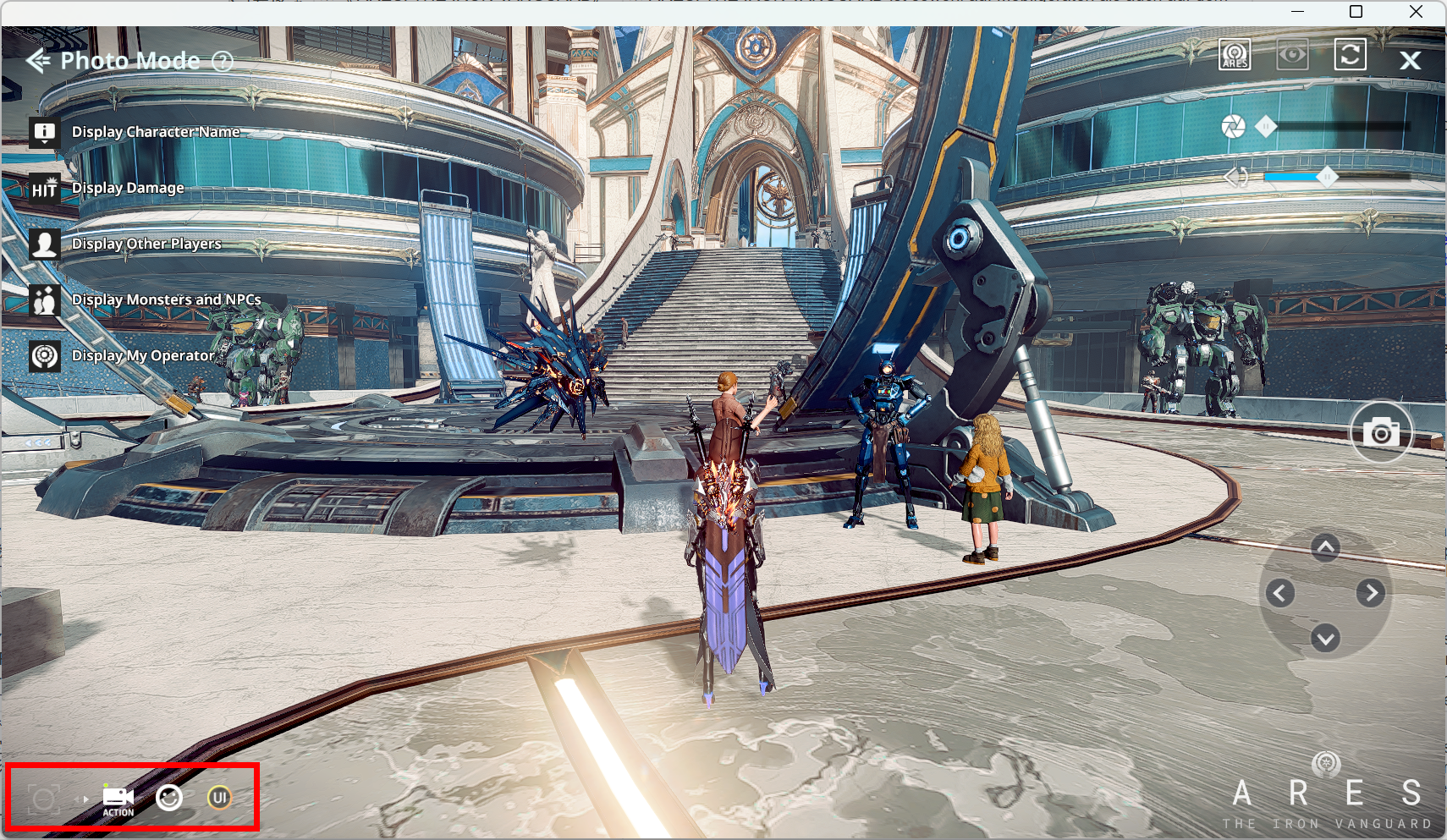
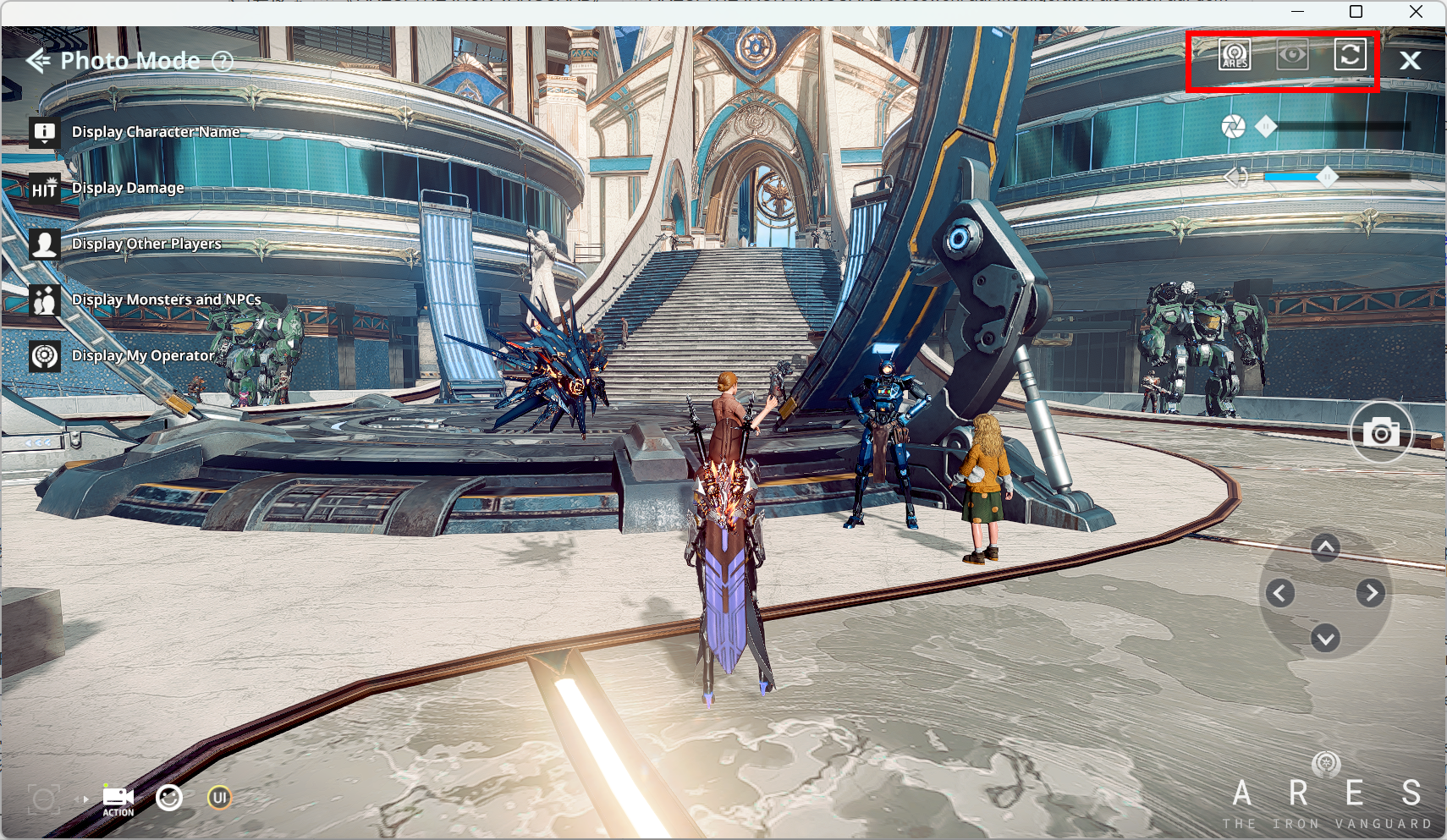
- In this area, you can configure logo visibility, set whether the character looks at the camera, and reset camera settings.