[Event] Holiday Coupon Event

Greetings from Com2uS! 🤩
We hope you had a blast with MLB RIVALS in 2025.
To make this holiday season even more special, we've prepared a surprise holiday coupon event!🎉
Don't miss out on this coupon for 10 Moment Pick Up Scout Tickets!
Please read below for more details.
■ Holiday Coupon Event

■ Event Period
- Dec. 22, 1:00 AM - Dec. 31, 9:59 AM [EST]
■ Event Details
- Enter the coupon code below in the in-game Coupon Exchange or select the coupon link to claim your reward.
Coupon Code | Rewards | Period |
HOLIDAY2025RV
| Moment Pick Up Scout Ticket x10 | Dec. 22, 1:00 AM - Dec. 31, 9:59 AM [EST] |
- The coupon can be used once per account during the period.
- Items will be sent to the Inbox of the account where the coupon was claimed.
- Select the coupon link to get the coupon reward.
※ Please access through an external web browser and claim the coupon code.
■ Please Read
- How to Claim the Coupon
You can claim the coupon code to obtain items through the three methods below.
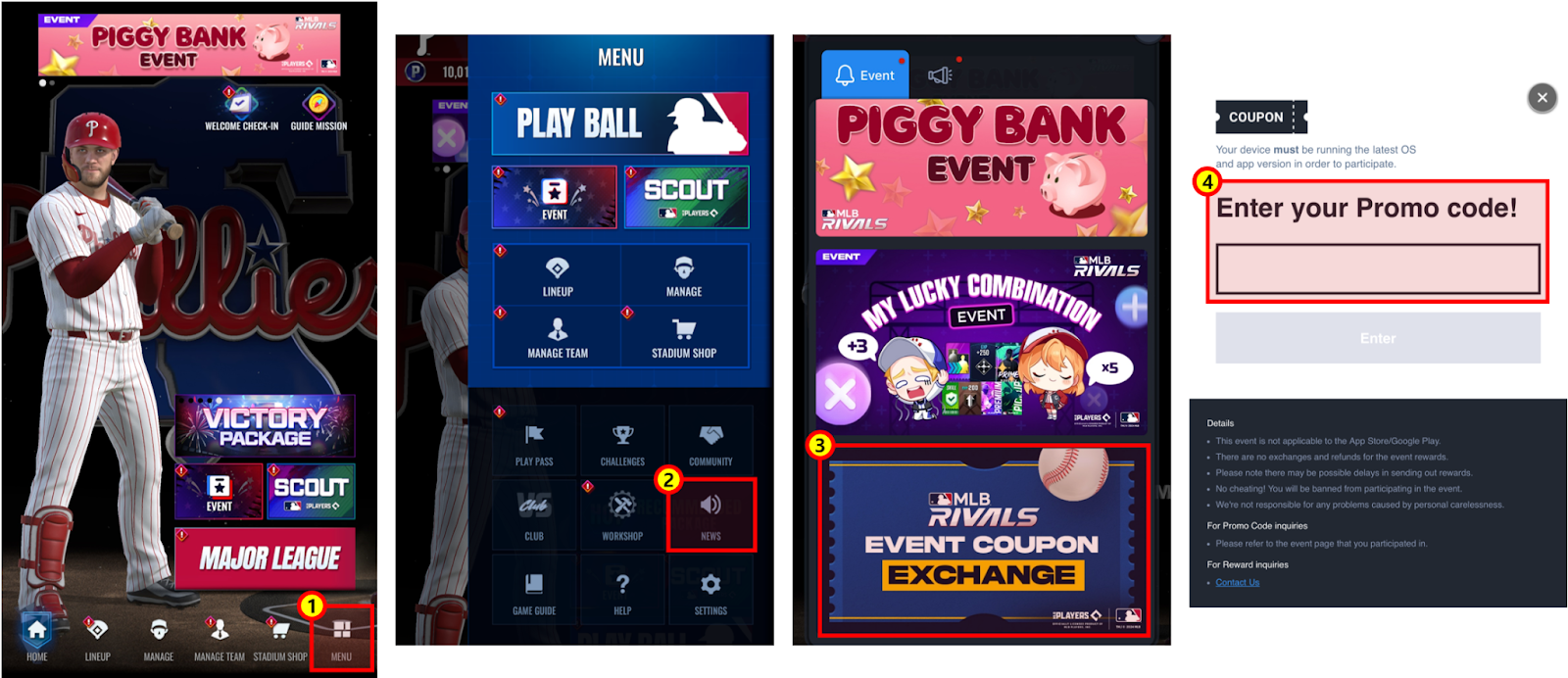
1. Go to the Main Menu > News > Event Coupon Exchange and enter the coupon code.
- This method is only available for Android devices.
2. After logging in to the official forum, enter the coupon code through the coupon exchange menu.
- For iOS devices, the coupon exchange menu will not appear when you access the official forum through the community menu shown on the main screen. Please log in through an external web browser and claim the coupon code.
- Log in with the account you created your team with to check the coupon exchange menu.
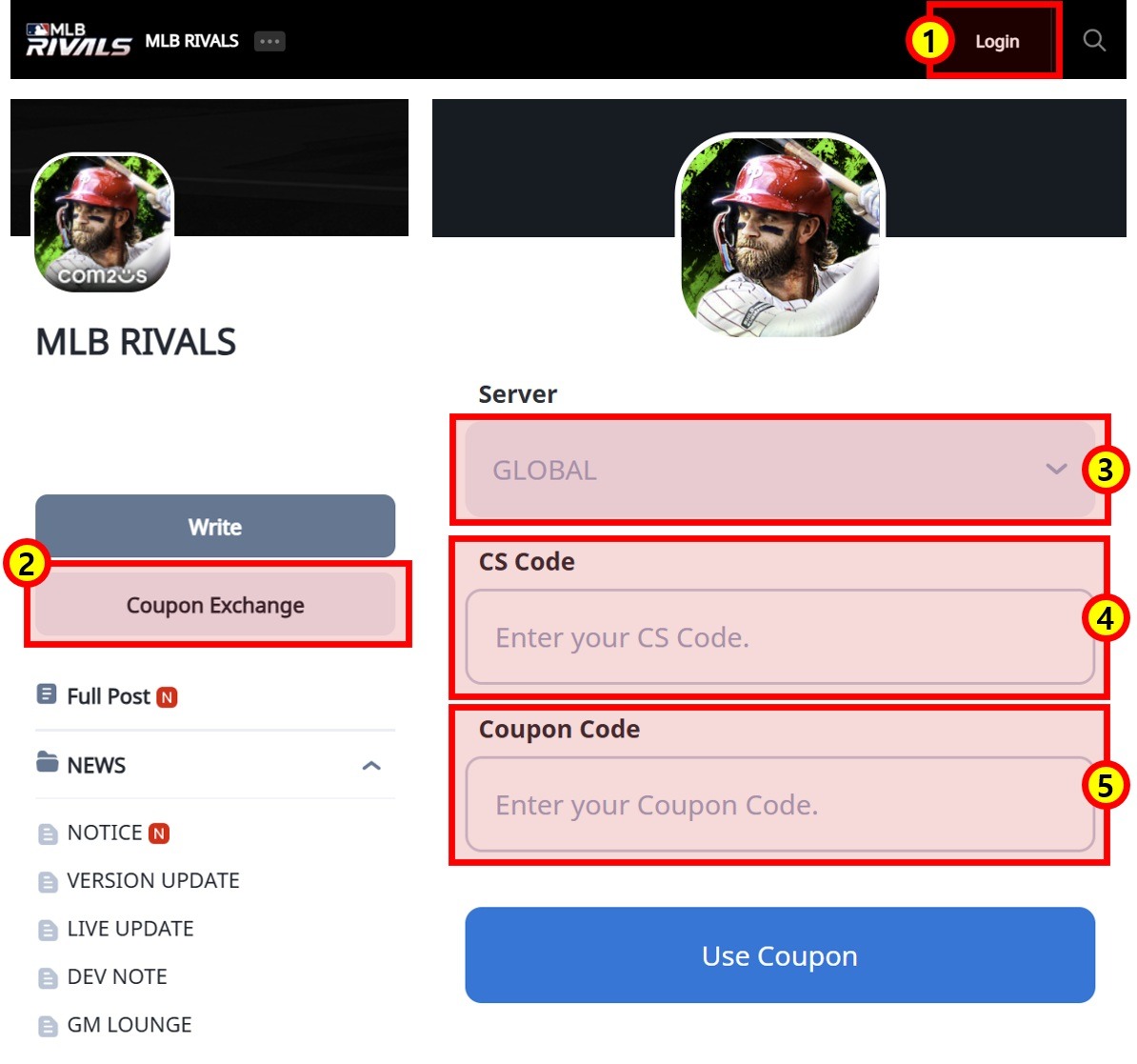
① Log in to the official forum
② Tap on the coupon exchange banner
③ Server: GLOBAL
④ Enter the CS CODE of the account you would like to receive the items with
⑤ Enter coupon code.
3. You can claim coupon rewards when you access the link below.
- Please access through an external web browser and claim the coupon code.
4. Coupon exchange URL
- Enter your CS CODE and coupon code in the coupon exchange link below to claim the coupon reward.
[Go to Coupon Exchange]
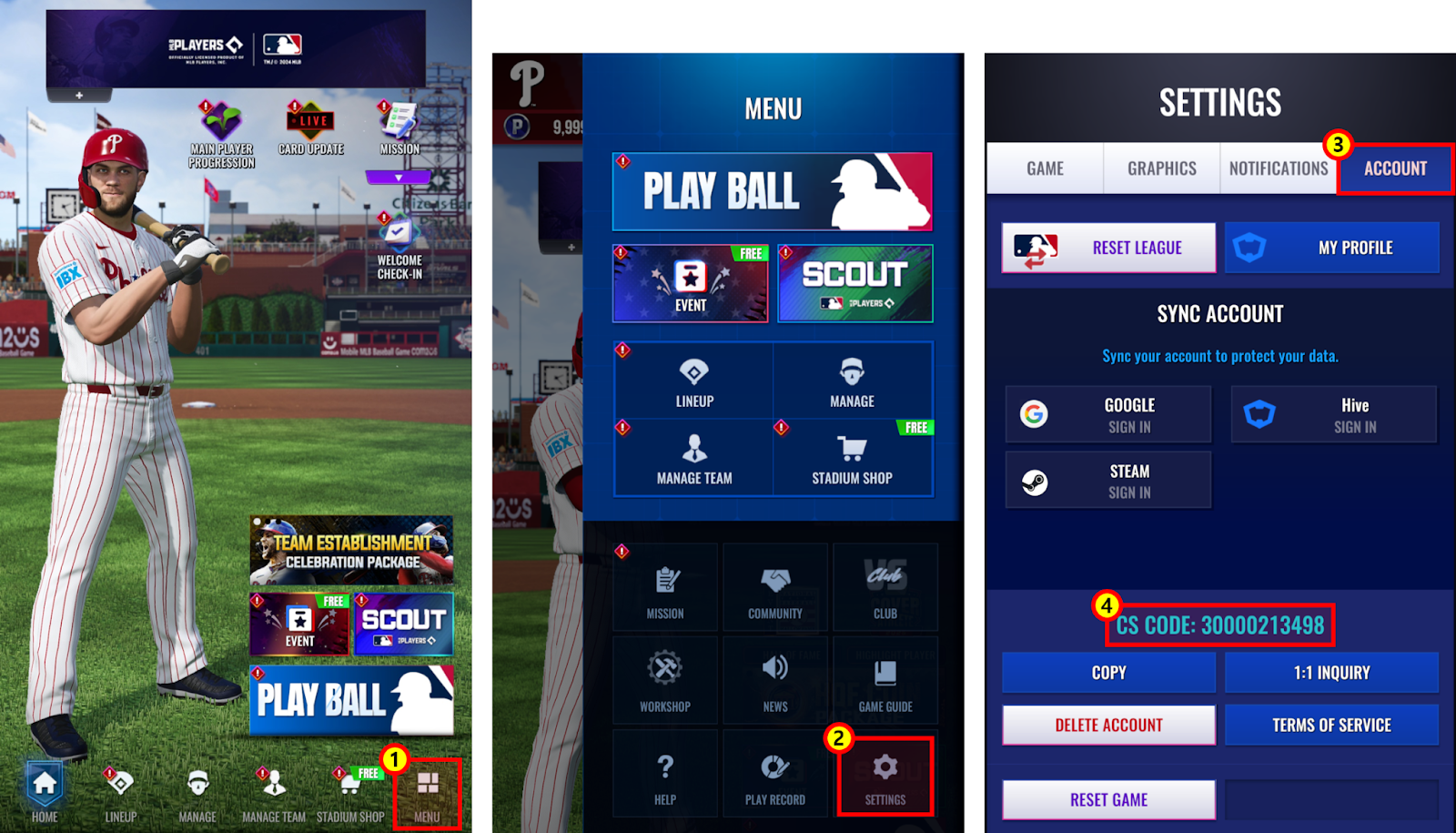
- How to Check Your CS code
- CS CODE in Menu > Settings > Account tab
Thank you.
0/3000