Content
[Guide] ONEchain Wallet Integration Guide


Hello.
This is a guide to linking the Astellia2 ONEchain wallet.
Through this guide, you can link ONEpocket with Astellia2 and
check how to use the ONE RAMP feature.
Once the wallet linking is complete, you can use the supported blockchain features and exchange in-game assets and tokens.
1. Open the menu
Please select the [CROSS] button at the top of the game screen.
You will move to the ONE RAMP screen.
2. Connect the wallet
Please select Connect Wallet on the ONE RAMP screen.
Follow the instructions displayed on the screen to proceed with the wallet connection.
3. Scan the QR code
A QR code will be displayed on the screen.
Please launch the Onepocket app on your mobile device.
By scanning the QR code through Onepocket, you can link your Astellia2 account and wallet.
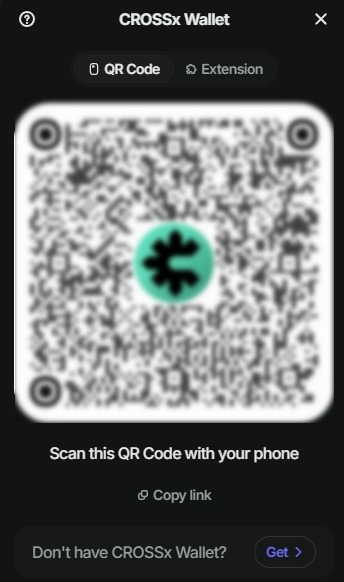
※ If the Onepocket app is installed on the same mobile device, the wallet connection can proceed through app-to-app linking without directly scanning the QR code.
4. Select Pair
Once the wallet connection is complete, you can check the pairs of in-game assets and tokens that can be exchanged.
In each Pair, you can check the following information.
Materials: In-game assets required for Assemble
Outputs: Tokens or in-game assets obtained after the exchange is completed
5. Select Assemble / Disassemble
Depending on the selected Pair, you can use Assemble, Disassemble, or both functions.
- Assemble: You can exchange in-game assets for supported tokens.
- Disassemble: You can exchange supported tokens for in-game assets.
※ Depending on the Pair, only one of the functions Assemble or Disassemble may be provided.
6. Enter quantity and proceed with the exchange
Please enter the quantity for which you want to proceed with Assemble or Disassemble.
Before proceeding with the exchange, you can check the following information.
- Quantity of Materials consumed during the exchange
- Quantity of Outputs obtained after the exchange is completed
After confirming the details, please select the Exchange button.
After that, check the transaction details in Onepocket and complete the signature to proceed with the exchange.
The linking of Onepocket and Astellia2 has been completed.
Connect your wallet and try using various features provided in the Astellia2 and ONEchain ecosystem.
You will be able to find more details about ONE RAMP, token exchange, and blockchain-related features through future announcements.